
Your needs, this model
Does it fit your priorities?
Can PW313 meet a Full HD 60 fps requirement?
No 1080p60 mode is documented. AVerMedia lists 1920 × 1080 at 30 fps, so this earlier PW313 does not match a 1080p60 minimum even though another AVerMedia model, PW315, does.
Explore this need in the finder →Will PW313 refocus when I move from the desk to a close-up?
PW313 is listed as fixed focus, with a 40–100 cm working distance. It is not the autofocus PW313D; the manufacturer evidence does not support assuming that it will refocus for changing subject distances.
Explore this need in the finder →Does the PW313 physical shutter mute its microphones?
The model page lists a built-in lens shutter and two mono microphones as separate features. It does not say the shutter disables audio, so use a separate software or hardware mute when audio privacy is required.
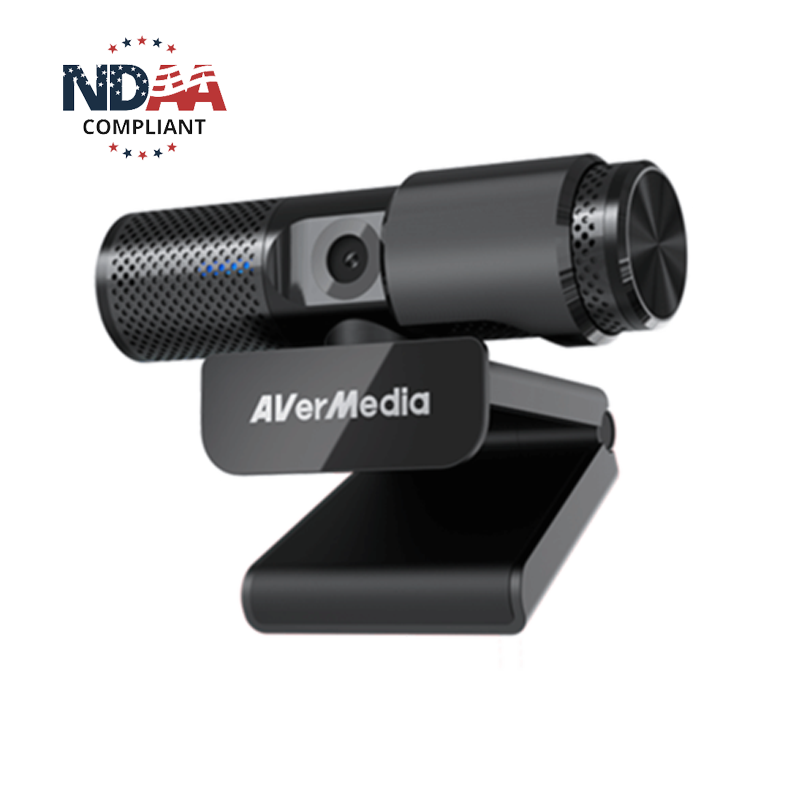
Explore this need in the finder →AVerMedia's PW313 Live Streamer CAM 313 is a fixed-focus USB webcam with a built-in lens shutter and two mono microphones. Its published maximum is 1920 × 1080 at 30 frames per second. That puts it below the separate PW315's documented 1080p60 mode and outside a 4K shortlist. This assessment compares manufacturer documentation; it is not based on ownership, hands-on use, image or audio testing.
A Full HD camera, not a 60 fps or 4K model
The official model material lists a 2-megapixel sensor, up to 1920 × 1080 resolution and a maximum of 30 fps. USB 2.0/UVC and MJPEG/YUY2 support describe a conventional webcam path, not a complete resolution-by-format table for each app. If an app must provide Full HD at 30 fps, check its camera selection rather than assuming every listed format is available together.
Do not confuse this model with the AVerMedia PW315. PW315 is also a standalone USB webcam, but its published ceiling is 1080p60 and it uses fixed focus. Nor should the PW313's Full HD ceiling be confused with a higher pixel count on another product label: the PW313 sources do not list 4K. Its recorded resolution is a capability ceiling, not a claim about detail, color, exposure or low-light quality.
Fixed focus favors a settled camera-to-subject distance
PW313 is listed as fixed focus. That makes the camera-to-face distance and the room setup worth deciding before choosing it: the source record does not provide a published focusing range or autofocus mechanism that would support moving between a face and an object close to the lens. It is more appropriate to think of it as a stationary desk camera than as a product-demonstration camera that can refocus at different distances.
The model page specifies a 71-degree diagonal field of view and a 2-megapixel sensor. Field of view is not a framing recommendation: monitor distance, camera height and background clutter still matter. There is no independent evidence here about how the sensor renders skin tones, motion or a dim workspace.
Keep picture privacy separate from microphone privacy
The built-in physical shutter covers the lens, and the camera has two built-in mono microphones. These are distinct features. The official documentation does not say that moving the shutter mutes, disconnects or electrically disables either microphone. If muting is essential, use the computer or application audio control, a separate microphone mute, or disconnect the camera; do not treat a closed lens shutter as a privacy switch for the whole USB device.
The PW313's microphone presence is useful for a minimal connection plan, but it is not evidence of pickup quality, echo handling or voice intelligibility at a particular desk. A second microphone route may be preferable if placement, room noise or mute controls matter.
Check the fixed cable, mounting and host
The reviewed materials identify USB 2.0/UVC and an attached 1.5 m USB Type-A cable. That is a straightforward route for a computer with an available data-capable Type-A port, but it is not a detachable USB-C cable or a USB 3 connection. A Type-C-only laptop or tablet may need an adapter that is not established as part of the listed package. The model page lists Windows 10, 8.1 and 7 or later, macOS 10.6 or later, iPadOS 17 with a Type-C port and ChromeOS; check current operating-system and app support before relying on an older compatibility line.
The camera's clip-and-swivel design is intended for a display, and the body also has a tripod thread. A tripod is not included in the exact U.S. page's box list. The listed dimensions are about 90 × 53 × 47 mm and the model page lists 130 g, useful for checking space but not a measure of mounting strength. Confirm cable reach, monitor thickness and the mounting surface before selecting a position.
Procurement and lifecycle need a separate check
PW313 appears in the captured legacy AVerMedia U.S. webcam routes, but not in the separately captured four-item current webcam collection. This site therefore labels it an earlier reference for comparison. That is not proof that the model has been discontinued, and an official product page does not prove that any offer is in stock, new, complete or sold on particular terms. Check the precise model, seller, condition and returns for any offer.
AVerMedia's TAA list names PW313D, PW315, PW513 and PW515 as webcam models; it does not name PW313. The PW313 assessment therefore does not count it as an affirmatively TAA-listed model. A separate manufacturer NDAA statement, where shown, would not establish a TAA match or approve a contract. Confirm the delivered SKU and procurement route with the responsible buyer if compliance is mandatory.
Who might keep PW313 on a shortlist?
PW313 may suit a stable, close-to-computer setup that accepts 1080p30, fixed focus and an attached Type-A lead, while wanting a physical lens cover and camera-side audio hardware. It is a poor fit when a buyer requires 1080p60, 4K, autofocus, TAA-listed model evidence, a supplied tripod or a shutter that is documented to mute the microphone. Those are concrete capability gaps, not claims about picture quality.
For a more recent current-reference alternative, compare the PW315 (fixed focus, 1080p60, TAA-listed) and PW513 (fixed focus, 4K30 and a USB 3.0 4K path). If autofocus matters, the PW515 documents a different 4K30 / 1080p60 arrangement. The PW313D DualCam has a very different two-camera workflow and bandwidth caveats; it is not simply a higher-resolution PW313. Match the exact model to the actual host and task rather than relying on similar names.
Key specifications
Key details at a glance
| Documented modes and host limits | The documented Full HD mode is 1920 × 1080 at 30 fps. Sources do not list 1080p60 or a 4K UHD mode. |
|---|---|
| Focus system | Fixed focus |
| Diagonal field of view | 71° |
| Built-in microphone | Yes |
| Physical privacy shutter | Yes |
| TAA-compliant exact SKU | No |
Use the exact model’s instructions for operating limits, supplied equipment and version differences.
Sources for this review
Sources for this assessment
- AVerMedia U.S. legacy webcam collection snapshot
- AVerMedia current U.S. Video Collaboration / Webcams collection
- AVerMedia Live Streamer CAM 313 exact U.S. store product page
- AVerMedia PW313 model specifications
- AVerMedia Live Streamer CAM 313 Quick Guide; direct retrieval returned HTTP 403
- AVerMedia TAA compliant products list
- AVerMedia official U.S. PW313 product image

Compare the features that affect your setup
Set essential video, focus, privacy and microphone requirements together; leave nonessential choices open.