
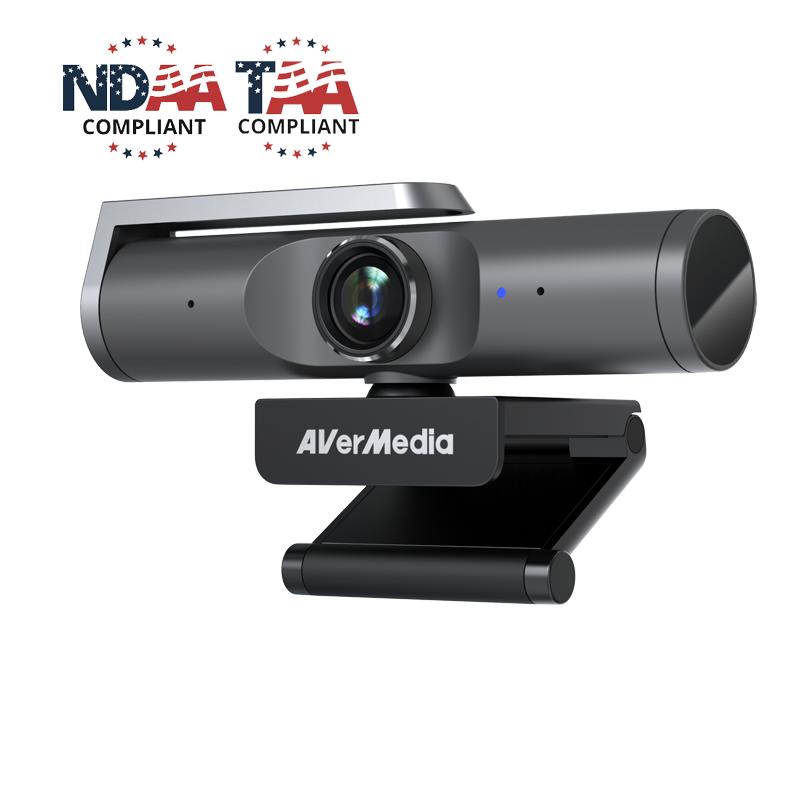
Your needs, this model
Does it fit your priorities?
Does the AVerMedia PW515 support 4K at 60 fps?
No 4K60 mode is listed. AVerMedia specifies 3840 × 2160 at 30 fps and a separate 1920 × 1080 at 60 fps mode. If 4K60 is essential, do not treat the separate Full HD 60-fps specification as equivalent.
Explore this need in the finder →What should I verify for 4K over USB?
The manufacturer's support note calls for a USB 3.2 Gen 1 port, a current host-controller driver and an application exposing 4K; CamEngine 4 can offer a virtual webcam source with 4K settings. USB 2.0 is described only as a lower-resolution fallback, with no exact mode published.
Explore this need in the finder →Does the PW515's physical shutter mute its microphones, and is the model TAA listed?
The manufacturer lists a built-in physical shutter and two microphones separately, so closing the shutter should not be treated as a microphone-mute control. AVerMedia's TAA product list names PW515; confirm the exact delivered model and procurement route with your buyer rather than treating the model listing as contract approval.
Explore this need in the finder →The AVerMedia PW515 is a USB webcam whose strongest documented combination is 4K at 30 fps, autofocus, a built-in privacy shutter and two built-in microphones. The manufacturer also lists the PW515 model as TAA compliant. Its mode table is more useful than the “4K” label alone: Full HD reaches 60 fps, while 4K tops out at 30 fps. This is a source-based assessment of the listed model and setup requirements; I have not handled or tested the camera, image, audio, autofocus or software.
Choose between its two clearly listed video targets
AVerMedia lists 3840 × 2160 at 30 fps and 1920 × 1080 at 60 fps. That makes the PW515 a 4K30 camera, not a 4K60 camera. If your meeting or stream benefits more from the higher pixel count, the published 4K mode is the relevant one. If motion cadence matters more, 1080p60 is the listed higher-frame-rate choice. Do not combine the maximum resolution and maximum frame rate into a mode the maker does not specify.
The product page lists UVC 1.0 with MJPEG, YUY2 and NV12, but it does not provide a complete resolution-by-format table. Confirm that the application exposes the mode and format you need, rather than assuming every listed format is available at both maximum modes. A camera output setting is also not a guarantee that a conferencing service will transmit or record at the same resolution.
Autofocus and a wide lens need room-specific framing
The PW515 uses autofocus and has a manufacturer-listed 100-degree diagonal field of view, with separate horizontal and vertical values of 92 and 60 degrees. That wide view may suit a small group or a room where the camera cannot sit far from participants. At a close desk distance, it can include more of the room than a single presenter wants. Measure the camera-to-subject distance and preview the actual application frame before deciding that the widest view is an advantage.
CamEngine 4 lists framing, image adjustments and other effects. These are software features to configure, not evidence that the camera will automatically compose every room well. The manual describes ePTZ and a digital zoom that can reduce output resolution; advanced processing also has host requirements and some processing choices are mutually exclusive. Keep the clean UVC feed as the baseline and enable only the framing or effects your computer and application can support.
Camera audio is built in, but it is not an audio test
AVerMedia specifies two omnidirectional stereo microphones and a nominal pickup distance of 3 m (9.8 ft). The source description does not establish intelligibility at that distance in a real room, nor how the microphones compare with a headset beside a keyboard or fan. Treat the pickup figure as a manufacturer specification, not an independent measurement. Check which input your meeting software selects and whether it provides the mute control you expect.
The built-in shutter physically covers the lens. It is useful when the camera should not show a picture, but the available sources do not say that closing it mutes the microphones. Camera privacy and audio privacy are separate checks. If you need both, verify the app’s audio input and mute state as well as the shutter position.
USB and software requirements can decide the setup
AVerMedia’s 4K support note calls for a USB 3.2 Gen 1 port, a current USB host-controller driver and an application with 4K settings; it says CamEngine 4 can provide a virtual webcam source with 4K settings as an alternative. The store listing also says the USB 3.1 Gen 1 camera is compatible with USB 2.0 at a lower resolution. It does not define that USB 2.0 fallback mode, so I would not count on a particular frame rate or resolution for it.
The U.S. store page lists Windows 10 or later, macOS 10.14 or later, iPadOS 17 or later with a Type-C port, and Chrome OS 85.0.4183.131 or later. It specifies a USB-A-to-USB-C cable measuring 2 m (6.56 ft) in the listed box contents. The manual also describes a monitor clip, desktop stand and tripod thread, while stating the tripod is not included. Check that the included cable reaches your computer and that the exact offer contains the mount or stand you plan to use. CamEngine’s feature requirements are separate from the camera’s basic UVC support; do not assume the base camera’s system minimum is enough for every effect.
Read the TAA listing narrowly
AVerMedia’s certification page names PW515 in its webcam TAA-compliant product list, and the U.S. store identifies the product model as PW515. That supports the model-level TAA filter in this guide. It does not approve a particular contract, seller, procurement route or substituted package. A buyer who has a TAA requirement should confirm that the delivered part is the PW515 model and ask the responsible procurement contact whether the exact source and offer meet the contract.
Who should keep the PW515 on the list?
It is a research-supported candidate when you need 4K30 rather than 4K60, want autofocus, value an integrated lens shutter and camera-side microphone hardware, and can meet the 4K USB-host and application requirements. It is also a documented TAA-listed model for buyers who must screen by that requirement. The wide view, mic pickup claim and CamEngine effects still need to fit your actual room, host and app; none has been validated through hands-on testing here.
Compare the PW515 with other 4K autofocus cameras by their specific mode tables, privacy mechanisms and procurement evidence. For example, the Kiyo V2 Pro lists 4K60 but has no built-in microphone, while the MX Brio has its own 4K30/1080p60 modes and a different shutter and software arrangement. Check the product model PW515, the cable and mount included in the exact offer, host-port capability, app settings and procurement documentation before buying.
Use the exact model’s instructions for operating limits, supplied equipment and version differences.Key specifications
Key details at a glance
Documented modes and host limits The U.S. source lists 4K30 and a separate 1080p60 mode; 4K60 is not documented. Focus system Autofocus Diagonal field of view 100° Built-in microphone Yes Physical privacy shutter Yes TAA-compliant exact SKU Yes Sources for this review
Sources for this assessment

Compare the features that affect your setup
Set essential video, focus, privacy and microphone requirements together; leave nonessential choices open.