
Your needs, this model
Does it fit your priorities?
Does the Kiyo V2 Pro document 4K60 video?
Yes. Razer lists 4K60 in MJPEG and H.264, while NV12 is listed only up to 4K30. Check that the intended application exposes the required format and connect directly to a USB 3.0-capable Type-C port.
Explore this need in the finder →Does the Kiyo V2 Pro have a built-in mic?
No microphone type, pickup pattern or audio codec is listed in the exact product technical table. Plan a separate headset or microphone when camera-side audio is needed.
Explore this need in the finder →Can I require autofocus and a physical shutter?
Razer lists Auto/Manual focus and a built-in twist-operated privacy shutter. Those feature rows do not establish focus speed or shutter behavior in every setup; verify software control and placement for your camera position.
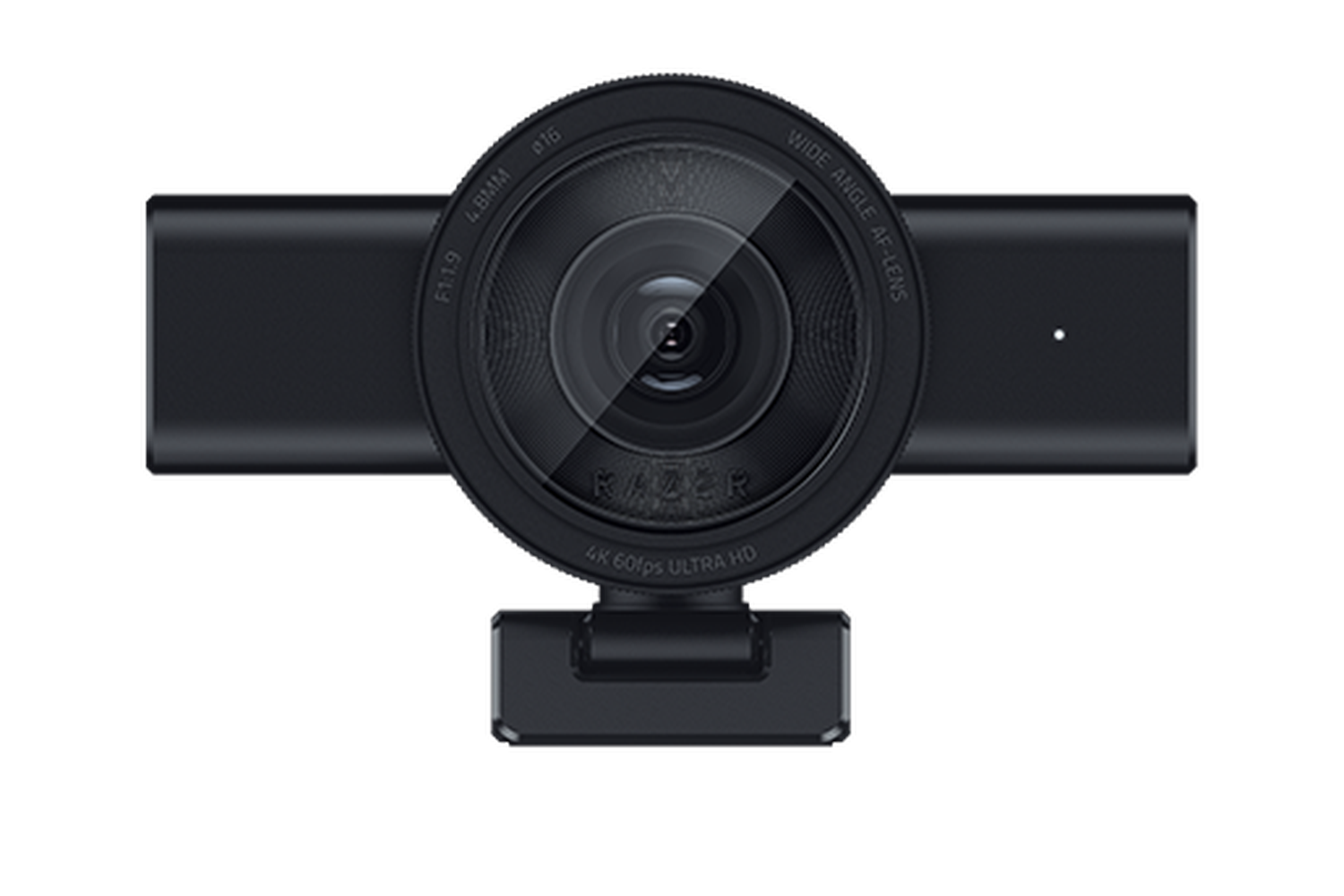
Explore this need in the finder →The Razer Kiyo V2 Pro is the most mode-focused of this three-camera group: its U.S. black SKU RZ19-05360100-R3U1 is specified for 4K at up to 60 frames per second, with autofocus/manual focus control and a built-in physical shutter. The exact-page technical table lists no built-in microphone. This is a source-based assessment, not a hands-on test or a judgment about how its image looks in a particular room.
4K60 is a specific format choice, not a general quality promise
Razer lists several modes, including 4K60, 4K30, 1440p60/30, 1080p60/30/24 and 720p60/30. Its separate format table says MJPEG and H.264 extend to 4K60, while NV12 tops out at 4K30; each is also listed up to 1080p60. That distinction matters if your capture or streaming application requires a particular format. The 4K60 match is based on an explicitly documented mode, but this page does not prove every app exposes it automatically, or that 4K60 will improve a call under every lighting, bandwidth or framing condition. Check the camera's format and resolution controls in the software you actually plan to use.
The 8.3-megapixel Sony STARVIS 2 sensor is a published component description, not a substitute for a controlled image comparison. Razer also lists HDR at 30 fps, not at 60 fps. If a bright window or dark background makes HDR important, treat the frame-rate ceiling as a real operating boundary and confirm which resolution accompanies that HDR mode; the reviewed table does not establish every HDR/resolution pairing.
Autofocus, framing, and placement solve different problems
The technical page calls the focus type Auto / Manual. That gives a user an autofocus option while preserving manual adjustment, but no focus speed, tracking accuracy or near-focus distance is stated in the retained source. Razer separately promotes AI auto-framing and intelligent pan, tilt and zoom effects. Software reframing can change a crop; it should not be mistaken for evidence that the lens has a particular optical zoom range or that focus behavior has been tested while a subject moves.
The listed field of view is 86 degrees and configurable. That is narrower than the Kiyo V2's published 93-degree maximum and wider than a tightly framed shot may need. Use the software setting and physical distance to plan a single-person view or roomier demonstration, then check the actual crop in your chosen application. No field-of-view number by itself guarantees that a second person, a desk surface or an entire room will fit as intended.
Plan for privacy, separate audio, and an exact mount
The integrated shutter is a useful hard boundary if you want a mechanical lens cover on the camera itself. Razer's technical table says the Kiyo V2 Pro has no built-in microphone, with the microphone-type, polar-pattern and audio-codec rows all marked None. Budget a separate headset or microphone if you need camera-side sound. An image shutter covers the lens; it is not an audio mute switch for a separate input device.
Mount language is less tidy. The product detail table calls the supplied arrangement a fixed L-shaped mount with a quarter-inch tripod thread, while the product overview describes a universal pivoting mount for monitor and tripod positions. Both descriptions point to monitor/tripod placement, but the wording does not settle every angle or package detail. Inspect the exact Black RZ19-05360100-R3U1 offer and confirm the included mount and tripod interface before planning a nonstandard arm or overhead position.
Check the USB path before choosing the top mode
Razer lists a USB-C-to-USB-C connection supporting USB 3.0, a direct USB-C host port, and a detachable two-metre cable in the product specifications. Those details make this a different install from the USB-A/USB 2.0 Kiyo V2 X. A USB-C-shaped port is not by itself proof of USB 3.0 support; check the computer port and avoid assuming that a display hub or adapter preserves the mode. The page's broad compatibility statement names OBS and XSplit, but it does not certify your current operating system, capture card, conferencing app or every driver combination.
For a 4K30 autofocus webcam with camera audio, the standard Kiyo V2 review describes the less expensive-featured sibling's documented capability set; it does not reach 4K60. If a 1440p-class camera with USB-A and an integrated mic is enough, compare the Kiyo V2 X assessment, but note its format table does not validate 1440p60 even though separate resolution claims advertise it.
Who should shortlist it?
The Kiyo V2 Pro is a reasonable research-based candidate when 4K60 is a genuine requirement, the computer has a direct USB 3.0-capable Type-C connection, autofocus is preferred, a built-in shutter matters, and you already have a separate audio plan. It is a poor fit if you expect camera audio, need confirmed TAA procurement status, or cannot verify the host and application path. Razer's reviewed U.S. sources do not state a TAA-compliance claim for this SKU. The available evidence also does not establish present stock, future availability, picture quality, noise performance, or real-world autofocus behavior. Confirm the exact RZ19-05360100-R3U1 part number, cable and mount contents, local software requirements, seller, return terms and warranty before choosing a live offer.
Key specifications
Key details at a glance
| Documented modes and host limits | Razer lists 4K60 in MJPEG and H.264, with NV12 limited to 4K30; HDR is listed at 30 fps. |
|---|---|
| Focus system | Autofocus |
| Diagonal field of view | 86° |
| Built-in microphone | No |
| Physical privacy shutter | Yes |
Use the exact model’s instructions for operating limits, supplied equipment and version differences.
Sources for this review
Sources for this assessment
Compare the features that affect your setup
Set essential video, focus, privacy and microphone requirements together; leave nonessential choices open.