
Your needs, this model
Does it fit your priorities?
Does the Kiyo V2 X have a confirmed 1440p60 format?
Razer advertises 1440p60, but the product format table lists MJPEG only to 1440p30 and YUY2 only to 480p30; support states the 1440p60 maximum without a pairing. Verify the exact mode in your app before relying on it.
Explore this need in the finder →Can the Kiyo V2 X meet a 1080p60 minimum?
Yes. The manufacturer format table lists MJPEG up to 1080p60; the operating plan requires direct USB-A 2.0. This finding does not establish 1440p60 in a particular format.
Explore this need in the finder →Does it have both a physical shutter and camera audio?
Razer lists an integrated twist shutter and built-in stereo omnidirectional microphone. It lists no HDR or microphone noise cancellation; microphone presence is not a sound-quality test.
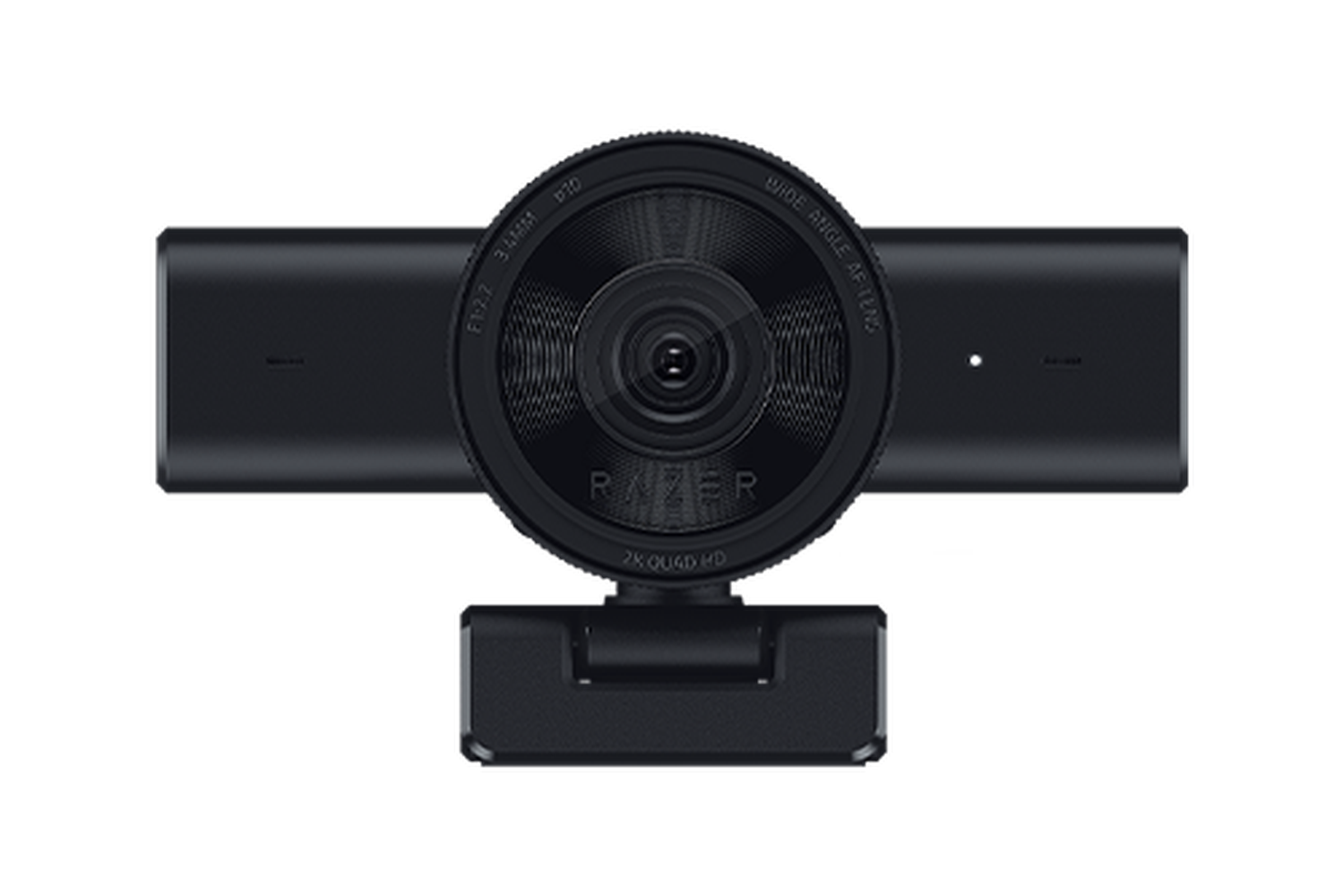
Explore this need in the finder →The Razer Kiyo V2 X is a separate, simpler connection and mode choice in the Kiyo family. The Black U.S. SKU RZ19-05380100-R3U1 is specified with USB-A 2.0, autofocus/manual focus, a built-in physical shutter and a stereo omnidirectional microphone. Razer advertises 1440p at up to 60 fps, but its format table and support specifications do not line up cleanly at that boundary. The conservative match assessment below therefore uses the explicitly listed 1080p60 format, not 1440p60. This is source-based research, not a hands-on review.
Why the 1440p60 claim needs a qualification
The Razer product page's resolution list names 1440p60, 1080p60/30/24 and 720p60/30. Its separate video-format table, however, specifies MJPEG up to 1440p30 and 1080p60, with YUY2 only up to 480p30. Razer support describes a maximum of 1440p at 60 fps and 1080p at 60 fps, but its table does not provide the missing format pairing. Those documents establish that Razer markets 1440p60; they do not supply a clear common table showing which format carries it. For that reason, 1440p60 is retained as a source discrepancy rather than treated as a guaranteed arrangement or a finder tag.
The same product page explicitly connects 1080p60 with MJPEG, so this review can include 1080p60 as a conservative supported mode. It also lists 1440p30 in the MJPEG ceiling. If your workflow needs the maximum 1440p rate, verify the current format controls in your specific application and ask Razer for a mode/format matrix before relying on it. The three resolution rows should not be combined into an invented 1440p60 YUY2 or uncompressed mode.
USB-A and USB 2.0 are part of the fit
Razer lists a USB Type-A connection supporting USB 2.0, a 1.5-metre cable and a direct USB-A port as the required host path. The support article advises connecting directly to the system port for full functionality rather than relying on a non-powered hub. That makes this model a different physical install from the USB-C/USB 3.0 Kiyo V2 and V2 Pro. Check for an available USB-A socket at the intended location and ensure that any port on a dock or monitor is suitable before assuming the camera will expose the listed mode.
The small setup stand is listed as a fixed L-shape with a quarter-inch tripod thread. The product has a configurable 80-degree field of view, narrower than the standard Kiyo V2's 93-degree maximum. A narrower frame may be easier to keep focused on a single presenter, but angle and distance still determine the real composition. Preview the view with the camera placed where it will be used.
Autofocus, privacy, and microphone limits
Razer identifies Auto / Manual focus, so the lens can use autofocus or manual adjustment. The source does not specify a measured focus range, tracking response or close-up performance. It also lists a twist-operated physical shutter. That is a documented lens-cover mechanism, not a software status indicator, and it does not mute a microphone.
The built-in microphone is stereo and omnidirectional. The support specification says noise cancellation is not provided. This is a concrete feature distinction from the standard Kiyo V2, whose product table lists noise cancellation, but it is not a sound-quality ranking: the source does not measure intelligibility, room echo or background noise for either model. If dependable voice pickup matters, choose and test an audio input separately, and confirm that your video app selects the intended microphone.
Razer lists no HDR support for the V2 X and identifies Razer Synapse 4 for its camera settings. It is intended for a PC setup and the product page names OBS and XSplit, but the reviewed sources do not validate every conferencing app, operating system release or feature combination. Check software and mode availability before a presentation or stream.
How it differs from the other Kiyo V2 models
The standard Kiyo V2 is specified for 4K30 over USB-C/USB 3.0, offers a larger 93-degree configurable view, supports HDR at 30 fps, and includes noise cancellation; its official sources disagree over cable length. The Pro adds 4K60 formats and has no listed camera mic. The V2 X is the USB-A/USB 2.0 option and includes a mic, but the 1440p60 format ambiguity is a real caveat. These differences are more useful for selection than treating all three as interchangeable “AI webcams.”
Who might choose the V2 X?
Keep it on a shortlist if USB-A is convenient, 1080p60 is a suitable documented working mode, autofocus and a physical shutter matter, and built-in stereo audio is useful. It is not a safe choice if 1440p60 is a hard requirement that cannot be confirmed on the current host, if you need HDR, if you need USB-C-only connectivity, or if you want manufacturer-documented noise cancellation. The source record has no exact-SKU TAA statement. As with the other finishes, Black RZ19-05380100-R3U1, Quartz RZ19-05380200-R3U1 and White RZ19-05380300-R3U1 are distinct retail identifiers; check the suffix, included camera and guide, cable, seller, return terms and warranty for the offer in hand. No current price, stock, image quality, sound quality or real-world performance claim is made here.
Key specifications
Key details at a glance
| Documented modes and host limits | Razer advertises 1440p60, but product format and support tables do not establish a consistent 1440p60 format combination. The factored matcher uses 1440p30 MJPEG and 1080p60 MJPEG only. |
|---|---|
| Focus system | Autofocus |
| Diagonal field of view | 80° |
| Built-in microphone | Yes |
| Physical privacy shutter | Yes |
Use the exact model’s instructions for operating limits, supplied equipment and version differences.
Sources for this review
Sources for this assessment
Compare the features that affect your setup
Set essential video, focus, privacy and microphone requirements together; leave nonessential choices open.