
Your needs, this model
Does it fit your priorities?
Does the PW315 support 1080p at 60 fps?
Yes. AVerMedia lists 1920 × 1080 at 60 fps as the model's maximum mode and identifies the camera as USB 2.0/UVC. A video application may offer a smaller mode, so confirm what your actual host and call or streaming app exposes.
Explore this need in the finder →Will fixed focus work if I move around in front of the PW315?
The PW315 is specified as fixed focus, not autofocus. Treat it as a better fit for a stable camera-to-subject distance; the reviewed U.S. documentation does not state a focusing-distance range, so test the actual desk position before relying on it.
Explore this need in the finder →Does the PW315 shutter mute its microphones, and is the model TAA-listed?
AVerMedia lists a built-in physical lens shutter and two microphones as separate features; the reviewed sources do not say that closing the shutter mutes camera audio. AVerMedia's TAA list names PW315, but procurement still needs to verify the exact part, seller and route.
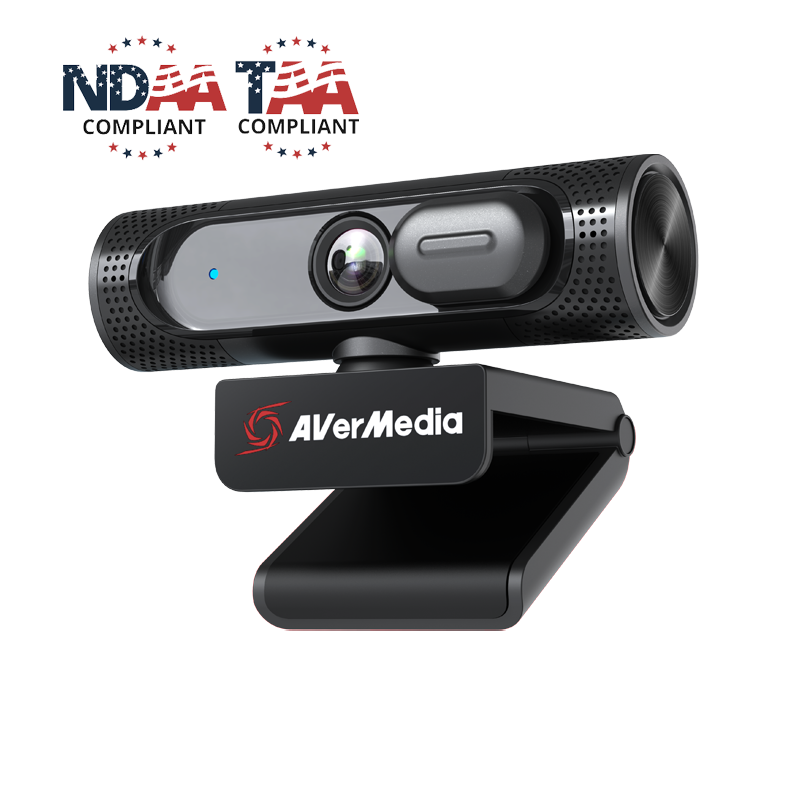
Explore this need in the finder →The AVerMedia PW315 is a fixed-focus USB webcam whose model page lists Full HD at 60 fps, a wide field of view, a physical lens shutter and two built-in microphones. Its appeal is a fairly direct one: a stable camera position, smooth 1080p video and a USB 2.0 connection rather than a 4K workflow. This is a source-based assessment of the documented model, not a hands-on review; I have not used or tested its picture, audio, software or focus behavior.
1080p60 is the ceiling, not a hidden 4K mode
AVerMedia specifies a maximum of 1920 × 1080 at 60 frames per second. That is Full HD, not 4K. If a meeting app caps the outgoing call below that, the camera's published mode does not override the service's own setting. Check the actual capture menu in the application you expect to use, especially if 60 fps is the reason you are choosing this model.
The manufacturer lists MJPEG and YUY2 video formats. Its public materials do not give a complete format-by-resolution matrix for every application, so do not assume that every host will expose the same combination. AVerMedia describes the device as UVC-compatible and says it does not require a separate driver installation; that still leaves app permissions, USB bandwidth and application controls to verify on the computer where it will live.
Fixed focus rewards a settled camera position
PW315 uses fixed focus. Unlike an autofocus camera, it is not documented as refocusing when a person moves toward or away from the lens. That is a straightforward fit for a stationary monitor-mounted camera, but a less obvious choice for a presenter who regularly changes distance or wants to move the camera between near and far subjects. The reviewed U.S. sources do not state a supported focus range, so they do not establish that a particular close-up distance will remain sharp.
The diagonal field of view is listed as 95.8 degrees, with 88.4 degrees horizontal and 57.6 degrees vertical. A wide frame can help include another person or more of a teaching space, but at a close desk position it can also show more background than intended. AVerMedia lists digital framing controls in its software. Those controls are a software option, not a substitute for setting the camera's physical position, and the manufacturer does not establish how much detail remains at each crop or effect setting.
Keep camera privacy separate from microphone privacy
The product has a built-in physical shutter that covers the lens, plus two omnidirectional stereo microphones. AVerMedia lists microphone coverage up to 3 metres (9.8 feet); that is a maker specification, not a measurement of intelligibility in a room with fans, keyboard noise or people speaking at different distances. The page does not say that closing the lens shutter disables the microphones. If both picture and sound privacy matter, check the operating system and meeting-app audio controls independently.
Streaming Center and related AVerMedia software list video adjustments and framing tools, including AI framing. Treat those as optional software workflows: they are not evidence that the camera automatically solves difficult lighting or follows movement without configuration. The camera remains fixed-focus, and no image-quality result here comes from a test.
USB 2.0 and a corded cable keep the basic setup simple
The PW315 guide describes a USB 2.0 camera and the U.S. store specifies a corded USB Type-A cable measuring 2 metres (6.56 feet). This is useful if the computer has a compatible Type-A port and the cable reaches the intended mount; it is not a detachable USB-C cable arrangement. Confirm the port, cable route and app requirements on the actual host rather than assuming a hub or adapter preserves the listed mode.
AVerMedia lists Windows 10 or later, macOS 10.14 or later, Chrome OS 85.0.4183.131 or later, and iPadOS 17 or later with a Type-C port. The box contents in the U.S. listing are the webcam with its corded cable and a Quick Guide. The clip can sit on a monitor and has a 1/4-inch tripod thread, but the manufacturer guide says the tripod is not included. Check the precise offer if a separate stand or mount is part of your setup.
Read the TAA evidence narrowly
AVerMedia's current TAA certification list names the PW315 webcam model, and its U.S. store page identifies the item as PW315. That supports a model-level procurement screen; it does not certify a particular marketplace seller, order route, substituted package or government contract. A buyer with a formal TAA condition should match the delivered part to the buyer's approved route and written purchasing requirements.
Who should keep the PW315 on the shortlist?
It is a documented candidate when 1080p60 is enough, a fixed camera-to-subject distance is acceptable, and an integrated lens shutter and camera-side microphone hardware are useful. Its broad view may help a small group or a teaching setup, but it deserves a framing check on the actual desk. If you need 4K, the fixed-focus PW513 lists 4K30 and a separate 1080p60 mode; the PW515 adds autofocus and 4K30 but has different USB requirements. Compare the exact model and cable arrangement rather than treating the names or the maximum specifications as interchangeable.
Key specifications
Key details at a glance
| Documented modes and host limits | AVerMedia lists 1920 × 1080 at 60 fps as the maximum mode; it does not document a 4K mode. |
|---|---|
| Focus system | Fixed focus |
| Diagonal field of view | 95.8° |
| Built-in microphone | Yes |
| Physical privacy shutter | Yes |
| TAA-compliant exact SKU | Yes |
Use the exact model’s instructions for operating limits, supplied equipment and version differences.
Sources for this review
Sources for this assessment
- AVerMedia current U.S. Video Collaboration / Webcams collection
- AVerMedia PW315 1080p60 Wide-Angle Webcam — U.S. store product page
- AVerMedia PW315 model specifications and operating features
- AVerMedia PW315 Live Streamer CAM 315 Quick Guide
- AVerMedia Trade Agreements Act certification product list
- AVerMedia official PW315 U.S. store product image

Compare the features that affect your setup
Set essential video, focus, privacy and microphone requirements together; leave nonessential choices open.