
Your needs, this model
Does it fit your priorities?
Does the PW513 support 4K at 60 fps?
No 4K60 mode is listed. AVerMedia specifies 3840 × 2160 at 30 fps and a separate 1920 × 1080 at 60 fps mode. For 4K, its current product page calls for USB 3.0; the exact USB 2.0 fallback mode is not established.
Explore this need in the finder →Does PW513's USB 2.0 compatibility guarantee 4K or a particular video mode?
No. The current product page says USB 2.0 support requires the latest firmware but gives no exact camera mode, while an older Reviewer's Guide says USB 2.0 is unsupported. AVerMedia specifies USB 3.0 for 4K; confirm current firmware and the exact mode in your own host and app.
Explore this need in the finder →Does the PW513 combine fixed focus, a physical shutter, built-in audio and a TAA model listing?
AVerMedia identifies fixed focus, a swivel-arm physical lens shutter and built-in stereo microphones, and its TAA list names PW513. These are independent hardware/model claims: a covered lens is not documented as a mic mute, microphone quality is not established, and a TAA model listing does not approve the seller or contract.
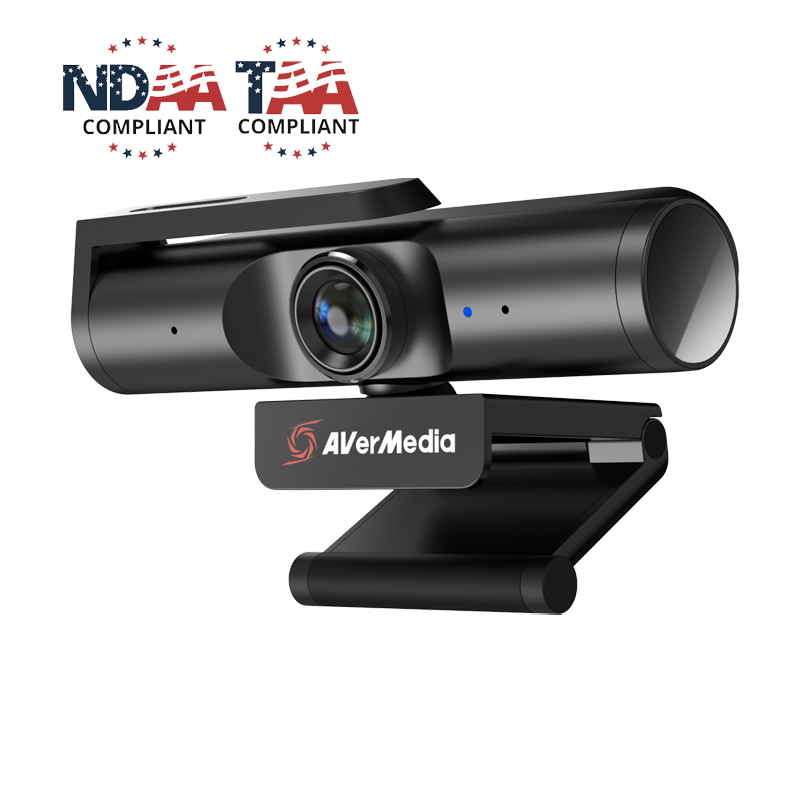
Explore this need in the finder →The AVerMedia Live Streamer CAM 513 (PW513) is a fixed-focus webcam with manufacturer-listed 4K at 30 fps and a separate Full HD mode at 60 fps. It also has a wide lens, a swivel-arm privacy shutter and built-in stereo microphones. The 4K route depends on a USB 3.0 connection and a compatible application; the 4K label alone is not a promise of 4K60 or of what a meeting service will send. This is a source-based assessment, not a hands-on review: I have not used or measured its image, audio, focus or software.
Choose between 4K30 and the separate 1080p60 mode
AVerMedia lists 3840 × 2160 at 30 fps and 1920 × 1080 at 60 fps. Those are separate maximum modes. The published specification does not establish 4K at 60 fps, and the listed MJPEG and UYVY formats are not paired with every mode in a complete format table. A buyer should select the exact resolution and frame rate exposed by the intended camera app, then separately check the conferencing or streaming software's output setting.
The product page describes the camera as UVC-compatible and says it is plug-and-play without a separate driver installation. That simplifies the starting point but does not mean every video effect is available in every host. The page recommends a main light for best video experience; no low-light performance is measured here, and software exposure or framing options should not be mistaken for evidence of the room result.
Its fixed focus and 94-degree view need physical planning
PW513 is fixed focus, so it does not have the autofocus behavior of a camera that continually refocuses as a speaker leans or moves. The manufacturer lists a 94-degree diagonal field of view, useful when the camera must include more than one person, but a wide frame may include excess room at a close desk distance. AVerMedia lists a 50–200 cm working-distance range and, separately, a 40 cm minimum video distance. The sources do not explain how those two figures relate, so treat them as distinct manufacturer statements rather than a guaranteed sharpness boundary.
The flexible monitor clip, 360-degree swivel and 1/4-inch tripod thread provide placement options; the Quick Guide says the tripod is not included. Product-page dimensions are stated without the base, while the Quick Guide prints a larger set without explaining its measurement scope. If physical clearance is tight, check the actual mounting arrangement instead of combining those figures into a promised footprint.
USB 3.0 is the clear route for 4K; USB 2.0 is conditional
The U.S. package listing specifies a 1.5 m USB 3.0 Type-C-to-Type-A cable. AVerMedia states that USB 3.0 is required for 4K recording and streaming. Its current product page also says USB 2.0 support is available through the latest firmware, but does not name a specific USB 2.0 camera mode. The 2025 Quick Guide tells the reader to connect the camera to USB 3.0 for a stable image, and an older Reviewer's Guide says the camera does not support USB 2.0. Because these instructions conflict, I would use the documented USB 3.0 path for a mode-specific requirement and would not count USB 2.0 as 4K or as a particular frame rate without checking the exact firmware, host and app.
The PW513 U.S. page lists Windows 10 or later, macOS 10.14 or later, and iPadOS 17 or later with a Type-C port. Its dedicated-streaming-PC requirements include platform-specific CPU and memory guidance; those are not a universal promise that every compatible call app will expose every camera mode. Also check whether a host's USB port is actually operating at USB 3.0 speed and whether a hub, cable or adapter changes the connection.
Camera audio, shutter and Mac synchronization are separate questions
AVerMedia lists built-in stereo microphone hardware and a swivel-arm physical shutter that covers the lens. The shutter is a camera privacy measure; the reviewed source does not identify it as a microphone mute. Nor do the sources demonstrate how the microphone sounds in a particular room. Check the chosen input and mute control in the operating system and app before relying on camera audio for a call.
AVerMedia warns that 4K video and audio may become unsynchronized on macOS because Mac CPU performance differs by model. Its FAQ describes adding a microphone sync offset in OBS, starting around 200 milliseconds and adjusting. That is troubleshooting guidance, not a measured delay for every Mac or a reason to assume the problem occurs in all apps. If synchronized recording is essential, verify the actual Mac, firmware, connection and software path before committing to the workflow.
Software features and TAA status do not replace exact-offer checks
Streaming Center lists image adjustments, rotation, freeze, AI framing, ePTZ and field-of-view adjustment. These are software features with their own host requirements and settings; no simultaneous combination or resulting image quality has been tested here. The manufacturer TAA list names webcam model PW513, which supports a model-level procurement filter but is not approval of an individual seller, order route or contract. Confirm the exact PW513 part with the responsible buyer.
The exact camera-only PW513 package lists the camera, USB-C-to-Type-A cable and Quick Guide. A separate AVerMedia U.S. store item is titled PW513L with a VL49 light. It is not treated here as the same SKU or bundle: verify which package is being offered and what light or camera contents it includes. Do not infer that the camera-only item's box contains that light.
Who should keep the PW513 on the shortlist?
PW513 is a research-supported candidate for a stable camera position when 4K30 or 1080p60 is sufficient, USB 3.0 is available for the 4K route, and fixed focus, physical lens coverage and camera-side microphones fit the room. It is not the match for a documented 4K60 requirement, and USB 2.0 operation remains firmware- and app-dependent in the sources reviewed. Compare it with the fixed-focus PW315 if Full HD at 60 fps is enough, or the autofocus PW515 if subject distance changes. Match the exact model, cable, firmware, computer and package before choosing.
Key specifications
Key details at a glance
| Documented modes and host limits | AVerMedia lists 4K at 30 fps and a separate 1080p at 60 fps mode; 4K60 is not documented. Its current product page says USB 3.0 is required for 4K and USB 2.0 support requires the latest firmware, while an older Reviewer's Guide says USB 2.0 is unsupported. |
|---|---|
| Focus system | Fixed focus |
| Diagonal field of view | 94° |
| Built-in microphone | Yes |
| Physical privacy shutter | Yes |
| TAA-compliant exact SKU | Yes |
Use the exact model’s instructions for operating limits, supplied equipment and version differences.
Sources for this review
Sources for this assessment
- AVerMedia current U.S. Video Collaboration / Webcams collection
- AVerMedia PW513 Live Streamer CAM 513 — U.S. store product page
- AVerMedia Live Streamer CAM 513 model specifications and setup
- AVerMedia PW513 Live Streamer CAM 513 Quick Guide
- AVerMedia Live Streamer CAM 513 Reviewer's Guide and system requirements
- AVerMedia FAQ: optimize webcam audio and video sync on macOS
- AVerMedia Trade Agreements Act certification product list
- AVerMedia official PW513 U.S. store product image

Compare the features that affect your setup
Set essential video, focus, privacy and microphone requirements together; leave nonessential choices open.