
Your needs, this model
Does it fit your priorities?
Does the IP-controller package include its own camera microphone?
Yes. Jabra lists an eight-microphone beamforming array in the PanaCast 50 bar and includes that bar in the 8612-332 room-system configuration. This confirms hardware presence, not measured audio quality or coverage in a particular room.
Explore this need in the finder →Does its Panoramic-4K label satisfy a conventional 4K webcam requirement?
Not on the evidence reviewed. The published room image is 3840 × 1080 at 30 fps, and no full UVC output matrix is published for a computer meeting app. The finder does not credit standard UHD, 1080p60 or 4K60 webcam output.
Explore this need in the finder →Is 8612-332 the same system as Jabra's other Room System 2 controller package?
No. North American 8612-332 is the IP-controller configuration with a Link Box; 8602-332 is the separate USB-controller configuration. The two have different controller/cable package details and should be verified by exact part number.
Explore this need in the finder →Does the included privacy cover count as a built-in physical shutter?
No. Jabra lists a removable cover for the camera bar, not an integrated shutter. The reviewed sources do not establish that covering the lens also mutes the system microphones.
Explore this need in the finder →A room-system package, not just a camera bar
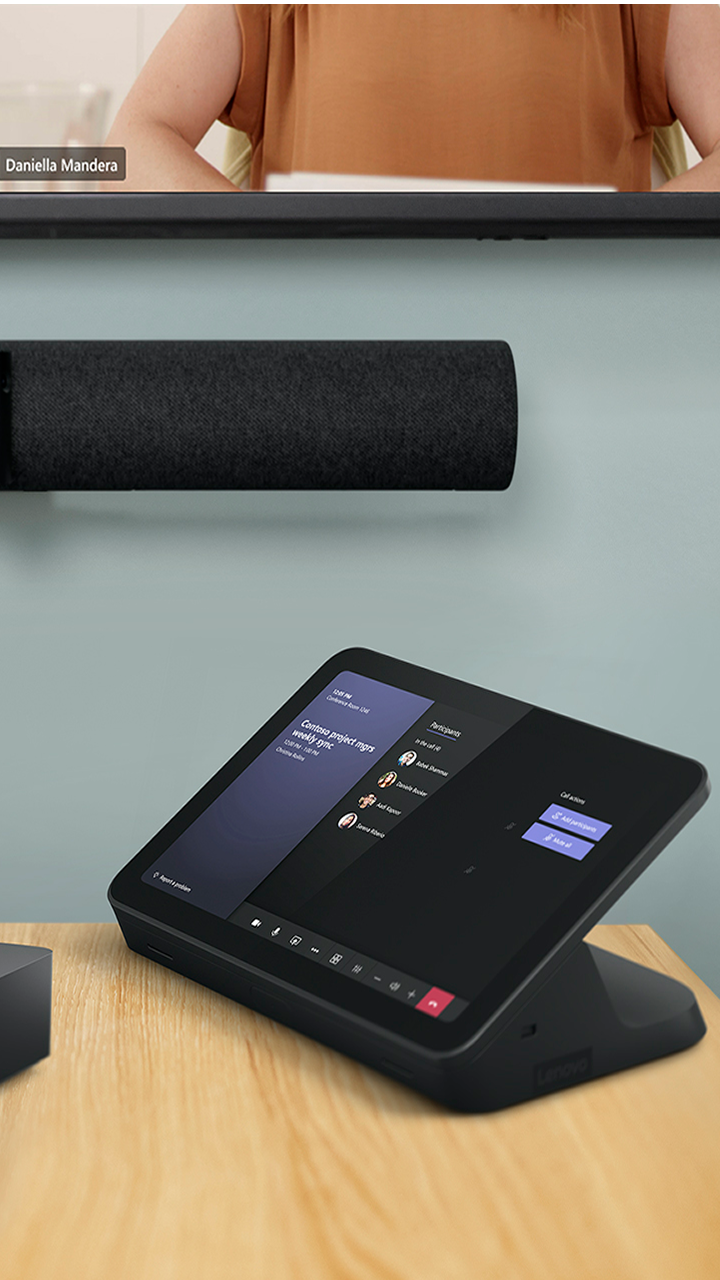
The North American part 8612-332 is the Microsoft Teams Rooms edition of Jabra’s PanaCast 50 Room System 2 with an IP controller. It pairs a PanaCast 50 camera bar with Lenovo ThinkSmart Core Gen 2 room compute, a Lenovo IP touchscreen controller and a Link Box. This is a different bundle from the earlier PanaCast 50 Room System 8601-332/432 and from the Android-based PanaCast 50 VBS. Jabra’s North American Rev B sheet still marks 8612-332 with an asterisk and “Coming soon,” while the exact-SKU buy route now identifies the IP-controller package. Those records establish a real configuration, not present seller stock or a guaranteed order date.
The IP edition’s equipment list includes the bar’s power supply, wall mount, two-metre USB-C-to-USB-A USB 3.0 cable and removable privacy cover, along with the Core Gen 2 computer, IP controller, Link Box, mounting hardware, power supplies, HDMI and Ethernet connections, and a three-metre USB-C lead for BYOD. The linked USB-controller system is a separate package: it uses a USB touch controller and a ten-metre controller cable rather than the IP controller/Link Box arrangement. Do not treat these as cosmetic options or use one package list to check the other. One accessory detail is unsettled: Jabra’s 2025 sheet and current buy-page extract give conflicting descriptions of the IP bundle’s Ethernet-lead length. Confirm the exact carton with the seller or buyer before planning a cable run.
What “Panoramic-4K” tells you—and what it does not
Jabra lists three 13-megapixel cameras, 180 degrees horizontal by 54 degrees vertical field of view and a stitched 3840 × 1080 panoramic image at 30 frames per second. “Panoramic-4K” is the manufacturer’s label for that wide format; it is not a conventional 3840 × 2160 UHD frame. Nor does the room-system sheet publish a complete USB camera format and frame-rate table for a laptop meeting app. I therefore do not credit this system as a verified 4K, 1080p60 or 4K60 computer-webcam match. A sensor count, room-display capability, panoramic label or AI framing feature cannot fill in a missing UVC mode matrix. Check the exact meeting application and host if a particular computer-camera format is non-negotiable.
The bar is designed to frame a wide room rather than a single person at a desk. Jabra describes its camera array, automatic framing tools and content-camera features; these are manufacturer specifications, not a measured result for every room, seating plan or wall placement. The very broad view may be useful in a configured meeting space, but a buyer still needs to consider display position, subject distance, wall mount, power, network, room-computer placement and the actual viewing crop used by the meeting platform.
Keep the room-system and laptop paths separate
In its intended Teams Rooms arrangement, the Core Gen 2 is the room computer and the IP touchscreen is the control surface; the Link Box and supplied connections form part of that installed system. Jabra also includes a separate three-metre USB-C cable for a bring-your-own-meeting-computer connection. That cable is not the same lead as the bar’s two-metre USB 3.0 USB-C-to-USB-A camera cable. If you intentionally reuse the camera bar as a USB camera with a separate PC or Mac, plan around the camera lead and verify how the host, app and audio endpoints enumerate. Do not assume the touch-panel, HDMI, Ethernet or BYOD leads can be substituted for the bar’s camera connection.
This bundle is most plausible when an organization wants a preconfigured Windows-based Teams Rooms room system with the PanaCast bar, a room controller and Lenovo compute together. It is a poor fit for someone who wants a clip-on USB webcam, does not need dedicated room compute, or has not planned mains power, mounting, network access, display wiring and IT configuration. The complete-system platform also makes the exact part important: this review covers IP-controller 8612-332, not the 8602-332 USB-controller edition or the prior-generation 8601-332/432 room system.
Audio, privacy and facts still left open
The PanaCast 50 bar lists an eight-microphone beamforming array and four speakers, so built-in microphone hardware is documented for a room call or a supported BYOD setup. Jabra’s room-size certification statement is not an independent intelligibility or pickup test. A buyer who needs a specific seating-zone result should validate the actual layout rather than treating a microphone count as a coverage promise.
The box lists a removable camera privacy cover, not a built-in physical shutter. Closing or removing that cover should not be read as proof that the room system’s microphone is muted. Jabra’s reviewed specifications also do not classify this lens as fixed focus or autofocus, and they do not identify exact part 8612-332 as TAA-compliant. Unknowns stay unknown in the feature comparison.
Who should shortlist it
Consider this version only if the bundled Teams Rooms computer and IP touch-control topology are part of the brief and the buyer can verify the exact U.S. item, current support, installed software edition and seller carton. Compare it with the earlier PanaCast 50 Room System before deciding whether Core Gen 2 and the newer controller package are needed; compare the separate Room System 2 USB-controller assessment if touch-panel cabling or control topology matters. For a camera bar without Lenovo room compute, start with the standalone PanaCast 50 instead. Before ordering, confirm part 8612-332, the included IP controller and Link Box, the precise Ethernet-cable list, U.S. power configuration, return/support terms and the intended BYOD or Teams Rooms connection. No seller condition, live stock, price or hands-on result is asserted here.
Key specifications
Key details at a glance
| Documented modes and host limits | The 30 fps figure applies to Jabra's 3840 × 1080 panoramic image; it does not establish a conventional UHD USB camera mode or 1080p60. |
|---|---|
| Built-in microphone | Yes |
| Physical privacy shutter | No |
Use the exact model’s instructions for operating limits, supplied equipment and version differences.
Sources for this review
Sources for this assessment
- Jabra Medium Room Video Conferencing Cameras & Solutions
- Jabra PanaCast 50 Room System 2 product page
- Jabra PanaCast 50 Room System 2 IP Controller buy route, SKU 8612-332
- Jabra PanaCast 50 Room System 2 with IP Controller technical sheet, Rev B
- Jabra PanaCast 50 Room System 2 with USB Controller technical sheet, Rev B
- Jabra PanaCast 50 Room System 2 IP Controller image

Compare the features that affect your setup
Set essential video, focus, privacy and microphone requirements together; leave nonessential choices open.