
Your needs, this model
Does it fit your priorities?
Does Jabra's Panoramic-4K label mean the computer receives conventional UHD 4K?
No conventional 3840 × 2160 USB output is established in the reviewed sources. Jabra lists a 3840 × 1080 panoramic image at 30 fps; the three 13-megapixel sensors and 4K display capability do not prove a UHD webcam mode.
Explore this need in the finder →Can the PanaCast 50 provide built-in microphone hardware to a computer-hosted meeting?
Jabra specifies eight microphones and the product is a PC/Mac-connected audio-video bar. This is a hardware specification, not an independent claim about pickup quality at every seat.
Explore this need in the finder →Does it have a built-in shutter or a known focus system?
The included cover is removable, not an integrated shutter. The reviewed specifications do not classify focus as fixed or autofocus, so neither requirement is credited.
Explore this need in the finder →What must be planned for a computer connection?
The standard box lists a two-metre USB-C-to-USB-A USB 3.0 cable and a separate power supply. Check the host port and cable reach; table and screen mounts are separate from the included wall mount.
Explore this need in the finder →Do the black and grey U.S. editions use different camera plans?
Jabra's technical sheet lists black 8200-232 and grey 8201-232 as PanaCast 50 finishes. The assessed camera and published feature specifications are shared; confirm the exact finish in the seller listing.
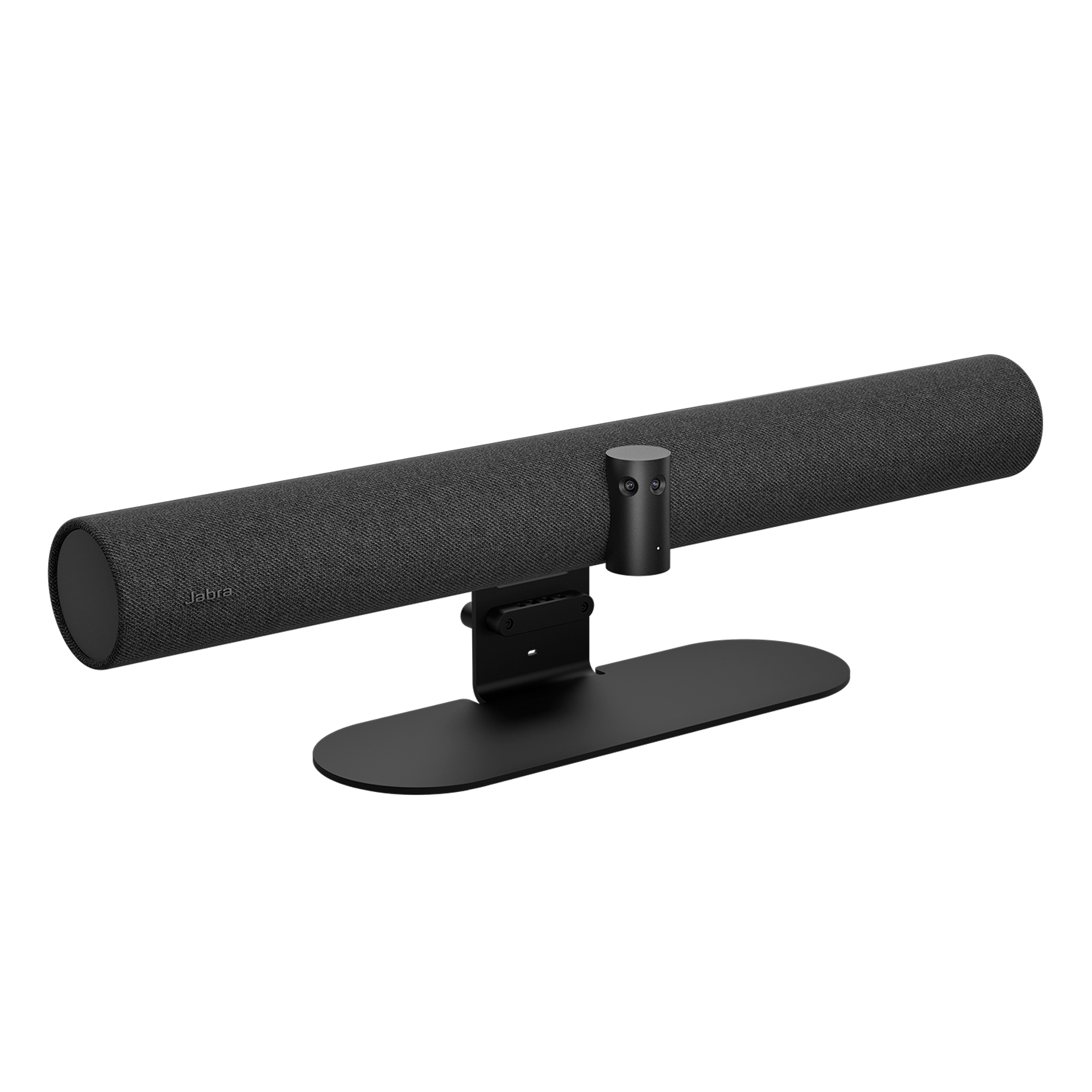
Explore this need in the finder →Jabra’s PanaCast 50 is a powered room video bar, not a small clip-on webcam. The reviewed North American black SKU is 8200-232; Jabra also lists a grey finish as 8201-232. Those are finish variants of the same bar, not evidence of different camera modes. This is a document-based assessment: no unit was purchased, tested, or measured for this review.
What “Panoramic-4K” means here
Jabra specifies three 13-megapixel cameras, a 180-degree horizontal and 54-degree vertical field of view, and a stitched panorama it calls Panoramic-4K: 3840 × 1080 at 30 frames per second. That is a wide 32:9-style image, not conventional 3840 × 2160 UHD. The separate “up to 3 × 4K” sensor description refers to the camera modules, not a published 4K-UHD computer-camera output. Jabra’s page also describes up to six-times lossless digital zoom, Virtual Director, Intelligent Zoom and dynamic composition. These are framing features, not a substitute for a precise host-output mode table. This assessment therefore does not treat the bar as a documented 4K-resolution, 1080p60 or 4K60 match in the finder.
For a room conversation, a stitched 180-degree panorama can be more useful than a narrow view because people spread along a table need not sit directly in front of one lens. It also means a buyer should check the intended display, room layout and how a conferencing application crops or presents the wide picture. A wide field of view is not a guarantee that every participant will be equally legible at every distance, and the manufacturer’s product claims are not independent image tests.
Connection and setup are room-scale
Jabra lists USB 2.0 and USB 3.0 support and includes a two-metre USB-C-to-USB-A USB 3.0 cable in the standard box. The product specifications list Windows and macOS compatibility. A host PC can use the camera bar’s audio/video features, but buyers should confirm the computer has the right port, that the included cable reaches the chosen host, and that the conferencing software selects the PanaCast 50’s camera and audio endpoints. The exact operating-mode table for every software configuration is not published as a camera output matrix, so the panoramic specification should not be stretched into more modes than Jabra states.
This model also needs its own power supply. The listed box contains the bar, power supply, wall mount, the USB cable and a removable privacy cover. Jabra describes table-stand and screen-mount options as separate purchases; the official image used with this assessment shows the bar with a table stand, which is not proof that the stand is included. At about 650 mm wide, the device is furniture-scale equipment. Before ordering, measure the display and wall, plan power and cable routing, and decide whether a wall mount or a separately sourced stand better fits the room.
Audio is built in; privacy and focus questions remain
The bar has eight beamforming microphones and four speakers, with Jabra describing it for rooms up to 4.5 by 4.5 metres on its U.S. product page. It can make sense where one room device is meant to handle both meeting video and conversation audio, avoiding a separate speakerphone as a default assumption. Those are manufacturer descriptions, not measurements of intelligibility, echo handling or pickup at a particular seat. A large, noisy or unusually shaped room still calls for a room-specific audio plan rather than confidence in a marketing coverage number.
The product includes a removable cover for the camera lenses, not a built-in physical shutter. That distinction matters if a procurement checklist specifies an integrated shutter. The reviewed sources also do not identify the lens as fixed-focus or autofocus. Intelligent Zoom and speaker framing are software behaviours; neither establishes the optical focus mechanism. Jabra’s sources do not explicitly mark the exact reviewed PanaCast 50 SKU as TAA compliant, so that status remains uncredited. Closing the removable cover should not be taken to mean the microphones are muted.
Who should consider it—and who should not
The strongest case is a small or medium meeting room that needs a permanent, powered bar, integrated microphones and speakers, broad room framing, and a PC-connected workflow. It is a poor fit for a laptop bag, a crowded desk, or a buyer who only needs a simple personal webcam. A PanaCast 50 VBS adds an Android room system and Control touchscreen; the older PanaCast 50 Room System adds a Lenovo computer and controller; neither should be confused with this standalone bar. Jabra’s PanaCast 40 VBS is a smaller-room appliance with its own package and operating caveats. For a conventional desktop webcam, a compact camera with an explicitly listed 1080p60 or UHD output is easier to match against a strict format requirement.
Before committing, verify the black or grey SKU, the seller’s exact carton, the included power and USB cables, the required mount, room-display position, host compatibility, and what the conferencing app can actually select. Do not treat the promotional “4K” label, a stand shown in a photograph, or a seller’s generic specification sheet as proof of a specific PC camera mode or included accessory. For a room installation, these checks matter as much as the camera’s headline field of view.
Key specifications
Key details at a glance
| Documented modes and host limits | The 30 fps figure is attached to Jabra's 3840 × 1080 panorama, not a published standard-UHD or full USB mode matrix. |
|---|---|
| Built-in microphone | Yes |
| Physical privacy shutter | No |
Use the exact model’s instructions for operating limits, supplied equipment and version differences.
Sources for this review
Sources for this assessment

Compare the features that affect your setup
Set essential video, focus, privacy and microphone requirements together; leave nonessential choices open.