
Your needs, this model
Does it fit your priorities?
Does PW310P support Full HD at 60 frames per second?
No 1080p60 mode is listed. AVerMedia specifies 1920 × 1080 as the maximum resolution and 30 fps as the maximum frame rate, so PW310P is not a documented match when Full HD 60 is essential.
Explore this need in the finder →What should I check if I rely on PW310P autofocus for close-up work?
The model page lists autofocus over a 7 cm-to-infinity range. It also gives a 2-second focus-sensitivity figure without test conditions, so use the stated range as a published limit rather than a promise about focus speed in your app.
Explore this need in the finder →Does PW310P combine a physical shutter with camera microphones?
Yes. AVerMedia lists a built-in physical lens shutter and two omnidirectional stereo microphones. The reviewed sources do not say that closing the lens shutter disables the microphones, so manage audio privacy separately.
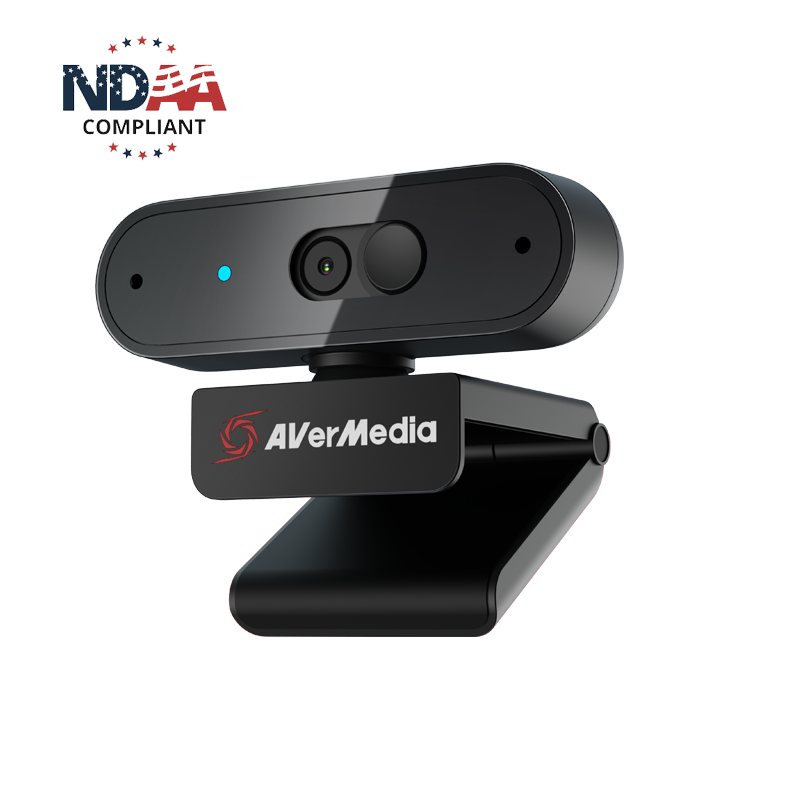
Explore this need in the finder →The AVerMedia PW310P is an autofocus USB webcam with built-in microphones and a physical lens shutter. AVerMedia documents a maximum Full HD mode of 1920 × 1080 at 30 frames per second, so this is a simpler, earlier-generation call camera rather than a 1080p60 or 4K option. This is a source-based assessment, not a hands-on review: I have not used or tested its picture, audio, autofocus, software or mounting behavior.
A 1080p30 ceiling, with a USB 2.0 webcam path
PW310P's model page lists 1920 × 1080 at 30 fps as its maximum mode. The Quick Start Guide also lists a 30 fps maximum. The evidence therefore does not support treating it as a 60 fps camera just because another AVerMedia webcam carries a similar name. If Full HD at 60 fps is a hard requirement, the fixed-focus PW315 documents that mode; the PW310P does not. It also has no listed 4K mode.
AVerMedia lists MJPEG and YUY2 formats and the guide identifies USB 2.0 and UVC. Those are useful clues for a straightforward computer connection, but they do not show which resolution, frame rate and format a specific meeting or streaming app will expose together. Check the selected camera in the actual host and app before relying on a particular mode. The guide says a separate driver installation is not required, which is not the same as saying every app permission, USB port or operating-system version will work without configuration.
Autofocus helps with changing subject distance, but the limits matter
The model page describes autofocus, a 73-degree diagonal field of view and a published focus range from 7 cm to infinity. That makes the specification different from a fixed-focus camera intended for a settled camera-to-person distance. It could be useful when demonstrating something close to the camera and then returning to a face, but the manufacturer figures do not tell us how consistently it focuses in a particular room or application.
AVerMedia also lists a two-second “focus sensitivity” value, but does not publish test conditions for that figure. It should not be treated as an independently measured focus response time. For a close-up setup, check whether your actual object sits outside the published 7 cm minimum and leave room to adjust the camera angle. The 73-degree diagonal view describes the lens framing, not how much background will look right at your desk.
Separate picture privacy from microphone privacy
The PW310P has a built-in physical shutter that covers the camera lens, plus two omnidirectional stereo microphones. AVerMedia lists microphone coverage up to 3 metres, a manufacturer specification rather than an independent voice-pickup test in a noisy room. The reviewed sources do not say that closing the lens shutter mutes or disconnects the microphones. If you need to stop both picture and audio capture, use the meeting application's audio controls or disconnect the camera instead of assuming the shutter changes the mic state.
This distinction is easy to miss in a product description: a physical lens cover helps make the camera view visibly blocked, but it does not establish audio privacy. The manual shows a separate microphone and shutter in the hardware diagram. No conclusion here is based on a test of the shutter or sound.
Check the attached Type-A cable and what is not in the box
The exact U.S. listing specifies an attached 2 m USB Type-A cable; the Quick Start Guide identifies USB 2.0. That can suit a computer with a usable Type-A data port and a nearby monitor, but it is not a detachable USB-C setup. The model page lists iPadOS 17 or later with a Type-C port, while the camera's published cable is Type-A. An adapter may be needed for a particular tablet, and the reviewed box contents do not establish that one is supplied.
AVerMedia describes a monitor clip, 360-degree swivel and a 1/4-inch tripod attachment. The guide explicitly says the tripod is not included; its listed box contains the camera with its cable and a Quick Start Guide. Check the mount and cable route against your actual screen rather than assuming a tabletop stand is part of the package. The manufacturer page lists Windows 10 or later, macOS 10.14 or later, iPadOS 17 or later with Type-C and the latest ChromeOS. Its U.S. store marketing text also mentions older Windows versions, so confirm current software support if that difference matters.
Do not treat an NDAA statement as TAA evidence
The U.S. store page describes PW310P as NDAA compliant. AVerMedia's separately published TAA product list names PW313D, PW315, PW513 and PW515 under Webcam, but does not list PW310P. The distinction matters: this assessment does not mark PW310P as a TAA-listed model, and an NDAA marketing statement is not a substitute for the buyer's own procurement rules. The list is model-level evidence, not approval of a seller, contract or order route.
Who should still consider the PW310P?
It is a plausible earlier-model reference for a stationary call or teaching station that accepts 1080p30, wants autofocus, and values an integrated shutter and camera-side microphones. It is a poor match for a must-have 1080p60 or 4K mode, a confirmed TAA SKU requirement, or a setup that depends on a supplied tripod. It is also not a promise of availability: the exact U.S. product page identifies PW310P, but the page's continued presence does not tell us the condition or terms of an individual seller offer.
For faster Full HD, compare the PW315, which is fixed-focus and lists 1080p60, or the PW515, which adds autofocus to a 4K30 webcam with different host requirements. If a 4K30 fixed-focus model is more relevant, the PW513 has another distinct USB arrangement. Those are separate camera assessments; do not infer their resolution, cable or compliance status from the PW310P name.
Key specifications
Key details at a glance
| Documented modes and host limits | The listed maximum is 1920 × 1080 at 30 fps. No 1080p60 or 4K mode is established in the reviewed U.S. model sources. |
|---|---|
| Focus system | Autofocus |
| Diagonal field of view | 73° |
| Built-in microphone | Yes |
| Physical privacy shutter | Yes |
| TAA-compliant exact SKU | No |
Use the exact model’s instructions for operating limits, supplied equipment and version differences.
Sources for this review
Sources for this assessment
- AVerMedia current U.S. Video Collaboration / Webcams collection
- AVerMedia U.S. Webcams collection snapshot
- AVerMedia PW310P exact U.S. store product page
- AVerMedia PW310P official U.S. product data endpoint
- AVerMedia PW310P model specifications and operating features
- AVerMedia Live Streamer CAM 310P Quick Start Guide
- AVerMedia TAA compliant products list
- AVerMedia exact U.S. PW310P product image

Compare the features that affect your setup
Set essential video, focus, privacy and microphone requirements together; leave nonessential choices open.