
Your needs, this model
Does it fit your priorities?
Does GROUP meet a Full HD 60 fps or 4K minimum?
No documented camera mode does. Logitech lists 1080p30 and H.264/UVC 1.5 over its USB 2.0 compliant powered hub, not 1080p60 or 4K. Compare the exact listed webcam mode rather than treating pan/tilt or digital zoom as a higher resolution.
Explore this need in the finder →What is different about GROUP + Expansion Mics 960-001060?
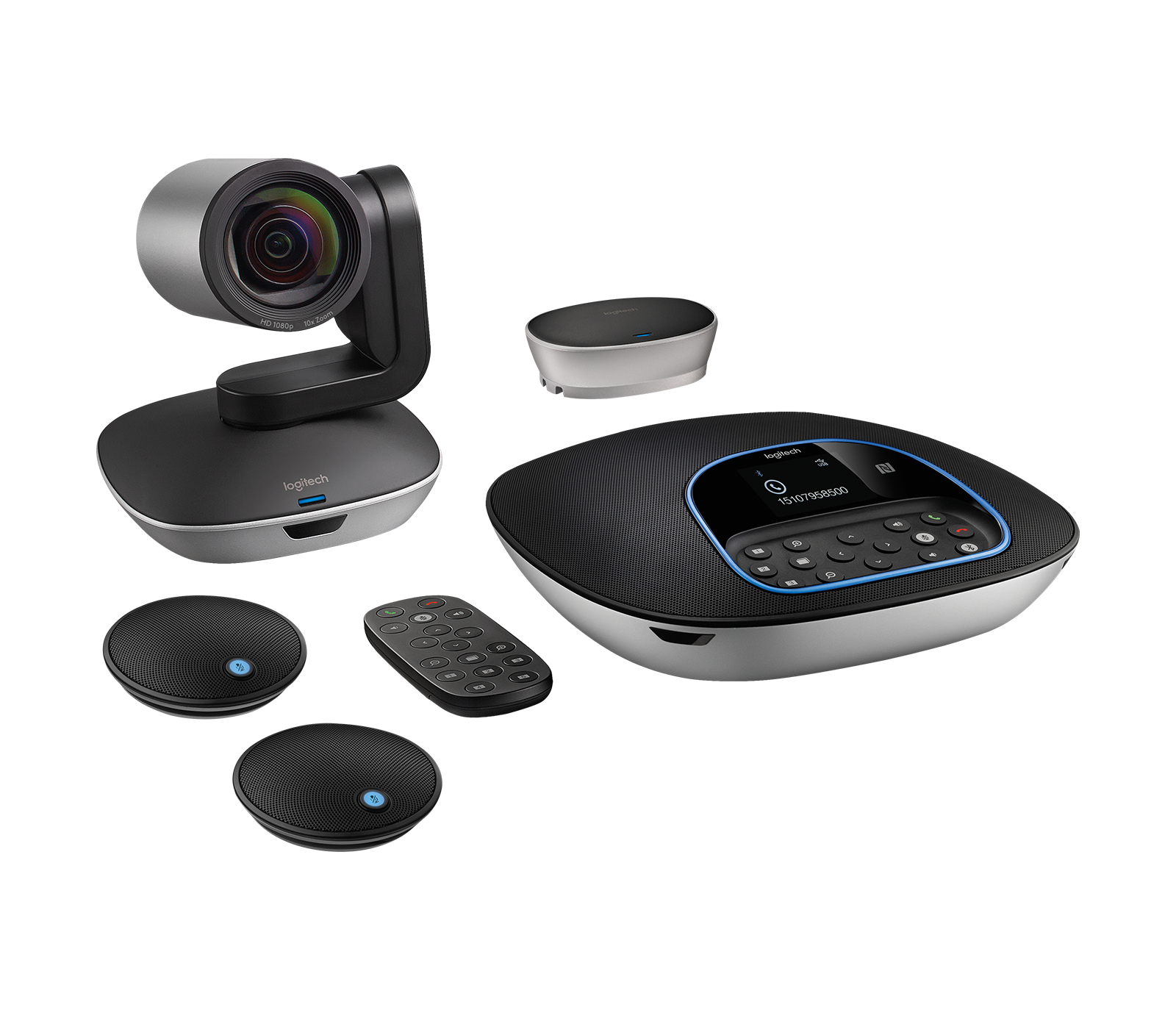
It is a distinct package variant that adds two expansion microphones; the base GROUP 960-001054 includes the speakerphone's four microphones but not the expansion pair. Logitech lists the pickup diameter increasing from six to 8.5 meters with the pair.
Explore this need in the finder →Does GROUP's microphone mute provide physical camera privacy?
No. The reviewed GROUP materials document a speakerphone mute control and a video-streaming LED, but do not establish an opaque physical camera shutter. A shutter-required choice therefore does not match this product.
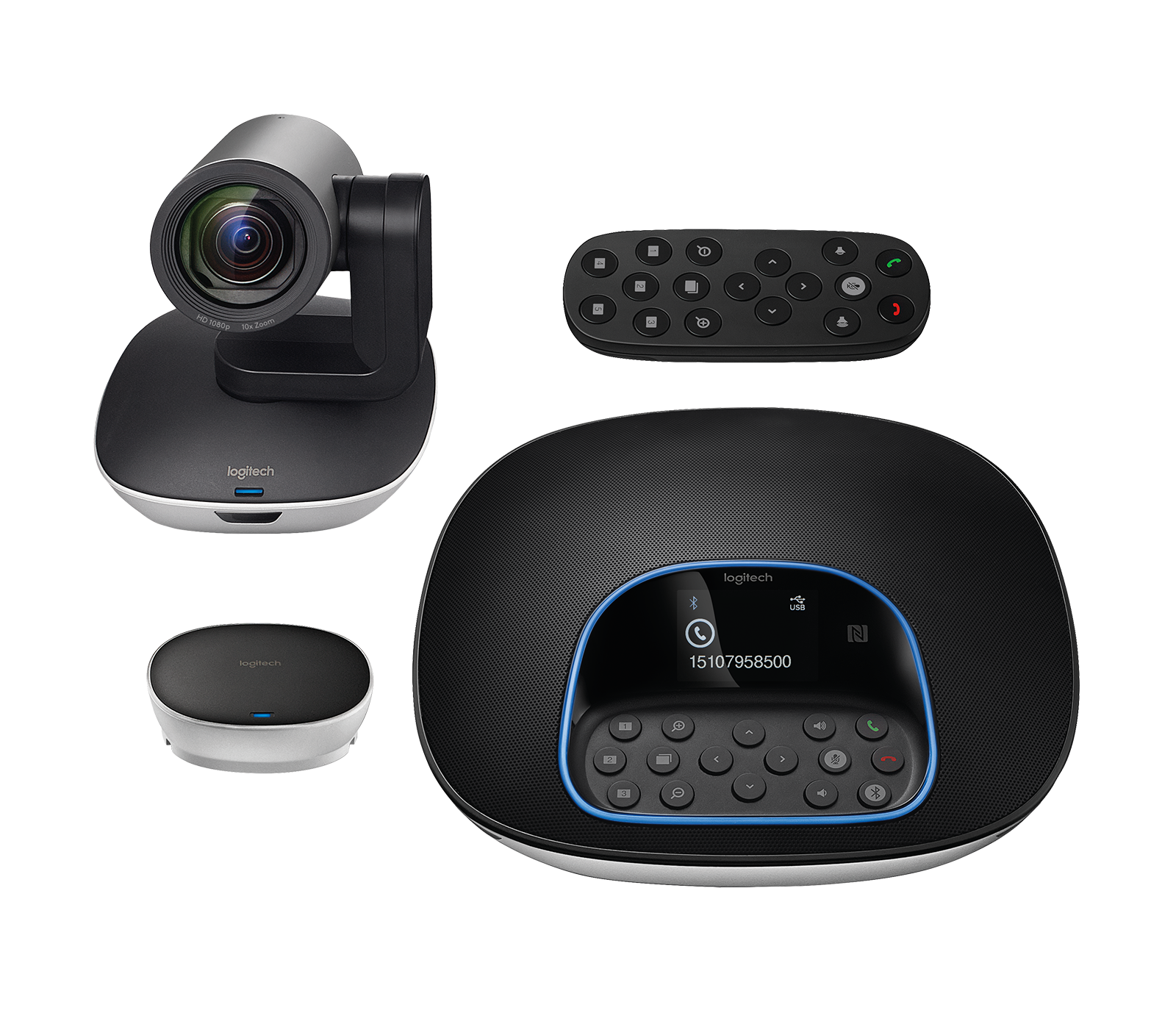
Explore this need in the finder →Logitech GROUP is a room-conferencing system whose camera can also serve as a USB/UVC computer camera. The distinction matters: this is not one small unit that clips to a display. The U.S. standard package, SKU 960-001054, separates a steerable camera, tabletop speakerphone and central hub, with long leads between room components and a powered connection to the computer. Its value is in that placed-together room setup; its cost is the extra cabling, desk or table space and setup decisions.
What the USB camera actually supports
Logitech specifies the camera at 1080p30 with H.264, UVC 1.5 and Scalable Video Coding. The same specification calls out autofocus, a 90-degree diagonal field of view, 260 degrees of pan, 130 degrees of tilt and 10x lossless HD zoom. These steering controls help when the room camera must move between a table, presenter or whiteboard; they do not turn the system into a higher-frame-rate camera. The reviewed materials do not list 1080p60, 4K or 4K60, so those requirements rule out this configuration.
The operating path is more involved than “plug a webcam into a laptop.” The camera and speakerphone each connect to the powered central hub over a supplied five-meter lead. A three-meter USB 2.0 cable links the hub to a PC or Mac, and the hub uses an AC power adapter. That layout lets the camera sit away from the computer, but the room must have suitable cable routes, power and places for the hub and speakerphone. Logitech also notes that an application may impose its own requirements for Full HD. Check that your operating system, application and room-computer setup recognize the camera and audio devices before choosing it for a deployment.
Room audio and package differences
The included speakerphone has four omnidirectional microphones and an integrated speaker. Logitech states a six-meter-diameter microphone pickup area for the standard setup, and describes expansion microphones that extend the figure to 8.5 meters. This is a manufacturer-described coverage specification, not a measured promise for a particular table, ceiling or noisy room. Keep the speakerphone where participants can reach its controls and within the planned cable run; the camera can be mounted separately on the wall, table or tripod-compatible position.
Do not confuse the standard system with the selector's separate GROUP + Expansion Mics bundle, exact U.S. SKU 960-001060. The standard GROUP 960-001054 includes four microphones in its speakerphone but not the extra pair. The bundle adds two expansion microphone pods. The page-selected image below shows the package's camera, speakerphone and two pods; the hub and cable list still need to be verified in the actual seller's exact box.
Privacy and daily controls
The speakerphone has a microphone mute control and status indicators; the camera has an LED indicating when video is streaming. Neither statement establishes a physical lens shutter. The reviewed GROUP page and datasheet do not identify an opaque privacy shade, so do not treat the room mute button or streaming LED as the same thing as a physical lens block. If a shutter is a must-have, use the strict filter and choose a model whose physical cover is explicitly documented. A manual privacy routine also needs to account for the camera and audio separately.
GROUP also has a dockable remote, five camera presets and a powered hub designed to sit under a table. Those facilities suit a shared room that benefits from repeatable framing. They are less compelling for a solo desk where a compact camera and USB lead are the main priorities. The MeetUp puts camera and room audio into one wide bar and requires a separate USB 3.0 cable for its 4K30 mode; the BCC950 puts a motorized camera on a desktop speakerphone base and tops out at 1080p30. These are different installation patterns, not a simple good/better/best ladder.
Before selecting a package
Confirm the exact U.S. part number: 960-001054 for standard GROUP or 960-001060 for GROUP + Expansion Mics. The latter is a distinct supply configuration, not just another name for the base model. Logitech's reviewed U.S. page and datasheet do not make an explicit TAA-compliance statement for 960-001054, so a purchasing process requiring TAA documentation should not assume it qualifies. The reviewed sources also do not establish a physical camera shutter. Match those needs to the exact package rather than extrapolating from a reseller title.
Plan the camera and speakerphone positions, included five-meter leads, three-meter computer lead, hub location, AC outlet and wall/table mount before installation. Check the exact cables, power adapter, mount and microphone count in the offer. Select GROUP as the app's camera and audio input, then verify what the application exposes at 1080p30. Logitech describes compatible meeting software and system requirements; this assessment is a source-based product analysis, not a hands-on test of the device, video call or room acoustics. For a separate small-room bar, compare the exact MeetUp assessment; for a desktop all-in-one, compare BCC950. Use the connection guide and room-fit guide to map the system to your own host and layout.
Key specifications
Key details at a glance
| Documented modes and host limits | The camera specification lists 1080p30 and H.264/UVC 1.5; the system is USB 2.0 compliant. No 60-fps or 4K webcam mode is listed. |
|---|---|
| Focus system | Autofocus |
| Diagonal field of view | 90° |
| Built-in microphone | Yes |
Use the exact model’s instructions for operating limits, supplied equipment and version differences.
Sources for this review
Sources for this assessment
Compare the features that affect your setup
Set essential video, focus, privacy and microphone requirements together; leave nonessential choices open.