
Your needs, this model
Does it fit your priorities?
Can Cam L1 connect to a computer without a room kit?
Jabra lists the standalone North American 9000-101 camera with a Huddly USB Adapter, Ethernet cable and USB-A-to-C host lead. Huddly documents UVC through the adapter: L1 connects to the adapter by Ethernet, then the adapter connects to a host over USB. This is a documented path, not a published UVC resolution or frame-rate guarantee.
Explore this need in the finder →Will this camera deliver 1080p60 to the host?
Not established. Jabra lists camera resolution up to 1920 × 1080, but the reviewed Jabra/Huddly materials do not provide a computer-visible UVC mode table. Do not treat 1080p60—or any particular output rate—as confirmed.
Explore this need in the finder →Does Cam L1 supply microphone audio or a physical lens shutter?
Neither a built-in microphone nor a physical shutter is specified for item 9000-101 in the reviewed North American sheet. Unknown does not mean absent, but neither feature is credited; plan separate room audio and verify an acceptable privacy method.
Explore this need in the finder →Does fixed focus work for the intended room position?
Jabra specifies fixed-focus digital PTZ, up to 5x digital zoom and a 92° horizontal by 65° vertical field of view. Fixed focus suits a stable installed position only if its distance and framing suit the room; no measured focus-distance range is published.
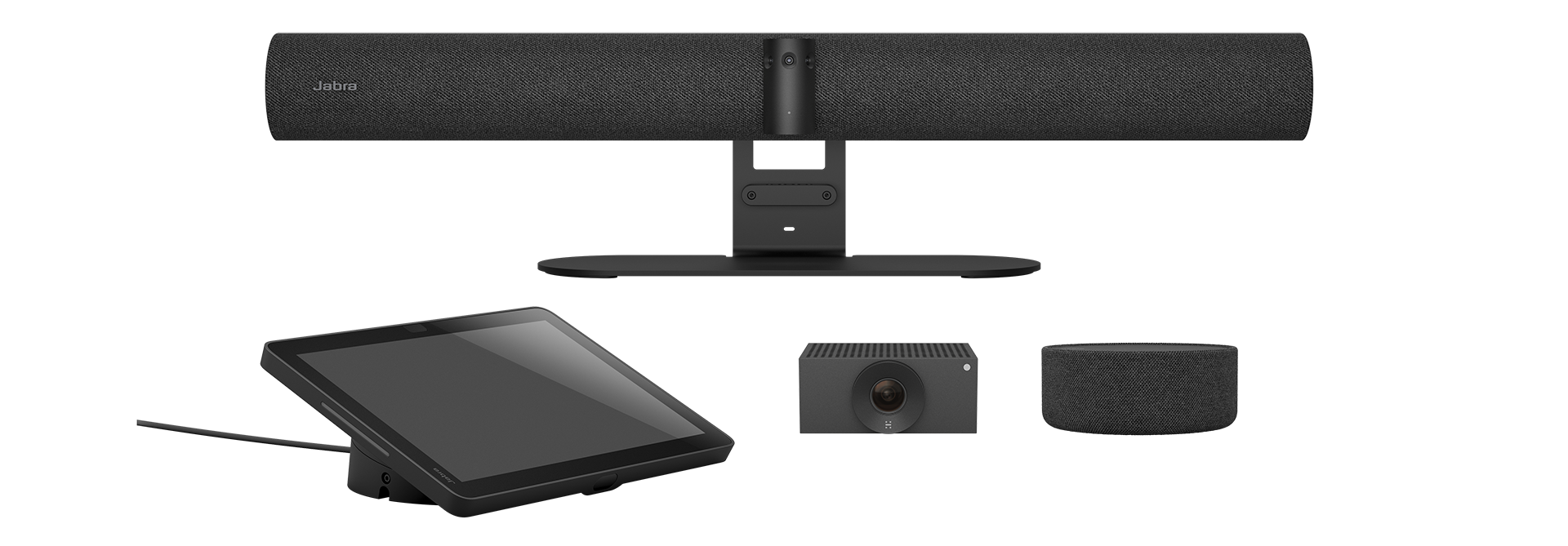
Explore this need in the finder →Jabra Cam L1, North American item 9000-101, is a single conference-room camera rather than a compact camera that plugs directly into a laptop. Jabra’s Rev B North American sheet gives it a separate product/SKU row and lists a complete camera package with a wall mount, regional power adapter, Huddly USB Adapter, 2 m Ethernet cable and 0.6 m USB-A-to-C lead. That makes the item worth evaluating on its own, not just as one component of the PanaCast Room Kit. This is a source-based assessment; the camera and its host connection were not installed or tested, and no current U.S. seller offer or delivered carton was verified.
A one-camera package with a network-to-USB bridge
The camera’s connection path is unusual for a webcam. Jabra lists Ethernet (RJ45) and USB-C through an adapter, while Huddly’s adapter specification names the Cam L1 as a compatible camera, supports USB Video Class (UVC), and illustrates Ethernet from the camera to the adapter and USB-C from the adapter to a host computer. In other words, the camera does not connect to the computer with a single USB cable: the adapter bridges the Ethernet camera leg to the computer’s USB port. The data sheet lists the adapter and the necessary short cables in the 9000-101 package, although a buyer should still confirm the exact carton and regional power components with the seller.
UVC support establishes a computer-camera protocol path, not a particular format. Jabra specifies camera resolution up to 1920 × 1080, but neither the reviewed Jabra sheet nor the Huddly adapter record gives a host-visible mode table. This review therefore does not award 1080p30, 1080p60, 4K, or 4K60. A resolution value for the camera itself, a USB 3 interface, and an adapter that supports UVC do not fill in the missing frame-size and frame-rate combinations. Anyone whose conferencing application, capture card, or procurement list requires a named mode should request the current output table for 9000-101 and confirm it on the intended host before designing the room around it.
Fixed focus and digital framing are different things
Jabra calls the Cam L1 a fixed-focus digital PTZ camera. It also lists up to 5× digital zoom and a 92° horizontal by 65° vertical field of view. The source does not publish a focus-distance range, so the fixed-focus label is not a promise that the camera will be sharp at every mounting distance. Check the proposed wall or display position against the room layout, people’s seating, and the camera’s field of view. Digital pan, tilt, and zoom describe electronic framing; they do not establish that the lens autofocuses or that the camera physically moves.
Jabra also lists onboard AI and integrated people counting. Those are manufacturer-described features, not independent measurements of tracking quality or counting accuracy. They may be relevant in a supported room-system workflow, but should not be confused with an open webcam output mode or with proof that every conferencing application exposes those functions through the USB bridge.
Plan power, cable reach, audio, and privacy separately
The listed equipment includes a wall mount, power supply with regional plugs, USB Adapter, one 2 m Ethernet cable, and a short USB host lead. The specification does not establish that those cable lengths suit a specific installation. Sketch the path from camera to adapter, adapter to host, and the available power outlet before selecting a mounting point. The Cam L1 datasheet does not specify a built-in microphone or speaker; its USB adapter’s camera connection does not imply an audio endpoint. Plan a separate microphone/speaker system and verify which device the conferencing computer will use.
The reviewed North American sheet also does not specify a physical privacy shutter or a TAA declaration for exact item 9000-101. Those remain unknown, rather than confirmed absent. If the camera sits in a room where its view needs to be blocked, ask how the installed system achieves privacy and verify the answer in the exact configuration. If a purchasing process requires TAA status, obtain the precise declaration for 9000-101 rather than transferring a status from another Jabra or Huddly item.
Do not merge the L1 with the room-kit or Crew camera paths
Three related Jabra configurations have distinct connection evidence. Standalone Cam L1 9000-101 has a camera-to-USB-Adapter UVC path. PanaCast Room Kit 9000-232 bundles one Cam L1 beside a PanaCast 55 VBS bar and SpeakerMic; the manual documents the bar’s administrator-enabled BYOD connection to a personal computer, but does not establish that the extra L1 feed appears in that laptop session. Room Kit Multi 9010-232 bundles three Huddly Crew cameras with the bar, yet the reviewed BYOD instructions likewise do not confirm that those feeds reach an external laptop. Jabra Cam Crew 9000-102 is a different three-camera system with its own switch and adapter bridge. See the Room Kit, Room Kit Multi, and Cam Crew assessments for those separate arrangements.
Jabra’s Cam Crew Add-On 9000-104 must not be treated as another standalone Cam L1. Its North American sheet lists a single Crew L1 expansion camera with Ethernet only, and Huddly’s five-camera planning guide adds two of these accessories to a three-camera Cam Crew base. That different add-on is not the 9000-101 item with its own USB Adapter and host lead.
Who should consider Cam L1
Cam L1 is a candidate for an installed room that needs one fixed-focus viewpoint and has a planned Ethernet-to-USB camera bridge, suitable mounting, power, and separate audio. It is a poor fit for a desk user seeking a simple one-cable plug-in, someone who requires a published 1080p60 or 4K mode, or a buyer who must verify a built-in microphone, physical shutter, or exact TAA listing before purchase. The 9000-101 technical sheet identifies a three-year warranty and a 90 × 53 × 122 mm main unit, but neither dimension nor warranty answers whether the adapter path, lens framing, and software configuration suit a particular room.
Before ordering, match the name and North American item 9000-101, then check that the package includes the Cam L1, Huddly USB Adapter, power supply, mount, Ethernet lead, and USB host cable. Confirm the host operating system and conferencing app, request the actual UVC output modes if a format threshold matters, and decide how audio and privacy will be handled. This assessment establishes the manufacturer’s camera-to-computer bridge; it does not identify an exact Amazon listing, seller, stock status, price, or guaranteed carton.
Key specifications
Key details at a glance
| Documented modes and host limits | The camera-resolution maximum is not a listed UVC webcam mode. No host-visible frame-size or frame-rate table for Jabra Cam L1 9000-101 was found in the reviewed Jabra/Huddly sources. |
|---|---|
| Focus system | Fixed focus |
Use the exact model’s instructions for operating limits, supplied equipment and version differences.
Sources for this review
Sources for this assessment

Compare the features that affect your setup
Set essential video, focus, privacy and microphone requirements together; leave nonessential choices open.