
Your needs, this model
Does it fit your priorities?
Do you need a single camera directly plugged into a computer?
No: Cam Crew 9000-102 is a three-camera system with an Ethernet switch and Huddly USB Adapter between the room cameras and the host.
Explore this need in the finder →Is fixed focus a suitable lens behavior for the installed camera positions?
The exact Jabra data sheet says fixed-focus digital PTZ and up to 5x digital zoom; it does not describe autofocus or provide a focus-distance range.
Explore this need in the finder →Must the host camera endpoint be documented at 1080p60?
The data sheet states up to 1920 × 1080 camera resolution, but the reviewed sources omit the host UVC frame-size/frame-rate table. Do not treat it as a 1080p60 match.
Explore this need in the finder →Does the 9000-102 base box already contain the five-camera arrangement?
No. Jabra lists three cameras in the base system; Huddly's five-camera planning guide adds two separate 9000-104 Crew Add-On Camera L1 units to the existing switch.
Can you rely on the cameras themselves for room audio?
The exact Jabra box list includes a 3.5 mm audio cable but does not specify a built-in mic array or speaker. Treat host audio as unconfirmed and plan a separate audio device.
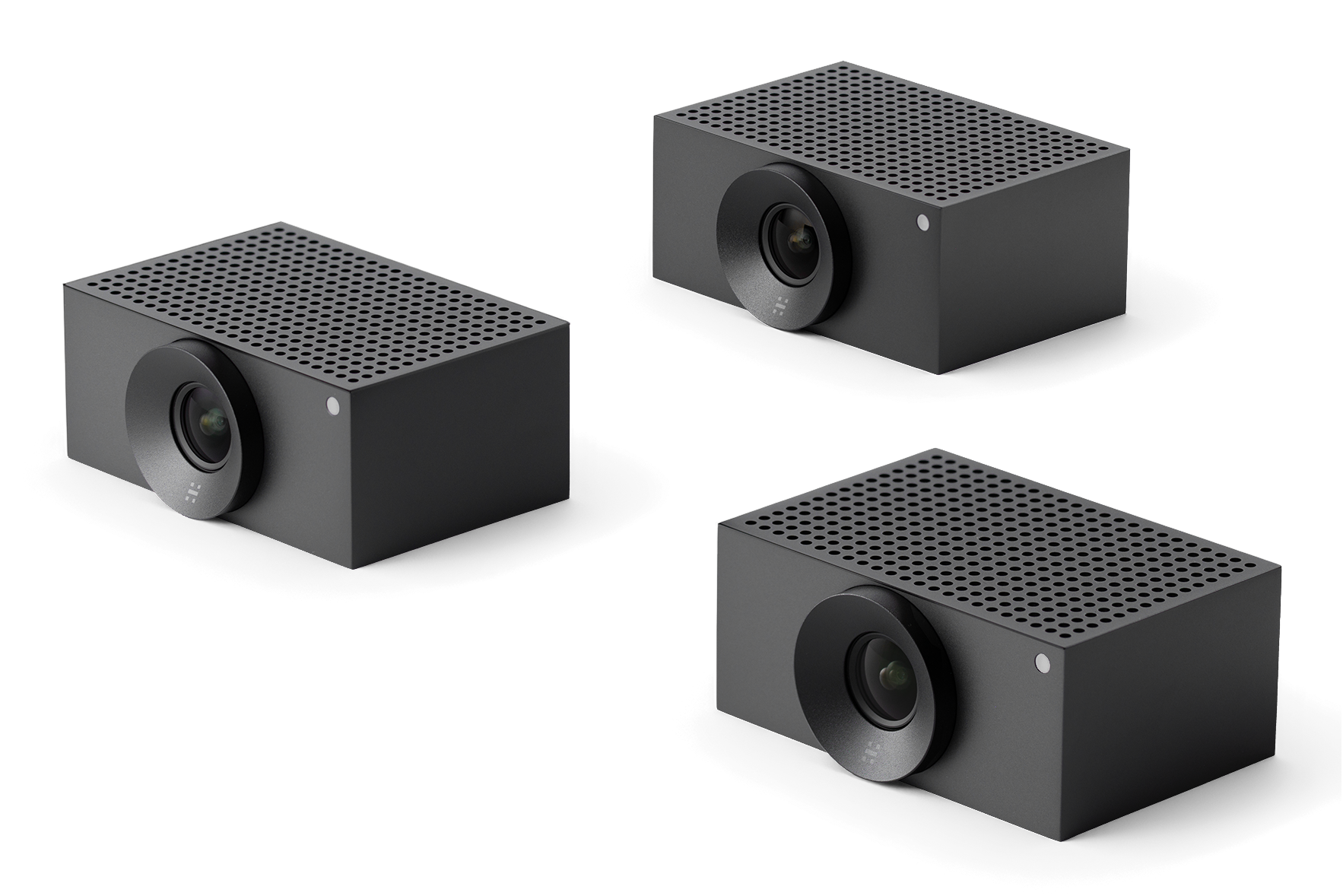
Explore this need in the finder →Jabra Cam Crew is a large-room camera system, not a single monitor-top webcam. North American item 9000-102 combines three fixed-focus Huddly Crew cameras with an Ethernet switch and a USB Adapter that bridges the room system to a computer. The set includes camera mounts, network leads, USB cables and regional power equipment. This assessment follows manufacturer documents and setup guides; no room, camera, audio or software was physically tested, and no live U.S. seller offer or delivered carton is established.
Three room cameras behind a single computer connection
The system's topology is its main difference from a typical webcam: the three cameras plug into the included Ethernet switch, then the system reaches a laptop through the included Huddly USB Adapter. Jabra lists Ethernet (RJ45), USB-C through the adapter and SuperSpeed USB 3; Huddly says the adapter supports USB Video Class and connects compatible cameras to a meeting-room device. Huddly's planning guide describes the cameras linking through the switch.
Jabra's base box list names four 3 m Ethernet cables, the switch, USB Adapter, two short USB leads, regional power cables and three Crew wall mounts. Plan camera positions, the route from switch to adapter, room power, cable reach and host USB port. Huddly's setup guide includes software update and mode selection through Huddly Connect; plug-and-play language does not remove the need to check that the target computer recognizes the system.
Resolution claims need a careful boundary
Jabra lists up to 1920 × 1080 camera resolution, fixed-focus digital PTZ, up to 5× digital zoom and a 92° horizontal / 65° vertical field of view. Neither the Jabra data sheet nor the reviewed Huddly adapter/setup documents provide the computer-visible UVC resolution and frame-rate matrix. A camera-resolution maximum does not tell you which USB meeting modes the combined three-camera system exposes.
This assessment therefore does not classify Cam Crew as 1080p60, 4K or 4K60, or make a promise about software framing or a specific app. If a platform requirement has a hard mode threshold, request the current UVC output table for 9000-102 and verify it on the host before building the room around it.
Fixed focus, digital framing and room layout
The listed fixed-focus mechanism is different from a lens that refocuses as speakers move around. Digital PTZ and the system's speaker-oriented modes change the view through software, not by moving the lens or proving autofocus. The 92° by 65° field is specified for each camera; the value is not a guarantee that three camera positions will cover every seat equally. Huddly's planning guide has separate camera-placement and speaker-detection guidance, so buyers should work from the actual table, screen and seated positions rather than assume that the stated field of view covers an entire meeting room without overlap or obstruction.
The base kit is described as a three-camera system. Huddly's five-camera planning material reaches that larger arrangement by adding two distinct Crew Add-On Camera L1 units to the existing installation. Jabra item 9000-104 is a separate one-camera add-on with its own wall mount and 3 m Ethernet lead; it is not included in the 9000-102 box list. The add-on data sheet lists Ethernet only, so it is an expansion component for the Cam Crew network rather than a stand-alone USB webcam. Check the base kit, two add-on quantities, network switch ports, mounts and cabling separately when planning a five-camera room.
Audio and privacy are not established by the cable list
Cam Crew's North American box list includes a 3.5 mm audio cable, but the reviewed Jabra sheet does not specify a built-in microphone array or speaker in the cameras. Do not count the system as having camera audio: choose a separate room audio route and verify how it connects to the computer. There are no independent room-audio or people-count accuracy measurements here.
The same caution applies to privacy and purchasing rules: the reviewed specification does not establish a built-in physical shutter or a TAA-compliant status for exact item 9000-102. Confirm each requirement against the exact SKU and ask Jabra or the procurement team for documentation if it matters. A cover or privacy feature on a different PanaCast room bundle should not be transferred to the separate Cam Crew camera system.
Who should consider Jabra Cam Crew
This system is worth evaluating when a large room needs several camera viewpoints and an integrator can plan Ethernet, a switch, USB bridging, power, mounts and audio as separate pieces of the installation. Its fixed-focus cameras and included UVC adapter provide a documented path to a computer, while the three-camera package and possible two-camera expansion set it apart from a one-camera desktop webcam. It is a poor fit for a buyer who wants one compact plug-in camera, needs built-in microphones, requires a documented 1080p60/4K output, or has not budgeted for the network and room-placement work.
Checks before purchase
Match the order to Jabra North American item 9000-102, then confirm the exact carton contains three cameras, the USB Adapter, Ethernet switch, specified power equipment, mounts, four Ethernet leads and USB cables. Confirm the host port and operating system, requested conference software, separate microphone/speaker plan and the mode the UVC adapter exposes. For a five-camera layout, obtain two compatible 9000-104 units and verify their placement, switch and cabling; do not assume they are already in the base package. Check current support, seller condition, warranty and returns directly. The research did not establish a current offer, price, stock, shipment or customer experience.
Primary sources: Jabra Cam Crew North American data sheet, Jabra Cam Crew support page, Huddly's USB Adapter documentation and Crew setup resources, plus the Crew planning guide and Cam Crew Add-On sheet. Checked 2026-11-02. The mode matrix, integrated audio, shutter/TAA status, and exact seller carton remain unresolved.
Key specifications
Key details at a glance
| Documented modes and host limits | No UVC host output resolution/frame-rate matrix in the reviewed manufacturer sources; 1080p60 and 4K modes are not credited. |
|---|---|
| Focus system | Fixed focus |
Use the exact model’s instructions for operating limits, supplied equipment and version differences.
Sources for this review
Sources for this assessment
- Jabra Cam Crew / Huddly Crew product page
- Jabra Cam Crew support and item identification page
- Jabra Cam Crew North American technical data sheet, Rev A
- Huddly USB Adapter technical information
- Huddly USB Adapter specification sheet
- Huddly Crew planning and setup resources
- Huddly Crew quick-start guide
- Huddly Crew planning and setup guide
- Huddly Crew Add-On Camera L1 quick-start guide
- Jabra Cam Crew Add-On North American data sheet
- Jabra Cam Crew exact product-family image

Compare the features that affect your setup
Set essential video, focus, privacy and microphone requirements together; leave nonessential choices open.