
Your needs, this model
Does it fit your priorities?
Does the Ace offer 4K or 4K60 when used as a Webcam?
No. The separate camera-recording modes do not establish a Webcam feed. The shared Ace-series Webcam guide says up to 1080p and 30 fps depending on meeting software; it does not document 4K or 4K60 Webcam output.
Explore this need in the finder →Can the Ace satisfy a minimum of 1080p60?
No verified 1080p60 Webcam mode appears in the manufacturer's shared guide. Its Webcam feed is described as up to 30 fps, with specific options controlled by software.
Explore this need in the finder →Does the camera microphone meet a built-in computer-call audio requirement?
The Ace has camera-side microphones, but the Webcam pages do not state that this audio is sent to the PC. Treat it as unknown for a call and plan separate computer audio unless you verify the exact app and host.
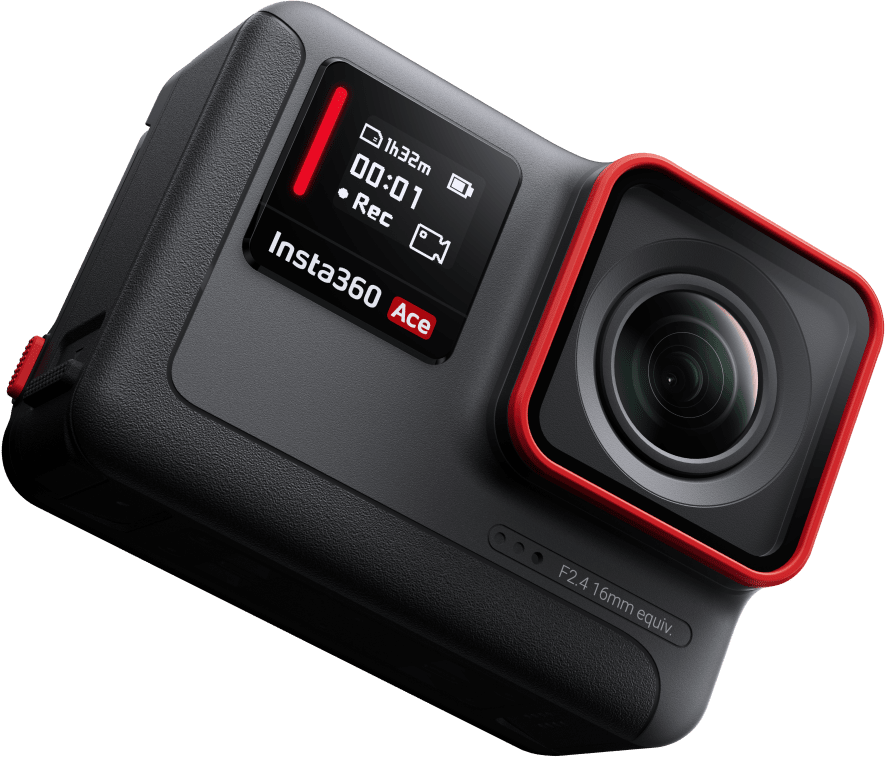
Explore this need in the finder →The Insta360 Ace is the smaller, non-Pro model in the Ace action-camera family, and the manufacturer explicitly supports it as a wired PC webcam. That makes it an interesting earlier dual-purpose option, but not a reason to read its 6K/4K recording figures as computer-call modes. The shared Ace-series Webcam guide describes a software-dependent ceiling of up to 1080p and 30 fps. The official U.S. product page identifies a black Ace model separately from Ace Pro; the Store route inspected here did not expose a precise U.S. variant SKU or package.
The Webcam path is for meetings, not every camera workflow
Insta360's Ace/Ace Pro compatibility FAQ says the Ace can be used as a webcam and lists tested clients, operating systems and browser combinations. The shared Ace-series setup instructs the owner to connect the camera to a PC using USB, choose Webcam Mode from the camera's USB prompt and then select the Insta360 Ace camera in compatible software. That is a real computer-camera use case, but the software list is specific to documented paths; it should not be generalized to every application version.
The shared support page gives the relevant Webcam limit: up to 1080p resolution and 30 fps, with the available choices depending on the meeting software. It does not give an exhaustive output matrix, and it does not establish 1080p60, 4K or 4K60 Webcam output. The guide also says the external program controls video parameters and disables some camera-side settings, including mode, stabilization, field of view and zoom. Insta360 separately says this Webcam mode cannot be used with OBS for live streaming.
For a video meeting, this means the Ace should be judged by the camera format that the computer and app can actually select, not by its action-camera recording modes. Before a meeting, verify the device appears in the intended software, confirm the available image setting, and check that the view is framed as needed. The support documents do not promise a particular field of view or picture quality in the PC mode.
What distinguishes Ace from Ace Pro
Insta360's U.S. page presents Ace and Ace Pro as two products, not two names for the same unit. The comparative specifications list a 1/2-inch sensor and F2.4 lens for Ace, versus a 1/1.3-inch sensor and F2.6 Leica lens for Ace Pro. Their normal action-camera recording modes also differ: the Ace page lists 6K and multiple 4K formats, whereas Ace Pro adds 8K capture. Those figures are useful when deciding between the cameras' recording roles; neither establishes a higher computer Webcam mode.
The current Webcam evidence is shared across Ace, Ace Pro and Ace Pro 2. It does not say that Ace's smaller sensor produces a particular image quality in a meeting, and it does not give a webcam-mode exposure or focus comparison. Do not treat resolution, aperture or sensor size as a measured webcam result.
Exact U.S. purchase identity is unresolved
The official U.S. product page distinguishes the black Ace model, but the U.S./English/USD Store route checked for this review yielded a generic store shell rather than an exact Ace ProductGroup or variant record. No U.S. retail SKU, manufacturer part number, seller package or current offer is asserted. This is an earlier product identity for comparison, not a claim of new stock or a complete box.
For any actual offer, read the model name on the listing and unit, verify condition and seller, and confirm the exact accessories and USB cable. Do not import the package description of Ace Pro, Ace Pro 2, or an international listing into a U.S. used camera. The reviewed Webcam setup requires USB; the source set does not establish a specific generation or package cable for this Ace identity.
Do not assume computer audio, autofocus or a shutter
The Ace has built-in microphones and camera-side audio modes, but the official Webcam pages do not tell us that the camera microphone appears as a PC call input. Treat that route as unconfirmed and plan to use a separate computer mic unless the exact camera and meeting software show otherwise. An integrated lens or a removable accessory is not evidence of a built-in physical privacy shutter; the sources reviewed do not document one for PC meetings.
Focus is another separate unknown. The product and hardware material describes action-camera focus measurements, but does not name the focus mechanism available through Webcam Mode. It would be a mistake to label it autofocus just because the camera is a modern digital camera, or fixed focus based on a different measurement. If focus behavior, an integrated microphone or physical shutter is a hard requirement, consider an alternative with explicit Webcam-mode evidence.
Who should keep it on a shortlist?
Ace may suit someone who already wants a compact camera for recorded action footage and also needs an occasional PC meeting path. For that mixed purpose, its USB Webcam capability is meaningful; for webcam-only shopping, its app-dependent up-to-1080p/30fps feed, uncertain audio endpoint, extra mounting/cable check and earlier offer status are real setup costs. The correct comparison is not “6K camera versus 4K webcam”; it is the precise meeting workflow versus a dedicated webcam's documented call modes.
See the independent Ace Pro assessment for the different sensor/lens and identity evidence, and Ace Pro 2 for the current-reference camera's exact U.S. Store SKU and separate 2026 hardware-revision caution. Their common Webcam limits do not erase these model and package differences.
Bottom line: The Ace is a valid documented PC Webcam candidate, but only for a buyer willing to check its exact used or existing unit and accept an application-dependent Full HD/30fps ceiling. Its 6K/4K recording modes do not count as Webcam output, and the source set does not settle focus, camera-microphone audio, privacy shutter, TAA or exact package. Primary references: the Ace/Ace Pro webcam compatibility FAQ, the shared Ace-series Webcam guide, the Ace-series capture specification table and the official U.S. Ace/Ace Pro page.
Key specifications
Key details at a glance
| Documented modes and host limits | The maker's shared Ace-series Webcam page reports up to 1080p and 30 fps, software-dependent; it does not publish all supported mode pairs. The separate 6K/4K camera-recording modes are not Webcam modes. |
|---|
Use the exact model’s instructions for operating limits, supplied equipment and version differences.
Sources for this review
Sources for this assessment
- Ace Series: Using a Camera as a Webcam for Video Meetings When Connected to PC
- Ace/Ace Pro external-device and webcam compatibility FAQ
- Insta360 Ace & Ace Pro U.S. product page
- Ace Series: Hardware Specifications
- Ace Series: Photo & Video Specifications
- Ace Series: Audio Mode Settings
- Meet Insta360 Ace & Ace Pro
- Insta360 Store Ace route observation
- Official U.S. Ace model image

Compare the features that affect your setup
Set essential video, focus, privacy and microphone requirements together; leave nonessential choices open.