
Your needs, this model
Does it fit your priorities?
Is the Ace Pro's 8K recording mode also available over USB as a Webcam?
No such Webcam mode is documented. The shared Ace-series guide gives up to 1080p and 30 fps depending on meeting software; separate action-camera recording formats are not the computer feed.
Explore this need in the finder →Does the Webcam feed provide a confirmed 1080p60 option?
No. The manufacturer describes the shared Ace-series Webcam feed as up to 30 fps, and its output depends on the meeting app. It does not document 1080p60.
Explore this need in the finder →Can I rely on the Ace Pro camera mic for PC calls?
The camera has built-in microphones for camera audio, but its Webcam documentation does not confirm those microphones as the PC meeting audio input. Treat that endpoint as unknown and plan separate host audio unless verified on the exact device and app.
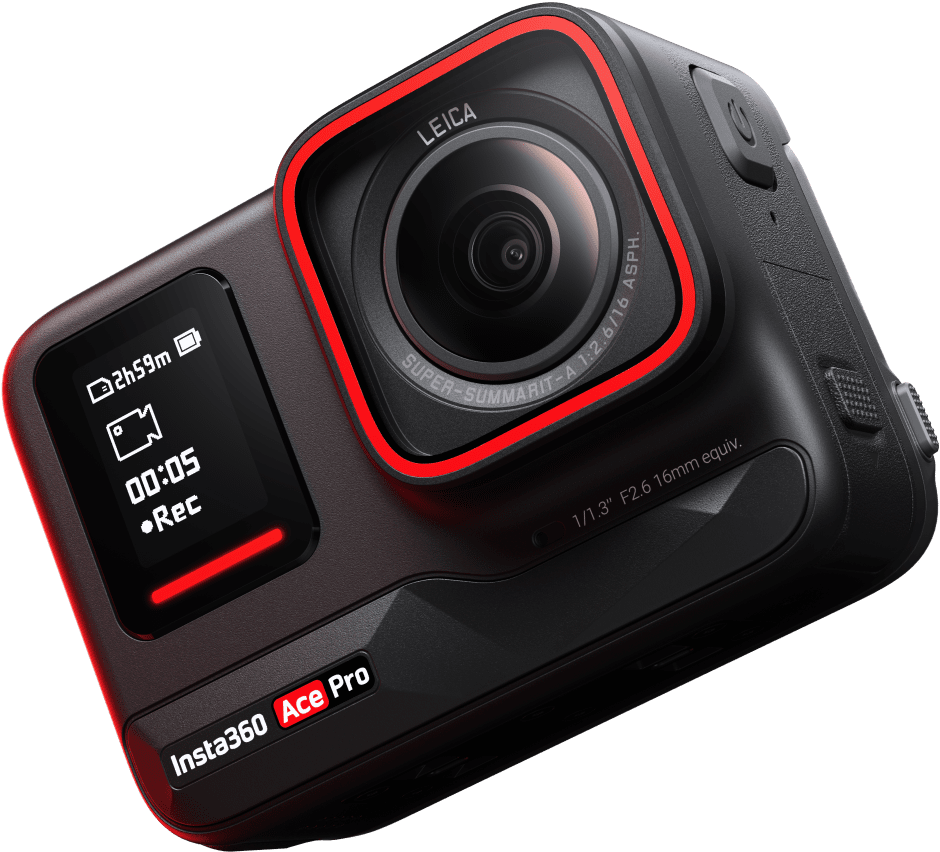
Explore this need in the finder →The Insta360 Ace Pro is an earlier action camera with a manufacturer-documented wired Webcam mode for PC meetings. It is not a conventional clip-on webcam, and its separate 8K recording capability should not be mistaken for a computer video-call feed. The shared Ace-series Webcam page describes output up to 1080p at 30 fps, with the available settings depending on meeting software. The official U.S. product page identifies a distinct black Ace Pro model, but the U.S. Store route inspected for this review returned a generic shell rather than an exact SKU or package. Verify the precise existing or secondary-market unit before buying.
What the Webcam documentation actually supports
Insta360 says Ace Pro can be used as a webcam and provides a tested-software list for the Ace and Ace Pro. A shared operational guide for the three Ace-series cameras says to connect the camera to a PC by USB, select Webcam Mode from the screen prompt and use the device in compatible meeting software. Its table names client, operating-system and browser paths for apps including Zoom, Microsoft Teams, Lifesize, Skype, PotPlayer, QuickTime Player, DingTalk and others. That list is a compatibility guide, not a guarantee for every software version or every browser/OS pairing.
The same guide sets a useful boundary: up to 1080p resolution and 30 frames per second, depending on meeting software. It does not provide a complete format matrix, nor does it establish 1080p60 or 4K Webcam output. It also explains that external software controls video parameters and some in-camera settings—such as mode, stabilization, field of view and zoom—are unavailable. The action camera's capture menus and its USB meeting-camera mode are not interchangeable.
The manufacturer also answers an important workflow question directly: the Ace-series Webcam mode cannot be connected to OBS for live streaming. A buyer looking for an action-camera image source for a PC meeting should distinguish that use from a camera's separate streaming or recording functions. If a particular conferencing client is required, test it with the actual device before relying on the camera for a recurring call or live event.
Ace Pro's camera specifications describe a different job
The official U.S. product page and Ace-series specification table list the Ace Pro as a 1/1.3-inch-sensor action camera with a Leica co-engineered lens. Its ordinary capture formats include 8K and several 4K modes. Those details distinguish the Ace Pro as a camera for recording and mobile shooting, but they do not raise the Webcam ceiling documented by Insta360. The source set supports a PC Webcam route of up to 1080p/30fps, depending on software; it does not justify describing the camera as an 8K or 4K webcam.
That distinction can prevent a costly mismatch. If a buyer's must-have is a native 4K or 1080p60 computer feed, a capture-resolution headline is not enough. Ask what mode the camera exposes in the intended meeting app, and confirm that the host sees the expected device. The manual does not publish an app-independent maximum or all supported resolution/frame-rate combinations.
Confirm the exact U.S. unit and package
The official U.S. product page groups Ace Pro and Ace as separate models and shows a black Ace Pro body. However, the U.S./English/USD Store path inspected here did not expose an Ace Pro ProductGroup or an exact retail variant identifier; it showed a generic storefront page. This review therefore does not invent a U.S. SKU, seller model number, package list or active offer. An older product page is not proof that a particular unit is new, available, complete or covered by a particular warranty.
Before choosing an existing or secondary-market camera, verify the label and exact model, condition, seller, warranty route and package. Confirm that a suitable data-capable USB cable is included or available, and that the camera powers on and presents Webcam Mode. Do not assume the accessories listed for Ace Pro 2 or another country's Ace Pro bundle are present in the unit you are considering.
Focus, audio and privacy are not answered by recording specs
Insta360's audio guide lists camera-side microphones and audio modes for Ace Pro, while the external-device FAQ explains camera recording accessories. Neither tells us that Ace Pro's microphones are exposed as the computer's call-audio device when Webcam Mode is active. Treat camera audio as unknown for this PC workflow, and plan to use a separate host microphone unless your exact software and camera confirm otherwise.
The reviewed Webcam sources do not establish focus behavior exposed to meeting software, a built-in physical shutter or an electronic privacy state. Nor does a general focusing distance establish autofocus in the computer mode. These are not claims that the features cannot exist; they are gaps in the evidence relevant to this particular use. If an autofocus requirement, physical shutter or built-in call microphone is essential, choose a model whose exact Webcam documentation confirms the field rather than inferring it from action-camera hardware.
Compared with Ace and Ace Pro 2
Ace Pro and the smaller Ace are separate models: the manufacturer's U.S. comparison gives different sensor sizes and recording capabilities, while the shared Webcam guide applies to both. For webcam matching, however, the available evidence does not separate their maximum beyond the same software-dependent up-to-1080p/30fps guide. The newer Ace Pro 2 has its own exact U.S. Store Standard Bundle SKU 3619 and a 2026 hardware-revision caveat; this Ace Pro assessment does not inherit that SKU or package. See the distinct Ace review and Ace Pro 2 review.
Bottom line: Ace Pro is worth considering as an earlier dual-purpose camera only if its recorded-camera role matters and the buyer is comfortable verifying an exact used or existing U.S. unit and a PC meeting setup. Its documented Webcam route is more limited than its action-camera resolution headline suggests: up to 1080p/30fps depending on software, no established 4K/1080p60 output and no OBS live-streaming through this Webcam mode. The exact U.S. package, focus mode, PC microphone path, privacy shutter and TAA status remain unconfirmed. Primary references: the Ace/Ace Pro webcam compatibility FAQ, the shared Ace-series Webcam workflow, the Ace-series hardware table and the official U.S. Ace/Ace Pro page.
Key specifications
Key details at a glance
| Documented modes and host limits | The maker's shared Ace-series Webcam page reports up to 1080p and 30 fps, software-dependent; it does not publish all supported mode pairs. The separate 8K/4K camera-recording modes are not Webcam modes. |
|---|
Use the exact model’s instructions for operating limits, supplied equipment and version differences.
Sources for this review
Sources for this assessment
- Ace Series: Using a Camera as a Webcam for Video Meetings When Connected to PC
- Ace/Ace Pro external-device and webcam compatibility FAQ
- Insta360 Ace & Ace Pro U.S. product page
- Ace Series: Hardware Specifications
- Ace Series: Photo & Video Specifications
- Ace Series: Audio Mode Settings
- Meet Insta360 Ace & Ace Pro
- Insta360 Store Ace Pro route observation
- Official U.S. Ace Pro model image

Compare the features that affect your setup
Set essential video, focus, privacy and microphone requirements together; leave nonessential choices open.