
Your needs, this model
Does it fit your priorities?
Does the Kiyo Pro document Full HD at 60 fps?
Yes. Razer lists uncompressed 1080p60 for the Kiyo Pro on its direct USB 3.0 route. HDR is listed at 30 fps and should not be treated as the same 60 fps mode; verify the host, cable and app.
Explore this need in the finder →Is autofocus with a camera microphone documented?
Razer specifies autofocus and an integrated stereo omnidirectional microphone array. This confirms listed hardware, not measured focus behavior or sound quality. The exact U.S. suffix remains open.
Explore this need in the finder →Does the Kiyo Pro meet a built-in-shutter requirement?
Razer's materials describe a separate lens privacy cover, but the reviewed evidence does not establish an integrated physical shutter. This assessment does not count the model when a built-in shutter is required; absence is not inferred for every seller package.
Explore this need in the finder →Is the exact Kiyo Pro U.S. retail package resolved?
No. Support identifies model family RZ19-0364, but the exact U.S. retail suffix and seller package have not been bridged. Verify the label, cable, separate cover, tripod exclusion, seller condition and return terms.
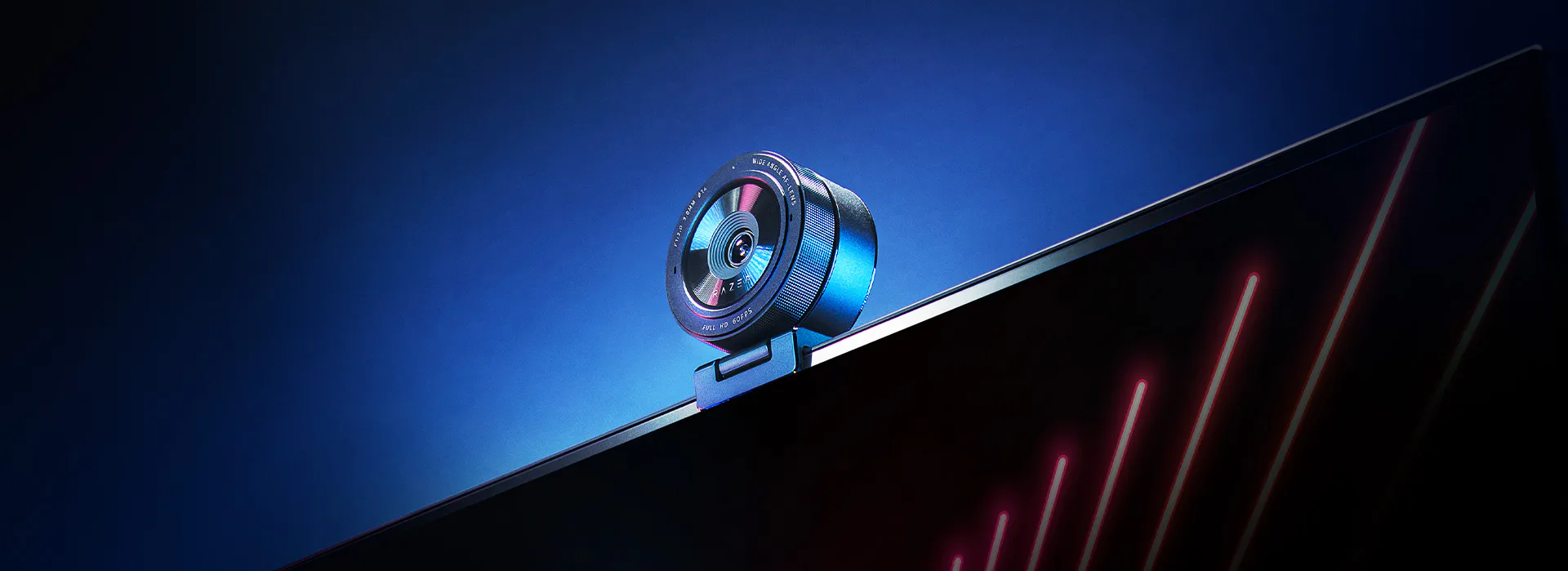
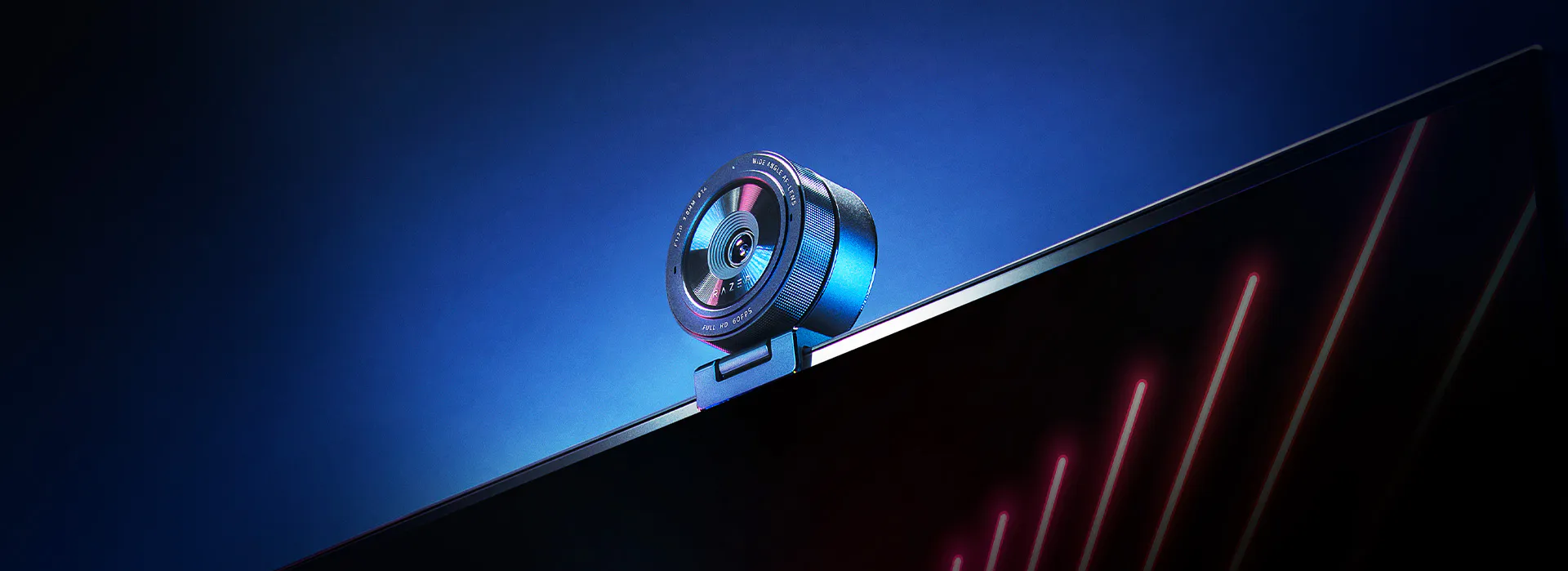
Explore this need in the finder →The Razer Kiyo Pro is best assessed as an earlier, Full HD webcam with a documented 1080p60 mode, autofocus, adjustable framing and stereo microphone hardware. Razer’s U.S.-localized product page and support entry identify model RZ19-0364; U.S. retailer records identify the black retail MPN as RZ19-03640100-R3U1. A linked model guide and U.S. product records support a standard factory accessory set, but they cannot confirm the contents or condition of a particular used or seller-created offer. This is a source-based comparison, not a hands-on test: there are no independent measurements of image quality, focus behavior, audio pickup or latency.
Full HD at 60 fps is a real listed mode, not a 4K claim
Razer lists 1080p at 60, 30 or 24 fps, with 720p60 and lower modes also available. The product page specifically describes 1080p60 as uncompressed, and the model’s launch specification separates USB 3.0 uncompressed YUY2/NV12 from a compressed H.264 USB 2.0 path. That supports a Full HD 60 fps requirement when the camera is connected through a suitable direct USB 3.0 arrangement. It does not make the Kiyo Pro a 4K camera. Razer separately markets HDR at 30 fps; do not combine the HDR and 60 fps claims into a single capture mode. The U.S. product page and its model-specific launch specification are useful references for that distinction.
Autofocus and flexible framing need a suitable position
Razer identifies autofocus and three diagonal fields of view—103°, 90° and 80°. A broad view can include more of a room, but it can also show more desk and background than a close-call setup needs. The narrower settings can help frame a single speaker without moving the camera, though the actual field of view depends on the selected setting and placement. Razer says the controls are adjusted in Synapse; its page also names OBS and XSplit. The official specifications document selectable behavior, not focus speed, tracking reliability or a measured improvement in difficult lighting. Plan the camera height and distance first, then verify which framing control your current application exposes.
Camera-side audio is documented, sound quality is not
The Kiyo Pro specification lists an integrated stereo omnidirectional microphone array and a 16-bit, 48-kHz audio codec. That makes it a relevant option if microphone hardware on the camera is useful, but a codec line cannot tell you whether voices will be clear at your desk, whether keyboard noise will be prominent or whether the microphone is preferable to a headset. The product FAQ explains how to select the Kiyo Pro as the computer and application recording input. Check that selection separately in the operating system and meeting app; merely connecting the camera does not establish that a call will use its microphones.
USB and included accessories are important qualifications
Razer’s model support material identifies a USB Type-C camera port and a 1.5 m braided cable. The U.S. product FAQ recommends a direct USB 3.0 port and compliant cable for best performance, warns that a hub or extension may affect signal, and says USB 2.0 supports fewer resolutions for some formats. That qualification matters if you specifically want the uncompressed 1080p60 mode: check the host port, any adapter, cable and app together instead of assuming every USB path exposes the same modes. For package planning, the Kiyo Pro guide linked from an exact-MPN U.S. listing identifies the camera, Type A-to-Type C cable, lens cover and Important Product Information Guide; the camera illustration shows its detachable stand. A U.S. retailer record for the matching 810056140960 UPC explicitly lists the detachable stand, cable and guide, and a second U.S. catalogue identifies that UPC with MPN RZ19-03640100-R3U1. Together those sources support the standard factory set, but not the condition or completeness of any particular used or seller-created offer. Confirm the actual contents with the seller. Razer says the tripod is not included.
A removable lens cover is not a built-in shutter
Razer describes an easy-fit privacy cover and the launch announcement says a separate cover is included. That is a useful physical way to cover the lens, but it is not the same arrangement as an integrated shutter operated on the camera body. The finder therefore does not count this model for a requirement specifically phrased as a built-in physical shutter. If a cover is enough for your routine, verify that it is present and fits the exact unit; if you want an integrated dial or slider, compare models whose maker explicitly documents one. The camera’s tripod thread likewise does not establish that a tripod is in the box.
Who should keep it on an earlier-model shortlist?
The Kiyo Pro is a plausible comparison when Full HD 60 fps, autofocus, an adjustable wide-angle view and built-in stereo microphone hardware matter more than 4K capture or an integrated privacy shutter. Its separate USB 3.0 and USB 2.0 format claims make the connection a real part of the decision, not a detail to leave until after purchase. Razer’s current seven-route U.S. streaming-camera shop snapshot lists newer Kiyo V2-generation variants rather than this older model; that is a category snapshot, not proof that no used or reseller offer exists. We classify the RZ19-0364 as an earlier comparison reference without asserting universal stock status or discontinuation. The black U.S. MPN and standard model-level accessories are now documented, while any particular offer’s condition and completeness still need checking. For a 4K30 design with an integrated physical shutter, compare the distinct Kiyo V2; for the Kiyo Pro, do not assume the V2’s cable, shutter or sensor features carry over.
Key specifications
Key details at a glance
| Documented modes and host limits | 1080p60 is listed; HDR is a separate 30 fps mode. No 4K or 4K60 mode is documented. |
|---|---|
| Focus system | Autofocus |
| Diagonal field of view | 103° |
| Built-in microphone | Yes |
Use the exact model’s instructions for operating limits, supplied equipment and version differences.
Sources for this review
Sources for this assessment
- Razer Kiyo Pro U.S. product page
- Razer Kiyo Pro RZ19-0364 Support & FAQs
- Show you mean business with the outstanding video quality of the new Razer Kiyo Pro webcam
- Razer U.S. Streaming Cameras category snapshot
- Official Razer Kiyo Pro U.S. product-page image
- Best Buy U.S. Razer Kiyo Pro product page
- B&H Photo Video Razer Kiyo Pro product page
- Razer Kiyo Pro Master Guide (English)
- GameStop U.S. pre-owned Razer Kiyo Pro product page
- Razer Kiyo Pro Black Webcam with Adaptive Light Sensor — exact-MPN U.S. product page
- Razer Kiyo Pro Master Guide (English), linked from exact-MPN U.S. listing
- Razer Kiyo Pro USB Camera — U.S. Micro Center product record
- Razer Kiyo Pro — exact RZ19-03640100-R3U1 U.S. catalogue record
Compare the features that affect your setup
Set essential video, focus, privacy and microphone requirements together; leave nonessential choices open.