
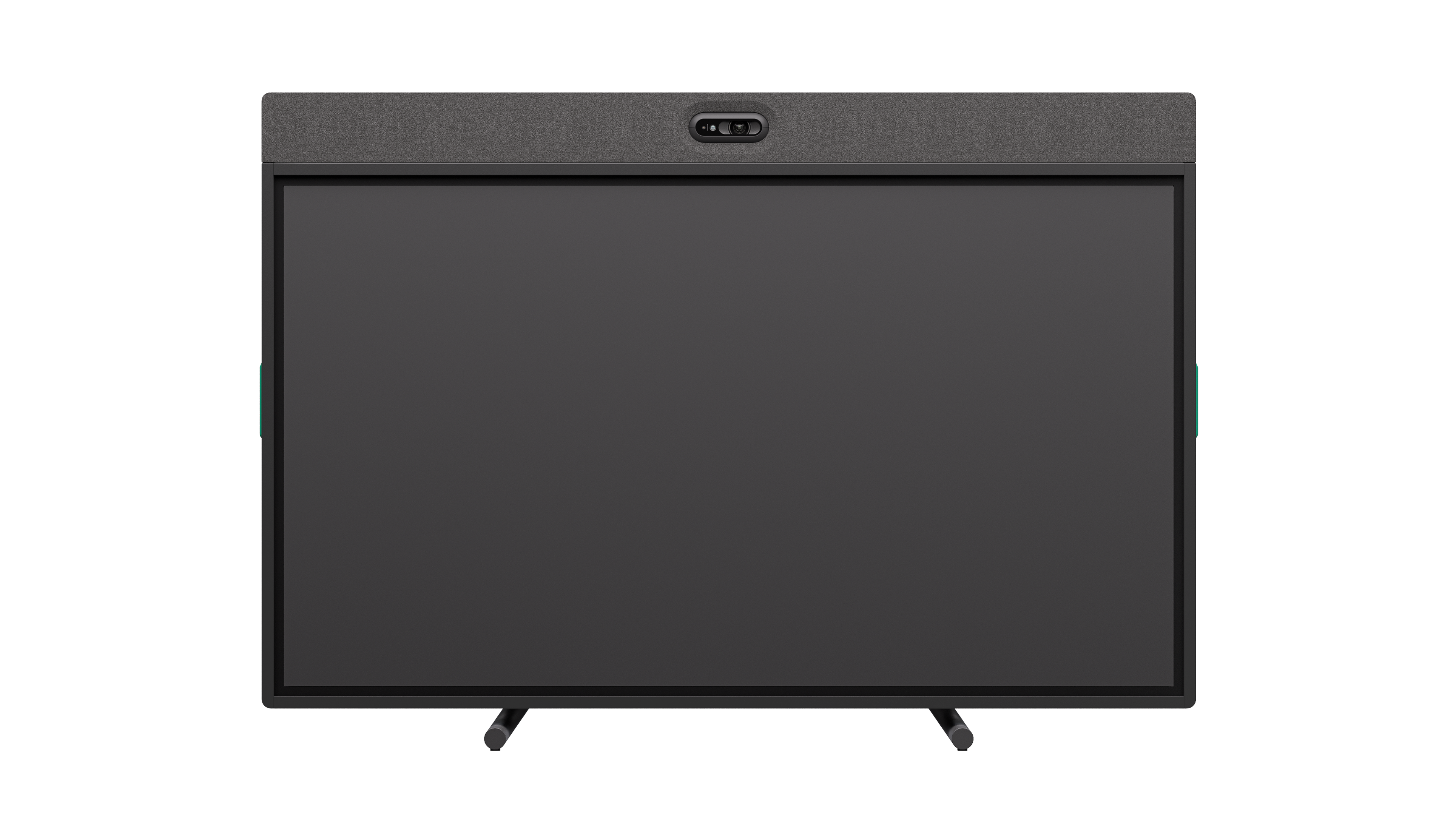
Your needs, this model
Does it fit your priorities?
Does the Board 65 meet a 4K60 camera requirement?
No. Logitech lists its main camera at 4K, 1440p, 1080p, 900p, 720p and SD at 30 fps. The separate 4K60 specifications are for display output and HDMI ingest, not a 4K60 camera stream.
Explore this need in the finder →Can an external laptop use the Board 65 camera and audio?
Yes, in BYOD mode. Logitech says a laptop can use the integrated display, camera and audio system; the single-cable workflow needs USB-C DisplayPort Alt Mode. Its optional Active USB Cable is not listed among the box contents, and the Board does not charge the laptop.
Explore this need in the finder →Does the exact Graphite Board 65 have a built-in physical shutter?
Yes. The datasheet identifies an integrated motorized privacy shutter. Its exact U.S. SKU 960-001697 is a heavy display/camera room installation, not a compact monitor clip; confirm the mount, room and host path.
Explore this need in the finder →The Logitech Rally Board 65 Graphite, U.S. SKU 960-001697, is a 65-inch touchscreen collaboration system with an integrated camera and room audio. Logitech also documents a BYOD mode in which a connected laptop can use the display, camera and audio. That makes the Board relevant to a computer-camera catalogue, but it is not a webcam-sized substitute: this assessment concerns a large, powered room installation with a screen, stand and cable plan.
Separate the camera stream from the display specifications
Logitech lists the Board's main camera modes at 4K, 1440p, 1080p, 900p, 720p and SD, all at 30 frames per second. The product specifications also mention 4K60, but that figure is associated with second-display support and HDMI ingest—not a 4K60 camera stream. Buyers with a strict high-frame-rate requirement should use the camera-mode table, not a headline resolution elsewhere on the system page. The reviewed material does not classify the camera's focus as fixed or autofocus, so neither label should be assumed.
The BYOD computer route is useful when a room's laptop should remain the meeting host. Logitech says the integrated camera and audio are available in this mode. The one-cable laptop workflow depends on USB-C DisplayPort Alt Mode, and the optional Logitech Active USB Cable is not in the listed Board package. It is an extra connection component, not a reason to assume every USB-C laptop has compatible display transport. Logitech also says the Board does not charge the BYOD laptop, so plan for laptop power separately.
Room installation is part of the decision
The camera is paired with a 65-inch touchscreen, integrated speaker and front/rear microphone arrays. Logitech describes microphone pickup up to seven metres; that is a manufacturer specification, not a measurement in this review or a guarantee in a reverberant room. The system has a physical motorized privacy shutter. It is a meaningful camera-privacy distinction from a digital mute or camera-off setting, but it does not establish microphone muting.
The Board weighs 46 kg without tabletop legs and 50 kg with the legs fitted. The Graphite box list includes the power cord and tabletop legs; wall mounting and mobile-cart configurations need their own exact package and load checks. A large display cannot be evaluated by webcam field of view alone: confirm where participants sit, screen orientation, cable routing, the host's USB-C capabilities and how the floor or wall will carry the installed unit.
Exact package and configuration checks
This review covers Graphite Board 65 SKU 960-001697. Logitech also identifies an Off-white product SKU 960-001729, and distinct cart packages 991-000561 (Graphite) and 991-000562 (Off-white). These are finish or installation-package distinctions, not four different camera modes. Before ordering, compare the received model and part number with the required finish and whether legs, cart or wall hardware are needed. The reviewed U.S. sources did not provide an explicit TAA claim for 960-001697, so procurement buyers should not infer compliance from a product-family label.
Compared with a room bar such as MeetUp 2, Board 65 adds the large touchscreen and a different presentation workflow, while MeetUp 2 is a smaller USB room camera with an included USB 2 cable and a separate USB 3 requirement for 4K output. The Board's 4K30 camera path and large-format installation make it a narrower fit than a desk camera. This is a source-based assessment of Logitech's stated capabilities and package details; it does not claim hands-on use, measured image quality or tested compatibility. Review the connection and setup guide before deciding whether your room and host can support the intended BYOD arrangement.
Key specifications
Key details at a glance
| Documented modes and host limits | The integrated camera's documented 4K mode is 30 fps. Higher 4K60 figures in the datasheet apply to display output or HDMI input, not the camera. |
|---|---|
| Diagonal field of view | 115.7° |
| Built-in microphone | Yes |
| Physical privacy shutter | Yes |
Use the exact model’s instructions for operating limits, supplied equipment and version differences.
Sources for this review
Sources for this assessment
Compare the features that affect your setup
Set essential video, focus, privacy and microphone requirements together; leave nonessential choices open.