
Your needs, this model
Does it fit your priorities?
Does MeetUp 2 provide 4K video in a computer setup?
Logitech identifies a 4K camera and says USB 3.0 or higher is required to output 4K, but the reviewed sources do not state the frame rate of that output. The included USB-C cable is USB 2.0, and Logitech says most conferencing applications support only up to 1080p; confirm the exact host/app path before treating 4K as usable in a call.
Explore this need in the finder →Is MeetUp 2 a match for a built-in physical shutter and microphone requirement?
The manufacturer lists a manual privacy shutter and six integrated digital microphone elements. The shutter is a lens block; the audio endpoint remains a separately selected computer device, and privacy-shutter status does not establish microphone muting.
Explore this need in the finder →Which MeetUp 2 SKU is identified as TAA compliant?
The manufacturer selector identifies 960-001885 as MeetUp 2 TAA Compliant. Standard Graphite SKU 960-001691 is a different selected option and is not treated as TAA compliant. Verify that the exact received part number matches the procurement requirement.
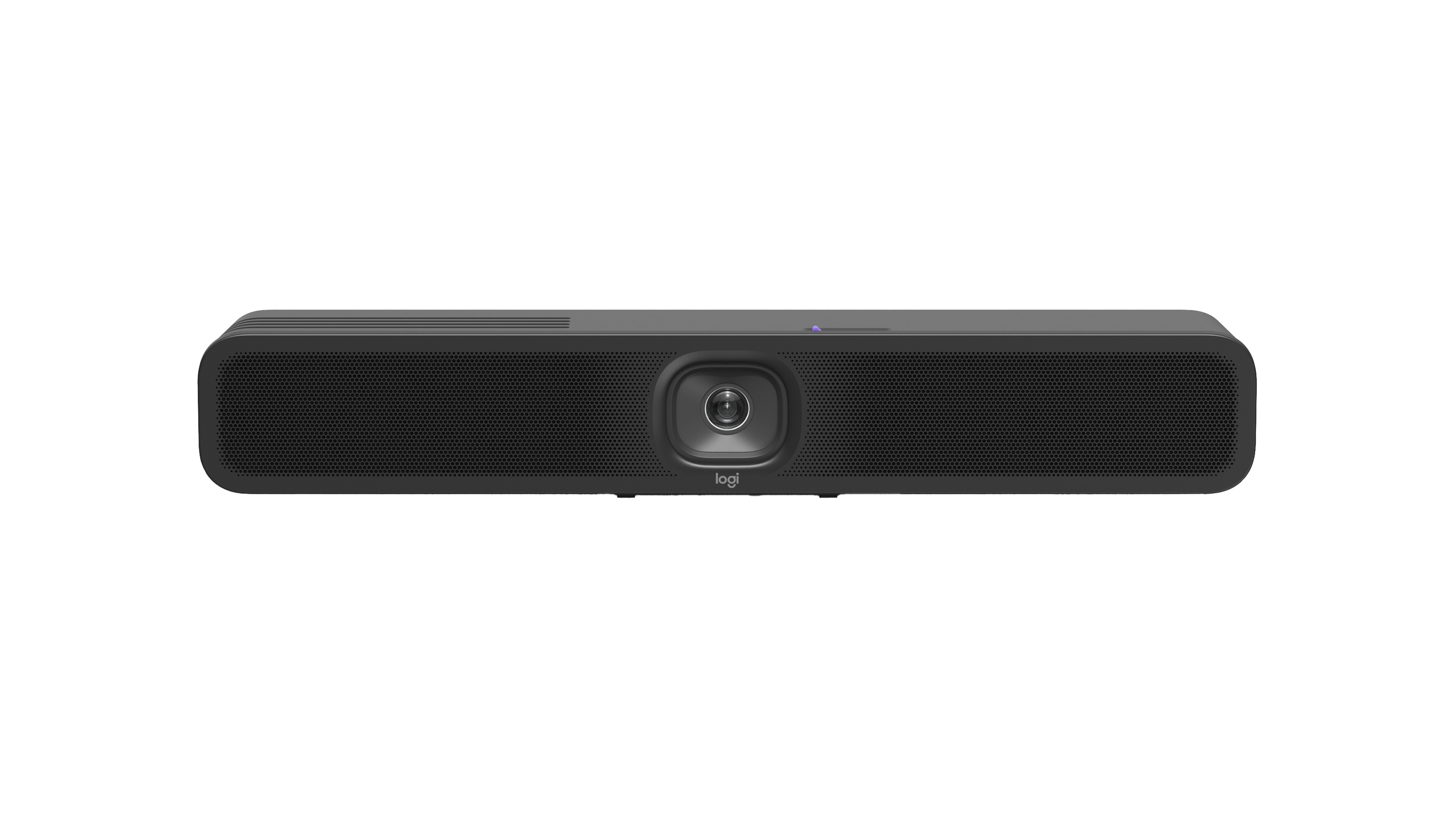
Explore this need in the finder →Logitech MeetUp 2 Graphite, U.S. SKU 960-001691, is an all-in-one USB conference camera for a small meeting room. It combines a wide-angle camera, six digital microphone elements, a speaker and a manual privacy shutter in a room-bar form. It has a documented route to a computer, but its USB cable and conferencing application affect which of its camera capabilities can actually be used. Treat it as an installed room system, not a monitor-clip webcam.
4K resolution is conditional—and the frame rate is not stated
Logitech specifies a 4K camera and states that USB 3.0 or higher is needed to output that resolution. The supplied 3 m USB-C-to-USB-C cable is USB 2.0. The reviewed current manufacturer materials do not publish a detailed UVC frame-rate matrix for MeetUp 2, so this assessment records a USB 3-linked 4K resolution but does not call it 4K30 or 4K60. Logitech also cautions that most conferencing applications support up to 1080p; the sensor or USB connection alone does not make an application transmit a 4K call.
For a single-cable BYOD setup carrying both camera data and display transport, Logitech specifies a USB-C host with DisplayPort Alt Mode. Its optional five-metre Active USB Cable is not included. The computer and conferencing app still need to expose and select the camera and audio endpoints. MeetUp 2 requires its separate AC supply; it is not powered by the USB cable. Confirm the host port, cable length, power location and app support before treating a room layout as ready.
Framing, audio and privacy
The datasheet gives a 120-degree diagonal field of view, 113 degrees horizontal and 80 degrees vertical, plus 4x digital zoom and electronic pan/tilt. Those specifications suit broad room framing; they are not a promise of close-up framing at a desk. The lens focus system is not classified in the manufacturer sources reviewed here, so the product should not be tagged as either fixed-focus or autofocus based on its intelligent framing features.
Six digital microphone elements form adaptive beams, with a stated pickup range up to seven metres, and a speaker is built in. That is an all-in-one audio option for a small room; the published pickup number is a manufacturer figure, not independent room testing. The manual physical shutter blocks the camera lens. It should not be conflated with microphone mute or privacy settings in an application.
What the exact model does—and does not—establish
The product page labels this Graphite version 960-001691. The manufacturer selector separately lists MeetUp 2 TAA Compliant, SKU 960-001885; the procurement status of that exact SKU is handled in its own assessment. Do not treat the standard SKU as TAA compliant merely because the camera family has a compliant configuration. Check the part number on the order and received unit.
MeetUp 2's strong points in a documented room plan are its integrated room camera/audio, physical shutter and USB 3 path to 4K resolution. The limitations matter just as much: the included cable is USB 2.0, the exact 4K frame rate is not stated in the inspected sources, most meeting apps are said to top out at 1080p, AC power is required, and focus type remains unknown. Check those specifics against your desired workflow rather than relying on a generic “4K conference camera” description. This review is based on Logitech product, support and datasheet material; no hands-on testing, image measurements or call-quality measurements were performed. The connection guide explains why host, cable and application conditions belong in the same decision.
Key specifications
Key details at a glance
| Documented modes and host limits | The manufacturer specifies 4K camera resolution and says USB 3.0 or higher is needed for 4K output, but the reviewed source materials do not state the camera's maximum frame rate or provide a detailed USB mode table. Most conferencing apps are stated to support up to 1080p. |
|---|---|
| Diagonal field of view | 120° |
| Built-in microphone | Yes |
| Physical privacy shutter | Yes |
| TAA-compliant exact SKU | No |
Use the exact model’s instructions for operating limits, supplied equipment and version differences.
Sources for this review
Sources for this assessment
Compare the features that affect your setup
Set essential video, focus, privacy and microphone requirements together; leave nonessential choices open.