
Your needs, this model
Does it fit your priorities?
Is Rally Bar Mini TAA SKU 960-001563 the exact compliant part?
Yes. Logitech’s exact U.S. product route and TAA solutions guide list Rally Bar Mini part 960-001563 as TAA compliant. Standard Graphite 960-001336 is a separate part and does not inherit that label. Confirm quoted and delivered identity.
Explore this need in the finder →Can its camera list 4K30 while connected to a computer?
Logitech lists Rally Bar Mini camera resolutions up to 4K at 30 fps and documents USB mode to a PC. It does not publish the Mini-specific USB codec matrix reviewed here, so the video app, host and format can lower actual call output. No 1080p60 or 4K60 mode is listed.
Explore this need in the finder →Does this TAA Mini have a built-in physical shutter?
No built-in shutter is documented. Logitech lists lens caps for the camera and AI Viewfinder; these are removable covers, not an integrated shutter. The model’s focus system is also not classified as fixed or autofocus in the reviewed sources.
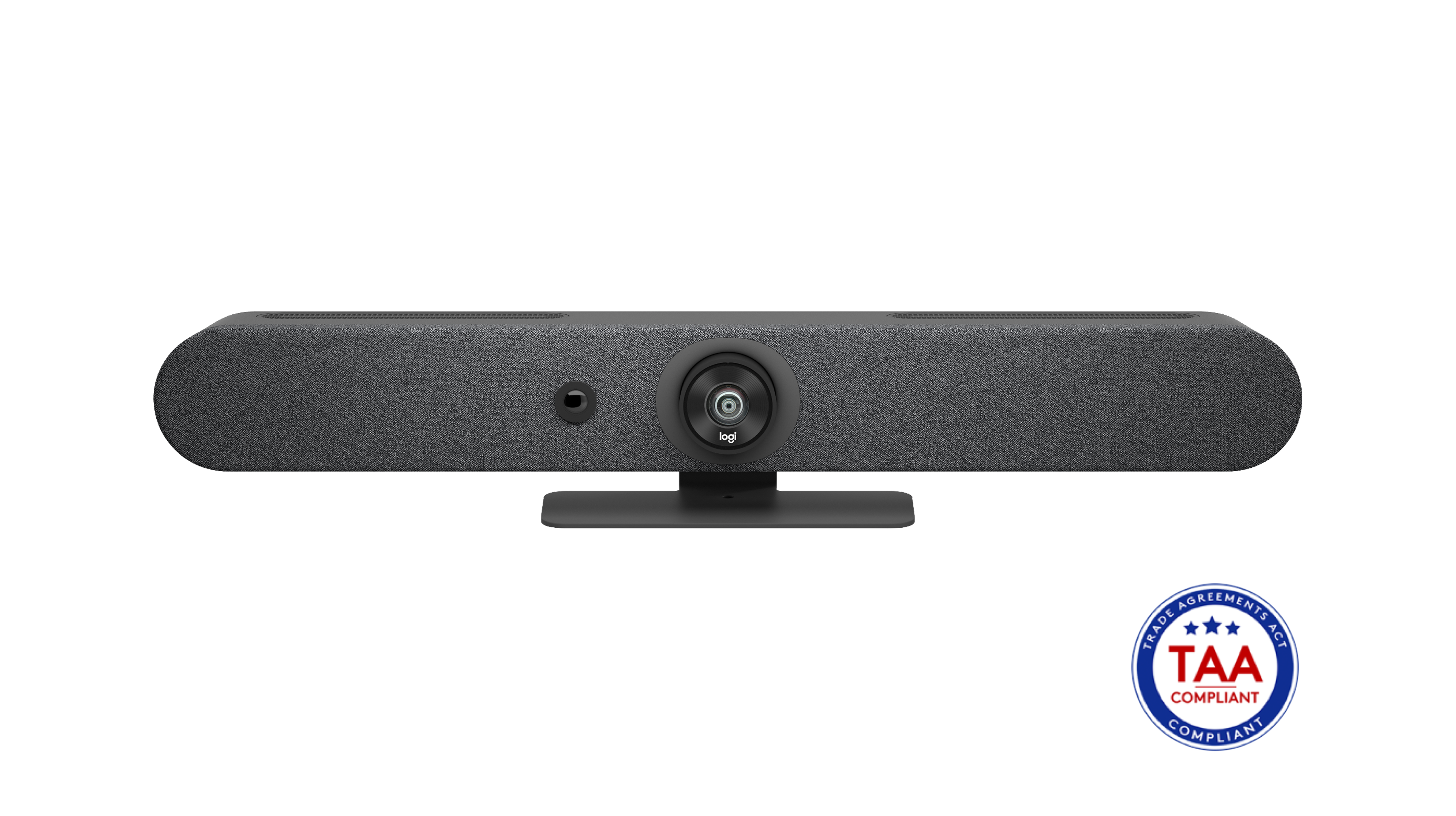
Explore this need in the finder →This is the Logitech Rally Bar Mini TAA Compliant U.S. configuration, exact part 960-001563. It belongs to the same room-bar family as the Graphite 960-001336 and White 960-001348, but procurement status is part-number-specific: the TAA designation applies to 960-001563, not automatically to the other Mini colors. Logitech's selected U.S. product page and its TAA/NDAA solutions guide identify that exact Mini part as compliant. This is a source-based assessment, not a procurement-law opinion or a promise that any particular seller offer is approved for a contract.
A wide small-room bar rather than a desk camera
Logitech describes Rally Bar Mini as an all-in-one camera bar for small-to-medium meeting rooms. The manufacturer's product specifications list a body about 719 mm wide, weighing about 4.03 kg, with integrated table support, a PTZ camera, AI Viewfinder, six microphones and three speakers. It needs its own power supply. Its wide housing can make sense under or beside a shared meeting display, but it is not shaped like a light monitor-clip webcam. Check the shelf, display, wall or table arrangement before choosing it; the review does not assume a particular mount is included beyond what the exact seller package says.
The Mini's camera is listed with a 120-degree diagonal field of view, 113 degrees horizontal and 80.7 degrees vertical. Logitech gives it 4× HD digital zoom rather than the full-size Rally Bar's five-times optical plus three-times digital zoom. This is a meaningful trade: a broad view helps include people sitting relatively near a small-room screen, while optical reach matters more when framing people farther away. Neither published field of view nor zoom describes face quality in an actual room, and the field figure for the camera should not be confused with the separate AI Viewfinder's room-awareness role.
USB computer use and what 4K does not promise
Rally Bar Mini can operate as a room appliance or in USB mode with a computer; this assessment focuses on its documented computer-camera route. Logitech lists camera resolutions through 4K at 30 fps. That is not a claim of 4K60, and it does not guarantee the conferencing application will deliver a 4K call. In the manufacturer materials inspected, a Mini-specific USB codec-and-format matrix was not published, so the exact USB format ceilings should not be inferred from a similarly named full-size Rally Bar. The host, meeting application and network can all affect what participants actually receive.
The listed package includes a 2.2 m USB-A-to-USB-C 3.0 cable, HDMI cable, power supply, AC cord, remote control, lens caps and documentation. USB camera traffic and AC power are separate functions: the included lead connects to a compatible computer, while the external supply powers the bar. Confirm the computer's available USB port and the cable's route before installation. The No-Radio Rally Bar is a different room option with distinct USB-only certification and missing wireless controls; the standard Mini TAA SKU should not inherit those limitations without evidence.
Audio and privacy checks
The built-in microphone system has six digital MEMS elements arranged into adaptive beams, and Logitech specifies a pickup range up to 7 m (23 ft). Treat that as a published claim, not a measurement of clarity across a particular conference table. The product includes three speakers and supports up to three additional Rally Mic Pods, according to Logitech's specifications and FAQ. Expansion microphones and hubs are separate planning items; the sales package should be checked if a room needs them. In the meeting application, select the intended camera and audio endpoints and verify whether the deployment uses USB or an appliance platform.
Logitech lists lens caps for the main camera and AI Viewfinder, but the reviewed material does not document an integrated physical privacy shutter. A lens cap is removable and must be handled; it is not a built-in shutter for the site's strict shutter filter. Nor does covering the lens demonstrate that the microphones are muted. The published product information also does not name the Mini's optical focus as fixed or autofocus, so it should not pass either focus requirement in the finder.
Exact TAA identity and buying checks
The strongest reason to consider this variant is the exact procurement part. Logitech's route selects “TAA Compliant” and names 960-001563. Its product materials also list the separate Graphite 960-001336 and White 960-001348 versions. Do not accept a color description, the Mini family name or a reseller's generic “compliant” phrase as a substitute for checking the quoted part number. A TAA-marked product is not itself a statement about a given contract's covered manufacturing rules; confirm the purchasing requirement and delivered item with the responsible buyer.
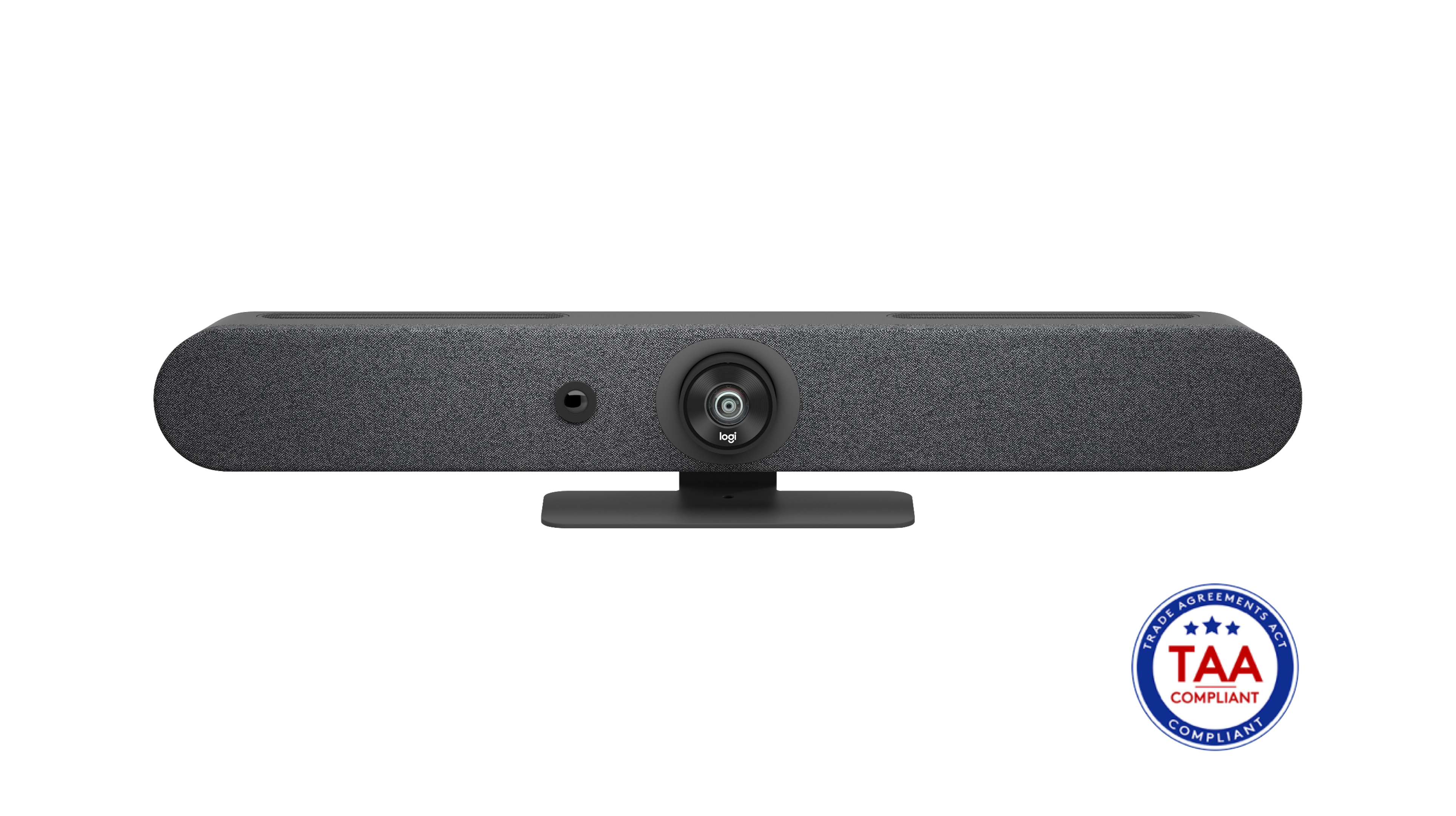
The exact selected manufacturer gallery image used here includes a visible TAA badge, but the render is not a photo of a test room or a sample camera feed. The useful fit decision still depends on placement and host details: room width, table or display position, compatible USB route, separate AC power, desired number of external mic pods and actual meeting-platform camera mode. If your space needs a more optically zoomed medium-to-large-room bar, compare the Rally Bar TAA 960-001564. If RF restrictions require the absence of Wi-Fi and Bluetooth radios, compare the separate Rally Bar No-Radio 960-001669; it is not the Mini and its operating restrictions differ. If the task is a personal desktop call rather than a shared room, look at smaller camera-specific options instead.
Key specifications
Key details at a glance
| Documented modes and host limits | Manufacturer camera specifications list modes through 4K at 30 fps. The exact support page says the in-call output is platform-determined; the retrieved USB references confirm PC webcam mode but do not publish a separate pixel-format matrix. No 4K60 or 1080p60 mode is listed. |
|---|---|
| Diagonal field of view | 120° |
| Built-in microphone | Yes |
| Physical privacy shutter | No |
| TAA-compliant exact SKU | Yes |
Use the exact model’s instructions for operating limits, supplied equipment and version differences.
Sources for this review
Sources for this assessment
- Logitech U.S. Conference Cameras catalogue snapshot
- Logitech Rally Bar Mini U.S. product route, Graphite SKU 960-001336
- Logitech Rally Bar Mini datasheet
- Logitech Rally Bar Mini support specifications
- Logitech Rally Bar / Rally Bar Mini USB system requirements
- Logitech Rally Bar Mini setup guide
- Logitech Rally Bar Mini exact U.S. TAA product route
- Logitech U.S. TAA/NDAA compliant solutions guide
- Logitech exact TAA Rally Bar Mini product gallery image
Compare the features that affect your setup
Set essential video, focus, privacy and microphone requirements together; leave nonessential choices open.