
Your needs, this model
Does it fit your priorities?
Can PTZ Pro 2 deliver 1080p60 or 4K?
No such mode is established for SKU 960-001184. Logitech's model-specific datasheet lists 1080p at 30 fps and H.264 UVC 1.5. Check the intended application, but do not infer a higher rate from the camera's 10x zoom or its USB connection.
Explore this need in the finder →Does PTZ Pro 2 include a built-in microphone?
No. Logitech describes the camera as complementing an audio system or speakerphone and its support information says it is designed for third-party installed audio. Plan a separate room microphone and speakerphone rather than treating the camera as an all-in-one device.
Explore this need in the finder →Does PTZ Pro 2 have a physical privacy shutter?
No physical lens shade is documented; Logitech support specifications list privacy shade as none. The remote has an electronic video-mute control and the camera has a streaming indicator, which are not the built-in lens obstruction required by the strict shutter filter.
Explore this need in the finder →What must be connected before a PTZ Pro 2 call?
Logitech's setup guide calls for placing or mounting the camera, connecting external power, then connecting USB to the computer. The U.S. box list includes a 3 m USB cable with a power-adapter connection and a regional-plug AC adapter. Confirm outlet, cable reach, mount and any host-side adapter before installation.
Can PTZ Pro 2 appear as a computer webcam?
Yes. Logitech documents USB/UVC 1.5 operation and states that it can be used when the video application recognizes a webcam. This does not guarantee that every application exposes the same controls or Full HD mode; its support table identifies USB 2.0 High-Speed, and the setup guide requires separate AC power.
Explore this need in the finder →Assessment basis: this is a source-based evaluation of the current Logitech U.S. PTZ Pro 2 page, its model datasheet, setup guide and support specifications, not a hands-on test. Logitech identifies U.S. part 960-001184. It qualifies as a webcam-capable camera because Logitech documents a direct USB/UVC route to a computer and says it works in applications that recognize a webcam. It remains a specialized conference-room camera, not a personal clip-on webcam.
A room camera rather than a desk camera
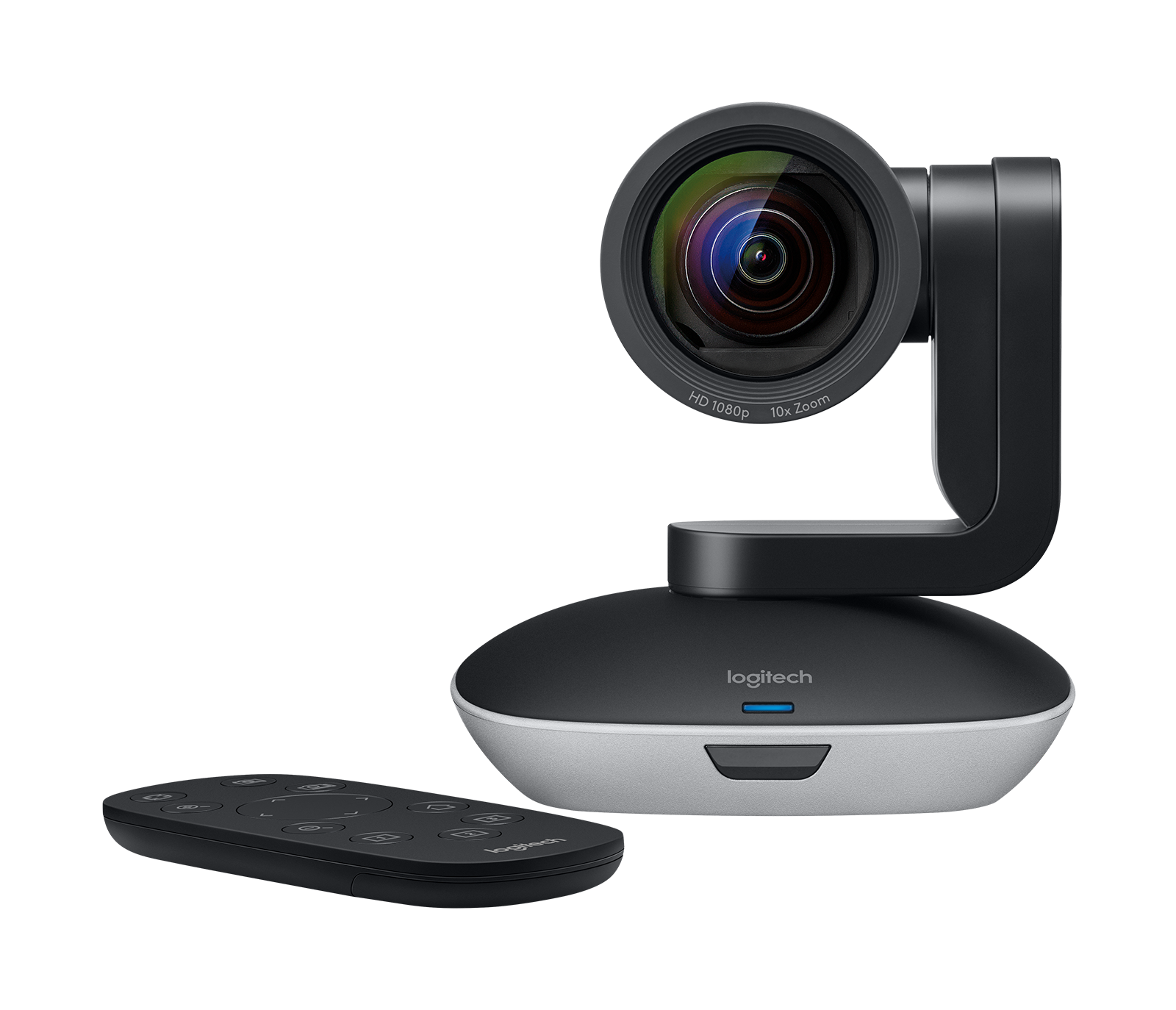
PTZ Pro 2 is designed for rooms where a fixed laptop view is not enough. Logitech describes classrooms, auditoriums and large meeting rooms, and specifies a 90-degree diagonal wide view, motorized pan and tilt, autofocus and 10× HD zoom. The remote can move between presenters, participants and a whiteboard; three camera presets can save pan/tilt/zoom positions. That is a real difference in operating style: the product is built for an operator or a planned room layout, not for a camera that automatically follows someone walking around. The 10× zoom describes a framing capability, not proof of sharper image quality at every position or lighting level.
Keep the video mode in perspective
The model documentation lists Full HD 1080p at 30 frames per second, H.264 UVC 1.5 and hardware video encoding. Logitech does not document 4K or 1080p60 for this model. Its wide-to-tele range and autofocus help frame subjects, but they do not raise the output resolution or frame-rate ceiling. Full HD support also depends on the application’s requirements, which Logitech directs buyers to check with their software provider. A camera recognized as a webcam by an app is not a promise that every operating system, conferencing service or capture workflow will expose every control or format.
USB is the data path; power is separate
Logitech’s support specifications identify the device’s USB protocol as USB 2.0 High-Speed and UVC support as 1.5. The box list names a 10-foot (3 m) USB cable with a power-adapter connection, a regional-plug AC adapter, a remote, a mount and documentation. The setup guide’s sequence is explicit: place or mount the camera, connect external power, connect USB to the computer, then start the call in the application. Plan for a wall outlet as well as the computer connection; it is not simply a bus-powered webcam. Logitech’s support documentation identifies USB Mini-B on the camera side, while its reviewed cable description does not specify every host-side adapter a particular computer may need. Check the exact included cable and the host port rather than ordering an assumed USB-C accessory.
External room audio is part of the setup
The PTZ Pro 2 package is a camera, not a camera-and-speakerphone bundle. Logitech says it complements an audio system or speakerphone and its support specifications describe deployment with third-party installed audio solutions. The camera assessment therefore treats a built-in microphone as absent for finder matching; buyers need to plan a separate room microphone and speakerphone or other approved audio endpoint. This is a consequential difference from the all-in-one ConferenceCam Connect, which has its own two microphones and speakerphone. Do not compare PTZ Pro 2’s camera framing features while overlooking the cost, routing and placement work of the rest of a room system.
Mounting and privacy require deliberate setup
The included dual-purpose hardware supports tabletop elevation or wall mounting, and the camera has a standard tripod thread; a tripod itself is not in the manufacturer’s in-box list. A lock slot and a cable-lock step in the setup guide are useful for installed equipment. The camera head is motorized, and Logitech warns not to turn it manually because that could damage the unit. It has a video-mute control and an LED status indicator, but the exact support specifications say there is no privacy shade. An electronic video mute, a lit status LED and a lens-cover shutter are three different things. If policy requires physical lens obstruction, arrange a separate approved cover or select a camera whose exact model documents an integrated shutter.
Where it fits and where it does not
PTZ Pro 2 is compelling only when a room needs remote reframing, presets and a camera that can be separately positioned on a wall, table or tripod thread. Its motorized head, dedicated remote, external power and external audio plan can be worthwhile in a classroom or meeting space; they are unnecessary complications for a one-person desk call. For a portable huddle setup that combines video and audio, Connect is the closer Logitech comparison. For a conventional desk camera, compare this assessment with one of the compact autofocus models in the webcam library instead of treating the two classes as interchangeable.
Exact-model purchase checks
Match the offer to PTZ Pro 2 part 960-001184 and verify the camera, remote with its CR2032 battery, 3 m USB/power cable, AC adapter with the correct regional plug, mount and documents. Confirm the USB host connection and outlet location, mount clearance and a stable camera position; ask whether a tripod or third-party room audio must be supplied separately. Check the current application and host requirements with Logitech and the software provider. The published application list is not a guarantee for every version or deployment, and an offer that lacks the original cable, power adapter, remote or mount may not support the documented arrangement. No price, stock, seller condition or availability is inferred here.
Bottom line: PTZ Pro 2 is a USB/UVC-capable 1080p30 room camera with autofocus, motorized framing and a dedicated remote. Its video usefulness depends on a room system around it: external power, a compatible computer and separately planned audio. For an ordinary desk webcam buyer, its strengths may be the wrong kind of complexity.
Manufacturer sources
- Logitech U.S. PTZ Pro 2 product page, SKU 960-001184
- Logitech PTZ Pro 2 datasheet
- Logitech PTZ Pro 2 setup guide
- Logitech PTZ Pro 2 product support and specifications
Key specifications
Key details at a glance
| Documented modes and host limits | The model-specific datasheet lists Full HD 1080p at 30 frames per second; no 4K or 1080p60 mode is listed. |
|---|---|
| Focus system | Autofocus |
| Diagonal field of view | 90° |
| Built-in microphone | No |
| Physical privacy shutter | No |
Use the exact model’s instructions for operating limits, supplied equipment and version differences.
Sources for this review
Sources for this assessment
Compare the features that affect your setup
Set essential video, focus, privacy and microphone requirements together; leave nonessential choices open.