
Your needs, this model
Does it fit your priorities?
Can the Mevo Start work as a computer webcam?
Yes. Logitech and Mevo document a wired USB UVC mode; Mevo's support steps enable it after the camera boots. A wireless route uses the Mevo Webcam App on the same network as the Mac or PC. Mevo says a Start cannot record or stream while wired UVC is active. Check the actual software and connection before a call.
Does the Mevo Start have a documented 1080p60 webcam mode?
The retained manufacturer documents do not establish a 1080p60 UVC output. The January 2026 datasheet lists recording and streaming up to 1080p30, while the separate webcam-mode article does not provide its own resolution table. The finder therefore does not count this model as a confirmed 1080p60 match; verify the current app and firmware if that mode is essential.
Explore this need in the finder →Is a microphone built into the Mevo Start?
Yes. The manufacturer lists a three-MEMS microphone array with spatial processing, plus external audio-input routes. Those are hardware details, not a measured guarantee of voice pickup at a particular distance or in a particular room.
Explore this need in the finder →Does it include a built-in physical privacy shutter?
No integrated shutter is documented; the datasheet lists privacy shutter: no. A separate camera-side cover or a software privacy setting would not be the built-in physical mechanism asked for by this filter.
Explore this need in the finder →What is included with the single-camera Mevo Start?
Mevo's standard single-camera contents article lists the camera, a 2 m USB-A-to-USB-C charging cable, a gray microfiber cleaning cloth and a quick-start guide. The article warns that refurbished orders may differ, so compare the exact seller offer and condition.
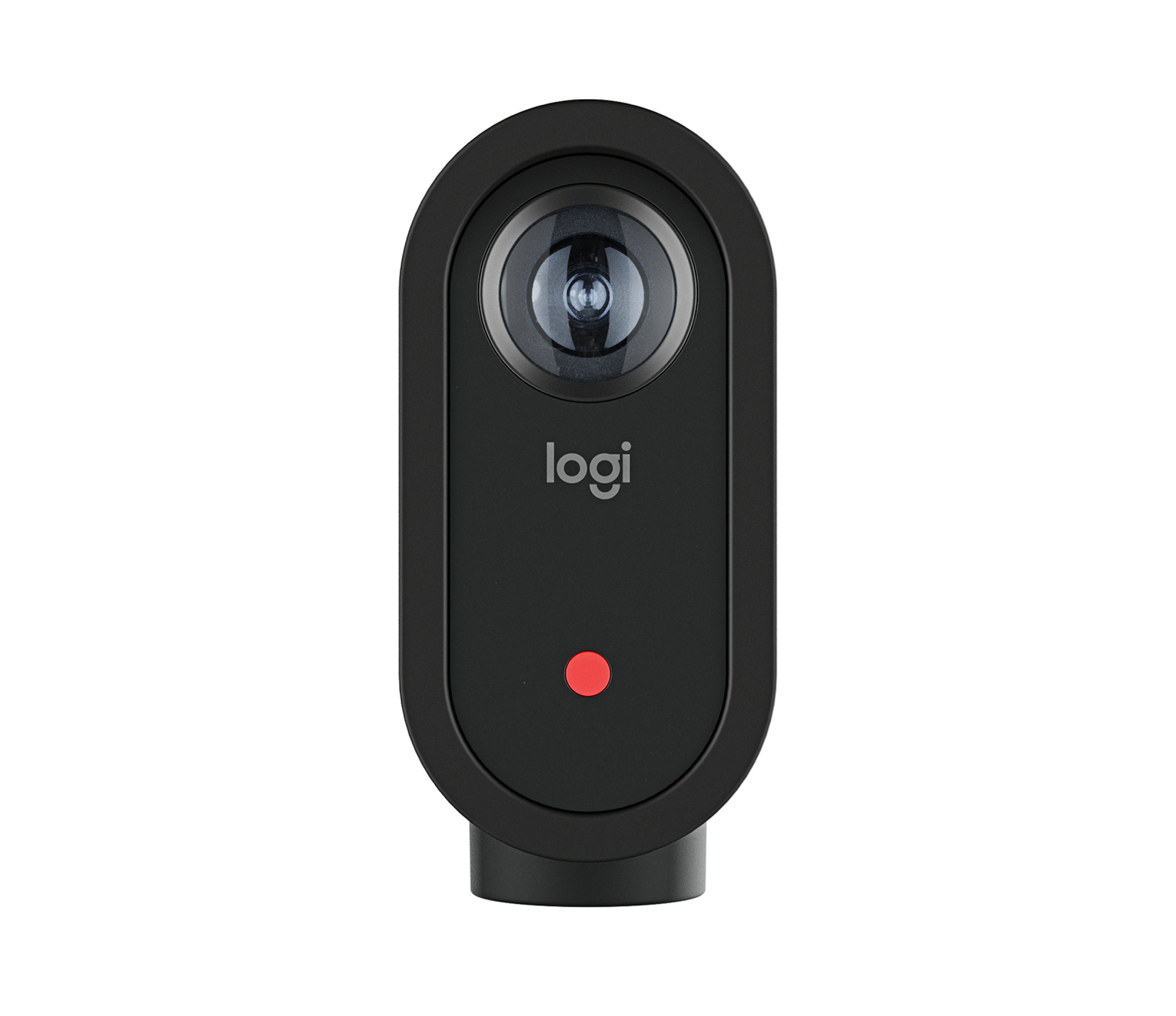
Logitech's Mevo Start is primarily presented as a compact live-streaming camera, but the same product page also advertises wired and wireless webcam modes. That makes the U.S. single-camera SKU 961-000498 relevant to computer calls, while also making the setup less like a conventional USB webcam: a separate camera app is involved, and the webcam-specific video-mode table is not published in the sources I reviewed. This is a source-based assessment, not a hands-on camera or microphone test.
UVC is documented; its exact webcam format is not
The wired route uses USB Video Class. Mevo's support steps say to let the camera boot, double-tap its power button to enable wired webcam mode, connect it to the computer, then choose it in the video application. Logitech's page also describes a wireless route through the Mevo Webcam App on the same network. These are useful alternatives, but they require checking the correct operating path rather than assuming the camera will behave like a plug-in-and-call webcam immediately.
The distinction matters for resolution claims. Logitech's January 2026 datasheet lists general recording up to 1080p30 and streaming up to 1080p30. It also separately says the camera can be used over USB as a UVC webcam, but does not publish a UVC-specific resolution and frame-rate matrix. I therefore do not count 1080p30 as a confirmed USB-webcam mode, much less infer 1080p60 or 4K from the general streaming specification. If a particular call application must deliver a specific format, check the live mode list for the intended host, software and firmware before buying. The finder leaves Mevo Start out of its higher-mode matches for that reason.
There is another operating-mode tradeoff: Mevo's webcam support article says the Start cannot record or stream while wired UVC mode is active. A workflow that alternates between calls and separate recording may work, but simultaneous UVC calling plus in-camera recording is not supported by that instruction. The wireless webcam-app route is different from the camera's Mevo Multicam production workflow; do not assume that app features or recording behavior carry across modes.
Fixed focus, broad view, and built-in audio
The manufacturer specification identifies a fixed-focus lens with an 83.7-degree diagonal field of view. This is a fixed camera view, not a focus system designed to refocus as someone moves toward and away from the lens. Plan where the camera will sit, how far the speaker will be from it, and what else enters the frame. The number is a published field-of-view value, not proof that a particular room will look flattering or that a face will be sharply rendered at every distance.
The Start does include three MEMS microphones with Fraunhofer upHear spatial processing, plus a 3.5 mm audio input and USB-C audio options. That is a meaningful equipment distinction from webcam families with no built-in audio, but a microphone count and processing label do not establish voice clarity from across a classroom or noisy room. For conferencing, compare expected camera-to-speaker distance with a headset or separate microphone placed nearer the speaker; the manufacturer's presence specification cannot answer that acoustic fit question.
Mevo lists no privacy shutter. A disabled preview, a software setting, and a physical cover are not the same mechanism, so this model is not a match when an integrated physical shutter is mandatory. The camera has a microSD slot, but the datasheet says memory is not included. Those details are easy to overlook when the product is described as an all-in-one streaming camera.
Connection and package checks
The datasheet lists a USB-A-to-USB-C cable, a 2-meter length, Wi-Fi 802.11ac on 2.4 and 5 GHz, and battery life up to six hours. The six-hour figure is a manufacturer claim, not a measured webcam runtime; a long session can use USB-C power. The camera's threaded mount is specified for microphone stands, with an adapter for common tripod threads. Check the support surface or stand separately rather than assuming a desk clip is included.
Mevo's standard single-camera box list includes one camera, a 6.5-foot USB-A-to-USB-C charging cable, a gray microfiber cloth and a quick-start guide. The support page warns that refurbished orders can differ. Logitech's compatibility chart lists Windows 10+, macOS 10.15+ and ChromeOS for Mevo Start, but a generic operating-system entry does not guarantee that every version of a video app exposes the webcam mode you need. Confirm the exact offer condition, cable, host port and software workflow.
Logitech's separate U.S. business page identifies the single-camera option as SKU 961-000513 and the 3-Pack as SKU 961-000517. Its current package list names one Start camera, one 2 m USB-C-to-USB-A cable and one microfiber lens cloth for the single-camera option; for the 3-Pack it lists three cameras, three such cables and three cloths. The different camera count changes the production setup, not the Start camera's documented webcam modes. These are separate business SKUs, not the consumer 961-000498 and 961-000500 packages: do not transfer either consumer accessory list, infer an unlisted power supply, mount or card, or assume a seller fulfills Logitech's list. The page does not supply a UVC output table or establish TAA status; check the exact SKU, seller, warranty and shipped contents.
Who should shortlist this exact SKU?
Mevo Start 961-000498 is most compelling to investigate when a fixed camera position, built-in microphone hardware and app-led streaming tools matter more than a published high-frame-rate USB webcam mode. The same camera can be used in a wired or wireless webcam workflow, but the mode, connection and app setup are part of the decision. If a straightforward monitor-mounted camera with a defined 1080p60 path is the priority, compare an assessment such as the Logitech StreamCam or another confirmed-mode option instead.
Before ordering, match the SKU, inspect whether the offer is new or refurbished, verify the intended host and application, and decide whether the absence of a physical shutter and memory card is acceptable. The product's streaming features make it versatile on paper; they do not remove the need to confirm the exact computer-webcam mode.
Key specifications
Key details at a glance
| Documented modes and host limits | The January 2026 datasheet lists recording up to 1080p30 and streaming up to 1080p30. Mevo separately documents wired USB UVC and wireless webcam-app modes but gives no webcam-specific resolution/frame-rate matrix; do not treat the general 1080p30 streaming/recording ceiling as a confirmed UVC mode. |
|---|---|
| Focus system | Fixed focus |
| Diagonal field of view | 83.7° |
| Built-in microphone | Yes |
| Physical privacy shutter | No |
Use the exact model’s instructions for operating limits, supplied equipment and version differences.
Sources for this review
Sources for this assessment
- Logitech Mevo Start U.S. product page, Black SKU 961-000498
- Mevo Start Product Specifications, Logitech, January 2026
- Mevo Wired and Wireless Webcam Mode
- What's Included with your Mevo Camera?
- How to connect your Webcam & Headphones, Logitech
- Mevo Start for Business — exact U.S. page with single-camera SKU 961-000513 and 3-Pack SKU 961-000517
- Mevo for Business — webcam mode and Start model overview
Compare the features that affect your setup
Set essential video, focus, privacy and microphone requirements together; leave nonessential choices open.