
Your needs, this model
Does it fit your priorities?
Does Link 2 provide 4K at 60 fps?
No. The manufacturer lists 4K up to 30 fps and 1080p up to 60 fps as separate modes. H.264 is unavailable in 4K and portrait 1080p60, and the listed camera modes do not establish a 4K60 route.
Explore this need in the finder →Does Link 2 have a built-in physical lens shutter?
No physical shutter is documented. It enters Privacy Mode with the lens facing downward after inactivity or manual tilt; that motorized position is not a lens cover. If a physical shutter is essential, compare the fixed-body Link 2C, which has a sliding privacy switch.
Explore this need in the finder →Can Link 2 use 1080p60 with Insta360 Virtual Camera effects?
The physical camera stream lists 1080p60, but Insta360 states Virtual Camera does not support 50 or 60 fps. Choose the camera source that matches the intended app/effect workflow, and confirm its available format rather than treating the two streams as equivalent.
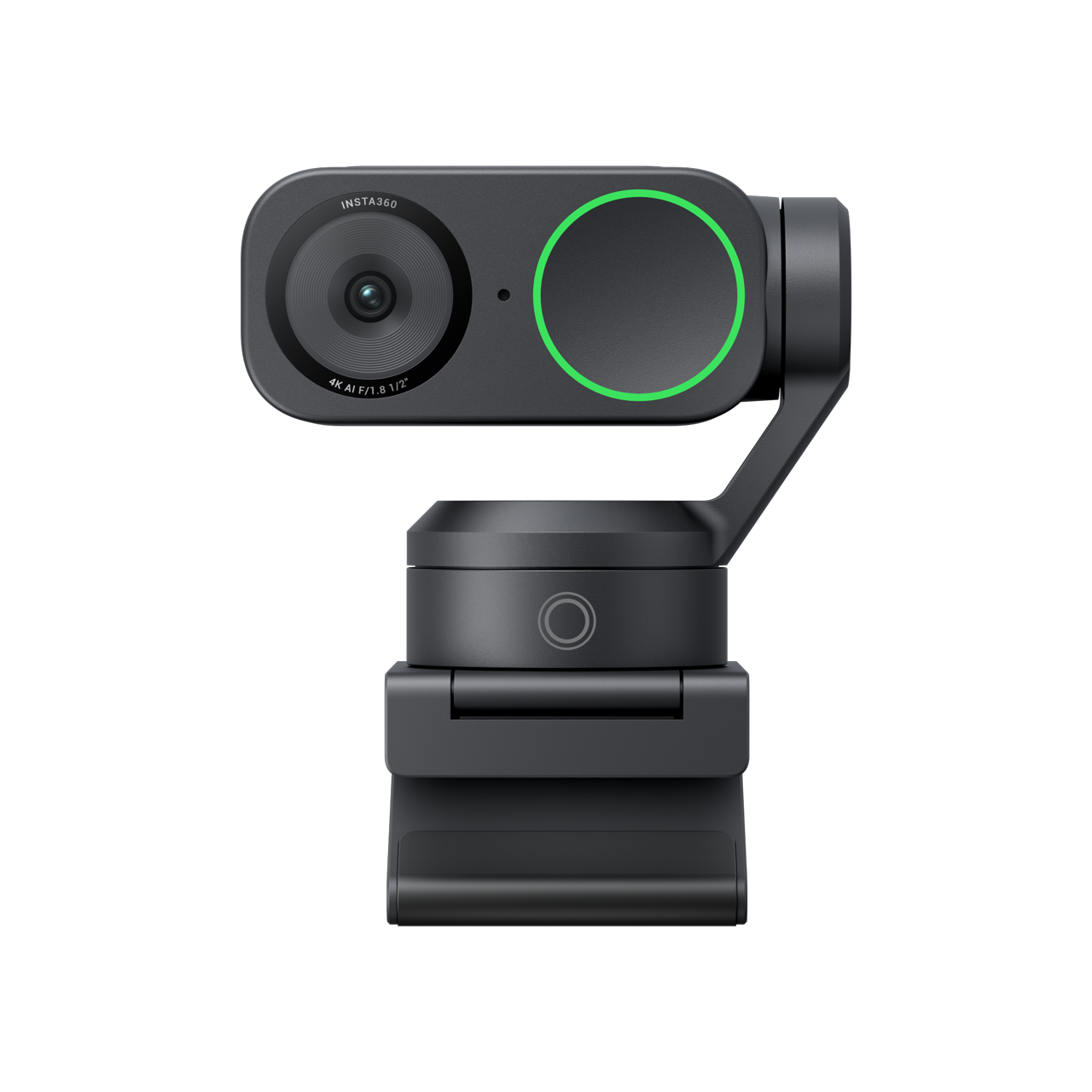
Explore this need in the finder →Insta360 Link 2, Graphite Black Standard Bundle, Store SKU 3401 is the gimbal-based member of the Link 2 pair. The distinction matters more than the shared “AI webcam” label: Link 2 can physically pan and tilt to follow a presenter, while Link 2C keeps a fixed camera body and reframes in software. This assessment is based on manufacturer specifications, support material and the exact U.S. Store package record. No hands-on image, tracking, focus or audio testing was performed, and supported modes should not be read as a promise about every meeting app.
Choose it for physical movement, not just a 4K label
The Link 2’s two-axis gimbal can turn the camera toward a moving presenter; Insta360 lists pan-and-tilt travel and a tracking mode that can be configured for one person or a group. That can suit a teacher or demonstrator who steps around a room, or a creator who wants the camera itself to reposition. It is a different workflow from placing a fixed webcam above a monitor. Give the mount clearance to move and consider whether camera motion is welcome in a small room or shared call. The gimbal’s presence does not tell us how quickly, quietly or smoothly it tracks in practice.
Its useful headline modes are 4K at up to 30 frames per second and 1080p at up to 60 frames per second, listed separately. It is not a 4K60 camera. The manufacturer’s mode table lists H.264 and MJPEG, with H.264 unavailable for 4K and portrait 1080p60; if a particular streaming program requires a codec, confirm the program’s choices instead of inferring compatibility from the resolution alone. Insta360 Virtual Camera is also a separate software stream: the manufacturer says it does not support 50 or 60 fps. That means native 1080p60 and effects available through a virtual-camera source are not interchangeable plans.
Autofocus and audio features still need a sensible setup
The model-specific table lists phase-detection autofocus from 10 cm to infinity, a fixed 79.5-degree diagonal field of view, and a 1/2-inch sensor. These are published specifications, not a test of how a face will look in a particular room. Framing depends on where the camera is mounted, how far the subject sits away and what the app selects as its input. The lens can also digitally zoom up to 4×, but that is not optical zoom and should not be treated as extra room coverage.
Insta360’s support material describes camera microphone controls and three audio modes: Voice Focus, Voice Suppression and Music Balance. It also allows the camera microphone to be muted or adjusted through supported software or computer settings. Those are practical controls for a desk or presentation workflow; they are not evidence of measured noise rejection or a replacement for a deliberately placed headset mic in a noisy room. Test the camera’s input selection and mute behavior in the actual conferencing app before relying on it.
Privacy mode is not a physical shutter
Link 2 does not have the sliding physical lens cover used on Link 2C. Its Privacy Mode moves the lens downward after ten seconds of inactivity, or can be entered by manually tilting the camera down. Insta360 documents an optional software setting to mute the Link 2 microphone in this mode. That is a useful privacy behavior, but it is not the same as a physical shutter, and the automatic movement is not a substitute for confirming that the intended camera and microphone are disabled in the host application. If a built-in physical cover is an absolute requirement, Link 2C is the relevant model in this pair; the broader shutter filter also includes other webcams.
Check the exact bundle and connection before ordering
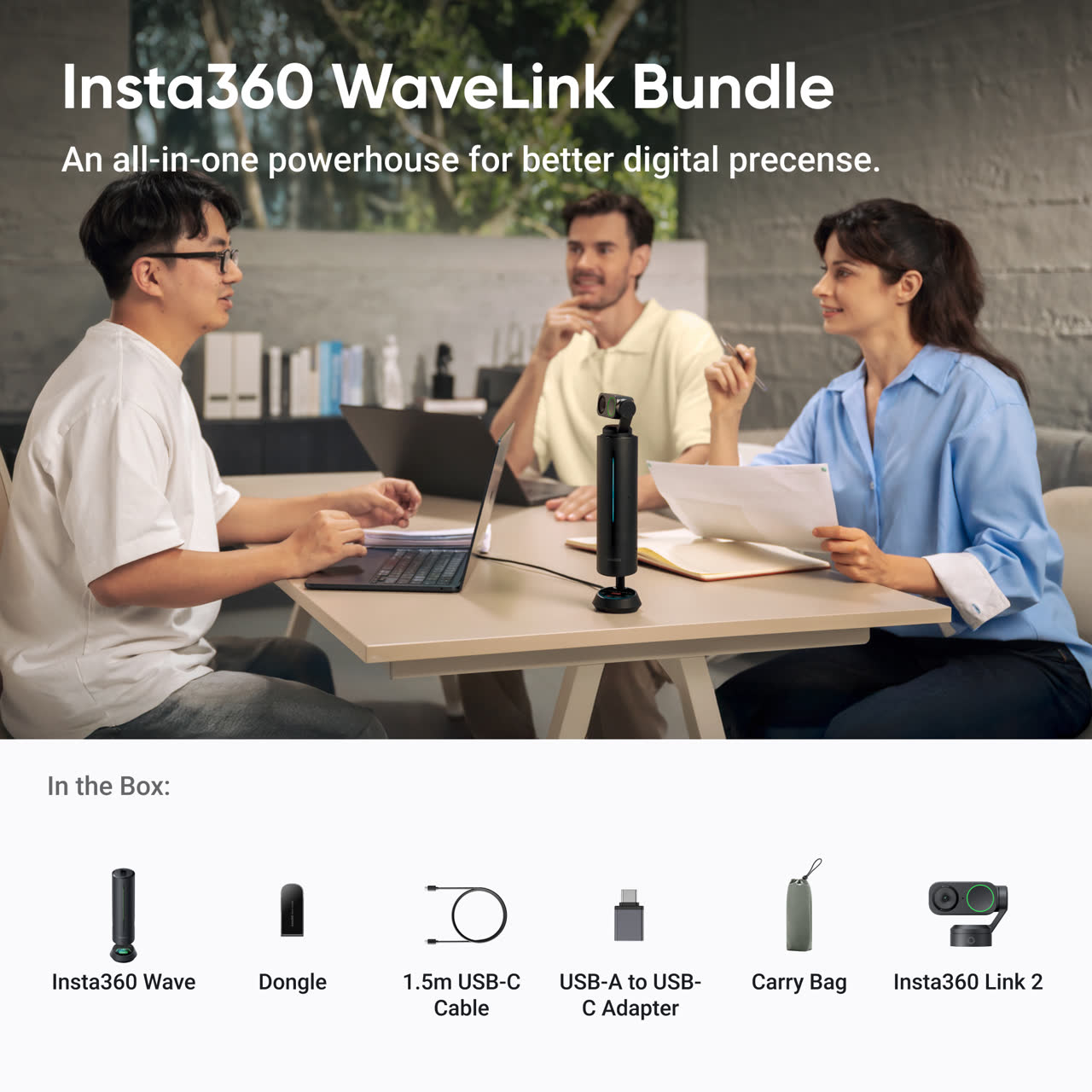
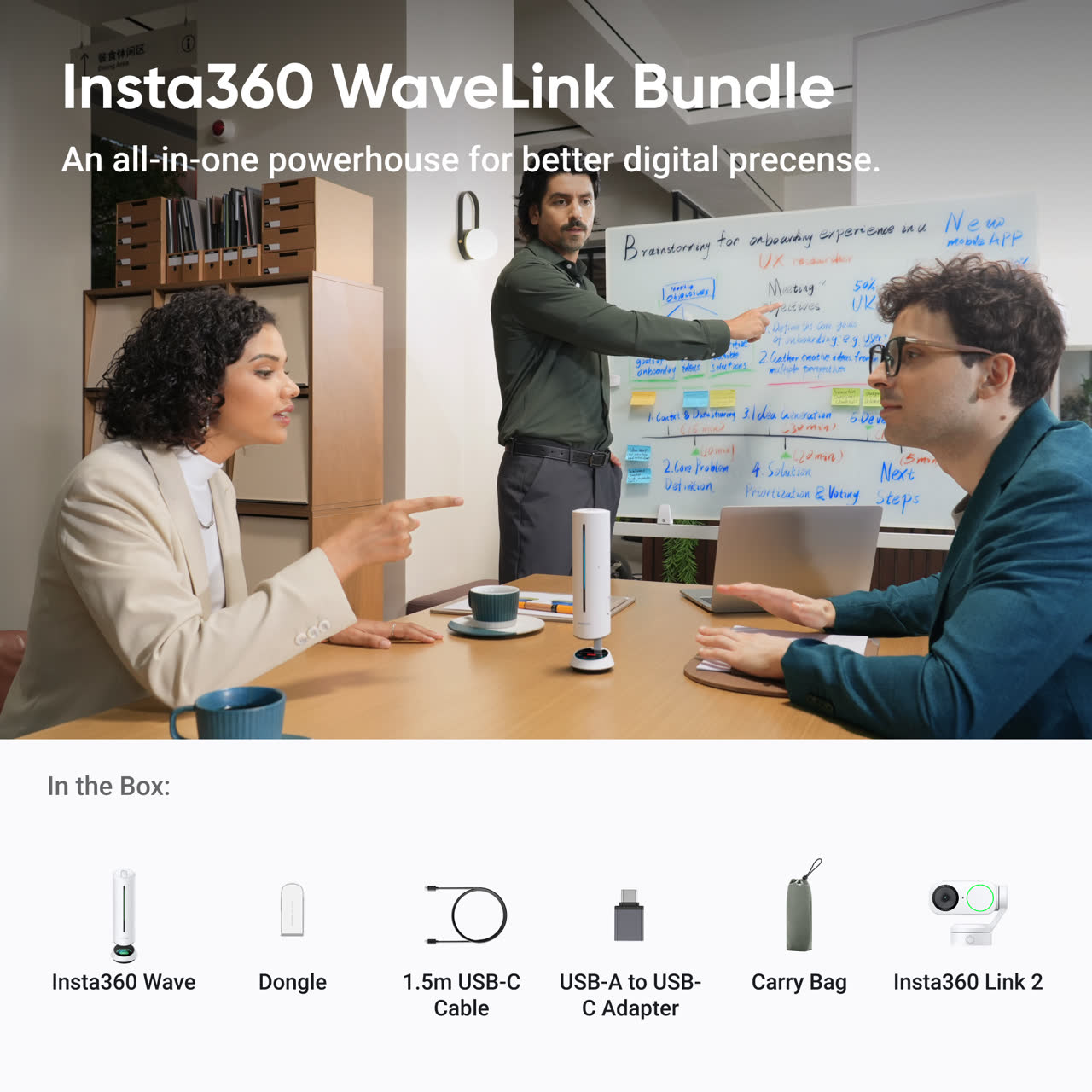
The official U.S. Store also identifies two separate WaveLink bundle SKUs: 6254 (Midnight Black) and 6255 (Arctic White). The package text names one Insta360 Wave speakerphone and one Link 2 camera, plus a 1.5 m USB-C cable, dongle, two adapters, four recognition markers, a Magnetic Mount and carry bag. The page does not give the Link 2 camera a separate sub-SKU. Its bundle-specific images depict the camera and Wave; they are not a complete inventory photograph, and the Wave's audio performance is outside this camera assessment.
The captured U.S. Store variant identifies SKU 3401 as Graphite Black Standard Bundle. Its package description lists the camera, Magnetic Mount, four recognition markers, USB-C cable and USB-C-to-USB-A adapter. The Graphite Black Tripod Bundle is a different store identifier, SKU 3402, and adds the Mini 2-in-1 Tripod; Arctic White Standard and Tripod configurations are separately identified as SKUs 6241 and 6242. Those are distinct finish/package identities, not different camera mechanisms. Confirm which set of accessories the live offer actually includes rather than relying on a title or illustrative image.
Link 2’s connection is specified as a USB-C cable using USB 2.0, with USB-C-to-A adaptation in the standard package. Insta360 lists 5 V/1 A power. Its published recommendations distinguish a direct computer connection from an independently powered dock, so check the host port and any intermediary before settling on a permanent mount. The product page lists a magnetic mount with a 1/4-inch tripod point; a separate tripod bundle is not required merely to get that threaded mounting point.
Bottom line
Link 2 is the more relevant Link model when a camera that physically turns with a presenter is the point of the purchase, and its separate 4K30 and 1080p60 modes leave room for different call and creation priorities. The trade-offs are equally concrete: USB 2.0, no 4K60, no physical privacy shutter, an application-dependent virtual-camera frame-rate ceiling, and setup details that should be checked against the exact host and bundle. If the camera will stay in one position or a physical shutter is more important than pan-and-tilt movement, compare the fixed-body Link 2C assessment before choosing. These sources support a feature-based comparison, not a claim that we have used or measured the product.
Key specifications
Key details at a glance
| Documented modes and host limits | 4K is listed up to 30 fps; 1080p is separately listed up to 60 fps. The model does not have a listed 4K60 mode. H.264 is unavailable in 4K and portrait 1080p60; Insta360 Virtual Camera does not support 50/60 fps. |
|---|---|
| Focus system | Autofocus |
| Diagonal field of view | 79.5° |
| Built-in microphone | Yes |
| Physical privacy shutter | No |
Use the exact model’s instructions for operating limits, supplied equipment and version differences.
Sources for this review
Sources for this assessment
- Insta360 U.S. Store Link 2 and Link 2C product and variant page
- Insta360 Link 2 and Link 2C product family comparison
- Insta360 Link 2 and Link 2C product specifications
- Link Series Photo & Video Specifications
- Link 2 and Link 2C Hardware Specifications
- Link Series Privacy Protection for Link 2 and Link 2C
- Link Series Audio and Microphone settings
- Link 2 and Link 2C Accessory Compatibility
- Insta360 Link 2 Graphite Black Standard Bundle image, Store SKU 3401

Compare the features that affect your setup
Set essential video, focus, privacy and microphone requirements together; leave nonessential choices open.