
Your needs, this model
Does it fit your priorities?
Can Kiyo X meet a 1080p60 minimum?
No. Razer lists 1080p30 and a separate 720p60 option for Kiyo X, so the Full HD 60 fps minimum is not documented. This earlier model appears only when earlier models are included.
Explore this need in the finder →Does Kiyo X offer autofocus and a built-in microphone?
Razer identifies autofocus and a built-in mono omnidirectional microphone for model RZ19-04170. That documents hardware, not focus speed or sound quality; opt in to earlier models to include this configuration.
Explore this need in the finder →Is a built-in physical privacy shutter confirmed?
The reviewed Kiyo X product and support sources do not establish a built-in physical shutter. This assessment therefore does not count the model when a shutter is required; the unknown is not proof that a shutter is absent from every unit.
Explore this need in the finder →Does the camera meet a TAA procurement condition?
No exact Kiyo X SKU-level TAA statement was found in the reviewed Razer sources. Treat the status as unconfirmed and verify the exact part and procurement route with the buyer.
Explore this need in the finder →This assessment concerns the black Razer Kiyo X, exact U.S. product-page SKU RZ19-04170100-R3U1 and support model family RZ19-04170. It is the older Kiyo X, not the current-generation Kiyo V2 X. Razer's exact U.S. route displayed “Out of stock” when checked on October 30, 2026; that dated page observation does not establish availability from every seller or whether the model is discontinued. This is a source-based assessment, not a hands-on test.
Two different resolution-and-frame-rate choices
Razer lists 1080p at 30 fps and 720p at 60 fps for Kiyo X. These are separate choices: the higher frame rate is attached to the lower 720p resolution. A workflow that requires Full HD at 60 fps should therefore rule this model out rather than combine the best resolution and frame-rate numbers from different rows. The model-specific manual also lists 480p30 and 360p30, but neither source establishes a 1080p60 or 4K mode. The manufacturer product page describes the camera as a Full HD webcam and lists autofocus; neither phrase changes the explicit mode boundary.
Razer's support specification gives an 82-degree diagonal field of view. That is a published angle, not a promise that a particular desk distance will frame a face or room as desired. The product page describes a wide-angle lens, but the reviewed sources do not provide an independent framing or distortion test. Check the camera's actual distance from the subject and the framing controls available in the intended app before relying on a particular view.
Autofocus and a camera microphone are documented
The model-specific support entry identifies autofocus and a built-in mono omnidirectional microphone. Its specification lists 16-bit, 48-kHz audio. Those points answer whether the hardware exists; they do not establish focus-transition speed, sound clarity, echo rejection, pickup distance or how the mic compares with a headset. The manual describes Razer Synapse 3 controls, and the product page names OBS and XSplit among its compatible applications. Check the current computer, software version, camera selection and audio-input route rather than treating a named app as a guarantee for every mode or operating-system version. The manual's software requirement lists Windows 10 64-bit or later; the documents reviewed here do not settle current support on every other platform.
USB generation is a source conflict, not a safe assumption
The physical connector is Type A, but Razer's model-specific support table calls the interface USB 3.0 while the 2021 English manual specifies USB 2.0. Because those primary documents disagree, this assessment leaves USB generation unresolved. Neither the connector shape nor a seller's generic description proves which port generation is required for a given mode. If an existing computer has only a particular port, verify the exact model guidance and camera mode with Razer or the seller before purchase; connect directly to the intended host during setup and check what the application actually exposes. No format-to-resolution pairing beyond the documented video modes is inferred here.
Mounting, cable and privacy need separate checks
The manual shows an attached L-shaped stand and a tripod thread; Razer's support listing specifies a 1.5 m cable and says a separate tripod is not included. A thread is a mounting option, not evidence of a tripod in the box. Measure the cable path to the computer, check which exact cable accompanies the part offered, and confirm whether any seller-created bundle changes the mount or included pieces. The reviewed product and support documents do not establish whether the exact Kiyo X has an integrated physical privacy shutter. The camera image is not enough to turn that open question into a claim that a shutter is absent. If a physical cover is essential, choose a model whose documentation confirms one or verify the exact unit before relying on it; a software privacy feature is not the same thing.
Keep the Kiyo names and generations distinct
“Kiyo X” and “Kiyo V2 X” are separate models. This assessment uses the exact RZ19-04170100-R3U1 route and RZ19-04170 support specifications; it does not import the newer V2 X's different resolution claims, shutter or audio features. The older classic Kiyo is another distinct product, with its own ring light and different support record. The current U.S. streaming-camera category checked for this cycle lists Kiyo V2-generation variants rather than this Kiyo X. A missing current-category card is not proof that no used or reseller offer exists, and the date-specific out-of-stock badge is not a market-wide availability finding.
What to confirm for a particular offer
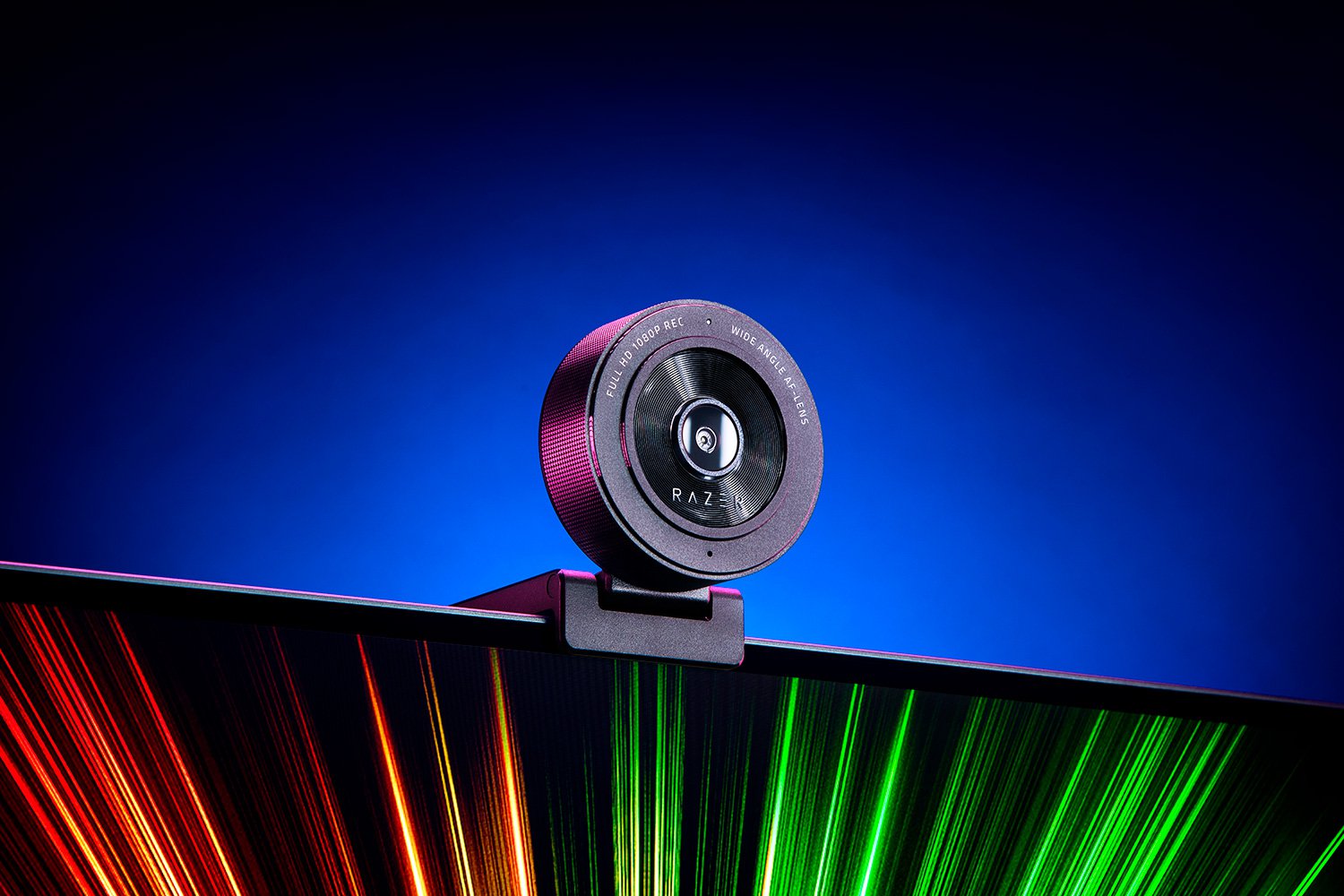
Check that the listing and delivered device identify RZ19-04170100-R3U1 or the matching RZ19-04170 family, not Kiyo V2 X or classic Kiyo. Confirm the exact mode needed, USB-generation guidance for that mode, Type-A cable and its length, software compatibility, included stand and return terms. If the offer is used or bundled, ask about condition and accessories directly; the manufacturer image identifies the camera body but does not establish a seller's box contents. For a firm 1080p60 or 4K requirement, choose another configuration with that exact mode documented. For autofocus plus a camera-side microphone without that frame-rate minimum, Kiyo X is a source-supported earlier-model comparison, subject to the unresolved port-generation and exact-offer checks.
Key specifications
Key details at a glance
| Documented modes and host limits | The documented highest-resolution choice is 1080p30; 60 fps is separately listed at 720p. No 1080p60 or 4K webcam mode is documented. |
|---|---|
| Focus system | Autofocus |
| Diagonal field of view | 82° |
| Built-in microphone | Yes |
Use the exact model’s instructions for operating limits, supplied equipment and version differences.
Sources for this review
Sources for this assessment

Compare the features that affect your setup
Set essential video, focus, privacy and microphone requirements together; leave nonessential choices open.