
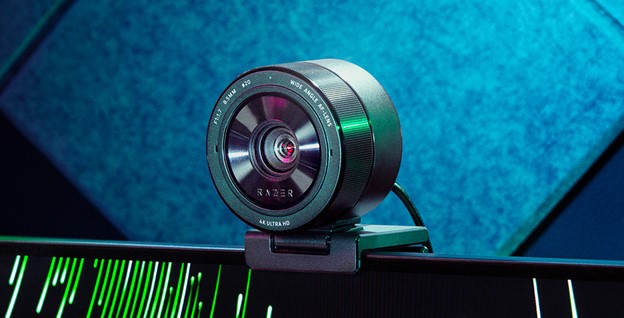
Your needs, this model
Does it fit your priorities?
Does the Pro Ultra meet a 4K60 minimum?
No. Razer lists 4K30 and a separate 1080p60 mode; it does not list a 4K60 arrangement for this model. It appears in an earlier comparison only when that choice is enabled.
Explore this need in the finder →Can its 4K, autofocus and microphone requirements coexist?
The support specification lists 4K30, autofocus and built-in stereo microphones for RZ19-04420. For 4K30 Razer requires the original cable and a direct system port without a hub; this assessment does not infer a mode-format pairing beyond the published table.
Explore this need in the finder →Is an integrated physical shutter documented?
Yes. Razer identifies a shutter dial on the camera rim and explains how turning it opens or closes the lens. This documents a physical cover, not microphone muting or a software privacy status.
Explore this need in the finder →Is the Pro Ultra explicitly TAA-compliant?
No exact U.S. retail SKU-level TAA statement was found in the reviewed Razer sources. The status remains unknown and does not satisfy an explicitly required TAA condition; confirm the exact part with procurement.
Explore this need in the finder →Razer’s Kiyo Pro Ultra is an earlier, USB 3.0 webcam whose documented top mode is 4K at 30 frames per second, alongside a separate 1080p60 mode. The name “Pro Ultra” does not mean 4K60: Razer’s support table and U.S. launch announcement both make that boundary visible. Its support-family code is RZ19-04420; a U.S. retailer listing identifies the black retail MPN as RZ19-04420100-R3U1. Razer’s English user guide for the support model lists the standard box contents as the camera, lens cover, detachable stand, USB-A-to-USB-C cable and Important Product Information Guide. Those factory contents do not guarantee that a used, refurbished or seller-created listing includes every item. This assessment compares published specifications; it does not claim hands-on use, measured image quality or independent testing.
Separate 4K30 from Full HD at 60 fps
Razer’s support specification lists 4K30, 1440p30 and 1080p at 60, 30 or 24 fps, followed by 720p, 480p and 360p choices. It also lists YUY2 and NV12 as uncompressed formats and MJPEG/H.264 as compressed formats, but does not give a complete pairing table for every resolution, frame rate and encoding. The maker’s U.S. launch announcement describes 4K30 source footage and a separate 1080p60 path, while the RZ19-04420 support specification caps the listed 4K option at 30 fps. If 4K60 is a hard requirement, this evidence does not support choosing this model. Razer also warns that HDR processing and anti-flicker settings can affect actual frame rate, so a published maximum is not a guarantee that every software configuration will deliver it.
A large sensor and autofocus are features, not a picture test
The support page identifies an 8.3-megapixel Sony IMX585 sensor, f/1.7 aperture, autofocus and a focus range from 10 cm to infinity, optimized by Razer for 50–200 cm. Those figures help describe the hardware and a sensible starting distance, but they do not prove that every face will be in focus, that low-light video will look clean, or that background blur will match a larger camera. The U.S. announcement discusses face-tracking autofocus and adjustable capture controls; these remain manufacturer-described capabilities, not independent results. For desk calls, a stable 50–200 cm position is a reasonable documented range to consider, but check the camera’s actual framing and focus in the application you intend to use.
Framing, microphone and physical privacy
Razer lists an 82° diagonal field of view with lens-distortion correction off and 72° with correction on. The narrower corrected view may be useful when a wide room angle is unwanted, but it changes how much of the desk or group appears. The integrated microphone is specified as stereo and omnidirectional, with a 16-bit, 48-kHz codec; no speech pickup quality or noise suppression result is measured here. Unlike the Kiyo Pro’s separately described lens cover, Razer identifies a built-in shutter dial on the Pro Ultra and explains that turning the camera rim opens and closes it. It therefore meets the site’s documented built-in physical-shutter requirement. That privacy feature is independent of whether a meeting application has selected the camera microphone or whether its video feed is active.
For 4K30, use the intended direct connection
The support record lists USB 3.0, a USB Type-C camera port and a 1.5 m braided cable. For the 4K30 option, Razer specifically says to use the original cable, connect directly to a system port and avoid a hub because the mode requires high bandwidth. The user guide identifies a supplied Type-A-to-Type-C cable and detachable stand, but check that the actual seller package still contains them, especially for used or marketplace offers. The camera has a 1/4-20 tripod thread; the guide does not list a separate tripod among standard box contents. Razer lists the body at 90.2 × 76.8 × 96.2 mm and 348 g without its lens cover or 375 g with it, useful context if desk clearance or mounting load matters.
Software support should be checked before reinstalling
Razer’s model support page names Synapse and documents OBS or XSplit workflows. It also notes that Synapse 3 stopped receiving updates and cloud services on February 3, 2026: an existing installation can remain configurable, but reinstalling or removing the device requires moving to Synapse 4 for customization. That distinction matters for a previously used camera whose software has to be set up again. The support page does not certify every operating system, video-call application, hub, cable or capture format. Confirm current software availability and the selected camera/microphone inputs on the actual computer rather than treating “plug and play” as universal app compatibility.
Keep the exact model and offer separate
Razer’s U.S. newsroom identifies the Kiyo Pro Ultra as a webcam announced for U.S. sale in 2023, and its support catalog maps the name to model RZ19-04420. A U.S. retailer page identifies the black retail MPN RZ19-04420100-R3U1; separate retailer records use an additional “AP” suffix or show no new-condition stock, so do not treat one page as a guarantee of every seller’s current offer. The manufacturer guide establishes the standard model package, not the condition or completeness of an individual sale. Before buying, check the actual label, seller, condition, return terms, supplied lens cover and cable, host route and software state. Keep it on a shortlist for 4K30, autofocus, camera-side stereo audio and an integrated shutter only when those claims match your requirements; choose another documented camera if you need 4K60.
Key specifications
Key details at a glance
| Documented modes and host limits | 4K is listed at 30 fps; 60 fps is separately listed at 1080p, 720p, 480p and 360p. No 4K60 mode is documented. |
|---|---|
| Focus system | Autofocus |
| Diagonal field of view | 82° |
| Built-in microphone | Yes |
| Physical privacy shutter | Yes |
Use the exact model’s instructions for operating limits, supplied equipment and version differences.
Sources for this review
Sources for this assessment
- Razer Kiyo Pro Ultra RZ19-04420 Support & FAQs
- Razer Unveils Groundbreaking Gaming Innovations at CES 2023 — Kiyo Pro Ultra
- Razer Productivity Support device directory
- Razer U.S. Streaming Cameras category snapshot
- Official Razer Kiyo Pro Ultra product image in U.S. newsroom release
- Razer Kiyo Pro Ultra Master Guide (English)
- Best Buy U.S. marketplace listing for black Razer Kiyo Pro Ultra
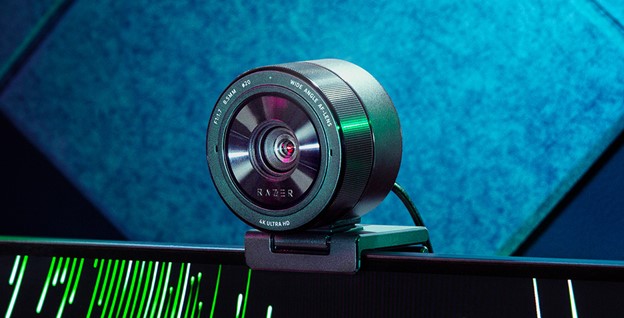
Compare the features that affect your setup
Set essential video, focus, privacy and microphone requirements together; leave nonessential choices open.