
Your needs, this model
Does it fit your priorities?
Can the Tiny SE meet a 4K webcam requirement?
No. OBSBOT's Tiny SE mode table tops out at 1920x1080, with a separate 720p120 mode; it does not list 4K. If 4K is essential, compare a different model such as the separately assessed Tiny 3 Lite, which documents 4K30 but still not 4K60.
Explore this need in the finder →Does the Tiny SE have a built-in physical privacy cover?
No. OBSBOT's FAQ says Tiny SE does not come with a privacy cover. The lens can be turned straight down to enter Sleep Mode, and Center can set an automatic sleep interval, but that is not a physical shutter over the lens. Do not count it as a match when a built-in cover is mandatory.
Explore this need in the finder →What should I verify before choosing Tiny SE for 1080p60 autofocus with camera audio?
The manufacturer lists autofocus/manual focus, a built-in microphone and a 1080p60 mode. Production ended May 1, 2026; OBSBOT says remaining units may sell through with no restock and support through May 1, 2031. Verify the exact seller package, USB cable, offer condition, return terms and that your host and video app expose the mode. The USB data generation and a manufacturer part number are not stated.
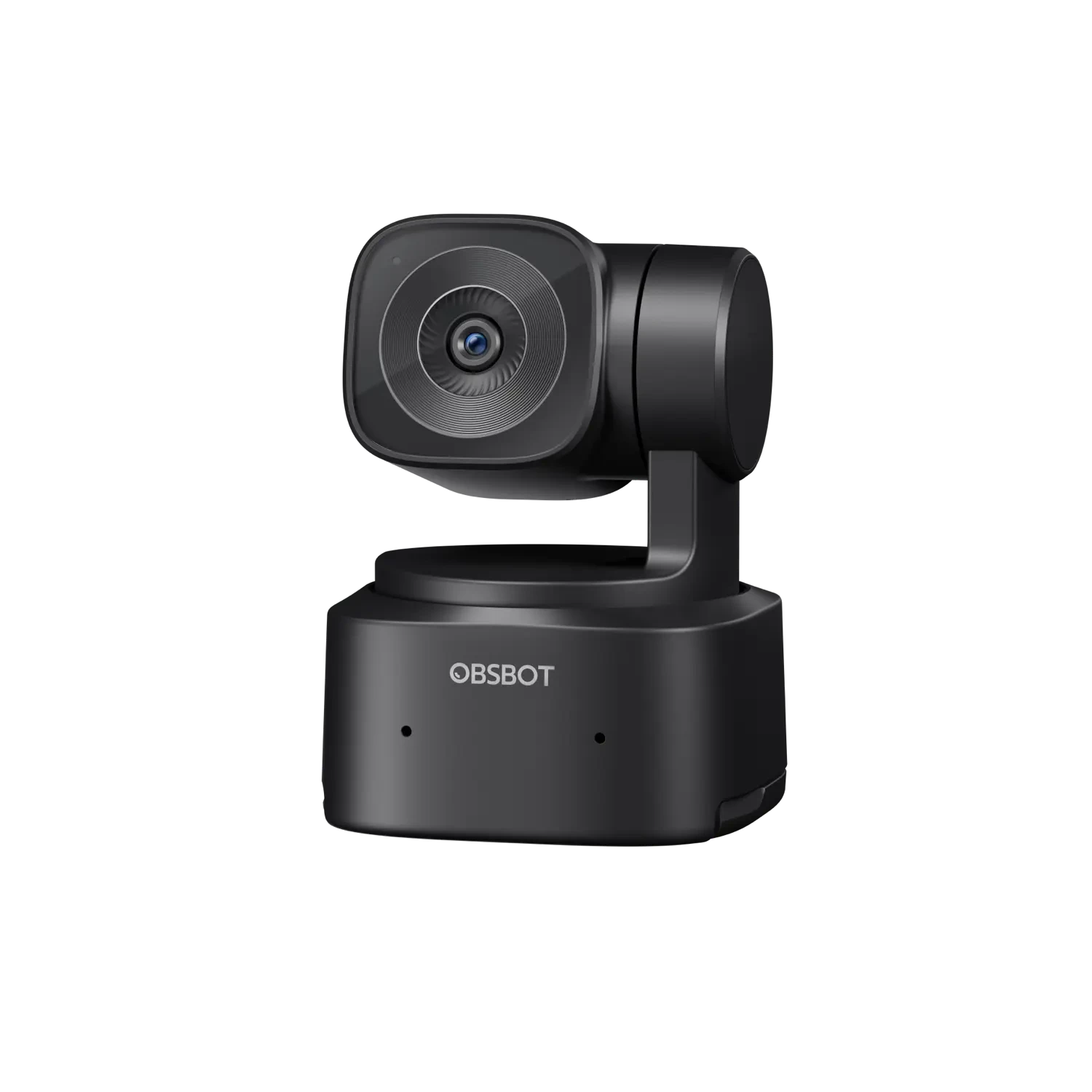
Explore this need in the finder →The OBSBOT Tiny SE is a motorized, autofocus webcam for people who want a camera that can reframe as they move, but do not need a 4K image. Its published ceiling is 1080p at 100 fps, with a separate 720p120 mode; 1080p60 is also listed. It combines a two-axis gimbal, tracking controls, built-in microphone, and an integrated monitor stand. This assessment is based on manufacturer material, not hands-on testing.
OBSBOT announced production discontinuation of the Tiny SE effective May 1, 2026, with support scheduled through May 1, 2031. The maker says remaining units may be sold until exhausted and will not be restocked. That makes it an earlier model for comparison; this review does not claim a particular seller has stock or that an individual offer is new, complete or supported by the same terms.
Choose it for Full HD, not for 4K
The resolution table lists MJPEG at 1920×1080 up to 100 fps and 1280×720 up to 120 fps. It also lists the more conventional 1080p60 mode, along with slower rates, while YUV is listed only at 640×480 and 640×360. There is no 4K mode in the Tiny SE table. If a 4K image is a hard requirement, a different model is needed; if you mainly join calls, 1080p60 may be the more relevant mode to verify in your conferencing application.
The listed 100-fps mode is not a promise that every computer or video app will expose it. OBSBOT notes that resolution can vary by platform and recommends specified Intel-based Macs or a PC with a seventh-generation Core i5 and 8 GB of RAM for 1080p60/100. These are recommendations, not guarantees, and do not establish 4K or uncompressed output.
Movement and tracking change how it is used
Unlike a fixed webcam, the Tiny SE's non-removable two-axis gimbal can pan and tilt under software control. OBSBOT lists AI tracking with auto zoom, upper-body, close-up, lower-body, headless and hand-tracking options, zone tracking, gesture controls and up to three saved presets. The official FAQ says tracking follows one target; its separate manual describes a group-framing mode, which should not be confused with tracking several people independently. Hand tracking also has a stated preset-range limitation.
Compared with a fixed camera, the Tiny SE adds setup and software choices along with its movement. Consider whether you will use tracking and presets rather than treating them as a substitute for a suitable angle, light or app setting. OBSBOT lists a 1/2.8-inch, 2-megapixel sensor, 71-degree horizontal field of view and 10 cm minimum focus distance; those figures do not establish subjective image quality.
Plan the USB and software route
The base [Pack] lists a USB-C-to-C cable and a USB-C-to-USB-A adapter. OBSBOT's manual says to use the supplied data cable and recommends connecting directly to the computer, or using a dock with independent power if the camera is not receiving enough power. The connector is USB-C, but the reviewed Tiny SE specifications do not state the USB data generation. They also list the high-resolution modes as MJPEG and reserve YUV for low-resolution formats. Do not assume a USB-C plug means USB 3, or that the 1080p100 mode is an uncompressed stream.
OBSBOT Center is listed for Windows 10 or later and macOS 11 or later. The maker warns that mode availability varies by platform. Check host, USB power, package cable and app mode before relying on a frame rate. HDR is listed up to 1080p60; OBSBOT says current firmware is needed for Staggered HDR and Composition Line features.
Audio and privacy are separate questions
OBSBOT lists a built-in microphone with noise reduction and automatic gain control. That is a documented feature, not an independent audio test or a guarantee in a noisy room; app settings still matter, and a separate headset may suit some call routines better.
For privacy, the Tiny SE does not come with a physical privacy cover, according to OBSBOT's FAQ. It can rotate the lens straight down to enter Sleep Mode, and Center can be configured to put it to sleep after a chosen period. That can be a practical privacy routine, but it is not a built-in shutter over the lens and should not be selected as one when a physical cover is mandatory. The reviewed Tiny SE manual does not establish what happens to its microphone in Sleep Mode, so do not treat the lens position as proof of an audio mute.
Check the exact package and offer
The U.S.-facing store selector names a Tiny SE [Pack] and a separate Tiny SE Combo. The base package lists the camera, USB-C-to-C cable and USB-C-to-USB-A adapter. The Combo adds Tiny Smart Remote 2 and a USB-A-to-USB-C data-power cable with an on/off switch; it is the same camera, not a different video model. The product page does not publish a manufacturer part number for either selection. Confirm the exact package, cables, seller, condition, return terms and support details for the offer in front of you. A bundle name or route parameter is not an MPN, and this review does not infer TAA status from the model name.
The Tiny SE is most relevant as an earlier Full HD camera when autofocus, a moving frame and a built-in mic are useful. Its limits are no 4K, no supplied privacy cover, no stated USB generation and discontinued production. Compare Tiny 3 Lite for 4K30 or a fixed camera if you do not need gimbal movement; neither comparison predicts your own image quality.
Key specifications
Key details at a glance
| Documented modes and host limits | 1080p100 and a separate 720p120 mode are listed; no 4K mode is documented. |
|---|---|
| Focus system | Autofocus |
| Built-in microphone | Yes |
| Physical privacy shutter | No |
Use the exact model’s instructions for operating limits, supplied equipment and version differences.
Sources for this review
Sources for this assessment
- OBSBOT U.S.-facing store webcam-card snapshot
- OBSBOT Tiny SE U.S.-facing product and package selector
- OBSBOT Tiny SE official feature page
- OBSBOT Tiny SE technical specifications
- OBSBOT Tiny SE model FAQ
- OBSBOT Tiny SE software, firmware and manual downloads
- OBSBOT Tiny SE User Manual EN v1.0
- OBSBOT Product Discontinuation Notice
- Official OBSBOT Tiny SE camera-body image

Compare the features that affect your setup
Set essential video, focus, privacy and microphone requirements together; leave nonessential choices open.