
Your needs, this model
Does it fit your priorities?
Does the Tiny 3 satisfy a 4K-at-60-fps minimum?
No. OBSBOT lists 4K up to 30 fps and a separate 1080p mode up to 120 fps. The two maximums are not a documented 4K60 mode; check whether your application exposes the specific 4K30 or 1080p60 mode you need.
Explore this need in the finder →Does the Tiny 3's physical lens cover also mute its microphone during a call?
OBSBOT documents tilting the lens down to enter Sleep Mode. Its Tiny 3 Series FAQ says the microphone state during Sleep Mode can be configured in OBSBOT Center, but does not say that the lens-down action automatically mutes the mic or provide a separate physical microphone mute. If live-call audio privacy is essential, verify the Center setting or use a separate dependable mute rather than assuming the cover silences audio.
Explore this need in the finder →Does the Tiny 3 base [Pack] include the wireless Vox SE microphone or the remote?
No. OBSBOT lists the base pack with the Tiny 3 camera, adjustable mount, USB-C-to-C cable, USB-C-to-USB-A adapter and storage case. The Remote Combo and Microphone Combo add the Tiny Smart Remote 2 or Vox SE separately; the Standard Combo lists both. The camera itself has built-in microphone elements.
Explore this need in the finder →What should be checked before planning 4K streaming?
OBSBOT's manual requires compatible third-party software for 4K streaming, and its technical page recommends an Apple M1-or-later computer or 10th-generation Intel Core i5-or-later PC with 8 GB RAM for 4K and 1080p120 performance. These are manufacturer recommendations, not a guarantee for every app or USB host. The Tiny 3 sources reviewed here do not specify USB generation.
Explore this need in the finder →What the Tiny 3 is designed to do
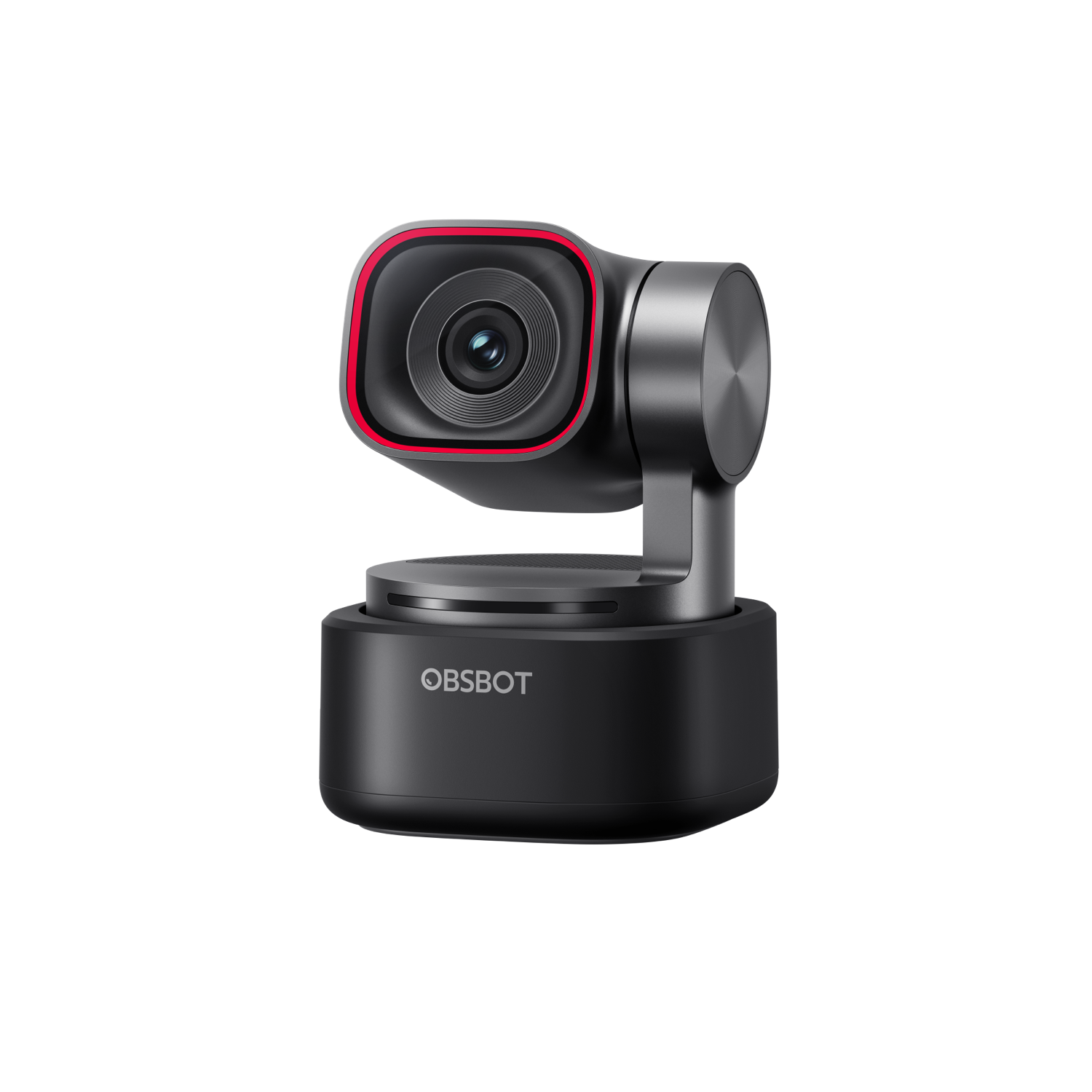
The OBSBOT Tiny 3 is a small, motorized pan-and-tilt webcam rather than a fixed lens aimed at one seat. Its two-axis gimbal can be directed by the camera software, voice or gestures, and the manufacturer lists human and object tracking, framing controls, presets, whiteboard and desk modes. That combination is most relevant when the speaker changes position, demonstrates something away from the screen, or wants the camera to move between prepared views. It is less useful if a stable, centered video-call view is all that is needed; tracking adds a control layer rather than a guarantee of better calls.
The specification table gives the Tiny 3 a 37 × 37 × 49 mm body and 63 g weight, plus a 1/1.28-inch, 50-megapixel sensor and a three-element microphone array. Those are manufacturer specifications, not measurements from a physical sample. The listed adjustable mount lets the camera sit on a monitor or desk, and a standard 1/4-20 connection is available for a separate tripod. The base [Pack] names one camera, the adjustable mount, a USB-C-to-C cable, a USB-C-to-USB-A adapter and a storage case.
Separate the resolution and frame-rate modes
The key boundary is 4K at up to 30 frames per second, with a separate 1080p mode that reaches 120 fps. The latter covers a Full HD 60-fps requirement, but the maximum frame rate does not combine with the maximum resolution: the Tiny 3 is not documented as 4K60. The specification table associates MJPEG with its higher-resolution modes; YUV is listed only at 640 × 480 and 640 × 360. Choose the mode your conferencing, recording or streaming application can actually expose instead of treating “4K” as a promise that every format and frame rate is available in every app.
OBSBOT's manual says 4K streaming requires compatible third-party software. The maker recommends an Apple M1-or-later computer or a 10th-generation Intel Core i5-or-later PC with 8 GB of RAM for 4K and 1080p120 performance; those are recommendations, not a guarantee that a particular host, port or application will deliver the advertised mode. Windows 10 64-bit or later and macOS 11 or later are listed for OBSBOT Center. The manual identifies a USB-C camera port and advises using the standard data cable, connecting directly to the computer, or using a separately powered dock if power is insufficient. The reviewed Tiny 3 specification does not state a USB generation, so do not infer one from the connector shape.
Autofocus and movement are separate conveniences
The Tiny 3 lists all-pixel phase-detection autofocus as well as manual focus, with the software allowing autofocus to be disabled and focus adjusted. Its listed minimum focus distance is 14 cm. That provides a documented close-range threshold, but it does not establish how consistently the camera will focus on a particular desk object. The 4× figure is digital zoom. Tracking and gimbal movement can change the composition; neither turns digital zoom into an optical lens or a promise that the camera will always select the intended person or object.
Several more advanced modes also depend on OBSBOT Center rather than the camera's ordinary UVC feed alone. Before choosing it for a managed work computer, check software installation policy, the host's ability to supply power and the intended app's camera controls. For a conventional webcam view, the manual says to connect over USB, wait for the device to install, and select it in a video-call application. The documentation does not make every optional control a prerequisite for that basic route.
Microphones and the physical privacy position
OBSBOT specifies one omnidirectional and two directional microphones, with five audio modes. That is meaningful built-in hardware if the camera needs to provide both video and a microphone input without a separate desk mic. It is not an independent listening test, and the published microphone count does not tell you whether its pickup pattern suits a noisy room or a group around a table. A separate Vox SE is listed in its own microphone bundle; it is not part of the base [Pack].
The lens can be tilted straight down to enter Sleep Mode, giving the camera a physical lens-cover position. That is different from a small sliding cover that leaves the camera otherwise active. OBSBOT's Tiny 3 Series FAQ clarifies that the microphone state during Sleep Mode can be configured in OBSBOT Center. The FAQ does not say that the lens-down action automatically mutes audio, nor does it establish a separate physical microphone mute. Do not count the cover as a call-time audio mute; check the setting or use a separate, verifiable audio mute if that distinction matters. This differs from the Meet Flip manual, which says its microphone is unavailable while folded into sleep.
Choose the package, not just the camera name
The official store lists the Tiny 3 [Pack] separately from a Remote Combo, Microphone Combo and Standard Combo; the additions are the Tiny Smart Remote 2, Vox SE, or both. Its Streaming Combo also lists the remote, wireless microphone, a UVC-to-HDMI adapter, extendable tripod and ball head. The Multicam Combo lists three Tiny 3 camera packs, one remote, three five-metre USB-A-to-USB-C 3.0 cables and a three-in-one USB 3.0 hub. These are distinct supplied-equipment choices, not evidence that each seller offer contains the same extras. The page does not publish a manufacturer part number for the reviewed base pack. Confirm the exact package name, included accessories, cable, adapter and seller terms before purchase. No exact ASIN, offer availability or price is asserted here.
Where the paper case is strongest—and where to pause
On documented features, the Tiny 3 is a plausible comparison for someone who wants a moving camera, autofocus, a built-in mic array and either 4K30 or higher-frame-rate Full HD from one small body. Its main reservations are the 4K30 ceiling, application and host limits at high modes, reliance on the control software for some tracking features, and a sleep-time mic state that must be checked in OBSBOT Center rather than assumed muted. A buyer seeking a simple fixed-view camera may not benefit from the motorized controls or package options.
Before settling on a seller, verify that the offer is the Tiny 3 rather than the separately listed Tiny 3 Lite; confirm which [Pack] or bundle is actually supplied; and check the planned video application, host, power route and microphone workflow. The feature list supports a reasoned comparison, not a hands-on claim about image quality, autofocus accuracy, noise handling, heat or tracking reliability. Those behaviors remain for a buyer to verify in the intended setup.
Key specifications
Key details at a glance
| Documented modes and host limits | 4K is listed through 30 fps; 1080p is separately listed through 120 fps. No 4K60 mode is documented. |
|---|---|
| Focus system | Autofocus |
| Built-in microphone | Yes |
| Physical privacy shutter | Yes |
Use the exact model’s instructions for operating limits, supplied equipment and version differences.
Sources for this review
Sources for this assessment
- OBSBOT U.S. Store webcam-card snapshot
- OBSBOT Tiny 3 official U.S. store product and package page
- OBSBOT Tiny 3 Series technical specifications
- OBSBOT Tiny 3 Series official product feature page
- OBSBOT Tiny 3 User Manual EN v1.0
- OBSBOT Tiny 3 Series download page
- OBSBOT Tiny 3 Series launch release
- OBSBOT Tiny 3 Series FAQ
- Official OBSBOT Tiny 3 camera product image

Compare the features that affect your setup
Set essential video, focus, privacy and microphone requirements together; leave nonessential choices open.