
Your needs, this model
Does it fit your priorities?
Which high-resolution webcam modes does Tiny 2 Lite actually document?
OBSBOT lists 4K at up to 30 fps and a separate 1080p mode up to 60 fps. The model is an autofocus camera with built-in microphones, but the two mode maxima are not a 4K60 claim. Check that the intended app and computer expose the mode you need.
Explore this need in the finder →Does the documented 1080p60 mode also come with autofocus and camera microphones?
Yes. The technical table lists 1920x1080 at up to 60 fps, AF (PDAF)/MF and dual built-in omnidirectional microphones. It lists those high-resolution modes as MJPEG; the published YUV entries are only 640x480 and 640x360. This is feature documentation, not a quality test.
Explore this need in the finder →Does the USB-C connection identify USB generation or make this a documented physical-shutter match?
No. The USB generation is not identified in the reviewed Tiny 2 Lite sources. OBSBOT explains lens-down/automatic Sleep Mode for privacy but does not establish a separate physical shutter. The base [Pack] lists a USB-C-to-C cable and USB-C-to-USB-A adapter; verify the exact selected package and host path.
Explore this need in the finder →This is a source-based assessment of OBSBOT's product page, specifications, support FAQ and English manual, not a hands-on test. I did not measure video or microphone quality, verify live tracking, or test a host computer or application.
What the 4K label actually establishes
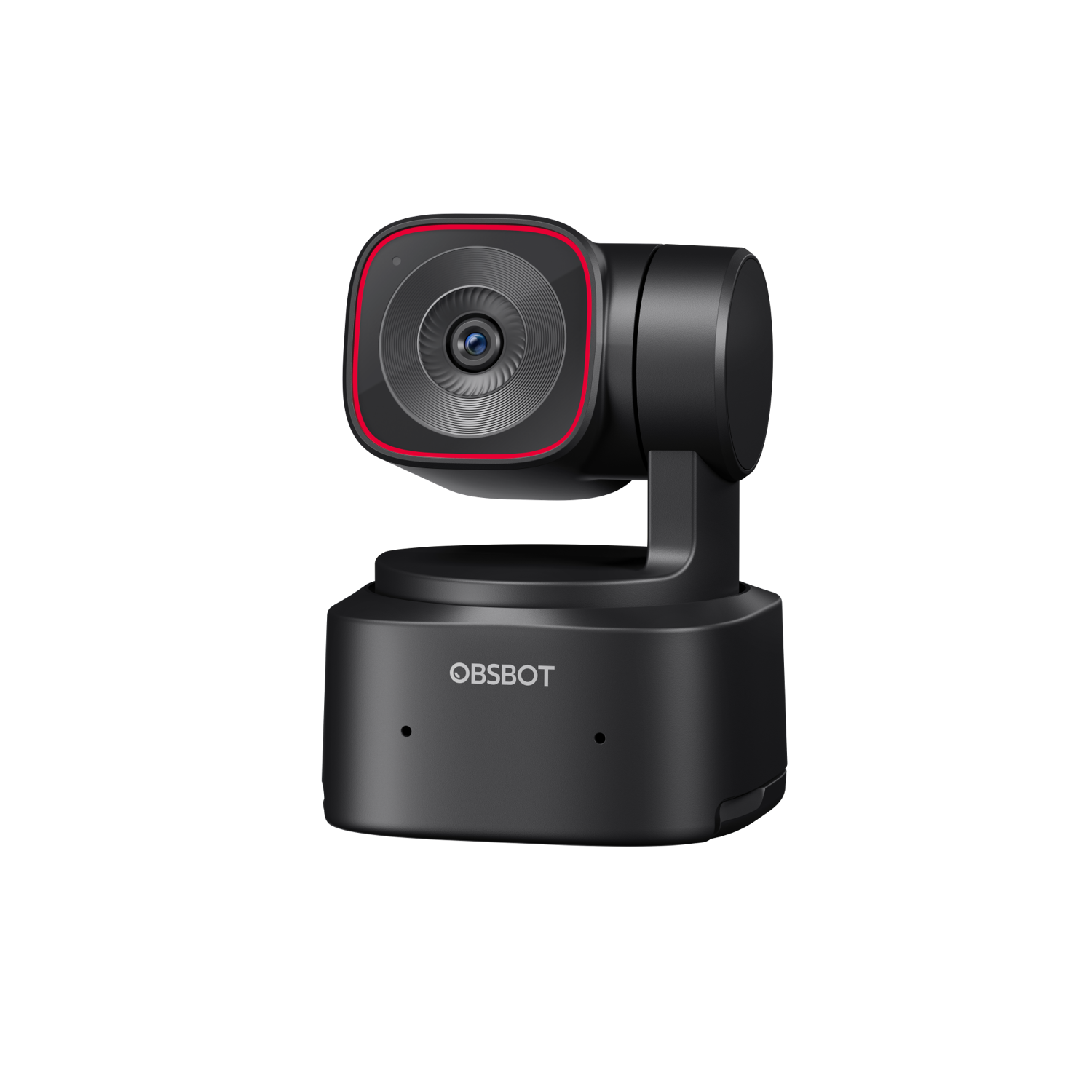
The Tiny 2 Lite is a 2-axis PTZ webcam with a 1/2-inch CMOS sensor and a documented 3840 × 2160 mode at up to 30 fps. The specification table separately lists 1920 × 1080 at up to 60 fps. That is a useful choice between more pixels and a higher Full HD frame rate, but it is not a 4K60 camera: the two maxima do not combine into an unlisted mode. Anyone whose application or delivery spec requires 4K60 should rule it out rather than treating “4K” as a complete answer.
Format support narrows the picture further. OBSBOT lists MJPEG for 4K, 1080p and 720p, while the documented YUV formats are only 640 × 480 and 640 × 360; no high-resolution uncompressed mode is established. The camera has a USB-C connector, but the sources do not state its USB data generation. If a workstation needs a particular generation, raw format, application or bandwidth, check the exact host's exposed modes.
Tracking and composition add another workflow
This is not just a fixed camera with a wide lens. OBSBOT documents auto tracking/zoom, upper-body, close-up, lower-body and headless modes, hand tracking, presets and zone controls. Users can set an active range and up to three non-tracking areas; after a subject leaves the range, the camera can return to its starting angle. Those options may suit a presenter or desk demonstration, but add setup choices that a static meeting camera does not need. The manufacturer's descriptions do not establish tracking accuracy, smoothness or reliability in a particular room.
The non-removable gimbal is specified for pan up to ±140 degrees and tilt from 30 degrees down to 70 up. An integrated stand fits a monitor or flat surface, and a built-in 1/4-inch interface supports horizontal, vertical or upside-down mounting. The body is 48.37 × 46.46 × 64.2 mm and 91.4 g. A tripod is not listed in the base [Pack], though two combos include one. Check the screen edge, cable clearance and intended mount; movement range alone does not guarantee a useful, unobstructed shot.
Autofocus and camera audio are documented, not tested
The manufacturer lists PDAF autofocus and manual-focus control, a 10 cm minimum focus distance and 1–4× digital zoom. Its technical page specifies two built-in omnidirectional microphones with noise reduction and automatic gain control. These are controls and hardware claims, not evidence of focus speed, low-light appearance or call quality in a reflective room. Digital zoom crops the image; it is not optical reach. Compare the mic with an audio route you already trust if speech quality is critical.
The privacy description needs the same care. OBSBOT explains Sleep Mode by tilting the camera lens down or enabling automatic sleep. The Tiny 2 Lite sources do not establish a separate built-in shutter or lens-cover mechanism. That gimbal position is a documented privacy routine, but it is not enough evidence to satisfy a hard requirement for a physical shutter. Sleep Mode also should not be presented as a guaranteed microphone mute; the reviewed model material does not state what happens to mic input in that state.
Plan the host, application and power path
The manual says to use the standard USB cable and connect directly to a computer or an independently powered expansion dock if power is insufficient. The base [Pack] lists a USB-C-to-C cable and USB-C-to-A adapter. OBSBOT specifies 5 V/0.6 A and recommends a 7th-gen Core i5 PC with 8 GB RAM or its listed later Apple computer classes for 1080p60/4K; these are recommendations, not test results.
OBSBOT Center is listed for 64-bit Windows 10+ and macOS 11+. The manual requires compatible third-party software for 4K streaming, and the maker says resolution varies by platform. 4K Beauty/Background Effects have separate GPU requirements (RTX 2060+ on Windows or Apple M1+). The FAQ says HDMI needs an adapter and the camera has no microSD slot. Linux webcam behavior is not established in these Tiny 2 Lite sources; the software list neither promises Linux support nor proves generic UVC will fail.
Keep the base package separate from the extras
The U.S.-facing selector names a Tiny 2 Lite [Pack] with the camera, USB-C cable and USB-A adapter. Remote Combo adds Tiny Smart Remote 2; PowerUp also adds an HQ Mic, tripod and ball head; Streaming instead adds the remote, a UVC-to-HDMI adapter and those supports. These are package variants of the same camera, but change what arrives. Do not assume the base pack includes the mic or tripod, or that a retailer's contents match the maker's selector. The page gives no exact MPN, and its dynamic product identifier is not a SKU. No TAA statement appears in the reviewed model sources.
Do not merge Tiny 2 Lite with the separately reviewed Tiny 3 Lite because both names contain “Lite” or both list 4K30. Tiny 2 Lite lists 1080p60; Tiny 3 Lite's own table adds a separate 1080p120 mode. Their microphone specifications also differ, and neither reviewed source set states USB generation. If 1080p120 is essential, the Tiny 2 Lite table does not support it. If 4K30 with autofocus and built-in audio is enough, check the app, cable/power path and any privacy or procurement requirement before shortlisting it.
Key specifications
Key details at a glance
| Documented modes and host limits | 4K is listed through 30 fps; 1080p is separately listed through 60 fps. No 4K60 mode is documented. |
|---|---|
| Focus system | Autofocus |
| Built-in microphone | Yes |
Use the exact model’s instructions for operating limits, supplied equipment and version differences.
Sources for this review
Sources for this assessment
- OBSBOT U.S.-facing store webcam-card snapshot
- OBSBOT Tiny 2 Lite U.S.-facing product and package selector
- OBSBOT Tiny 2 Lite feature page
- OBSBOT Tiny 2 Lite technical specifications
- OBSBOT Tiny 2 Lite model FAQ
- OBSBOT Tiny 2 Lite software, firmware and manual download page
- OBSBOT Tiny 2 Lite User Manual EN v1.1
- Official OBSBOT Tiny 2 Lite model image
Compare the features that affect your setup
Set essential video, focus, privacy and microphone requirements together; leave nonessential choices open.