
Your needs, this model
Does it fit your priorities?
Does Tail 2 meet an autofocus requirement when used as a computer webcam?
OBSBOT specifies all-pixel PDAF autofocus and separately lists UVC among Tail 2 output workflows. That supports an autofocus assessment, but focus speed and exact application device behavior are not tested; check the camera's exposed input and settings on the host.
Explore this need in the finder →Can I rely on the advertised 4K60 camera mode for Zoom, Teams or another UVC application?
Not from the reviewed documentation. OBSBOT lists 4K60 as a general Tail 2 camera-capture mode, but the UVC route has no published resolution/frame-rate matrix here. Verify the exact UVC modes with the intended host and application before buying for a hard format requirement.
Explore this need in the finder →Does the reviewed package provide the built-in mic and physical privacy shutter required by the finder?
No. OBSBOT's Tail 2 product guide says the camera does not come with a built-in microphone. Its separate 3.5 mm MIC IN and LINE IN sockets accept external audio, but the sources reviewed do not say whether either input appears as a computer audio device in UVC mode. Arrange and verify audio separately. The reviewed sources also do not establish a physical privacy shutter, so neither requirement should be treated as satisfied.
Explore this need in the finder →Can the Tail 2 send its USB webcam feed and SRT network video at the same time?
No simultaneous UVC/SRT setup is documented. OBSBOT’s Tail 2 SRT guide says that with SRT enabled, UVC, RTSP, NDI and Live Stream are unavailable; it supports SRT over Wi-Fi or wired networking. Choose the required output route. The guide’s SRT settings do not specify the resolution, frame rate, codec or audio endpoint of the separate UVC path.
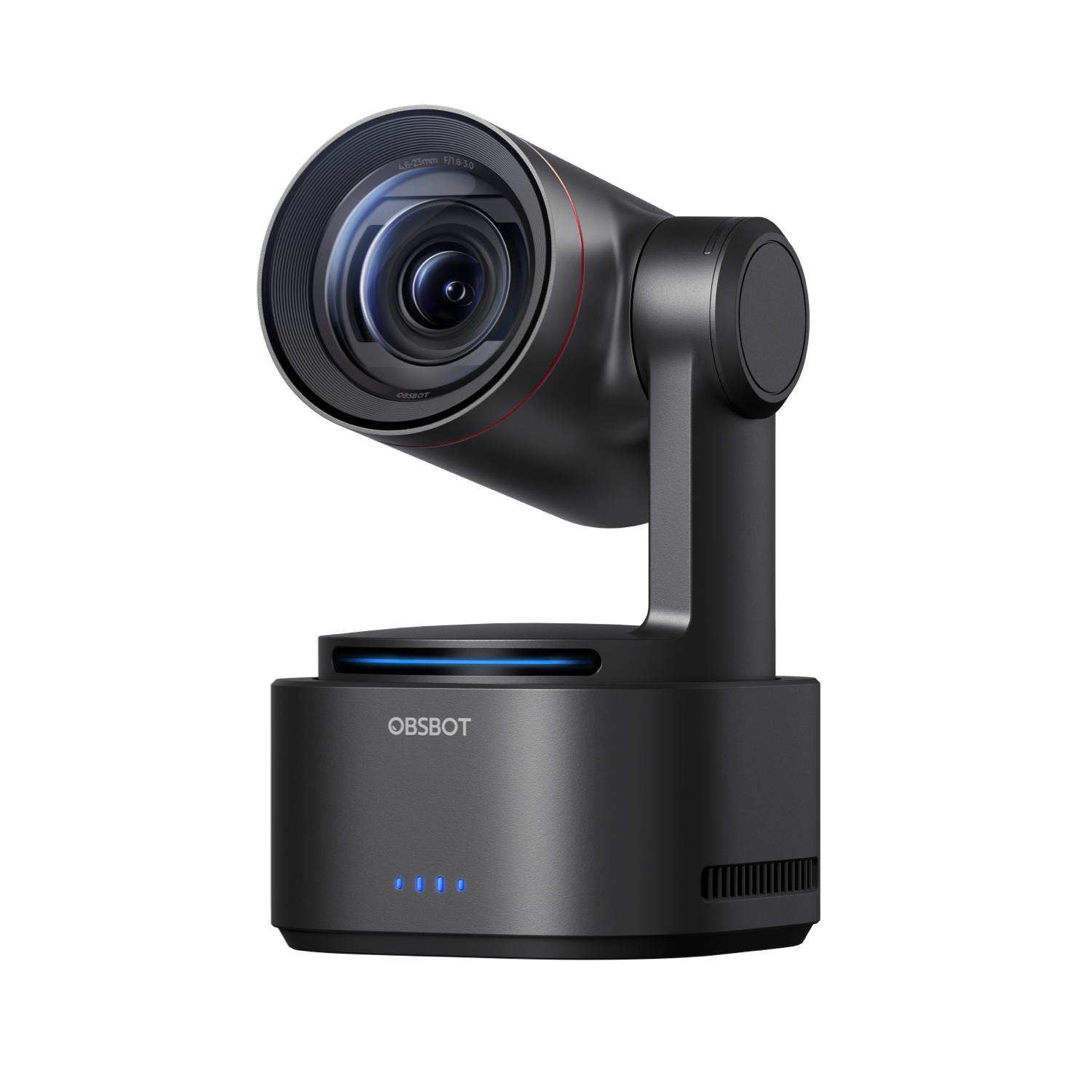
Evidence-based assessment, not a hands-on test. Tail 2 is a motorized live-production camera that also has a documented UVC computer-camera path. It belongs in this webcam library as a separate, specialized case—not as a typical monitor-mounted call camera. Its movement, zoom and broad production connections may matter in a room or multi-camera workflow. The main drawback for a webcam buyer is a key omission in the documentation: the reviewed sources do not say which resolution and frame-rate pairs the UVC computer feed exposes.
Where a production camera can earn a webcam role
The product page describes a PTZR mechanism with 90-degree lens rotation, phase-detection autofocus, 5× optical zoom and up to 12× hybrid zoom. These features point to a room-positioned production camera rather than a small laptop-top webcam. They do not prove that a meeting app exposes the camera’s production pan, tilt, tracking or zoom controls. OBSBOT lists Tail 2 under Video Creation, not its Webcams cards, but its product page names a UVC output route. That supports a separate, specialized webcam assessment. It is less compelling for a basic daily call than for a room setup where optical reach, motorized movement or production integration is needed.Do not turn the camera’s maximum into a webcam promise
OBSBOT advertises general camera capture up to 4K at 60 frames per second and a separate 1080p mode up to 120 fps. The manufacturer’s UVC guidance and support pages reviewed here do not provide a resolution/frame-rate table for the USB computer-camera route. These are not interchangeable claims: HDMI, recording and other production modes can have different limits from the format a host sees as a UVC camera. This assessment therefore does not count Tail 2 as a documented 1080p60, 4K30 or 4K60 webcam match. If a meeting, capture or streaming application must receive a particular format, ask the seller or manufacturer for the exact UVC mode and test the intended host/application before relying on that specification.Plan the software and host connection before the camera arrives
The reviewed NDI Activated pack includes a USB-C 3.0 data cable and USB-C-to-USB-A 3.0 adapter, and OBSBOT lists a USB 3.0 interface. Center is listed for Windows 10 64-bit or later and macOS 11 or later. Check the exact host port, cable path and application; these published requirements are not a test of a particular hub or computer. Center Lite groups Tail Air and Tail 2 in its UVC directions: with Beauty disabled and Preview closed, add “OBSBOT Tail Air StreamCamera”; with Beauty enabled, use “OBSBOT Virtual Camera.” The direct-source label is published for the shared group, not as a Tail 2-only label. Confirm that the intended host exposes the expected input; no particular host/app was tested.Autofocus is documented; audio needs a separate path
The manufacturer specifies autofocus, but no independent focus-speed or subject-tracking test is available here. OBSBOT's Tail 2 feature page lists separate 3.5 mm TRS MIC IN and LINE IN sockets, and its broadcast-camera guide explicitly says Tail 2 does not come with a built-in microphone. The external sockets are not built-in audio. The reviewed manufacturer sources do not establish whether either input—or compatible USB-C audio devices—appears as a computer-visible UVC audio endpoint. A video device appearing in Zoom or Teams does not prove that a matching microphone is available. Plan and verify a separate microphone/interface route in the operating system and meeting app if sound is essential. The product material also lists HDMI 2.0, 3G-SDI, Ethernet/PoE+, RS-232 and NDI-related production capability. Those ports and protocols add flexibility for live production, but they are not evidence that each can be used at the same time as UVC. Choose the required route and confirm any simultaneous-output requirement from the exact model documentation. No integrated physical privacy shutter is established by the sources reviewed; a motorized lens or an inactive camera is not a documented shutter. TAA compliance for this exact edition is also not stated.OBSBOT's Tail 2 SRT guide makes one mode boundary explicit: when SRT is enabled, UVC, RTSP, NDI and Live Stream are unavailable; the guide supports SRT over Wi-Fi or a wired network. The NDI-Activated name does not make SRT and the direct computer UVC feed simultaneous. If the webcam path is essential, treat SRT as an alternative route, not an extra output. The guide's SRT settings do not resolve the still-unpublished UVC format or audio details.
Check the exact edition and box contents
The NDI Activated [Pack] lists one camera, USB-C 3.0 data cable, USB-C-to-USB-A adapter, separate USB-C power cable and two serial cables. Remote, PowerUp, Multicam and Studio are distinct package choices; Multicam and Studio include three cameras, and Studio adds Talent 2 and three tripods. The NDI page does not display an MPN, so its changing page identifier is not a SKU. Standard is separately assessed as SKU P.B.4.00004; its contents are not transferred here. Before choosing it for webcam use, confirm the edition/package, USB path, host-visible UVC modes, audio route and mount. Tail 2 is a specialized candidate when its production controls matter and those checks are acceptable; buyers seeking a predictable desk webcam with documented modes, call audio and a physical cover have better-defined options.Sources checked
- OBSBOT Tail 2 product page.
- OBSBOT U.S. NDI Activated package selector.
- OBSBOT Center Lite UVC guidance.
- OBSBOT Tail 2 support and software requirements.
- OBSBOT Tail 2 SRT workflow and mode exclusions.
- Tail 2 Quick Start Guide (English pages reviewed).
Key specifications
Key details at a glance
| Documented modes and host limits | The manufacturer lists up to 4K60 and a separate 1080p120 camera-capture ceiling. It does not publish a UVC computer-webcam mode matrix; neither figure is a verified webcam-mode pairing. |
|---|---|
| Focus system | Autofocus |
| Built-in microphone | No |
Use the exact model’s instructions for operating limits, supplied equipment and version differences.
Sources for this review
Sources for this assessment
- OBSBOT U.S. Store category snapshot, Webcams and Video Creation
- OBSBOT Tail 2 U.S.-facing NDI Activated product/package page
- OBSBOT Tail 2 AI-Powered PTZR 4K Live Production Camera product page
- How to Use OBSBOT Center Lite Mode
- OBSBOT Tail 2 support page: Center software and firmware
- OBSBOT Tail 2 Quick Start Guide (multilingual PDF; English section read)
- OBSBOT Tail 2 official product image, NDI Activated page
- OBSBOT Tail 2 U.S. Standard Edition [Pack] product/package page
- OBSBOT NDI Integration Update for Tail 2 and Tail Air (December 19, 2025)
- How to Use SRT Protocol for OBSBOT Tail 2?
- OBSBOT Tail 2 product page: MIC IN, LINE IN and UVC
- 7 Best PTZ Broadcast Cameras for Live Production (OBSBOT)

Compare the features that affect your setup
Set essential video, focus, privacy and microphone requirements together; leave nonessential choices open.