
Your needs, this model
Does it fit your priorities?
How is the Tail 2 Standard Edition [Pack] different from the NDI Edition?
The selected U.S. Standard [Pack] is SKU P.B.4.00004 and its listed contents do not include an NDI license key. OBSBOT distinguishes NDI Edition models, which arrive pre-activated, from standard non-NDI versions. Its December 19, 2025 notice says separate keys and activation remain available through December 31, 2026; confirm the current policy and exact activation state before building an NDI workflow.
Explore this need in the finder →Can I count the Standard Edition as an autofocus computer webcam?
OBSBOT specifies all-pixel PDAF autofocus and names UVC among Tail 2 output workflows; Center Lite groups Tail 2 with Tail Air in its UVC guidance. This supports an autofocus feature match, not a focus-speed test, UVC frame-rate promise or guarantee that every application exposes the same source. Verify the actual Tail 2 input and host settings.
Explore this need in the finder →Do Tail 2 Standard’s 4K60 or 1080p120 capture claims guarantee the same USB webcam modes?
No. The general camera capture modes are separate from the USB UVC computer-camera route, and the reviewed sources provide no UVC resolution/frame-rate matrix. The matcher therefore does not count Standard as a documented 1080p60, 4K30 or 4K60 webcam. Its external audio inputs likewise do not confirm a built-in microphone or USB audio endpoint.
Explore this need in the finder →Can Tail 2 Standard use SRT networking while its USB UVC webcam feed is active?
The manufacturer describes SRT as a Tail 2 network output over Wi-Fi or wired connection, but says UVC, RTSP, NDI and Live Stream are unavailable when SRT is enabled. Treat SRT and the direct UVC webcam path as alternatives. The source is not a USB webcam format table and does not grant NDI activation to Standard SKU P.B.4.00004.
Does Tail 2 Standard have a built-in microphone or physical privacy shutter?
OBSBOT says Tail 2 does not come with a built-in microphone; its MIC IN and LINE IN are external inputs, and their availability as UVC computer audio is not documented. The reviewed sources do not establish an integrated physical privacy shutter either. Verify a separate audio and privacy setup if either is essential.
Explore this need in the finder →Evidence-led assessment, not a hands-on test. The OBSBOT Tail 2 Standard Edition [Pack] is the non-NDI-activated version of a production camera that can also feed a computer through a documented UVC route. The exact U.S. store selection identifies SKU P.B.4.00004 and lists its own box contents. That makes this configuration distinct from the NDI Activated Tail 2 assessment: the camera platform is shared, but network-video activation is not. This is a specialized webcam choice.
Identify the Standard package before comparing offers
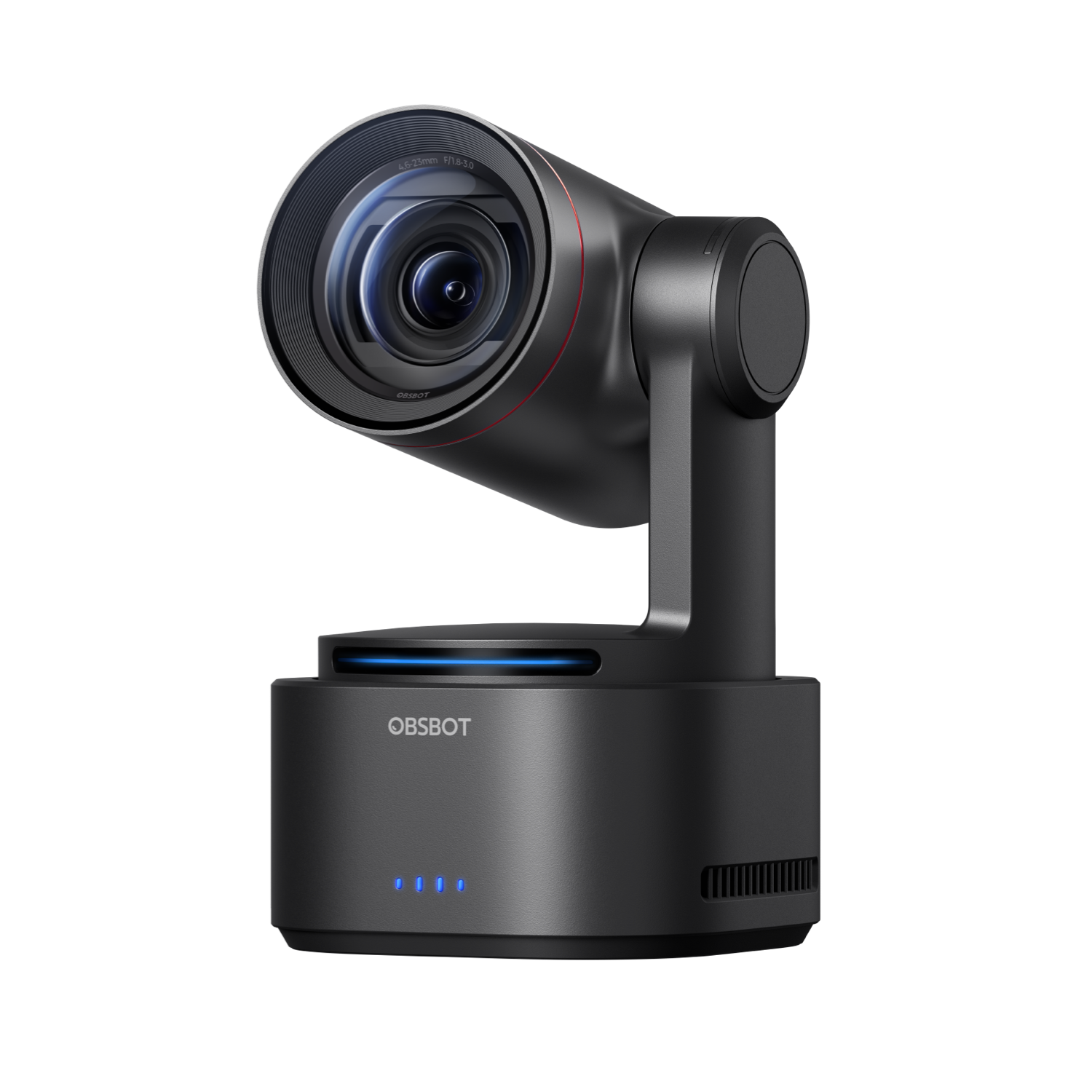
OBSBOT's U.S. selector separates NDI and Standard editions. The Standard base [Pack] lists one Tail 2, USB-C 3.0 data cable and USB-A adapter, a separate USB-C power cable, and two 2.5 mm-to-RS232 serial cables. The selected page identifies SKU P.B.4.00004; verify this part number and the seller's exact box list rather than relying on the changing product-page query ID.
Standard does not mean NDI is already activated
OBSBOT's own edition selector gives NDI Edition and Standard Edition separate choices, while its December 2025 NDI notice describes the standard Tail 2 as a non-NDI version. The notice says the NDI Edition arrives pre-activated. It also says separate NDI license keys and device activation remain available through December 31, 2026, after which unactivated standard units will no longer support activation and unused codes expire. This is a dated software policy, not an included accessory: no NDI key appears in the Standard [Pack] contents. If network video is essential, confirm the device's license state and the current manufacturer terms before relying on it. A previously activated unit and an unactivated Standard package are not interchangeable for that job.
A documented UVC path, but no webcam mode table
The Tail 2 feature page names UVC among its computer-camera/output workflows, and OBSBOT's Center Lite guide groups Tail 2 with Tail Air for UVC operation. The exact Standard product page and the shared model page advertise general camera capture up to 4K60 and a separate 1080p120 mode. The reviewed sources do not say which resolution-and-frame-rate pairs a computer receives over UVC. These camera-capture figures are therefore not treated as 4K60, 4K30 or 1080p60 webcam modes. Ask for the host-visible UVC formats and test the intended computer and application if a particular mode is a hard requirement.
The Standard pack includes the USB-C 3.0 data cable and USB-A adapter, and OBSBOT lists a USB 3.0 interface. Confirm the host port and exact cable path. Center Lite groups Tail Air and Tail 2 under UVC: with Beauty off and Preview closed, it directs users to “OBSBOT Tail Air StreamCamera”; with Beauty on, use “OBSBOT Virtual Camera.” This is the shared-group label, not a separate Tail 2-only name, so check which input appears on the intended host. OBSBOT lists Center for Windows 10 64-bit or later and macOS 11 or later; this is not a test of a particular host, hub or app.
Autofocus and production reach are not call-quality tests
OBSBOT specifies all-pixel PDAF autofocus, a 1/1.5-inch CMOS sensor, a 12-element optical system, 5× optical zoom and up to 12× hybrid zoom for Tail 2. It also describes a PTZR mechanism with hands-free 90-degree lens rotation. Those are useful capabilities when the camera sits across a room, frames a presenter or needs portrait orientation. They do not show how fast it focuses in a particular room, how accurately it tracks, or whether a meeting app exposes motor controls. No focus-speed, image-quality or tracking test was performed for this assessment.
This is also not a conventional camera clipped to a monitor. Its production connections include HDMI, SDI, Ethernet/PoE+, RS-232 and USB; plan a stable surface or compatible mount rather than assuming a monitor clip is in the base box. The package list does not name such a clip. Confirm how the intended camera position, control method and power arrangement fit the room before choosing it over a smaller webcam.
Audio, privacy and procurement remain separate checks
OBSBOT's Tail 2 feature page lists separate 3.5 mm TRS MIC IN and LINE IN sockets, and its broadcast-camera guide says Tail 2 does not come with a built-in microphone. The Standard Edition shares the camera platform; no edition-specific onboard mic is documented. The reviewed sources do not establish whether either external jack—or compatible USB-C audio devices—appears to a computer as UVC audio. If the meeting needs sound, plan a separately verified mic/interface and check the host input list. The sources reviewed also do not establish a built-in physical privacy shutter or TAA compliance for P.B.4.00004. Unknown is not a positive match; use separate privacy equipment or an exact manufacturer statement where those are mandatory.
The Tail 2 SRT guide adds a separate production-mode limit: SRT can use Wi-Fi or a wired network, but when SRT is on the maker says UVC, RTSP, NDI and Live Stream are unavailable. This Standard review remains a UVC assessment; the model-level guide does not claim that Standard gains NDI activation. If SRT is selected, do not plan on the direct UVC camera route at the same time. The network-stream settings do not supply the missing UVC resolution, frame-rate or codec table.
Standard may suit a production setup that needs autofocus and can verify the required UVC mode. It is a weaker fit when NDI activation, a known USB webcam rate, built-in call audio, a physical shutter or TAA documentation is essential. Confirm the exact edition and activation state rather than inferring them from the shared camera body.
Sources checked
- OBSBOT U.S. Standard package selector.
- OBSBOT NDI edition and license notice.
- OBSBOT Tail 2 product page.
- OBSBOT Center Lite UVC guidance.
- OBSBOT Tail 2 support page.
- OBSBOT Tail 2 SRT output-mode guide.
Key specifications
Key details at a glance
| Documented modes and host limits | The manufacturer lists up to 4K60 and a separate 1080p120 camera-capture ceiling. It does not publish a UVC computer-webcam mode matrix; neither figure is a verified webcam-mode pairing. |
|---|---|
| Focus system | Autofocus |
| Built-in microphone | No |
Use the exact model’s instructions for operating limits, supplied equipment and version differences.
Sources for this review
Sources for this assessment
- OBSBOT Tail 2 U.S. Standard Edition [Pack] product/package page
- OBSBOT Tail 2 AI-Powered PTZR 4K Live Production Camera product page
- How to Use OBSBOT Center Lite Mode
- OBSBOT Tail 2 support page: Center software and firmware
- OBSBOT Tail 2 Quick Start Guide (multilingual PDF; English section read)
- OBSBOT NDI Integration Update for Tail 2 and Tail Air (December 19, 2025)
- OBSBOT Tail 2 body image linked by the selected Standard Edition page
- How to Use SRT Protocol for OBSBOT Tail 2?
- OBSBOT Tail 2 product page: MIC IN, LINE IN and UVC
- 7 Best PTZ Broadcast Cameras for Live Production (OBSBOT)

Compare the features that affect your setup
Set essential video, focus, privacy and microphone requirements together; leave nonessential choices open.