
Your needs, this model
Does it fit your priorities?
Does Meet 2 meet a 4K-at-60-fps minimum?
No. OBSBOT lists 4K to 30 fps and a separate 1080p mode to 60 fps; its technical table does not list a 4K60 mode.
Explore this need in the finder →Does the removable magnetic Privacy Cover meet the finder’s built-in shutter requirement?
No. The base package lists a removable magnetic cover, but the reviewed sources do not document a shutter mechanism built into the Meet 2 housing. The strict built-in-shutter filter therefore does not count it; software Sleep Mode is a separate feature.
Explore this need in the finder →Can Meet 2 be considered for autofocus and built-in audio at 1080p60?
Its maker lists autofocus/manual-focus control, built-in dual omnidirectional microphones and a separate 1080p60 MJPEG mode over a USB 2.0 Type-C data connection. Confirm the supplied cable/adapter, host power and application's available mode before buying.
Explore this need in the finder →This is a source-based assessment of OBSBOT’s Meet 2 U.S.-facing product selector, technical table, product FAQ and English user manual. I did not use the camera, run OBSBOT Center, test a host or call application, or measure picture, autofocus, microphone or auto-framing performance.
Read the two video ceilings separately
The Meet 2 table lists UHD 3840 × 2160 at up to 30 frames per second and a separate Full HD 1920 × 1080 mode up to 60 fps. Those are different modes, not a 4K60 stream. The same table associates MJPEG with its high-resolution modes; its listed YUV output is only 640 × 480 or 640 × 360. If your workflow needs 4K60 or uncompressed Full HD, this spec table does not establish either one.
The manual adds an important software condition: 4K streaming needs compatible third-party software. It also notes a recommended computer class for 1080p60 and 4K (including a seventh-generation Intel Core i5 or later and 8 GB RAM on PC, plus specified Apple computer classes). These are maker recommendations rather than tested minimums. Before buying, check that the host, conferencing/recording app and USB connection expose the mode you need; a “4K webcam” label alone does not guarantee an app’s available setting.
A fixed camera body with software framing
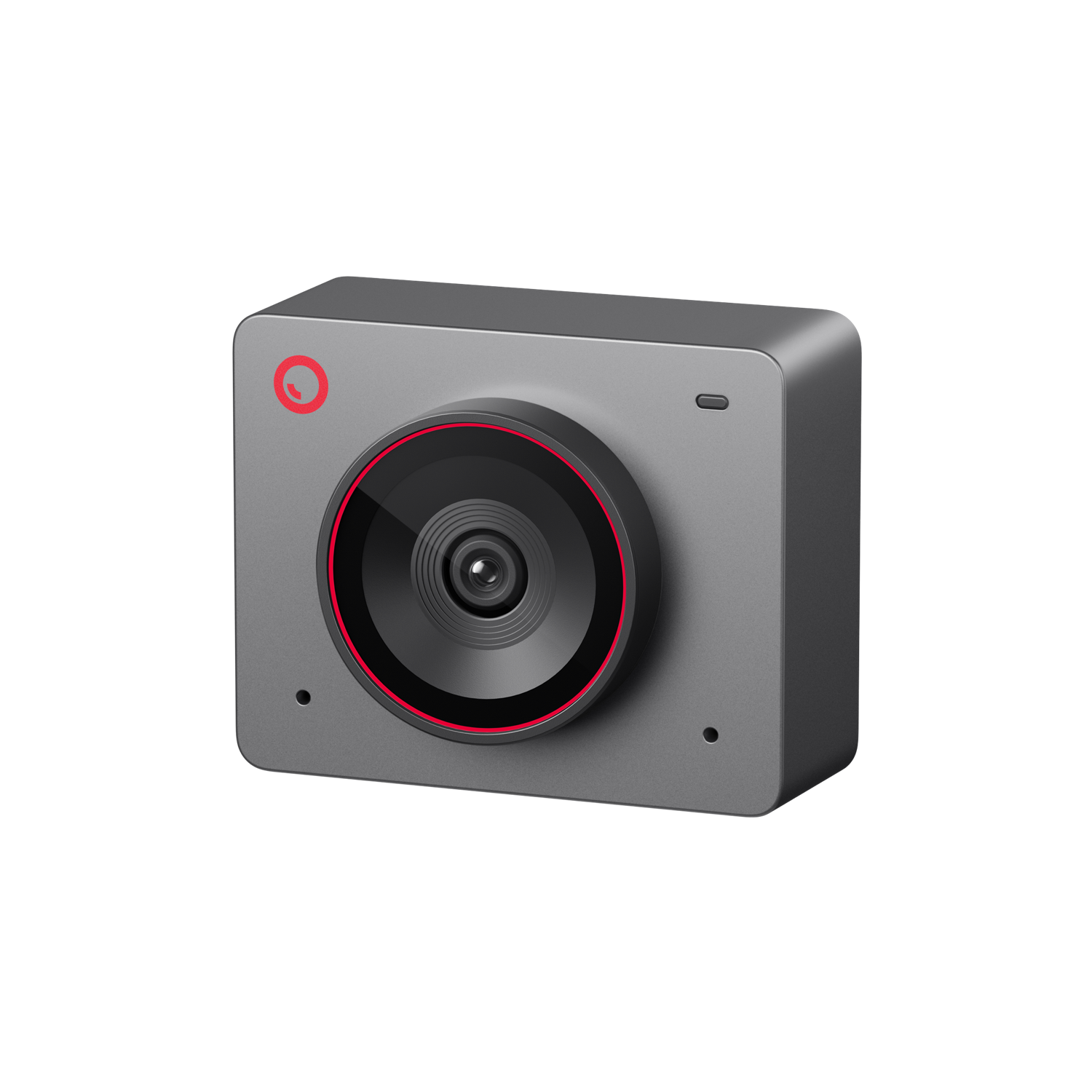
Meet 2 is a small, square camera rather than a motorized PTZ head. OBSBOT’s manual documents Group and Single auto-framing, gesture controls and digital zoom, while the technical page lists autofocus and manual focus. Those are useful tools for calls, teaching or a desk presentation, but they should not be confused with a camera that physically pans or tilts to follow a moving presenter. Treat the maker’s automatic framing descriptions as feature documentation, not a guarantee about how well it will keep a particular person framed in a particular room.
The official specification gives a 1/2-inch CMOS sensor, a 79.4-degree diagonal field of view, 4× digital zoom, HDR and AF (PDAF)/MF. The manual says HDR is off by default and is enabled through OBSBOT Center. It also explains that manual focus is a software choice. These details help define what can be configured; they do not establish low-light image quality, focus speed, tracking accuracy or the best distance for your desk.
USB 2.0 is the connection to plan around
The camera uses a USB-C connector, but OBSBOT identifies the data interface as USB 2.0. Connector shape is not USB generation: this is not a USB 3 camera merely because its cable ends in Type-C. The U.S.-facing base listing names a USB-C-to-C cable and a USB-C-to-USB-A adapter. That gives a documented route for either common computer port shape, but does not make an unsupported host, hub or application compatible.
For power, the manual says to connect directly to the computer, or use an expansion dock with independent power if the camera is not receiving enough. It also recommends the standard supplied data cable to avoid compatibility problems. Keep the computer and app in the decision: OBSBOT lists Windows 10 64-bit or later and macOS 11 or later for its software, and some third-party software may need manual rotation for portrait video. Confirm the exact required setup instead of assuming every configuration behaves the same.
Camera audio and a removable privacy cover
OBSBOT specifies two built-in omnidirectional microphones with noise reduction and automatic gain. That answers whether the camera has microphone hardware, not how your voice will sound in your room. The U.S. selector also shows an optional Meet 2 Combo that adds an external HQ Mic and a USB-A-to-USB-C cable with an on/off switch. The added mic is a separate accessory, not a replacement for the documented built-in pair; confirm which named package is in the offer you are considering.
The base package lists a magnetic Privacy Cover. That is useful for physically covering the lens when you are finished, but it is a removable accessory, not a shutter mechanism built into the camera body. The finder’s “built-in physical privacy shutter” requirement is intentionally stricter, so this model does not qualify for that specific filter. OBSBOT separately documents software Sleep Mode; do not treat that control as proof that the camera has an integrated shutter or a live microphone mute.
Check the package, mount and finish
The Space Grey base listing contains one Meet 2 camera, USB-C-to-USB-A adapter, USB-C-to-C cable, Privacy Cover and Magnetic Mount. The technical page also lists a manual and warranty card. The camera’s base has a UNC 1/4-20 thread, but the base listing does not include a tripod. OBSBOT exposes Space Grey, Cloud White and Aurora Green finishes; the same assessment covers those finish-only options, while the public image shows Space Grey only. The separately named Space Grey Combo adds the external HQ Mic and switched cable. Do not infer a finish-specific SKU from the page’s changing product_id value; OBSBOT did not publish an exact part number in the sources reviewed here.
On the monitor, the maker’s magnetic mount provides the intended stand arrangement; a tripod is a separate purchase. The listed bare-camera body is 45 × 36 × 22.2 mm and 40.5 g, rising to 67.5 g with the mount. Check whether your screen, desk, privacy routine and connection path fit before deciding whether the compact body is more useful than a gimbal-style webcam.
Who should compare Meet 2?
It is a reasonable candidate to compare when you want autofocus, built-in camera microphones and documented 4K30 or 1080p60, and your host can use a USB 2.0 connection with the app you intend to run. It is not an answer to 4K60, a native USB 3 connection, an integrated physical shutter or a verified TAA procurement requirement. If any of those is essential, keep it selected in the finder rather than loosening the condition for this camera.
Meet SE is a distinct Full HD model with its own higher-frame-rate modes; Meet Flip is another separate design whose lens folds into a privacy position. Tiny 2 adds a motorized gimbal and a different USB 3.0 arrangement. Do not transfer their modes, privacy mechanisms, package contents or host requirements to Meet 2. Compare the exact model assessment, named package and your own app/host requirements before choosing.
Primary references: OBSBOT’s Meet 2 technical specifications, Meet 2 U.S.-facing product and package selector, model FAQ, product feature page, downloads page and English user manual v1.1.
Key specifications
Key details at a glance
| Documented modes and host limits | The technical table lists 3840x2160 to 30 fps and a separate 1920x1080 mode to 60 fps; it does not document 4K60. |
|---|---|
| Focus system | Autofocus |
| Built-in microphone | Yes |
| Physical privacy shutter | No |
| USB 3.0 uncompressed video documented | No |
| USB 2.0 MJPEG fallback documented | Yes |
Use the exact model’s instructions for operating limits, supplied equipment and version differences.
Sources for this review
Sources for this assessment
- OBSBOT U.S.-facing Webcams category observation
- OBSBOT Meet 2 U.S.-facing store offer and package selector
- OBSBOT Meet 2 technical specifications
- OBSBOT Meet 2 product feature page
- OBSBOT Meet 2 product FAQ
- OBSBOT Meet 2 User Manual English v1.1
- OBSBOT Meet 2 software and manual downloads
- OBSBOT Meet 2 Space Grey camera-body image

Compare the features that affect your setup
Set essential video, focus, privacy and microphone requirements together; leave nonessential choices open.