
Your needs, this model
Does it fit your priorities?
Is Reach intended mainly for an eye-level desk call?
Reach is listed as an adjustable content camera, and Logitech describes it for teaching, demonstrations and presenting physical material. Its articulated arm can frame a presenter or workspace, but its defining purpose is moving the camera above objects and documents. If a fixed eye-level webcam is your main task, compare a simpler clip-on model instead.
Explore this need in the finder →Which Reach mount fits my table?
The Table Base SKU 960-001670 has a 7.48-inch square footprint and weighs 8.93 lb. The Clamp Base SKU 960-001673 has a 3.94-inch square footprint, fits an edge up to 2.2 inches thick, and has 2.13 inches of recommended clearance below the table. Check the physical edge and underside before choosing; the selected mount SKU must be confirmed in the offer.
Explore this need in the finder →Does Reach satisfy a built-in-shutter or TAA requirement?
The reviewed Logitech Reach sources do not establish an integrated physical shutter or an exact-SKU TAA statement, so the finder does not count Reach as meeting either hard requirement. Keep both conditions selected if they are essential and use an exact manufacturer document for procurement decisions.
Explore this need in the finder →Does Logitech document built-in audio?
Yes. The Reach specification lists two omnidirectional microphones with a noise-reduction filter. That establishes built-in microphone hardware only, not call-room quality, pickup distance or whether its sound suits your setup; verify app input selection and consider your separate audio route.
Explore this need in the finder →Reach is a camera on an adjustable presentation arm
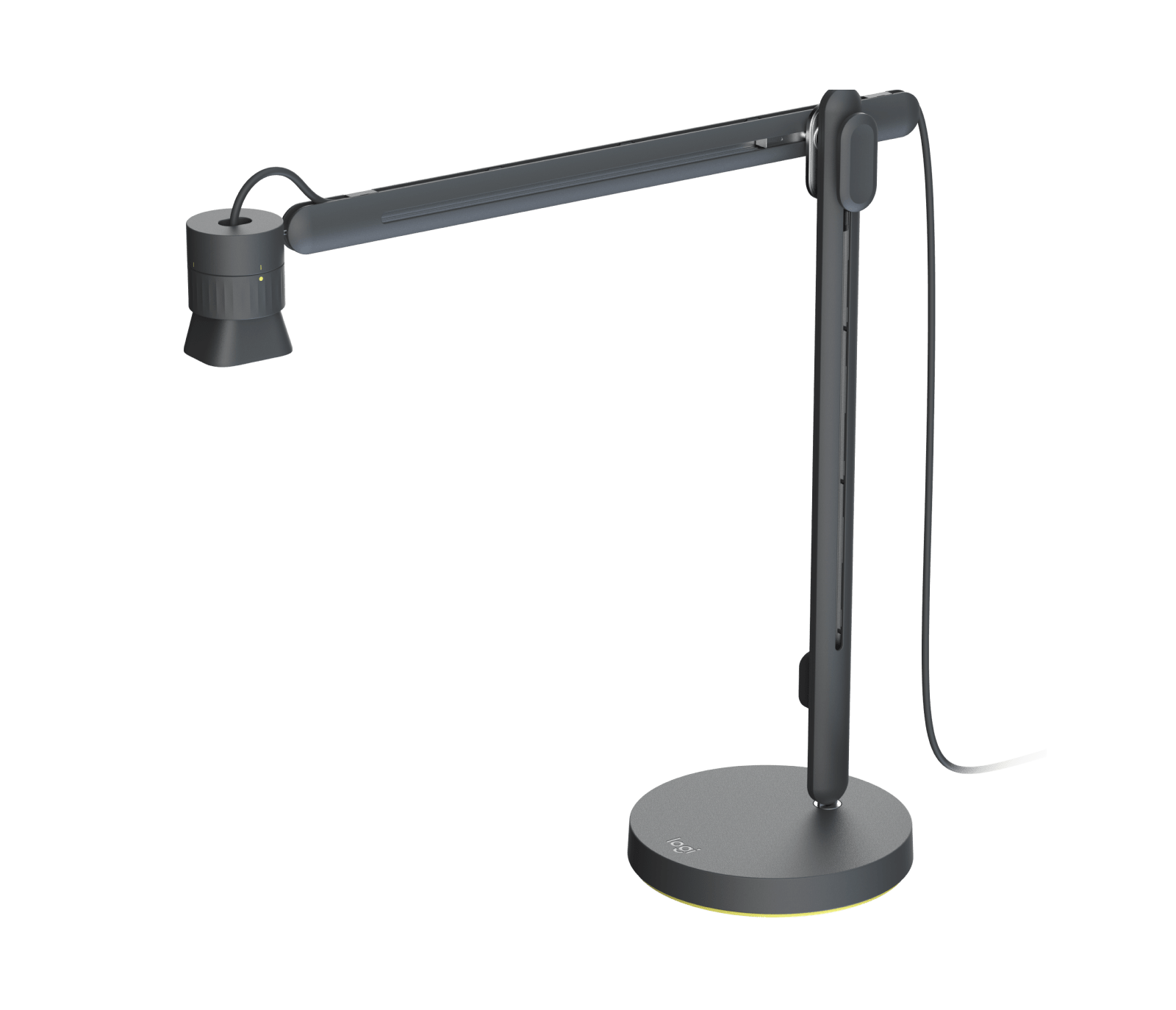
Logitech Reach occupies an unusual spot in a webcam shortlist. It is listed in Logitech’s webcam catalogue and connects to a computer over USB-C, but the design is not a small camera intended to sit above a monitor. Reach suspends the camera over a desk so a teacher, demonstrator or presenter can move between a person-facing view and hands-on material. Its pivoting head, horizontal travel and button-controlled vertical movement are the product’s defining features. That makes it relevant to online classes and streamed demonstrations, while also making it a less natural fit for an ordinary fixed eye-level video-call station.
Separate the two U.S. mount SKUs
The U.S. product route exposes two Logitech ProductModel entries: Table Base, SKU 960-001670, and Clamp Base, SKU 960-001673. The camera platform is shared, but the supplied support and the space required under a desk are not interchangeable details. The weighted table base occupies a 7.48-inch square footprint and weighs 8.93 pounds. It is the more straightforward match for an open, stable desktop where the arm can sit without a desk edge or underside clearance becoming part of the installation.
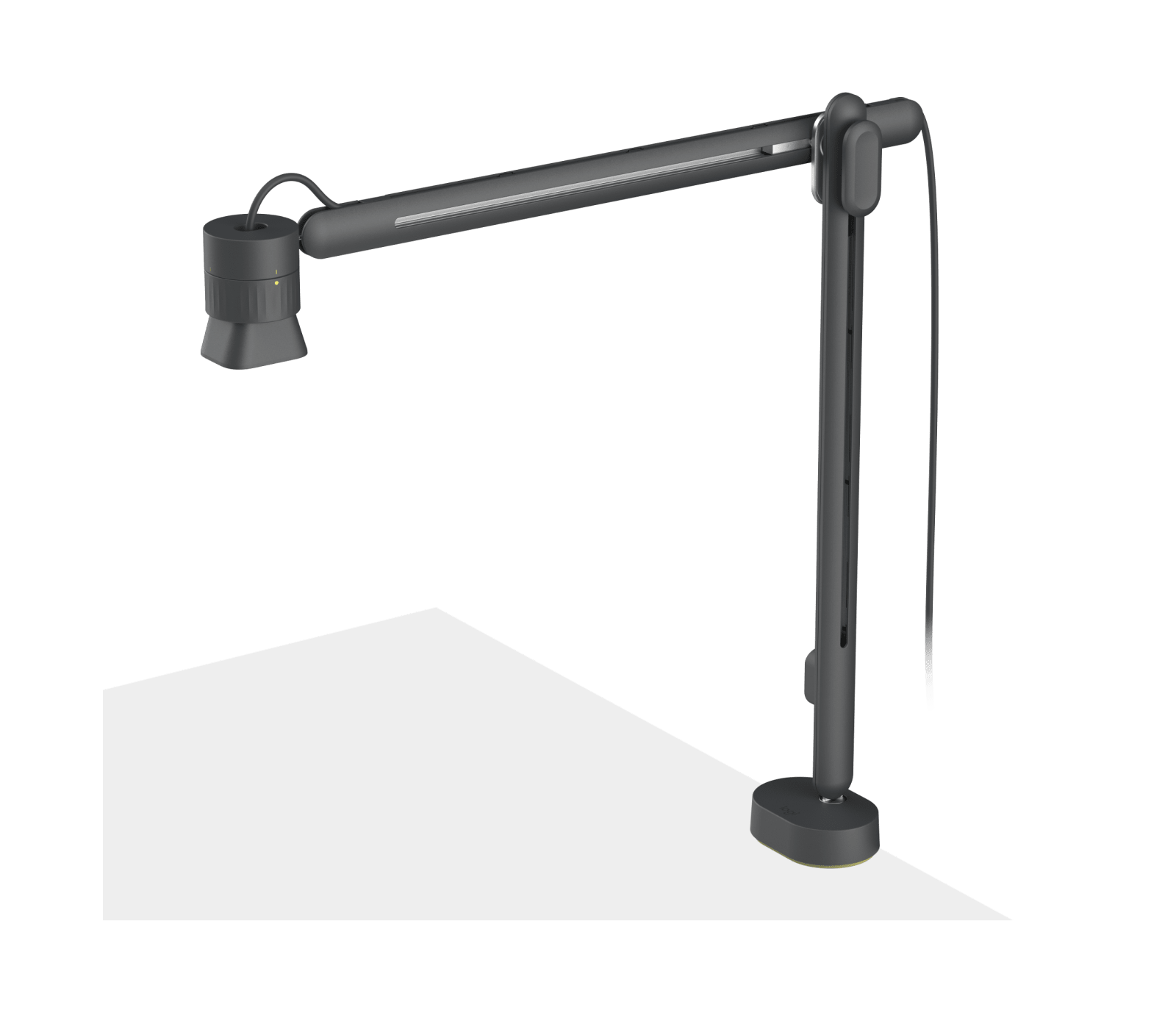
The clamp version is the smaller-footprint option, not a clamp that fits every surface. Logitech lists a maximum edge thickness of 2.2 inches and recommends 2.13 inches of clearance beneath the table. Its mount is 3.94 inches square and weighs 3.3 pounds. Before selecting this SKU, check the real edge profile, any apron or cable tray beneath it, and whether the clamp’s two gripping faces can meet the surface. Logitech also describes both bases as available separately as accessories; a buyer who expects to switch mounts should confirm which mount is included in the exact package rather than assuming the second one is in the box.
The arm changes what “framing” means
The June 2025 specification sheet gives the Reach arm 12.73 inches of horizontal travel with 360-degree panning and 12.22 inches of vertical travel. The camera head can rotate and tilt, and the source describes a maximum surface view of 12 by 21.5 inches when zoomed out and 2.75 by 5 inches when zoomed in. Logitech calls the adjustment 4.3x lossless magnification. These figures describe the arm’s positioning and view area; they are not an independent assessment of legibility, autofocus transitions, or detail under a particular room light. The moving structure is useful when the subject is an object, page or work surface that needs to be brought into view. It adds physical setup to a task that a conventional webcam handles with a clip and a fixed camera angle.
What the camera side documents
Reach is powered by Logitech StreamCam. Logitech lists a maximum 1080p at 60 fps in MJPEG, autofocus, a glass lens and two omnidirectional microphones with a noise-reduction filter. A USB-C cable of roughly three feet is listed; Logitech says extensions can increase reach but may affect maximum video quality. Treat 1080p60 as a manufacturer-listed mode, not a guarantee that every computer, cable, conferencing app or capture setting will expose it. Check for a data-capable USB-C connection and verify the exact camera mode in the software you intend to use. The reviewed Logitech sources do not establish a built-in privacy shutter or an exact-SKU TAA statement, so neither condition should be inferred from the camera’s education positioning or from StreamCam branding.
A specialized choice, not a universal upgrade
For a recurring lesson, craft demonstration, document discussion or product showcase, Reach combines the USB camera with movement that a standard desktop webcam does not provide. It can also connect to common conferencing or streaming platforms, according to Logitech. Its key cost is physical: the arm must be positioned, its travel needs room, and the selected base must fit the workstation. The Table Base is comparatively heavy and takes desk area; the Clamp Base needs a compatible edge and underside clearance. Neither measurement says how steady a particular desk will feel in use, and no hands-on installation or image test is claimed here.
A fixed clip-on camera such as Logitech StreamCam is the simpler comparison when the main job is a presenter at a desk: the model library documents its USB-C operating limits separately, but it does not have Reach’s arm. Reach is the more purpose-built assessment when switching the camera’s point of view over physical material matters. Choose it for that supported workflow, not merely because the spec sheet includes autofocus or Full HD 60 fps. Check whether the room can accommodate the selected mount, whether the host can provide the required USB connection, and whether your buyer needs procurement documentation absent from the reviewed record. The standard and clamp SKUs should be confirmed on the order before checkout.
Key specifications
Key details at a glance
| Documented modes and host limits | The June 2025 Logitech specification lists 1080p/60 fps in MJPEG for Logitech Reach, powered by StreamCam. This published mode is not a claim that every host, cable or app exposes it. |
|---|---|
| Focus system | Autofocus |
| Built-in microphone | Yes |
Use the exact model’s instructions for operating limits, supplied equipment and version differences.
Sources for this review
Sources for this assessment
Compare the features that affect your setup
Set essential video, focus, privacy and microphone requirements together; leave nonessential choices open.