
Your needs, this model
Does it fit your priorities?
Can Rally Camera do both 4K60 and 1080p60?
No. Logitech lists 4K through 30 fps and separate 1080p/720p modes through 60 fps; 4K60 is not listed.
Explore this need in the finder →Does the camera include sound for calls?
No microphone is listed for the camera-only Rally Camera. Add a separate microphone/speaker route or compare the Rally and Rally Plus systems that bundle mic pods and speakers.
Explore this need in the finder →Is lens parking a physical shutter?
No. Logitech describes the lens parking downward in sleep mode and a red LED during video mute, but not an opaque integrated shutter or an audio mute guarantee.
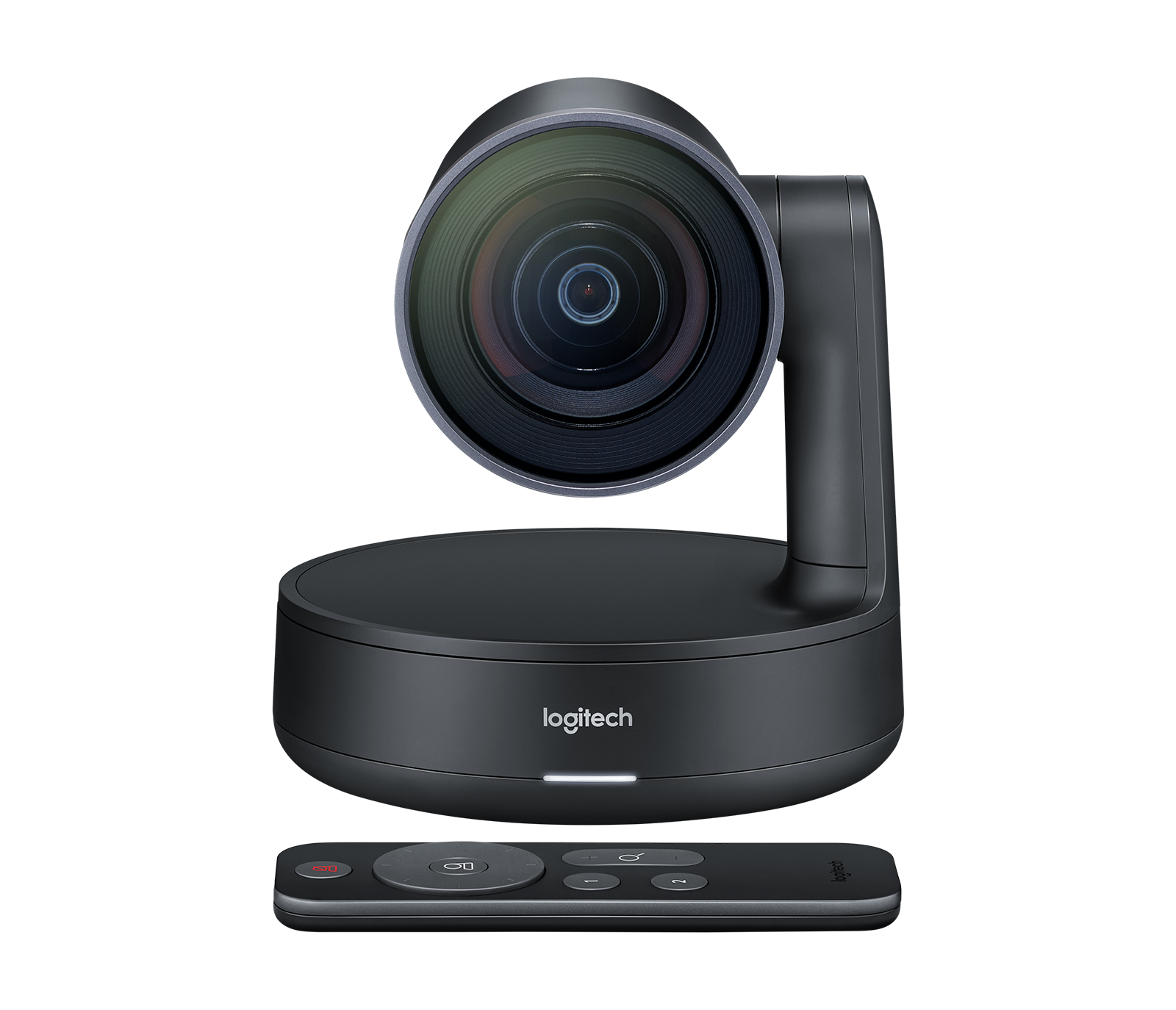
Explore this need in the finder →Logitech Rally Camera, U.S. part 960-001226, is a standalone, motorized conference camera with a documented USB/UVC connection to a computer. It is a room camera, not a compact clip-on webcam: the camera body, separate power hardware, remote and wall mount all need a planned location. This is a source-based assessment of the exact U.S. model; no camera was used or tested, and no measurement of image quality, framing speed or room performance was made.
4K30 and 1080p60 are separate choices
The manufacturer lists 4K, 1440p, 1080p, 900p, 720p and SD at 30 frames per second, plus 1080p and 720p at 60 fps. It therefore covers a 4K-at-30 brief and a separate Full HD 60-fps brief, but not 4K60. Logitech specifies a USB 3.0 port and compatible software for resolutions above 1080p. Its support material describes Rally Camera as USB Video Class (UVC) and plug-and-play; for a high-resolution workflow, verify the computer’s actual USB data capability and the chosen call or recording application rather than relying on the shape of a Type-C connector.
The included 2.2-meter USB 3.0 cable connects the camera to the host, while the camera also needs its power adapter and three-meter power cable. That is a more involved setup than a bus-powered desk webcam. Cable reach can determine whether the camera can sit near eye level or on the opposite side of a room without an additional, compatible extension plan. The documentation’s listed modes describe supported camera output, not a promise that a particular application will use the maximum.
Motorized coverage and autofocus
The camera’s diagonal field of view is listed as 90 degrees, and Logitech specifies smooth motorized pan, tilt and 15x HD zoom, with autofocus. That combination is aimed at framing people or details across a room; it is not the same task as keeping one nearby face centered during a desk call. The camera includes three positions or presets and an RF remote, so an operator can call a framing position without relying solely on software. The manufacturer’s RightSight feature is a separate automatic framing capability, and its availability can depend on software support.
A 90-degree lens can still be too narrow or too wide for a room once camera distance, table width and seating are considered. Zoom range cannot substitute for checking the physical mounting point. Logitech lists table or wall placement and a standard tripod thread; a VESA display mount is optional. The included wall mount is invertible and has a place for the power splitter, but buyers should still verify the correct wall materials and fasteners for the intended installation.
No camera microphone in the standalone model
The exact Rally Camera support record lists no microphone. That is a useful boundary: a computer may expose the camera as a video device, but a separate audio source is needed for conversation. Rally and Rally Plus systems add microphone pods and speakers, but those are distinct packages, not hidden accessories inside the camera-only SKU 960-001226. If the room already has a supported audio system, the camera-only route may be enough; if not, budget for compatible audio separately and check that the meeting computer can select it.
Privacy is a camera position, not a shutter
Logitech describes the lens parking at a downward angle when the device sleeps and a red status light when video is muted. Those behaviors help communicate camera state, but this is not a built-in opaque privacy shutter. The documentation does not establish that lens parking mutes an external microphone or prevents another connected camera from recording. A workplace requiring a literal lens cover, a mic mute and an application privacy policy should assess each item independently.
Who should consider it?
Rally Camera makes sense when a room needs a separately placed USB camera with remote pan/tilt control, 4K30 or Full HD60 modes, and an existing plan for power and audio. It is less compelling for travel, a crowded monitor edge or a call setup that expects one cable for camera, microphone and speaker. Its document-backed autofocus and zoom may matter in a shared meeting space; they do not establish that it will outperform a smaller webcam on a desk.
Before buying, confirm the exact U.S. SKU 960-001226 rather than a Rally or Rally Plus system bundle. Check for the camera, remote and CR2032 battery, USB 3.0 cable, AC adapter with regional plugs, power splitter and case, camera mount and mounting hardware. Confirm the computer’s port and operating system, a compatible application, separate audio, cable reach and optional display mount if needed. The main decision is whether the room genuinely benefits from controlled PTZ framing enough to justify the size, power and installation steps.
Key specifications
Key details at a glance
| Documented modes and host limits | 4K/1440p and other listed modes top out at 30 fps; separate 1080p and 720p modes are listed at 60 fps. USB 3.0 and compatible software are required for modes above 1080p. |
|---|---|
| Focus system | Autofocus |
| Diagonal field of view | 90° |
| Built-in microphone | No |
| Physical privacy shutter | No |
Use the exact model’s instructions for operating limits, supplied equipment and version differences.
Sources for this review
Sources for this assessment
Compare the features that affect your setup
Set essential video, focus, privacy and microphone requirements together; leave nonessential choices open.