
Your needs, this model
Does it fit your priorities?
Does its 4K camera meet a 4K webcam-mode requirement?
The camera is listed as 4K and USB/BYOD mode is explicitly described, but Logitech's reviewed Huddle spec does not state a frame rate or USB format matrix. This evidence supports the camera's 4K hardware, not a proven 4K30 USB webcam mode; the conservative mode matcher does not count it for the 4K minimum.
Explore this need in the finder →Does Rally Bar Huddle have autofocus?
No focus system is stated in the exact model sources reviewed. Room framing and digital PTZ do not establish autofocus; it therefore matches neither strict focus option.
Explore this need in the finder →Does it have a physical shutter?
Yes. The exact product specification lists an integrated motorized shutter, and Logitech's FAQ says it opens when the call initializes and closes when the call ends. That physical camera cover is not evidence that the microphones are muted.
Explore this need in the finder →Does it include camera microphones?
Yes. Logitech lists six microphone elements and a pickup range up to 7 m, but that distance is a maker specification rather than a test. Huddle does not accept optional Mic Pods, unlike Rally Bar and Rally Bar Mini.
Explore this need in the finder →Is Huddle 960-001485 TAA compliant?
The exact graphite product and support documents reviewed do not state TAA compliance. It is not included for a strict TAA procurement filter unless an exact compliant part number is verified.
Explore this need in the finder →Is it a current-reference product?
It is a current route in the observed U.S. Conference Cameras listing. That does not imply stock or convert its room-scale mount/power needs into a desk-webcam fit.
Explore this need in the finder →Assessment basis: This is a source-based assessment of the graphite U.S. Rally Bar Huddle, SKU 960-001485. Logitech’s exact route, datasheet, USB/BYOD FAQ, setup information and support specifications describe a room endpoint that can appear to a PC or laptop as the camera, microphone and speaker. This is not hands-on testing. I did not place a call, test shutter behavior, measure microphone range or evaluate picture quality.
A huddle-room system with a laptop path
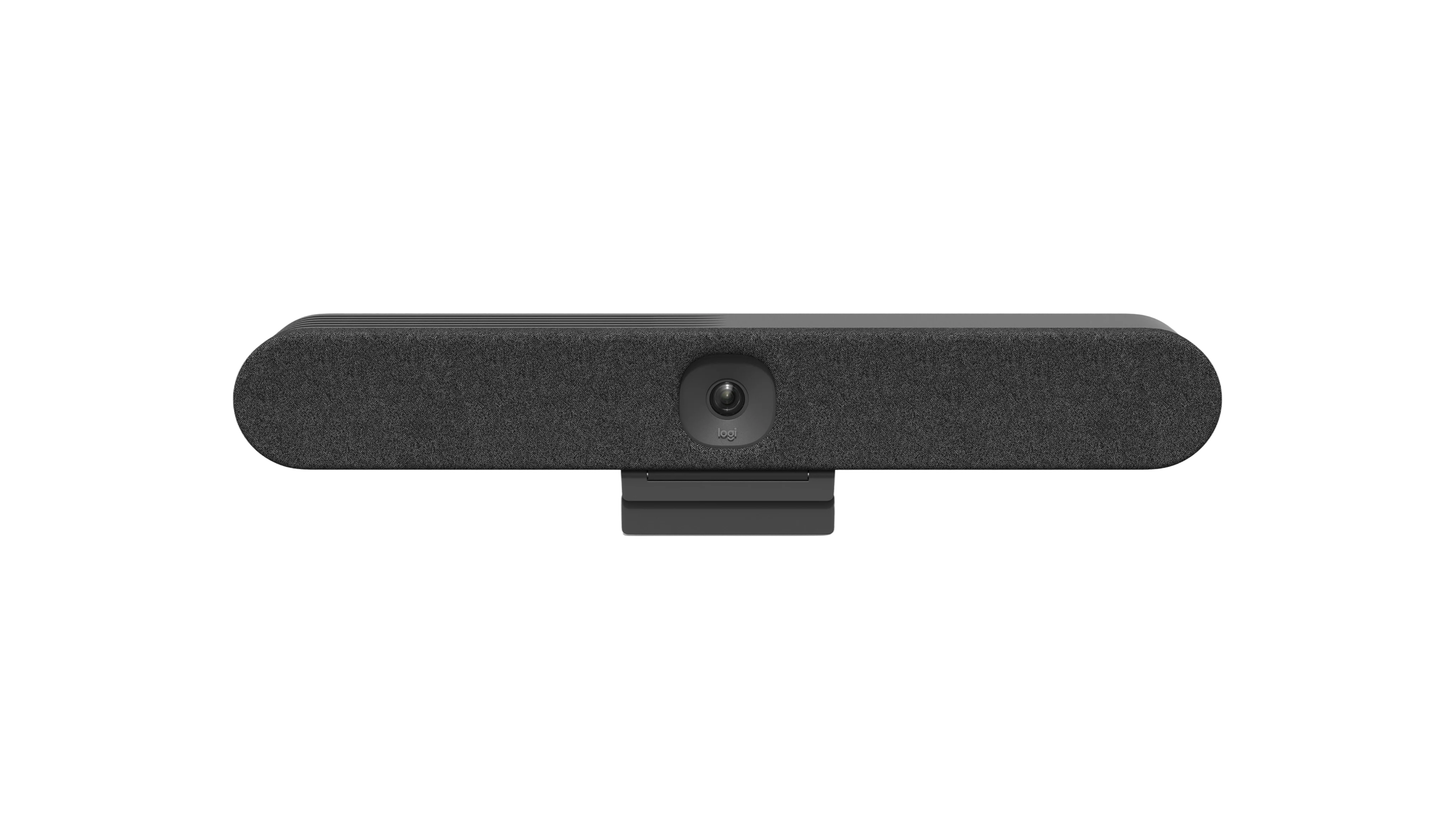
Huddle is the compact member of this family, with a 549.6 mm-wide enclosure and a multi-function mount listed in the package. It can run as an appliance, connect by USB to a room PC, or work in BYOD mode with a laptop. That connection is enough to include it in a webcam-capable camera catalogue, but not to call it a monitor-mounted personal webcam. It has a dedicated room setup, an external power supply and cable-management needs; the available microphone and speaker are room hardware.
Do not infer a USB frame rate from “4K”
The Huddle specification lists a 4K camera and 120-degree diagonal field of view (113 degrees horizontal, 80 degrees vertical), with 4× HD digital zoom and electronic pan/tilt. It also warns that the camera output resolution used in a call is chosen by the conferencing platform. Crucially, the exact-model pages and support material I reviewed do not give a camera frame rate or a USB format-to-resolution table. The conservative finder record therefore does not credit a strict 4K30, 1080p60 or 4K60 minimum. This is not a claim that the camera lacks a high-resolution sensor; it means a buyer cannot use the available page to prove the required frame-rate mode over this computer route. Check the current application and Logitech’s compatibility information before procurement.
Room audio and shutter are documented features
The system has six digital microphone elements arranged into five adaptive beams and one full-range speaker. Logitech lists pickup up to 7 m; no additional Rally Mic Pods are supported on Huddle, so its upgrade route differs from Rally Bar or Rally Bar Mini. That specification does not tell how speech will sound in a specific room, and no such test was performed here.
Unlike the removable lens caps listed for Rally Bar and Mini, Huddle has an integrated motorized physical privacy shutter. Logitech’s FAQ says it opens during call initialization and closes automatically at the end of a call. That supplies a specific, visible distinction for anyone requiring a built-in physical lens cover. It does not establish that microphones are automatically muted when the cover is closed; camera privacy and audio privacy are separate questions.
USB-C does not carry laptop content by itself
For a laptop BYOD setup, Logitech says the USB connection exposes Huddle as camera, microphone and speaker, but the USB-C port alone does not share the laptop’s video content. The manufacturer’s guidance calls for a separate HDMI connection for wired content, or Logitech Extend for a single-cable setup. The package lists a 2.2 m USB-A-to-USB-C 3.0 cable and a 2 m HDMI 1.4 cable, along with external power, the mount, three wall anchors and three screws. Confirm whether the chosen laptop has the right ports and whether cable reach and installation hardware fit the room.
Where it differs from the other bars
The 120-degree view is broader than Rally Bar’s 90-degree diagonal camera field and similar in angular terms to Rally Bar Mini, but the Huddle’s documented PTZ range is different: plus or minus 48 degrees pan and plus or minus 32 degrees tilt at 4× zoom. It has one speaker and no external mic-pod support. It does have a physical shutter, while its 4K webcam frame rate remains undocumented in the reviewed sources. This assessment also does not identify an autofocus or fixed-focus system. A conferencing bar’s movement and automatic room framing do not prove that its lens autofocuses.
Bottom line
Rally Bar Huddle is worth comparing when a small room needs a single powered device for video, audio and a physical shutter, and when the installation can use USB/BYOD or appliance deployment. The manufacturer supports the device as a computer camera, but “4K” alone does not answer whether its USB output meets a particular minimum frame rate. Verify that requirement, the conferencing app, HDMI/content wiring, shutter behavior expected by the organization, exact U.S. SKU and complete package. No price, inventory or hands-on performance is claimed.
Manufacturer references: exact U.S. product route, datasheet, technical specifications, USB/BYOD FAQ, shutter FAQ and setup guidance.
Key specifications
Key details at a glance
| Documented modes and host limits | The main camera is listed as 4K. The exact model documentation reviewed does not give the camera frame rate or USB pixel-format/mode matrix, so no quiz's 4K30, 1080p60 or 4K60 minimum is asserted for USB use. |
|---|---|
| Diagonal field of view | 120° |
| Built-in microphone | Yes |
| Physical privacy shutter | Yes |
Use the exact model’s instructions for operating limits, supplied equipment and version differences.
Sources for this review
Sources for this assessment
- Logitech U.S. Conference Cameras catalogue snapshot
- Logitech Rally Bar Huddle U.S. product route, Graphite SKU 960-001485
- Logitech Rally Bar Huddle datasheet
- Logitech Rally Bar Huddle support specifications
- Logitech Rally Bar Huddle USB/BYOD camera and audio support FAQ
- Logitech Rally Bar Huddle privacy shutter operation FAQ
- Logitech Rally Bar Huddle setup guide
Compare the features that affect your setup
Set essential video, focus, privacy and microphone requirements together; leave nonessential choices open.