
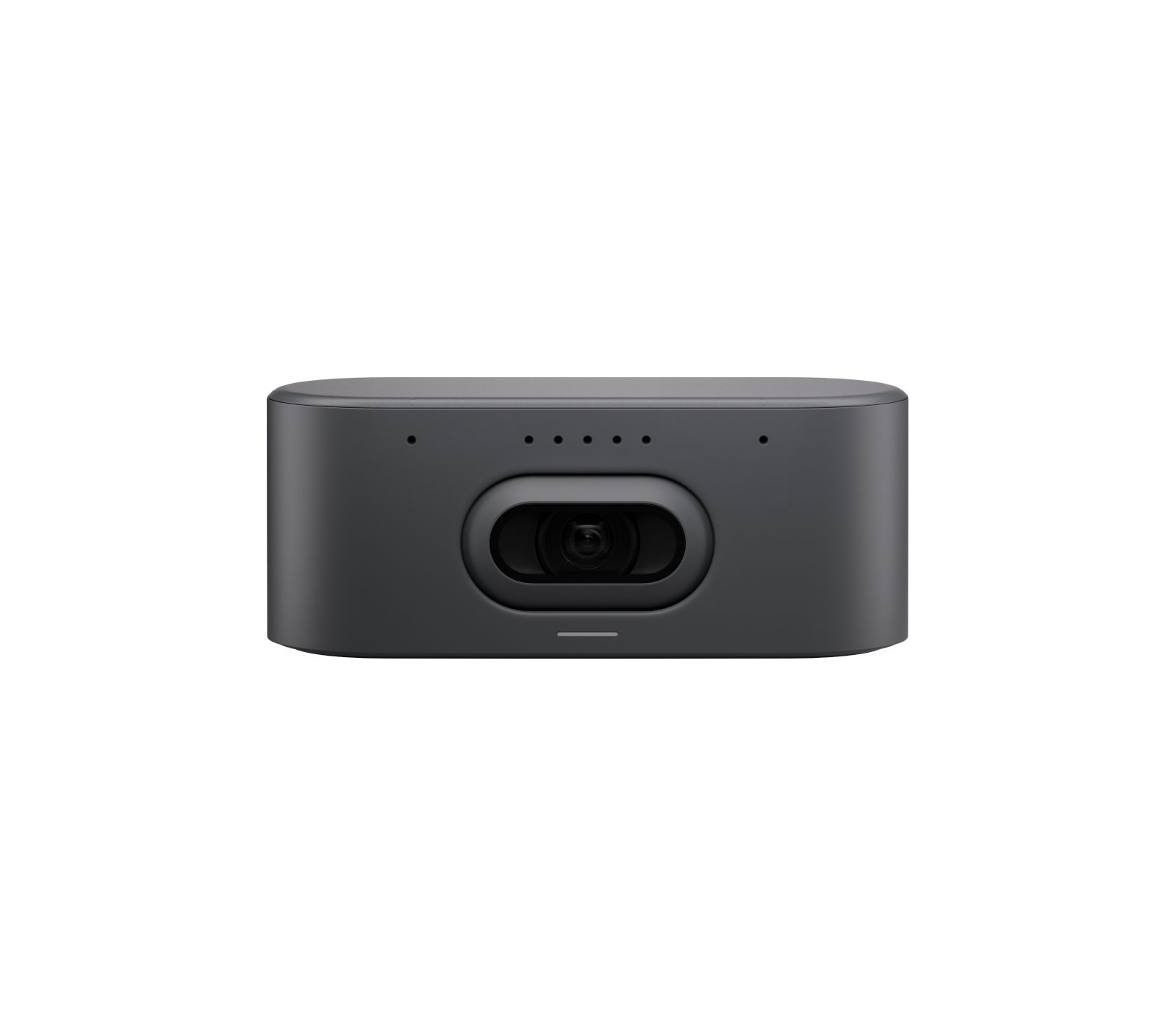
Your needs, this model
Does it fit your priorities?
Does this camera have the Pro's 15x optical zoom?
No. Rally AI Camera uses a single one-inch digital camera with 3x HD digital zoom; Rally AI Camera Pro adds a separate motorized optical PTZ camera with 15x hybrid zoom.
Explore this need in the finder →What does the 4K setup require?
Logitech lists a USB 3.2 Gen 1 or higher cable for 4K; the included package pairs a 2 m USB-C cable with a PoE+ injector, AC lead, CAT6A cable and wall mount.
Explore this need in the finder →Can I count on autofocus or a physical shutter?
The source material describes AI focusing/framing but does not classify the lens focus system or document a built-in shutter. Those requirements remain unconfirmed for this exact SKU.
Explore this need in the finder →Logitech Rally AI Camera is a discreet room camera with a documented USB-to-meeting-room-computer operating path. This review covers the graphite U.S. configuration, part 960-001808. The manufacturer positions it for medium and large rooms, not as a monitor-clip webcam. Its included PoE+ injector, wall mount and 2-meter USB-C cable make it a room installation; this assessment is based on Logitech’s published materials, not a hands-on trial or image-quality test.
A wide digital camera, not the Pro’s optical PTZ
The standard Rally AI Camera uses a 20-megapixel, one-inch imaging sensor and lists a 4K camera mode at 30 frames per second. Logitech also specifies 1440p, 1080p, 900p, 720p and SD at 30 fps. The camera has a 115.7-degree diagonal field of view, 103.3-degree horizontal and 60.7-degree vertical coverage, plus 3x HD digital zoom. Its framing system uses RightSight 2 AI modes such as group, speaker and grid views; that is a different approach from Rally AI Camera Pro’s separate motorized optical camera and 15x hybrid zoom.
The distinction is practical. A wide fixed-position view can cover a group without moving a lens, while digital framing crops a sensor image and depends on its supported software path. Logitech’s marketing describes AI-assisted focusing and framing, but the reviewed sources do not clearly classify this model’s focus system as autofocus or fixed focus. I leave that questionnaire field unconfirmed rather than translating a framing feature into an unsupported autofocus claim.
USB video needs room power too
For use with a meeting-room PC, Logitech documents a direct USB connection and includes a 2-meter USB 3.2 Gen 1 Type-C-to-Type-C cable. The camera’s published 4K output requires USB 3.2 Gen 1 or higher; a connector that merely fits is not proof of the required data rate. The system also includes a PoE+ injector, 3-meter CAT6A cable and wall mount with hardware. USB carries the host camera path, while the power injector and room cable have their own placement and outlet/network considerations.
Logitech also describes an optional extension kit that can use a Category cable for a longer connection. That is not the same as an included Cat6A cable being a direct substitute for the USB-to-PC camera path: verify the exact supported configuration, extension kit and host before planning an in-wall run. For a single-room installation, the included C-to-C lead and PoE+ power path are the more direct starting point.
Built-in microphones, not a speakerphone
The camera’s specifications list eight omnidirectional digital MEMS beamforming elements, an audio output data rate of 48 kHz and USB audio processing used for camera framing. This establishes built-in microphone hardware; it does not establish a speaker, measured pickup range or call intelligibility in a particular room. The system can be paired with a separate room audio system, so buyers should confirm how audio input and output are routed in their intended conferencing setup.
At 4.4 pounds, the unit is appreciably different from a small desktop webcam. The included wall mount is for a fixed surface installation, and Logitech describes an optional in-wall recess mount for a discreet placement. The right mounting height, room sightline, cable route and visible camera location matter more than a convenient clip position. If you need the camera to move with a laptop or to sit on a small monitor, this design is probably solving a different problem.
Privacy, focus and procurement limits
The reviewed U.S. page, datasheet and setup materials do not document a built-in physical lens shutter. I therefore do not count it as a shutter-equipped camera; verify an explicit model-specific privacy mechanism if a covered lens is mandatory. The AI framing and speaker view are camera-control features, not a privacy guarantee. The exact U.S. SKU is 960-001808, but no source reviewed here explicitly identifies that SKU as TAA-compliant, so the procurement requirement remains unconfirmed.
Logitech’s datasheet lists a separate Off-White part, 960-001809. It is a finish variant, not the graphite part reviewed here, so check the color and exact part on an offer. The standard model’s placement and optics differ from the Pro; do not assume a Pro lens, zoom or cable setup from shared Rally AI branding.
Who is this for?
Rally AI Camera is a candidate for a room needing a wide 4K30 USB camera, integrated microphone array and software-driven framing, with an installer or IT team able to plan PoE+ power and wall placement. It is not a fully self-contained speakerphone and it does not document 1080p60 or 4K60 modes in the reviewed spec table. If the room needs optical reach, the Pro offers a separate PTZ camera; if it needs a simple personal webcam, the Rally AI installation and management features may be unnecessary.
Before choosing a seller, confirm Graphite part 960-001808, the included PoE+ injector, AC cord and regional plug, USB 3.2 Gen 1 cable, CAT6A cable, mounting plate and hardware. Check the host, app, camera-mount location and room audio system, and distinguish the optional extension and recess-mount accessories from what ships in the standard package. Those checks will do more to establish fit than the AI label alone.
Key specifications
Key details at a glance
| Documented modes and host limits | The listed supported camera modes are 30 fps; 4K output requires a USB 3.2 Gen 1 or higher cable. No 1080p60 or 4K60 mode is documented. |
|---|---|
| Diagonal field of view | 115.7° |
| Built-in microphone | Yes |
Use the exact model’s instructions for operating limits, supplied equipment and version differences.
Sources for this review
Sources for this assessment
Compare the features that affect your setup
Set essential video, focus, privacy and microphone requirements together; leave nonessential choices open.