
Your needs, this model
Does it fit your priorities?
Does this C925e configuration have a built-in physical privacy shutter?
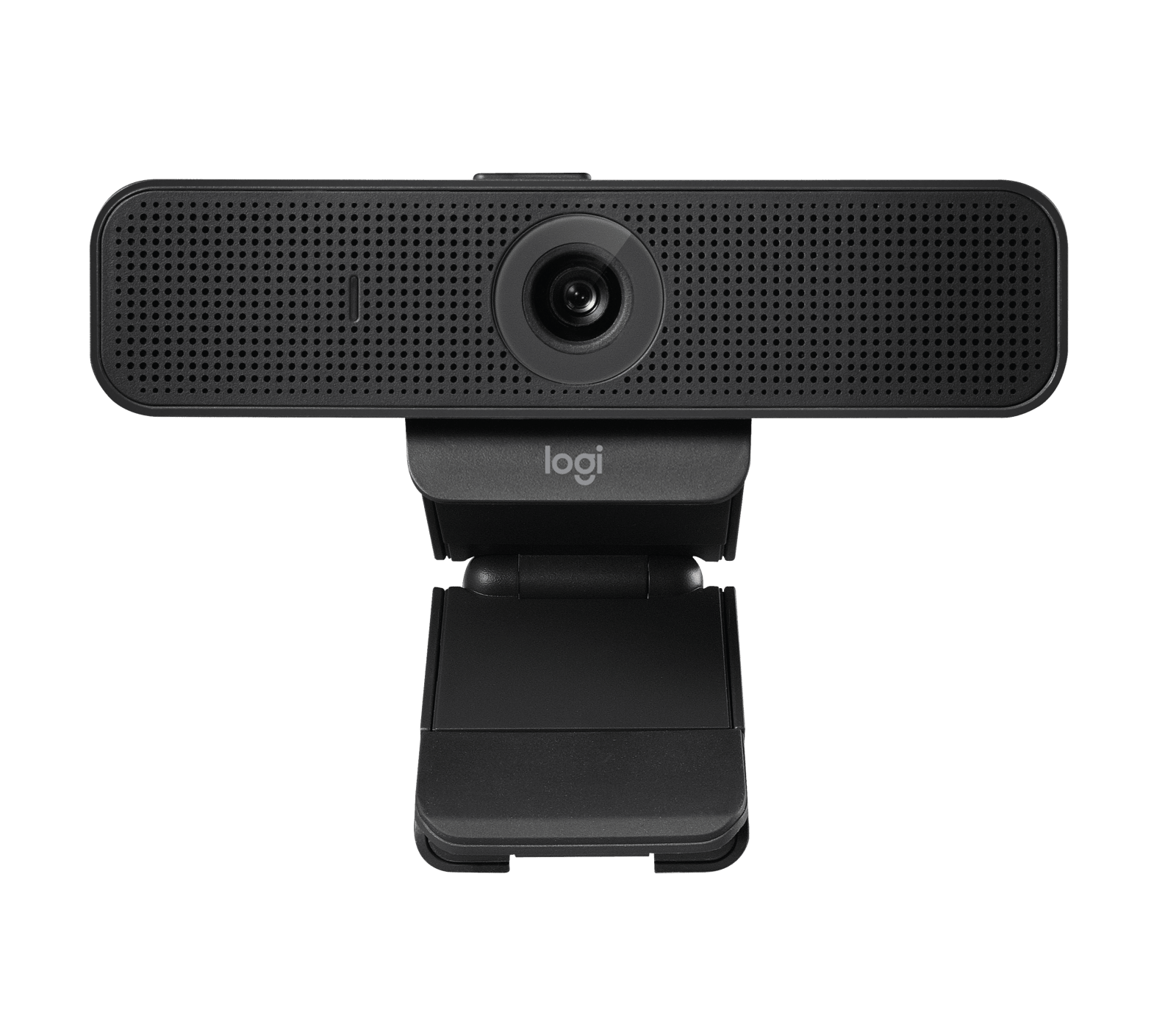
Yes. Logitech describes an integrated shade that slides over the lens using a tab on top of the camera. This differs from the separate clip-on cover specified for the C920e 960-001401.
Explore this need in the finder →Can the C925e provide Full HD at 60 frames per second?
No 1080p60 mode is listed. Logitech's exact current product-page specifications list 1080p30 and 720p60. The January 2025 PDF confirms 1080p30 but does not enumerate 720p60, so verify the desired 720p mode in the intended app rather than treating a general '60 fps' claim as Full HD.
Explore this need in the finder →Does SKU 960-001075 connect with USB-C?
The exact U.S. page and datasheet specify USB-A and an attached 6 ft/1.83 m cable. They do not list an included USB-C adapter; plan the host connection separately if needed.
Explore this need in the finder →How does the C925e's privacy arrangement differ from the C920e?
The C925e has a built-in sliding shade. The separately reviewed C920e 960-001401 instead comes with an attachable external shade; neither the family name nor the presence of a lens cover makes those mechanisms interchangeable.
Explore this need in the finder →This assessment covers the black Logitech C925e Business Webcam, U.S. part 960-001075. Logitech lists autofocus, a fixed 78-degree view, a built-in sliding shade, two microphones and USB-A. Its current U.S. product page lists 1080p30 and 720p60. I did not install, own or test it; this analysis uses model-specific Logitech material, including a January 2025 datasheet.
Read the mode labels separately
The useful distinction is the split video ceiling: 1080p30 or 720p60. It is not 1080p60 or 4K. If your workflow needs Full HD at 60 fps, the published list does not meet it; if you accept 720p for a listed 60 fps mode, that option may matter. The January 2025 datasheet specifies 1080p30 but does not enumerate 720p60, which the current product-page list does. Confirm that your chosen application and host expose the lower-resolution mode. Logitech also cites H.264 with Scalable Video Coding and UVC 1.1 encoding to reduce dependence on computer and network resources; that is a manufacturer claim, not a measured bandwidth guarantee.
People-sized framing, with an unsettled zoom number
The fixed 78-degree diagonal view is aimed at one person with some nearby desk context rather than a wide room. There is no selectable multi-angle lens. Check camera distance and background before choosing it; a different mounting position may matter more than a software crop. Autofocus is specified, but no speed or close-up result was independently tested.
Logitech’s current comparison data lists 1.2x digital zoom; its January 2025 datasheet says 4x at Full HD. The page also mentions Logi Tune zoom without a maximum. Those numbers disagree, so the fact record leaves zoom range unresolved. Digital zoom crops the image rather than changing the lens; verify current software if a specific range matters.
The built-in shutter is a practical distinction
The C925e has a sliding shade integrated into the camera housing: move the tab on top to cover or uncover the lens. That is different from a removable accessory that can be misplaced. It is a meaningful advantage over the C920e 960-001401, whose listed privacy shade clips on separately, and the C930e 960-000971, whose datasheet also lists an attachable cover. The built-in shade blocks the camera’s view; it does not mute the microphones or replace operating-system and app privacy settings. Keep those separate controls in mind if you want both video and audio disabled.
Microphones and desktop connections
Two integrated omnidirectional microphones are specified, with Logitech describing a pickup range of up to one meter. That offers a camera-side audio option for a straightforward desk call, but it is not an independent voice-clarity or noise-rejection result. Distance, room reflections, keyboard noise and the selected input in the meeting app still affect what listeners hear. If audio is consequential, confirm the intended device is selected and use a headset or separate microphone when the room or call demands more control.
The C925e uses an attached 6-foot/1.83-meter USB-A cable. It is a natural match for a reachable USB-A port; the package does not list a USB-C adapter. If the computer has only USB-C, account for a separate adapter or dock and consider its fit with your host policy. The attached lead also limits placement: map the route from monitor to port before committing to a camera position. Logitech lists a universal mounting clip and a quarter-inch tripod thread, but the tripod is not included. The camera can therefore move from a laptop or monitor to a compatible support, but a tripod setup adds another part to the purchase.
Where it differs from nearby Logitech models
The C920e is the closer match in resolution and framing: both have autofocus, a fixed 78-degree view, 1080p30, dual microphones and USB-A. The reviewed C920e configuration lists 720p30 and an external attachable shade; C925e lists 720p60 and an integrated sliding shade. C920e 960-001401 is also explicitly the TAA-compliant, microphone-enabled part, while the C925e’s current page identifies a separate 960-001075 SKU and does not make the same TAA claim. Choose by the actual mode, shade, compliance requirement and part number rather than by assuming the models are interchangeable.
The C930e instead has a 90-degree fixed view and attachable shade; its datasheet lists 1080p30/720p30, while C925e is narrower and its current page adds 720p60. A wider frame captures more space, but may suit a close single-person composition less well. The exact SKU and shade are more informative than the shared “e” suffix.
Who should consider it—and what to check first
Consider it for a fixed USB-A desk setup needing autofocus, an integrated shutter and camera microphones when 1080p30 is adequate. Look elsewhere if Full HD at 60 fps, 4K, USB-C without an adapter, a wider/selectable view or a verified zoom range is essential. Before ordering, match 960-001075, check the attached 6-foot lead reaches, confirm your app exposes the required mode, and review the seller’s package and return terms. Do not rely on a bare “60 fps” label without its resolution.
This is a source-based comparison, not a hands-on report or a measurement of image quality, microphone performance, low-light behavior, compatibility, reliability or installation. Logitech’s RightLight 2 and encoding statements are manufacturer claims, not guaranteed results in every room or network. The guide to video modes explains how to separate resolution from frame rate, and the connection guide covers the host and app checks that remain important for any USB webcam.
Key specifications
Key details at a glance
| Documented modes and host limits | The current exact U.S. product page lists Full HD 1080p at 30 fps and HD 720p at 60 fps; it does not list 1080p60 or 4K. |
|---|---|
| Focus system | Autofocus |
| Diagonal field of view | 78° |
| Built-in microphone | Yes |
| Physical privacy shutter | Yes |
Use the exact model’s instructions for operating limits, supplied equipment and version differences.
Sources for this review
Sources for this assessment
Compare the features that affect your setup
Set essential video, focus, privacy and microphone requirements together; leave nonessential choices open.