
Your needs, this model
Does it fit your priorities?
Does the C922 provide 60 fps at 1080p?
No. Logitech lists 1080p at 30 fps or 720p at 60 fps. Its OBS support instructions specify the 60 fps arrangement at 1280×720 with MJPEG.
Explore this need in the finder →Does the C922 package include a physical privacy cover?
The current product description does not list a shutter, and the setup guide's component and box lists name the webcam, attached cable and documentation without a privacy cover. Confirm any seller-added bundle separately.
Explore this need in the finder →Does the C922 include microphones?
Yes. The product page and setup guide identify two microphones; Logitech describes them as omnidirectional and stereo. That does not establish how they will sound in your room.
Explore this need in the finder →How does Logitech configure the C922 for 720p60 in OBS?
Logitech's support article calls for a custom 1280×720 resolution, 60 fps and MJPEG. Check the current OBS controls and the actual camera mode list; that page documents one software setup, not every application.
A streaming-oriented choice between Full HD and 720p60
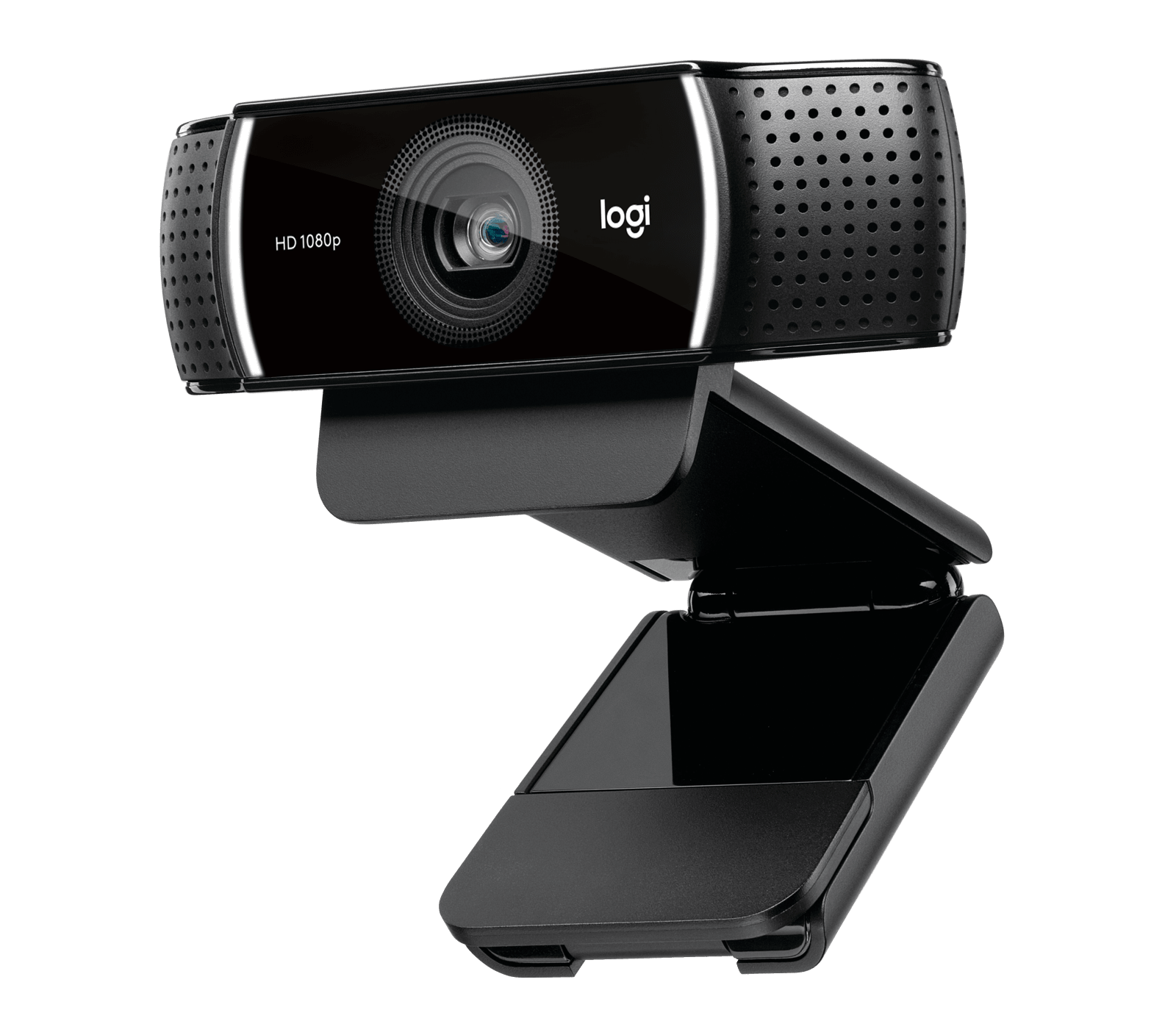
The black Logitech C922 PRO HD Stream Webcam, US SKU 960-001087, is defined by a specific mode split: Logitech lists Full HD 1080p at 30 frames per second and 720p at 60 frames per second. The faster setting is HD rather than Full HD. That makes the C922 worth comparing for a stream or recording where a higher listed frame rate matters more than keeping the image at 1080p; it is not a way to get 1080p60 from this model.
This review reads the current US product page alongside the exact C922 setup guide and Logitech's OBS instructions. It is not based on a camera sample, test stream or personal ownership. The listed modes and claims do not tell us how this particular unit will look in a specific room, app or network.
The 720p60 mode has a real tradeoff
At 1080p30, the C922 records or streams at the higher of its two listed resolutions. At 720p60, it offers twice the listed frame rate at a smaller frame size. A faster frame cadence can be a useful specification for movement, but it does not automatically mean the subject looks sharper: resolution, lighting, exposure, app processing and the final stream settings still matter. Logitech's own OBS setup page points to a custom 1280 by 720, 60 fps configuration and names MJPEG as the video format for that 60 fps setup.
That setup note is useful because it turns the headline into a compatibility check: open the intended capture application and verify that the C922, 720p resolution, 60 fps and the supported format appear together. Logitech's instructions are application-specific and software interfaces can change. They are not a guarantee that every meeting or streaming app exposes the same combination. The product page does not list 4K or 1080p60, so do not infer either from the words “Full HD” or “60 fps” appearing on the same page.
Autofocus, light correction and a fixed view
Logitech describes a glass lens with autofocus and a 78-degree diagonal field of view, plus automatic light correction. Autofocus can respond when the subject moves nearer or farther away, but it is not the same as a pan-and-tilt camera that follows someone across a room. The listed 78-degree view is a starting point for desk placement; the actual composition changes with distance and the way the software crops or resizes the image.
The manufacturer recommends particular lighting and settings when configuring its 720p60 stream. This is a reminder that camera modes and room conditions interact, not evidence of a measured low-light outcome. If your space is dim, backlit or mixed-color, allow time to test the intended app and lighting rather than assuming automatic correction eliminates the need for adjustment.
Two microphones, but no shutter is listed in the package guide
The product page identifies two omnidirectional microphones and Logitech's setup guide labels a dual microphone. That gives the C922 an onboard audio route, but no published description here establishes how well it will reject keyboard clicks, echo or other people in the room. A headset can still be the more predictable choice in a noisy space.
Unlike the C920s, the C922 setup guide's illustrated components and box list name a webcam, attached USB-A cable and user documentation, but do not list a privacy cover. The current product description also does not advertise a shutter. On that evidence, treat a built-in shutter as unconfirmed and make a privacy plan separately; do not assume the C920s accessory is included or fits. This is a package/documentation distinction, not an unsupported claim about what a seller might add.
Connection, mount and what is not in the box
The C922 guide specifies an attached 1.5 m USB-A cable, an adjustable universal mounting clip and a 1/4-inch tripod thread. It says the tripod is not included. Logitech's current setup guide lists USB-A for the model, while the product manual shows the USB-A connection. This straightforward connector is useful only if the host port is within reach; measure the route around the monitor or desk and avoid pulling the mounted camera by its fixed lead.
USB-A describes the connector, not a particular transfer rate. The sources used for this assessment do not establish a USB generation or a full resolution-by-port matrix, so the review does not attach a bandwidth promise to that port. Likewise, an app's ability to select 720p60 depends on its own capture controls, not just the cable.
How it differs from C920s
The related C920s lists 1080p30 and 720p30, and its package guide includes a separate attachable privacy shutter. C922 adds the documented 720p60 option but its manual's package list does not include that cover. Both models list autofocus, a 78-degree view, two microphones and an attached 1.5 m USB-A cable. Choose between them by the specific mode and privacy arrangement you need; this comparison does not claim one has better color, focus speed or sound.
Before buying, check the exact C922 PRO HD Stream name and SKU 960-001087, confirm the fixed USB-A cable and clip, and verify that the application you plan to use offers the resolution/frame-rate combination you need. If a listing mentions an added tripod or a privacy accessory, confirm whether it is a seller bundle rather than the standard camera package. Do not use this assessment as a price, stock, test or compatibility guarantee.
Key specifications
Key details at a glance
| Documented modes and host limits | 60 fps is listed at 720p, while Full HD is listed at 30 fps; no 1080p60 or 4K mode is listed. |
|---|---|
| Focus system | Autofocus |
| Diagonal field of view | 78° |
| Built-in microphone | Yes |
| Physical privacy shutter | No |
Use the exact model’s instructions for operating limits, supplied equipment and version differences.
Sources for this review
Sources for this assessment
Compare the features that affect your setup
Set essential video, focus, privacy and microphone requirements together; leave nonessential choices open.