
Your needs, this model
Does it fit your priorities?
Does the C920s provide 1080p video at 60 fps?
No. Logitech lists 1080p at 30 fps and 720p at 30 fps for the exact US product page. Do not infer a 60 fps mode from the Full HD label.
Explore this need in the finder →Is the C920s privacy shutter built into the camera?
No. The C920s setup guide identifies an attachable external cover that snaps over the lens. It is a physical privacy accessory, but it does not meet a requirement for a built-in shutter.
Explore this need in the finder →Does the C920s have microphones?
Yes. Logitech lists two microphones placed on opposite sides of the camera for stereo capture. This specification is not an independent test of speech quality in a particular room.
Explore this need in the finder →What cable is supplied with the C920s?
The setup guide lists an attached 1.5 m USB-A cable. Check the exact offer package and host-port reach before choosing it.
A straightforward 1080p webcam, with a separate privacy cover
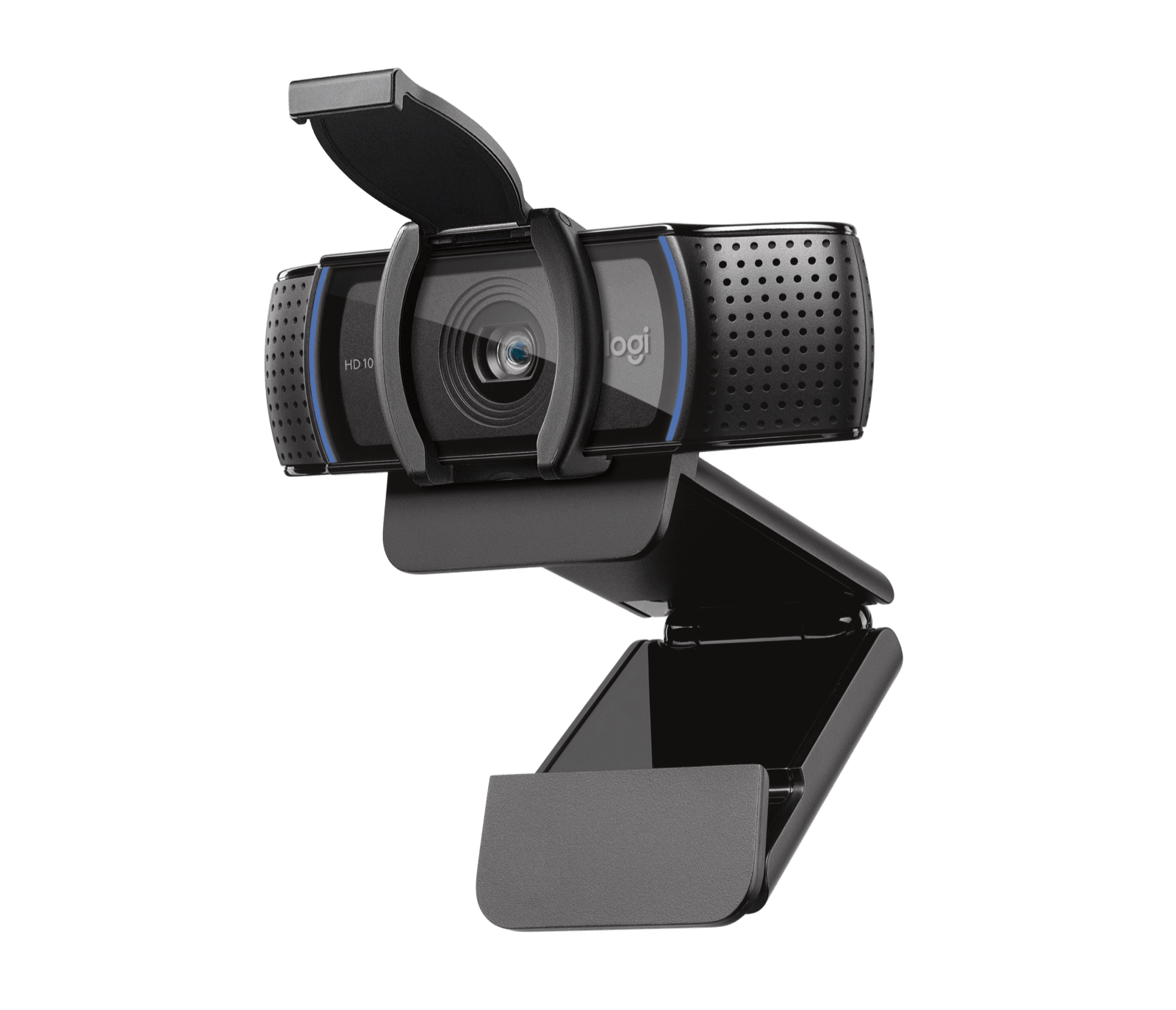
The Logitech C920s PRO HD Webcam (black, US SKU 960-001257) is a familiar kind of desk camera: autofocus, a 78-degree diagonal view, stereo microphones and Full HD video. The important distinction is not simply that its lens is marked 1080p. Logitech lists 1080p at 30 frames per second and 720p at 30 frames per second. It is not a documented 1080p60 model, and the higher frame-rate option found on some streaming cameras is not part of this specification.
This assessment uses Logitech's current US SKU page and its C920s setup guide. It is a source-based reading of the listed features, not a hands-on image test. No one has measured its sharpness, checked its low-light behavior in a room, or evaluated the microphone over a call here.
Video modes: useful Full HD, without a 60 fps claim
For ordinary calls, recorded demonstrations or a fixed desk position, 1080p30 is the mode to compare. The lower listed 720p30 option gives a second resolution choice, but neither entry establishes 60 frames per second. A platform's available output can also depend on its own settings and the computer; the webcam specification does not promise that every application exposes every listed mode.
That boundary matters beside Logitech's C922. Its published pair is 1080p30 or 720p60, so the C922's faster mode trades resolution for frame rate. C920s instead has an included external privacy cover and lists 720p30. These are meaningful feature differences, not proof that one camera will produce the better-looking image for every person or room. If your requirement is specifically 1080p60, neither model meets it on the documented modes.
Privacy is physical, but the cover is an attachment
The C920s includes a shutter, but the setup guide labels it an attachable external shutter. The user snaps it over the lens and moves it manually. It is therefore different from a camera with a cover mechanism built into its housing. The distinction is practical: check that the small accessory is included with the exact offer, and decide whether you are comfortable attaching or removing a separate piece rather than operating an integrated slider.
That also explains why this model does not satisfy a finder choice requiring a built-in shutter. The presence of a useful physical accessory is not the same as an integrated feature. If you want a shutter that stays part of the camera, compare models whose documentation says it is built in.
Autofocus and framing are desk-first features
Logitech lists autofocus and a 78-degree diagonal field of view, described as fixed on the product page. The camera can change focus as subject distance changes; that is distinct from pan-and-tilt tracking or a movable optical lens, neither of which is established for this SKU. The width of a 78-degree view still depends on where the camera sits relative to the user. On a nearby laptop, it can include more surroundings than a narrower crop; at a farther position, it covers a larger area. Those are geometry considerations, not a claim that the framing is automatically flattering.
Automatic light correction and a five-element glass lens are listed as features. They describe the advertised design, not a guarantee that a dim, backlit or mixed-light room will look polished without adjustment. Placement, front-facing light and the calling app's video controls remain relevant. Logitech identifies Logi Tune and G HUB as software routes for different controls, but the specific settings available can depend on the app and operating system.
Built-in sound and the supplied connection
The manufacturer lists two microphones, one on either side of the camera, for stereo capture. That is convenient if you want a camera-side audio option, but the number and placement of microphones cannot predict echo, keyboard noise, room reverberation or how a listener will judge the voice. For meetings where clear speech is essential, compare the camera microphone with a headset or desk microphone in your own environment before relying on it.
The C920s setup guide identifies an attached 1.5 m USB-A cable, an adjustable universal mounting clip and a 1/4-inch tripod thread. Logitech's setup guidance names a USB-A connection for the model. The tripod is not included, and the cable is attached rather than a detachable USB-C lead. Check that the cable can reach the intended port without putting strain on a monitor-mounted camera; a port adapter should not be assumed to change USB data capability.
Who should compare it, and what to verify
The C920s is a sensible candidate to compare if you want autofocus, an integrated microphone pair and an external physical lens cover in a conventional USB-A webcam package. It is less suitable when a built-in shutter, a documented 1080p60 mode, USB-C-only connection or a supplied tripod is essential. Against the C922, the decisive source-backed differences are the external shutter and the listed 720p30 versus 720p60 options—not an independently proven image-quality ranking.
Before choosing a listing, verify that it names C920s and SKU 960-001257 rather than another C920-family version or a bundle. Confirm the attached USB-A cable, external shutter, clip and documentation are included; the exact seller package may differ. Then check current operating-system support and whether your video application offers the mode you intend to use. This model assessment does not report current price, stock or seller performance.
Key specifications
Key details at a glance
| Documented modes and host limits | The exact US SKU page lists 1080p30 and 720p30; no 1080p60 mode is listed. |
|---|---|
| Focus system | Autofocus |
| Diagonal field of view | 78° |
| Built-in microphone | Yes |
| Physical privacy shutter | No |
Use the exact model’s instructions for operating limits, supplied equipment and version differences.
Sources for this review
Sources for this assessment
Compare the features that affect your setup
Set essential video, focus, privacy and microphone requirements together; leave nonessential choices open.