
Your needs, this model
Does it fit your priorities?
Does the C920e support 1080p at 60 fps?
No 60 fps mode is established by the exact C920e TAA datasheet, which lists 1080p30 and 720p30. The Full HD label alone does not indicate 60 fps.
Explore this need in the finder →Is the C920e lens cover a built-in shutter?
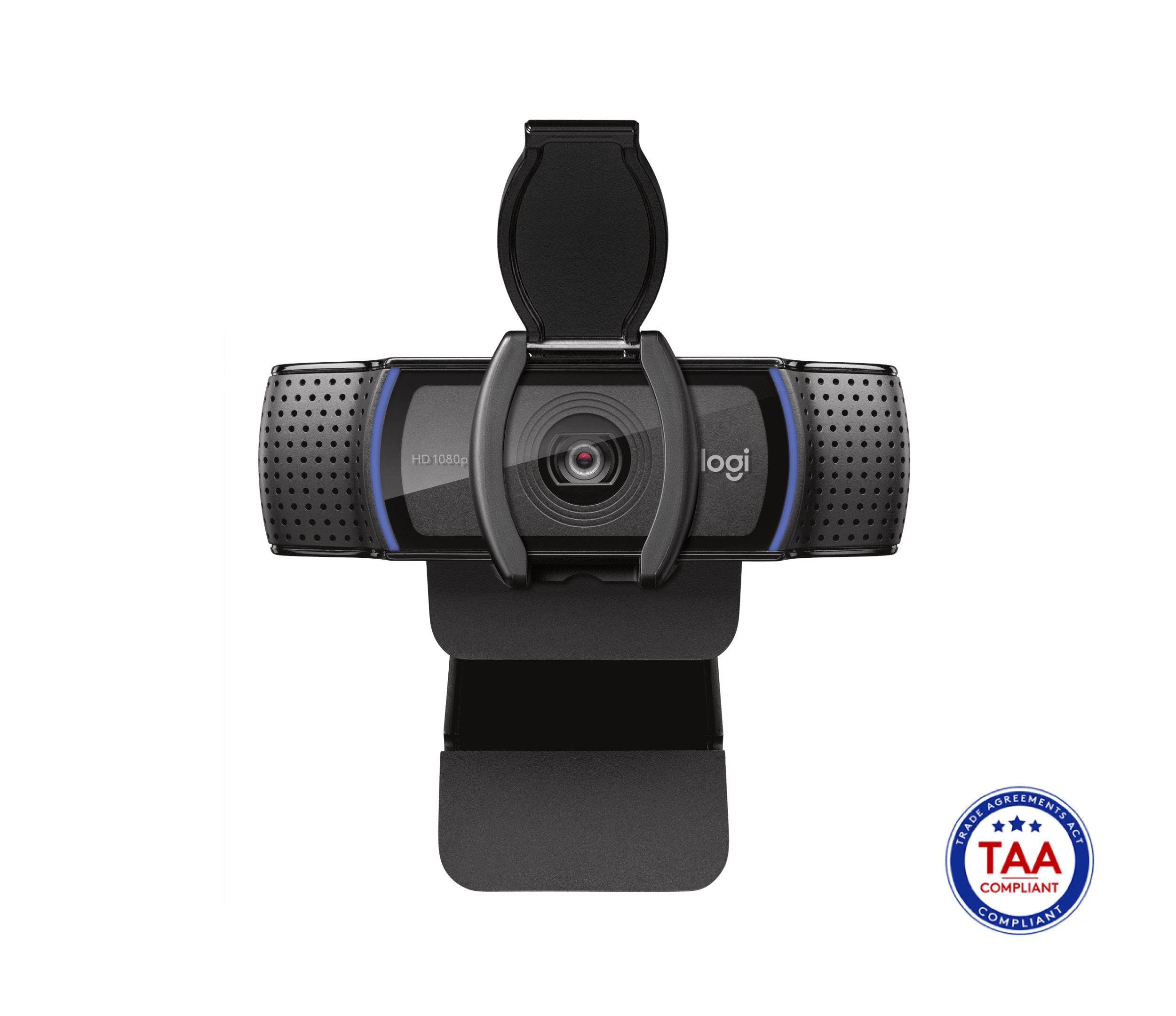
No. The setup guide shows a separate attachable privacy shade that snaps over the lens; it is included, but it is not built into the camera housing.
Explore this need in the finder →Does SKU 960-001401 have camera microphones?
Yes. Logitech identifies 960-001401 as the mic-enabled C920e and lists two integrated omnidirectional microphones. Its TAA datasheet says Logi Tune can activate them; verify whether the software step is permitted and needed in your setup. Do not confuse it with the distinct mic-disabled SKU 960-001384.
Explore this need in the finder →What cable and mount are supplied?
The C920e setup guide lists an attached 1.5 m USB-A cable and the model has a universal clip with a 1/4-inch tripod thread. A tripod is not listed as included; check host-port reach and package identity.
Logitech's C920e Business Webcam is best approached as a specific USB-A meeting camera rather than as a vague “C920” family name. This assessment covers the U.S. black, TAA-compliant, microphone-enabled part number 960-001401. Logitech lists Full HD at 30 frames per second, autofocus, a fixed 78-degree diagonal view and dual microphones. No hands-on video, call or sound test was performed for this review; the fit judgments below are based on the exact product page, its setup guide and Logitech's technical documentation.
Where the C920e's video limits matter
The listed modes are 1080p30 and 720p30. That is a sensible ceiling for ordinary calls, classes and one-person desk framing when a 30 fps feed is adequate, but the Full HD label should not be mistaken for a 60 fps option. If smooth 60 fps is a hard requirement, the C920e does not meet it at either resolution in the published mode list. Logitech's C922 is a useful contrast: it lists 720p60, while the C920e does not. The C920e also is not a 4K camera.
The 78-degree diagonal field of view is fixed. It can show a person and some nearby context, but it is not a choice of narrow and wide framing presets. Place the camera at the screen position you intend to use, then check whether that perspective includes the amount of room you want. Autofocus can accommodate changes in subject distance, but the official specifications do not promise that focus will be instant or invisible as you move. Logi Tune offers zoom, color adjustments and manual-focus controls on supported setups; software controls are not the same as optical zoom or a second lens.
A camera microphone is included—with a setup qualification
Part 960-001401 is identified as the microphone-enabled C920e configuration. Logitech's product page describes two integrated omnidirectional microphones and gives a capture range of up to one meter. A separate Logitech TAA datasheet says the microphones can be enabled through the Logi Tune app. That makes the software setup worth checking before relying on camera-side audio, particularly on a managed computer where users cannot install or configure utilities. The manufacturer description is not an independent speech-quality test: room echo, keyboard noise, distance and the calling app's selected input can still matter. Anyone who already owns a headset may reasonably treat the C920e's microphones as a backup rather than a reason to choose this model.
Part numbers are consequential here. Logitech's government product guide and TAA datasheet list a distinct microphone-disabled C920e part, 960-001384; it is not the SKU reviewed on this page. Verify the complete number on the offer and package, not only the “C920e” name. The product catalog also describes the reviewed SKU as TAA compliant and certified for Zoom and Google Meet. Those procurement and platform statements do not establish superior image quality, nor should they be assumed for a different part number or bundle.
Privacy is physical, but the cover is attachable
The included privacy shade is a separate piece that snaps over the lens and flips open or closed. It provides an easy physical way to block the camera when it is not in use, but it is not a shutter built into the camera housing. This distinction matters if a built-in shutter is essential: the C920e does not satisfy that requirement even though the box includes a lens cover. Keep the accessory with the camera if it is moved between desks, and check that it is included if a seller offers a used, open-box or bundled package.
Simple placement, one fixed cable
The setup guide shows a universal adjustable clip for a laptop or monitor and a quarter-inch tripod thread; a tripod is not listed in the box. The attached 1.5-meter USB-A cable makes a direct, uncomplicated connection when the computer has a reachable USB-A port. It is not listed as detachable, and the manufacturer's materials do not establish a USB protocol generation or bandwidth for a particular host. If your computer only has USB-C, plan the adapter or dock separately rather than assuming one is supplied. Measure the route from camera position to host: a fixed cable can limit how freely you place the camera.
How it compares within the C920 family
The consumer C920s and business C920e overlap on the documented basics: 1080p30/720p30, autofocus, a 78-degree view, camera microphones and an attachable privacy shade. The C920e's clear distinction in this record is its TAA/business configuration and the associated SKU and software notes, not a proven jump in picture quality. The C922 is a different trade: its 720p60 mode may matter to streamers who accept the lower resolution, while the standard C922 package does not list a privacy cover. These differences are more useful than the shared “C920” stem when narrowing a shortlist.
Who should keep it on the list?
Consider this exact C920e when you want a fixed USB-A webcam for a stable desk position, need autofocus and a camera-side microphone option, and can work within 1080p30. It may also be relevant when a procurement checklist specifically calls for the documented TAA-compliant SKU. Look elsewhere if 1080p60, 4K, built-in privacy hardware, a detachable cable or adjustable field-of-view choices are mandatory. Before ordering, confirm part number 960-001401, the mic-enabled configuration, attached USB-A cable, external privacy shade, host port and software permissions. Then verify the current operating-system and app requirements for the computer and call platform you will actually use.
This is a source-based comparison, not a report of measured image quality, microphone clarity, low-light performance, reliability or hands-on installation. Logitech's light-correction description is a feature claim rather than a guarantee for any particular room. For the practical checks that apply across models, see the webcam connection and setup guide and privacy and ownership guide.
Key specifications
Key details at a glance
| Documented modes and host limits | The exact C920e TAA datasheet lists 1080p30 and 720p30; no 1080p60, 720p60 or 4K mode is listed. |
|---|---|
| Focus system | Autofocus |
| Diagonal field of view | 78° |
| Built-in microphone | Yes |
| Physical privacy shutter | No |
| TAA-compliant exact SKU | Yes |
Use the exact model’s instructions for operating limits, supplied equipment and version differences.
Sources for this review
Sources for this assessment
Compare the features that affect your setup
Set essential video, focus, privacy and microphone requirements together; leave nonessential choices open.