
Your needs, this model
Does it fit your priorities?
Which Brio 505 part number does Logitech identify as TAA compliant?
The Brio 505 datasheet states that only graphite U.S. SKU 960-001522 is TAA compliant. Verify that full part number on the actual quote and package; a family name or color alone is not sufficient procurement evidence.
Explore this need in the finder →Does the TAA Brio 505 provide 1080p at 60 fps or 4K?
No. The model-specific datasheet lists 1080p30 and 720p30/60. It does not establish 1080p60 or 4K, so it fails a mandatory Full HD 60 fps or 4K requirement.
Explore this need in the finder →Can I connect SKU 960-001522 to a USB-A computer?
Logitech says USB-A is possible through a third-party USB-C adapter, but it is not in the box. The included 1.5 m cable is attached USB-C; confirm a suitable adapter and supported USB data port before relying on a USB-A setup.
Explore this need in the finder →Does TAA status mean this webcam is automatically approved for my procurement?
No. Logitech identifies SKU 960-001522 as TAA compliant. The buyer still needs to confirm that this exact item, seller and purchasing route satisfy its own contract and policy; a product review cannot approve a procurement decision.
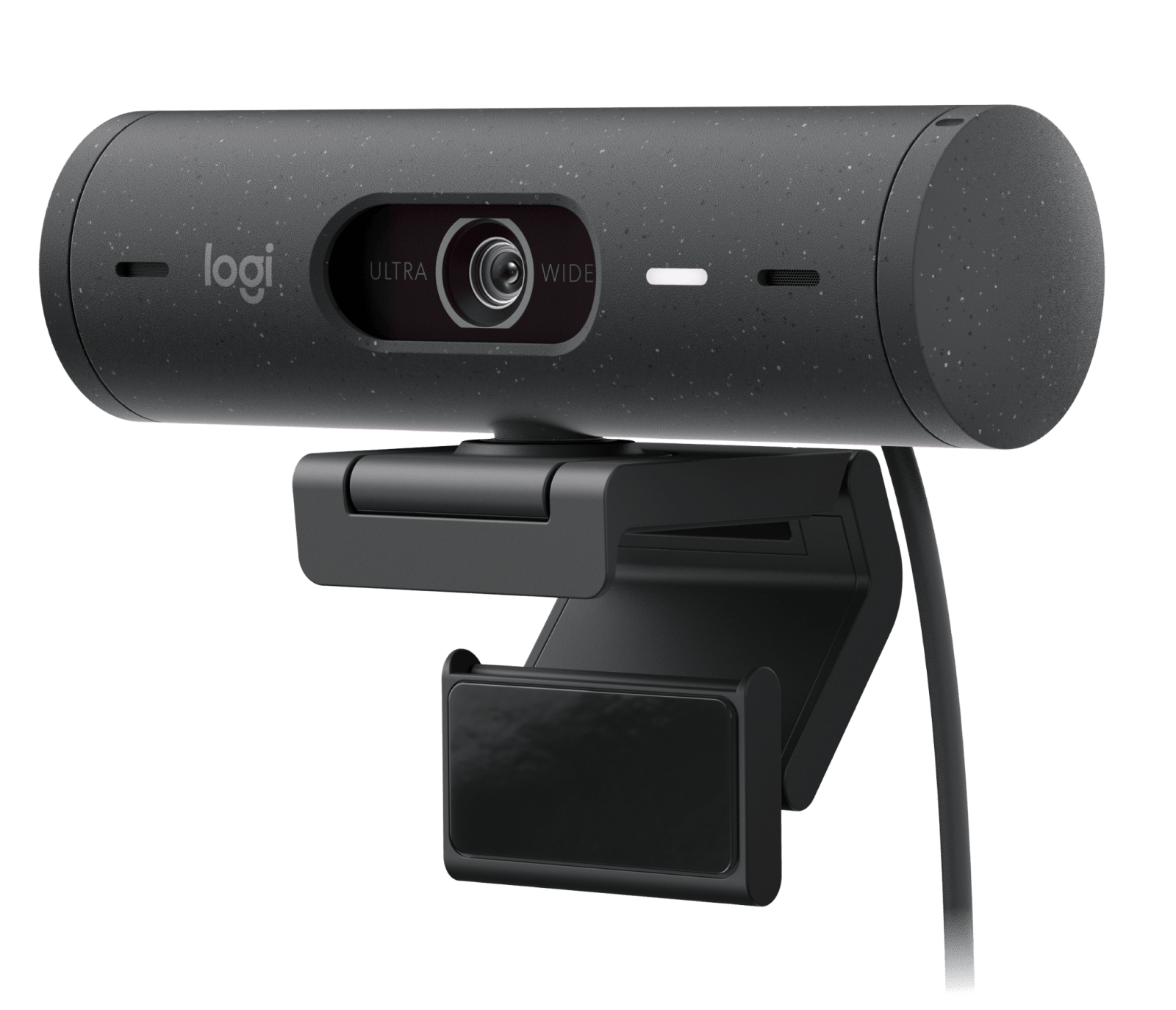
Explore this need in the finder →This assessment is for the graphite Logitech Brio 505 Business Webcam, U.S. part 960-001522—the exact Brio 505 SKU Logitech identifies as TAA compliant. It is a USB-C Full HD camera with autofocus, an integrated shutter, dual microphones and software-assisted framing. This is a source-based comparison, not a hands-on installation, call-quality or image test.
The part number is the procurement distinction
The 960-001522 matters most when a buyer's written process asks for a TAA-compliant camera. Logitech's datasheet says only this Brio 505 part number is TAA compliant. That does not mean every listing that says “Brio 505,” every gray-looking unit or every Brio 500 satisfies the same requirement. Confirm the full number on the quote and package, then check that the buyer accepts the model and purchase channel. A webcam model match is not a procurement approval.
TAA is not an imaging upgrade. The reason to consider this configuration is the exact documented SKU together with the Brio 505's framing, audio and privacy options—not a claim that it looks better than a non-TAA camera.
Separate resolution from frame rate
Logitech's model-specific sheet lists 1080p at 30 frames per second and 720p at 30 or 60 fps; it lists neither 1080p60 nor 4K. A “60 fps” requirement alone is not enough: the listed faster mode uses lower-resolution 720p. If your workflow needs Full HD at 60 fps, this model misses that documented minimum. Confirm that your app exposes the desired mode.
The 4-megapixel sensor, autofocus and 4× digital zoom are specifications, not evidence of sharpness at distance or a guarantee that every app exposes each control. Digital zoom crops the image rather than adding optical detail.
A wide lens with software-selected framing
The Brio 505 lists diagonal views of 65°, 78° and 90°, selected through Logi Tune. The wide end can include more of a desk; a narrower setting can hide more of the room from the same position. These are software settings, not separate lenses. Plan the camera distance and background, then confirm the software works on your computer.
RightLight 4 with HDR and RightSight auto-framing are manufacturer features, not a lamp, an exposure guarantee or proof of tracking quality in your app. The datasheet requires Logi Tune for framing/configuration, says it is unavailable on ChromeOS, and notes an ARM limitation for RightSight. Check current software, processor and app support before making auto-framing essential.
Show Mode, shutter and audio
Show Mode uses the adjustable mount: tilt the camera toward a sketch or object, then back to your face. The exact setup guide lists a detachable clip and removable adapter with a micro-suction pad. This is manually repositioned, not a second overhead camera; check sightline and screen fit for your desk.
A side dial operates the integrated physical shutter. The two beamforming microphones provide camera-side audio, but noise reduction is a manufacturer claim, not an independent room test. Distance, keyboard noise and the active input still matter; a headset or separate mic may be more controllable in a noisy room.
Check the connection and package
The attached cable is 1.5 m/5 ft USB-C. The datasheet says USB-A needs a third-party adapter not included. Check that the computer, monitor or dock has a USB-C data path (not just charging), that the cable reaches, and that any adapter is allowed. The listed package is the camera/cable, mount clip with removable adapter and documentation; no tripod is listed.
On a managed computer, also check that Logi Tune is permitted and that your meeting app can select the camera, mic and desired mode.
How it differs from nearby Logitech options
Logitech's consumer Brio 500 and business Brio 505 descriptions overlap on Full HD, light correction, auto-framing and Show Mode. Shared family features do not establish TAA status: Logitech identifies Brio 505 part 960-001522 as compliant. Its support comparison material separately lists Graphite Brio 505 part 960-001411; that is a different number whose current U.S. retail route and exact package need checking before substitution.
Within this site's reviewed library, the C920e 960-001401 is another Logitech webcam whose exact business documents identify a TAA-compliant SKU. It uses USB-A, Full HD at 30 fps, autofocus and two microphones, but its privacy cover is a separate attachable shade rather than the Brio 505's built-in shutter. C920e is the smaller-footprint alternative for a USB-A desk if 1080p30 is enough and the built-in shutter is not essential; neither model should be called a better camera from these feature lists alone.
Who should consider this exact SKU?
Consider graphite 960-001522 when TAA is explicitly required and you want an integrated shutter, camera audio, selectable framing and Show Mode. Look elsewhere for 4K, 1080p60, unsupported hosts or proof beyond Logitech's model-level TAA identification.
Before buying, match 960-001522 against the approved order, then check package, return terms, host, software and app. The connection and setup guide covers host checks. This assessment makes no measured picture, autofocus, audio or low-light claim.
Key specifications
Key details at a glance
| Documented modes and host limits | 1080p tops out at 30 fps; the listed 60 fps mode is 720p. No 4K or 1080p60 mode is documented. |
|---|---|
| Focus system | Autofocus |
| Built-in microphone | Yes |
| Physical privacy shutter | Yes |
| TAA-compliant exact SKU | Yes |
Use the exact model’s instructions for operating limits, supplied equipment and version differences.
Sources for this review
Sources for this assessment
- Logitech U.S. Webcam for Business catalog
- Logitech Brio 505 Business Webcam — exact U.S. product page, Graphite TAA SKU 960-001522
- Logitech Brio 505 — U.S./Canada manufacturer product datasheet, published June 2025
- Logitech Brio 505 Setup Guide
- Logitech Brio Webcams Series Comparison Table — Logitech Support
- Logitech Brio 500 — U.S. consumer product page
Compare the features that affect your setup
Set essential video, focus, privacy and microphone requirements together; leave nonessential choices open.