
Your needs, this model
Does it fit your priorities?
What does the earlier Brio 505 Graphite part number 960-001411 identify?
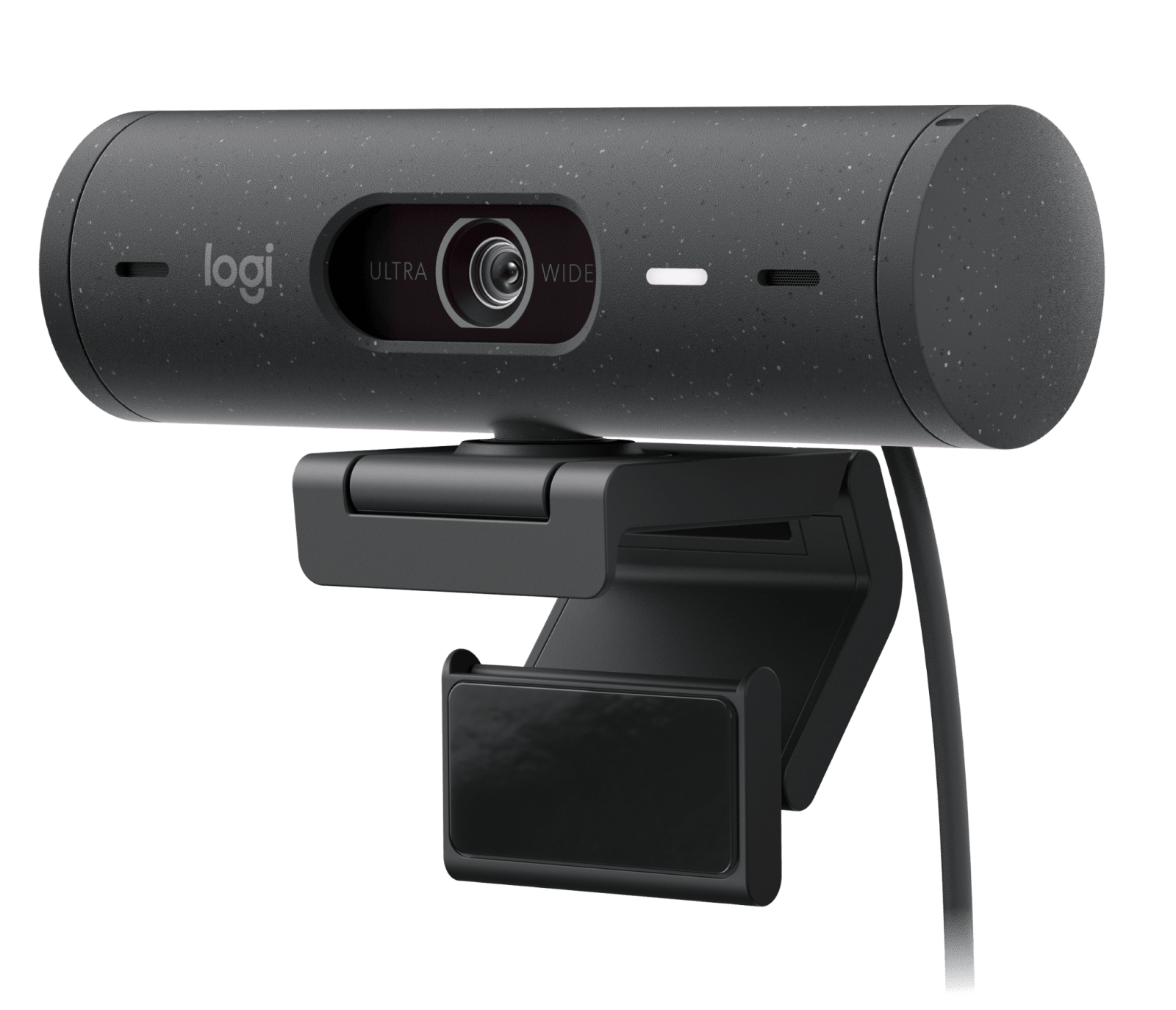
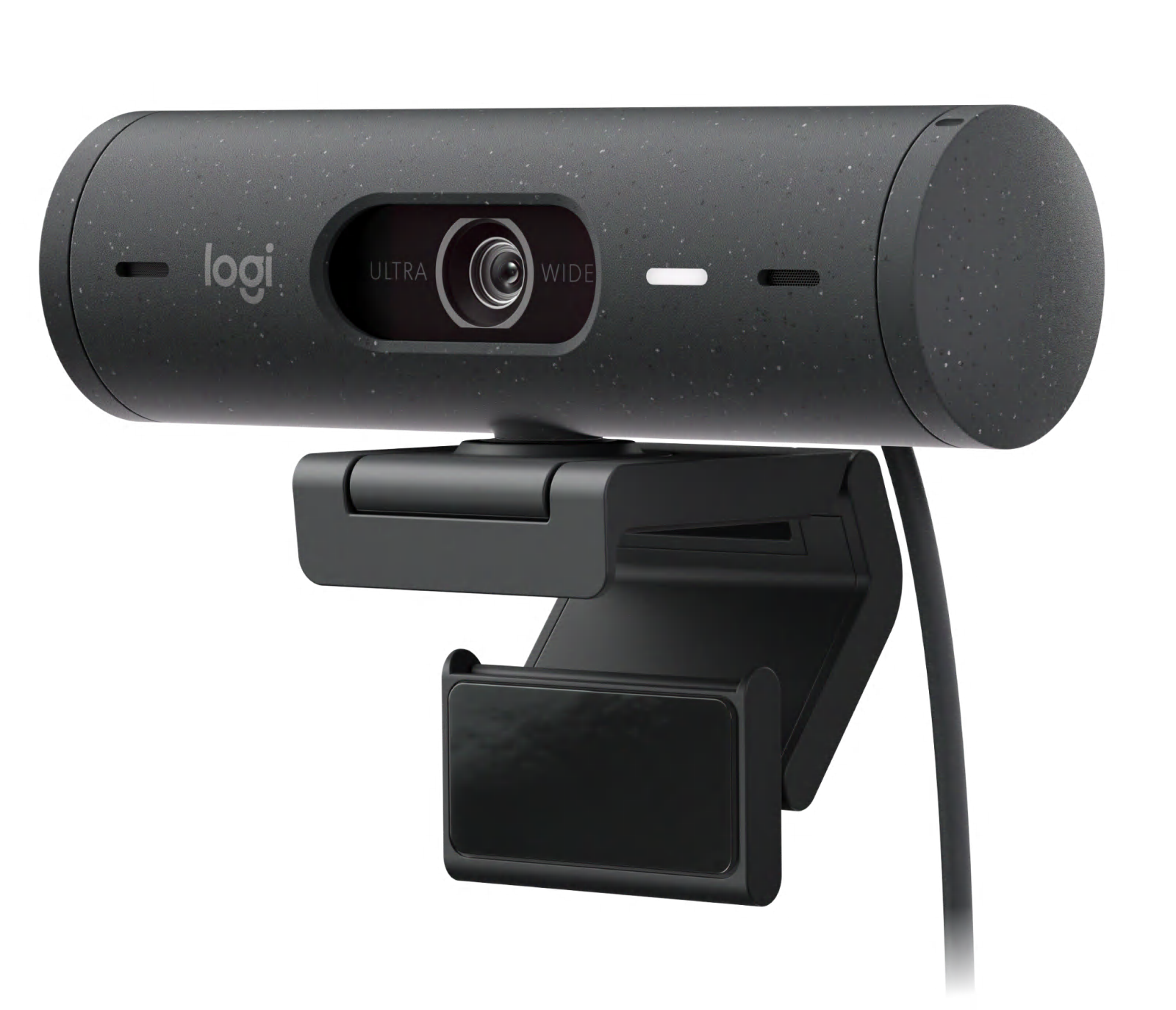
Logitech's 2022 datasheet identifies it as a Graphite Brio 505 and lists its package; a January 2025 Logitech education guide also names the part. The newer U.S./Canada datasheet lists Graphite 960-001522 instead, so verify the suffix on any offer rather than relying on the family name.
Explore this need in the finder →Does part 960-001411 provide 1080p at 60 fps or 4K?
No such mode is documented for this exact part. Logitech lists 1080p30 and 720p30/60, so the 60 fps ceiling is at the lower 720p format; the 4-megapixel sensor is not a 4K output claim.
Explore this need in the finder →What does Logitech list in the earlier 960-001411 box?
The September 2022 datasheet lists the webcam with its attached 1.5 m USB-C cable, a mounting clip with removable adapter, and user documentation. It does not list a separate USB-A adapter or tripod; inspect the exact offer package.
Explore this need in the finder →Is the earlier Graphite SKU 960-001411 a documented TAA-compliant Brio 505?
No. Logitech's newer Brio 505 datasheet says only 960-001522 is TAA compliant. A buyer requiring that status should not substitute 960-001411 or rely on a graphite color description.
Explore this need in the finder →This assessment concerns the earlier Graphite Logitech Brio 505 Business Webcam, U.S. part 960-001411. It is not the TAA-compliant Graphite Brio 505 now identified as 960-001522. Logitech's September 2022 product sheet and a January 2025 education guide document 960-001411, while its June 2025 U.S./Canada sheet lists 960-001522 as the Graphite part and says only that number is TAA compliant. The current Logitech URL carrying “960-001411” now renders a product page whose selected model is 960-001522. Confirm the exact part on any offer; this is a source-based review, not a purchase-availability check or hands-on camera test.
Resolve the edition before comparing features
“Brio 505” is not enough to identify this configuration. Logitech's older datasheet names Graphite part 960-001411 and lists its package. The newer U.S./Canada datasheet instead lists Graphite 960-001522, Off-white 960-001454 and Rose 960-001417; its footnote says only 960-001522 is TAA compliant. That change in part numbering is material for a buyer whose organization requires a documented compliant SKU. A graphite finish, a Brio 505 family name or a stale web address does not establish the part number.
There is useful evidence for the earlier model, but not a clean current retail bridge: Logitech's current page URL with the 960-001411 suffix displays Graphite (TAA Compliant), and the page's current model record identifies 960-001522. The 2025 sheet likewise omits 960-001411 from its current U.S./Canada table. That supports treating 960-001411 as an earlier documented configuration—not declaring it discontinued, stocked, or identical in every supply-chain detail. If the part is in a quote, ask the seller to show the full number on the actual item and paperwork.
Separate resolution from frame rate
The 960-001411 datasheet lists Full HD 1080p at 30 frames per second and 720p at either 30 or 60 fps. It does not document 1080p60 or 4K for this edition. The 4-megapixel sensor figure is not a 4K output mode. If the application only gives you a broad “60 fps” checkbox, verify the resolution attached to it: the listed faster mode is 720p, not Full HD. Autofocus is specified, but a feature table cannot tell you how reliably focus behaves in your room, with your lighting or in a particular conference app.
Framing controls are software-assisted
Logitech lists selectable diagonal fields of view of 65°, 78° and 90°, plus 4× digital zoom. The wider view can include more of a desk or another participant; the narrower choices crop more of the room. Digital zoom is a crop, not an optical lens that adds detail. The exact datasheet associates these controls with Logi Tune, so check whether your computer and workplace allow the application before treating adjustable framing as essential.
RightLight 4 with HDR is the manufacturer's automatic light-correction claim. RightSight auto-framing and Show Mode are also documented: the camera can be tilted toward a desk item, then repositioned for a face, while software can keep participants centered as they move. Show Mode is a manual angle change, not a second overhead camera. Logitech says Logi Tune is unavailable on ChromeOS and that RightSight support may vary by operating system. Check current app and host support; none of these names represents an independent low-light, tracking or image-quality test.
Built-in audio, a shutter and a small supplied mount
The sheet describes dual noise-reducing beamforming microphones. That is camera-side audio, which can simplify a basic call, but the manufacturer description does not establish pickup quality at every desk. Keyboard sounds, distance and room echo still affect a call, and a headset may be preferable when audio isolation is important. The integrated physical shutter is operated at the camera; it can close the lens without relying on an app setting.
The older package listing includes the webcam with an attached 1.5 m USB-C cable, a universal mounting clip with removable adapter, and user documentation. The short lead is worth measuring against the intended monitor, dock and port location. The listed package does not establish an included USB-A adapter or separate tripod. Check any seller's exact bundle rather than assuming a familiar Brio 505 listing contains the same equipment.
How it differs from the current TAA Brio 505
The directly relevant comparison is the graphite TAA Brio 505, part 960-001522. Logitech's newer documents identify 522—not 411—as the current U.S./Canada Graphite number and the only TAA-compliant Brio 505 SKU. The earlier model's 2022 sheet documents the same broad 1080p/720p modes, autofocus, variable framing, microphones, shutter and desk-sharing design; the meaningful documented distinction for this guide is the exact part-number/procurement identity and the uncertain present-day retail route. Do not substitute 960-001411 when a buyer requires Logitech's exact TAA designation. For other requirements, compare the host route and video mode against the actual product sheet instead of assuming a newer part has a higher resolution or frame rate.
When this earlier configuration is worth checking
This model belongs in a comparison when you have encountered a specifically identified 960-001411 and need to understand its documented 1080p30/720p60 ceiling, autofocus, audio, physical shutter and USB-C package. It is not a safe shortcut for shopping from a generic Brio 505 title: the current official route and current U.S./Canada datasheet point to a different Graphite part number. If TAA compliance is essential, this is the wrong SKU according to Logitech's current datasheet; if a seller cannot verify the exact suffix, the edition remains unconfirmed. Do not infer stock, price, warranty transfer or seller authorization from the archived documents.
Before relying on it, verify the part number, included mounting adapter, cable and host port, then confirm that Logi Tune and the desired camera mode are available in the intended operating system and meeting application. The documented feature set is useful for screening a specific earlier offer, but no source reviewed here establishes present inventory, current support duration, measured video quality or a procurement approval.
Key specifications
Key details at a glance
| Documented modes and host limits | The exact 960-001411 datasheet lists 1080p30 and 720p30/60; it does not document 1080p60 or 4K. |
|---|---|
| Focus system | Autofocus |
| Built-in microphone | Yes |
| Physical privacy shutter | Yes |
| TAA-compliant exact SKU | No |
Use the exact model’s instructions for operating limits, supplied equipment and version differences.
Sources for this review
Sources for this assessment
- Logitech Brio 505 datasheet — Graphite part 960-001411, September 2022
- Logitech Student Focus Solutions Guide — Brio 505 U.S. part number, January 2025
- Logitech Brio 505 datasheet — U.S./Canada part list and TAA limitation, June 2025
- Logitech Brio 505 URL carrying 960-001411 — current route resolves to the 960-001522 TAA model
- Logitech Brio 505 Graphite official product image — model/finish reference shared with the TAA gallery
Compare the features that affect your setup
Set essential video, focus, privacy and microphone requirements together; leave nonessential choices open.