
Your needs, this model
Does it fit your priorities?
Does the Brio 500 provide Full HD at 60 fps?
No. Logitech lists 1080p at 30 fps and 720p at 60 fps, not 1080p60. If Full HD at 60 fps is a hard requirement, use the finder to compare models with that exact published mode and check their host qualifications.
Explore this need in the finder →Can the Brio 500 physically cover its lens and also mute its microphones?
The Brio 500 has an integrated dial-operated shutter that covers the lens. It does not switch off the microphones; Logitech lists separate microphone-disable controls in Logi Tune. Check the software and meeting-app audio settings if camera audio must also be muted.
Explore this need in the finder →Can I narrow the Brio 500's wide view or show a paper on my desk?
Logitech lists 90°, 78° and 65° diagonal views in Logi Tune, and its setup guide describes tilting the camera down for Show Mode. These controls are software- and mount-dependent; Show Mode is a manual angle change, not an overhead camera. Confirm current Logi Tune support on the host you will use.
Explore this need in the finder →Does autofocus prove the Brio 500 will keep a moving presenter smoothly framed?
No. Autofocus and RightSight auto-framing are separate manufacturer-described functions. The reviewed sources do not provide an independent test of focus transitions or tracking smoothness; RightSight uses Logi Tune, whose availability should be checked on the intended system.
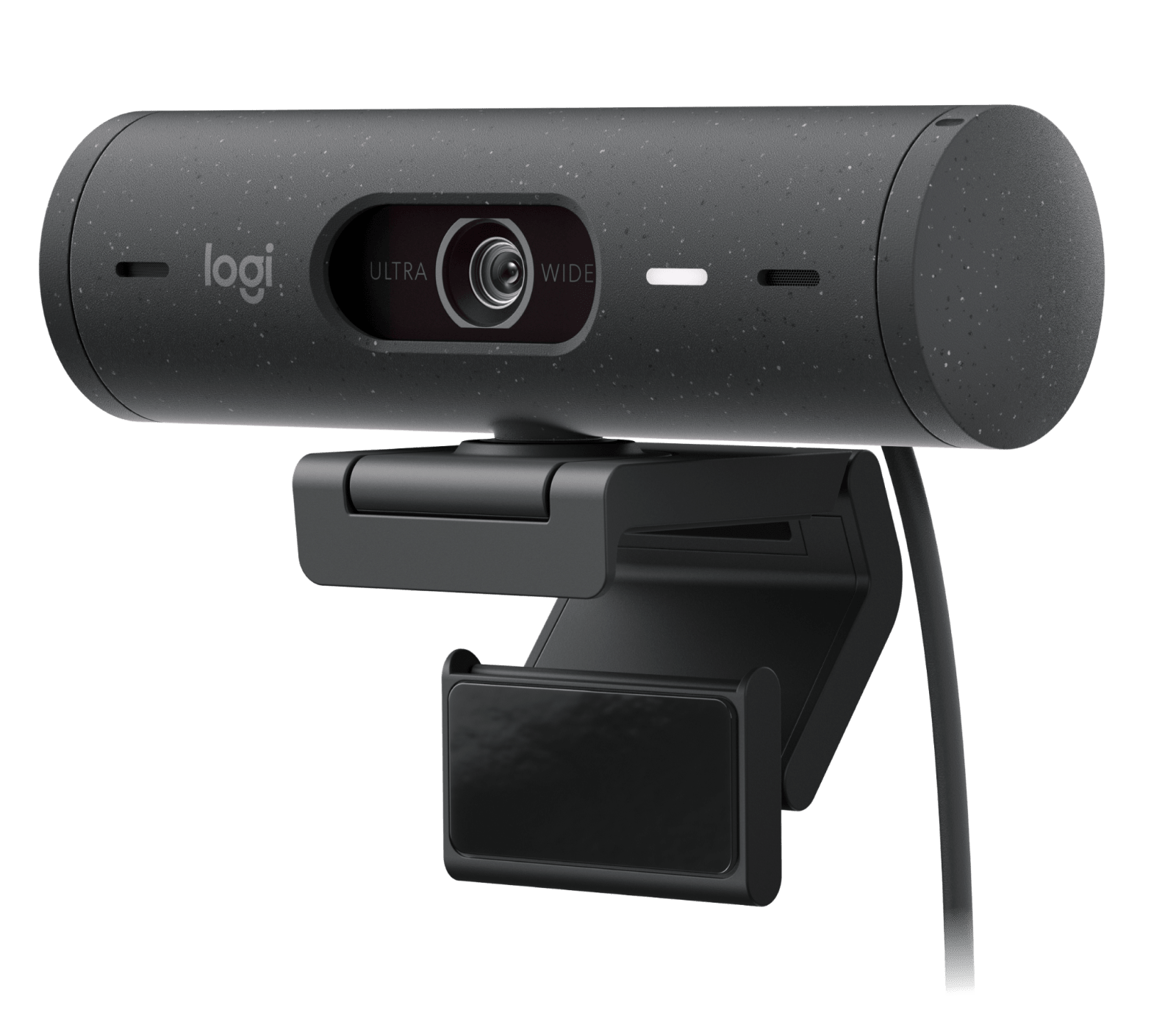
Explore this need in the finder →This assessment covers the graphite Logitech Brio 500 Webcam, U.S. SKU 960-001493. Logitech's exact U.S. product record and setup guide describe an autofocus USB-C camera with a rotating physical lens shutter, two microphones, selectable framing and a mount that tilts for Show Mode. This is a source-based review, not a hands-on picture, audio, focus or installation test.
Full HD and 60 fps are different claims
The model record lists 1920-by-1080 video at 30 frames per second and 1280-by-720 at 60 fps. It does not list 1080p60 or 4K. If an application, production workflow or procurement note requires Full HD at 60 fps, the Brio 500 misses that documented threshold; a 60 fps label elsewhere on the page refers to the lower 720p mode. The selected app still needs to expose a supported mode, so check its device controls rather than relying on the camera's resolution headline alone.
Logitech specifies a 4-megapixel sensor, autofocus, glass lens and up to 4× digital zoom. Sensor megapixels do not turn a 1080p stream into 4K, and digital zoom crops rather than adding optical detail. The sources establish a focus mechanism and format list, not how fast autofocus transitions or how sharp a face looks at a particular distance.
Selectable framing and a desk-facing camera angle
The Brio 500 offers three diagonal field-of-view settings—90°, 78° and 65°—through Logi Tune. The widest setting may include more of a room; a narrower selection can limit what appears in frame from the same position. These are software-selected views, not separate lenses. Plan the camera distance and background first, then confirm that Logi Tune is allowed on the actual computer.
Logitech also lists RightSight auto-framing, RightLight 4 with HDR, and Show Mode. RightSight uses Logi Tune, which the exact U.S. page says is unavailable on ChromeOS. Do not assume every adjustment behaves the same on every host, or treat an automatic-light feature as a lamp or a tested low-light result. Show Mode is a physical tilt: the guide describes angling the camera down to present a sketch or object and then tilting it back toward the speaker. It is a useful position change, not a second overhead camera.
Privacy shutter and microphone are separate controls
A side dial rotates the integrated shutter across the lens. The mechanism is always attached to the camera, unlike an external clip-on shade, but it does not disconnect or mute audio. Logitech lists two stereo microphones and a manufacturer-stated pickup range up to four feet; that specification is not an independent listening test. Use the meeting app, operating system or Logi Tune audio control when sound must stop as well as video. Room reverberation, keyboard noise and the selected input remain matters the spec sheet cannot settle.
The mount is more involved than a basic monitor clip: Logitech's guide shows a magnetic camera-to-clip connection, a micro-suction pad, an adjustable arm and a removable mount adapter. The clip has a 1/4-inch thread for a separately purchased tripod. The pad's setup and cleaning steps matter if you plan to swing the camera down for a demonstration; check the monitor surface and mounting space before making that movement part of a regular call.
Connection, cable and host checks
The cable is an attached five-foot USB-C lead, and Logitech lists an available USB-C port as required. That makes the connector and cable reach part of the camera choice: check that the host port carries data, that the cable reaches the intended mount, and whether any monitor or dock is an approved path. No USB-A adapter is listed for this exact package. Logitech lists Windows, macOS and ChromeOS compatibility, but the advanced Logi Tune controls have platform limits. Confirm current software, processor, app and workplace policy before relying on auto-framing, angle changes, mic controls or updates.
How this differs from nearby Logitech cameras
The Brio 500 and Brio 505 share many outward features, but their exact part numbers and procurement statements should not be collapsed. The Graphite consumer Brio 500 here is SKU 960-001493; the Brio 505 TAA review identifies a separate business SKU, 960-001522, which Logitech names as its TAA-compliant Brio 505 part. This Brio 500 source set does not establish TAA status for 960-001493. Do not make a procurement substitution by family name or visual appearance.
The Brio 300 is a simpler, fixed-focus USB-C model with a fixed 70° view and only 1080p30/720p30 listed. Brio 500 adds autofocus, selectable framing, 720p60, digital zoom, auto-framing and Show Mode; those additions bring software and mount checks. Neither specification list provides an independent image-quality ranking, and the Brio 500 still does not offer documented 1080p60.
Who should consider this exact configuration?
Consider the Brio 500 when you want autofocus, an integrated lens shutter, camera-side audio and the option to narrow framing or tilt the camera toward a desk object, and when an attached USB-C cable and Logi Tune are acceptable. Look elsewhere if 1080p60, 4K, TAA-compliant status or a software-independent view adjustment is essential.
Before choosing a current offer, verify Graphite SKU 960-001493, the attached cable and mount components, port and app support, software policy and the seller's exact package and return terms. The camera's physical shutter does not mute its microphone. This assessment makes no claims about price, stock, a particular seller, customer experience or results in a room we did not test.
Key specifications
Key details at a glance
| Documented modes and host limits | The exact U.S. page lists 1080p30 and 720p60; the 60 fps mode is 720p, not 1080p. No 4K mode is listed. |
|---|---|
| Focus system | Autofocus |
| Built-in microphone | Yes |
| Physical privacy shutter | Yes |
Use the exact model’s instructions for operating limits, supplied equipment and version differences.
Sources for this review
Sources for this assessment
Compare the features that affect your setup
Set essential video, focus, privacy and microphone requirements together; leave nonessential choices open.