
Your needs, this model
Does it fit your priorities?
Does Brio 4K provide 4K video at 60 fps?
No. The exact US product page lists 4K at 30 fps, 1080p at 60 fps and 720p at 90 fps. Logitech's support guidance says 4K also depends on a USB 3.0 port and an application capable of handling 4K.
Explore this need in the finder →Is its privacy shutter built into the camera?
No. The US in-box list and the setup guide identify a separate, attachable privacy shutter. It is included, but the finder’s built-in-shutter requirement is not satisfied by this accessory.
Explore this need in the finder →Does the camera contain microphones?
Yes. Logitech specifies two omnidirectional microphones with noise cancellation and advertises a range up to 3 ft. That is a manufacturer specification, not an independent room-acoustics test.
Explore this need in the finder →What is needed to use the 720p90 mode?
The current US product page lists up to 720p at 90 fps. Logitech cautions that 90 fps must be supported by the video-conferencing application, so check the software’s capture options rather than assuming every call app exposes it.
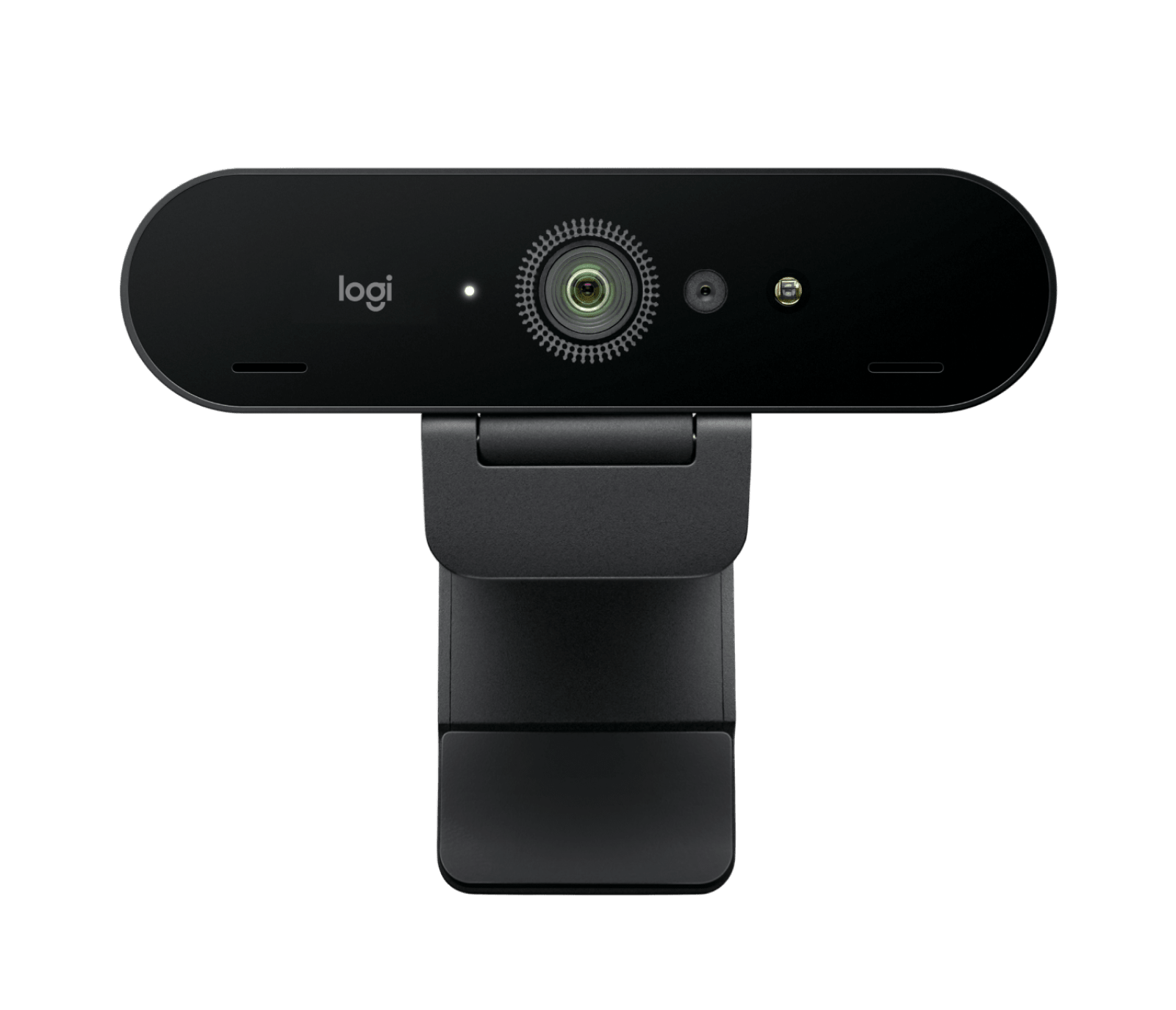
This assessment covers the current US Graphite Brio 4K, SKU 960-001390. It is a manufacturer-source review, not a camera we have used or measured. The name signals one important capability, but its practical fit depends on more than 4K: autofocus, a three-position field of view, a detachable privacy cover, camera-side microphones, host USB bandwidth, the chosen application and (for Windows Hello) a compatible computer.
Choose between 4K30, 1080p60 and 720p90
Logitech’s US page lists 4K at 30 fps, Full HD at 60 fps and 720p at 90 fps. That gives this model a higher listed frame-rate option than the 60 fps maximum of MX Brio, but only at 720p. The manufacturer warns in its Brio materials that 90 fps must be supported by the video-conferencing application. It is also explicit that BRIO 4K recording requires a USB 3.0 port and a 4K-capable application; its support guidance describes operating-system, application and monitor support as part of the 4K setup. A camera specification alone cannot force a call service to offer 4K, so check the actual software and host before paying for a capability you may not be able to select.
The exact product page identifies a 13 MP sensor, autofocus, a glass lens, 5x digital zoom and three diagonal fields of view: 65, 78 and 90 degrees. Logitech describes RightLight 3 with HDR for varying lighting conditions. Although those details explain the camera’s control range, they do not show how a live image will look at a particular distance, under a window or with a specific skin tone. Treat the listed modes and features as compatibility facts, not a promise of picture quality.
Privacy is included, but the shutter is an accessory
The important distinction from the MX Brio is physical design: this model’s shutter is an attachable external piece, included in the current US package, rather than a built-in rotary cover. The setup guide shows the shutter being snapped over the lens and manually opened or closed. That can work well if the accessory is kept with the camera, but it will not meet a strict requirement for a built-in shutter. The distinction is why this site does not count it as one in the finder.
The monitor clip can be adjusted, and Logitech also documents a 1/4-inch tripod thread; the tripod is not included. The source page lists a 1.5-meter USB-A-to-USB-C cable. If the computer has only USB-C, check whether your offer includes a suitable adapter instead of assuming one is in the box. For the 4K mode, verify a USB 3.0 path and the app’s support. Logitech’s current page presents USB-A or USB-C plug-and-play, while the older BRIO support materials clarify the USB 3.0 requirement for 4K. I would not use the lower-mode USB 2.0 behavior of a historical package as evidence for this exact current configuration unless its own instructions confirm it.
Microphones and software: useful, not universal substitutes
Two omnidirectional microphones with noise cancellation are specified, with Logitech advertising a capture range up to three feet. That may reduce the number of devices on a simple desk, but the published range is not a controlled audio test. Mic pickup can be affected by room echo, keyboard noise, distance and the call application’s processing; people who already prefer a headset or separate mic can leave this capability unused.
The camera supports Windows Hello through its infrared hardware, while Logitech’s current page names compatibility with Windows, macOS and ChromeOS and points to Logi Options+ for features such as framing controls. The listed 65-degree view is intended for a tighter head-and-shoulders composition, with 78 and 90 degrees showing more of the room. The narrower view can help keep unwanted surroundings out of frame, but the application and software version still determine what settings are available. Check current OS and app compatibility if Windows Hello or a particular field-of-view preset is a must-have.
Its relationship to MX Brio
Both current pages document 4K30 and 1080p60, autofocus, microphones and 65/78/90-degree framing options. Brio 4K adds a listed 720p90 mode, a 13 MP sensor, 5x zoom and Windows Hello; its privacy cover is separate, and its included cable uses USB-A at the host end. MX Brio instead has a built-in shutter, Show Mode, a 4x zoom rating, an 8.5 MP STARVIS sensor and a USB-C-to-C USB 3.0 cable. These are meaningful feature and package distinctions, not proof that one will deliver a better-looking image. The model that fits depends on whether the built-in cover, 720p90 option, biometric login route or connector package matters to the specific setup.
Package checks and realistic expectations
The current US listing names the webcam, removable mounting clip, privacy shutter, USB-A-to-USB-C cable and user documentation. A tripod is not part of the documented box. Logitech’s product details list a three-year limited hardware warranty and a 1.5-meter cable; check the exact seller offer and model suffix because other Brio generations and regional packages have different identifiers or older cable descriptions. No price, stock level or marketplace rating is part of this assessment.
Brio 4K is worth considering when 4K30 is useful, the host can provide USB 3.0, its application supports the capture mode, and the separate cover is acceptable. It is a less natural match for a buyer who insists on a built-in shutter, needs 4K60, expects every call app to offer 720p90, or wants a USB-C cable included by default. Those boundaries matter more than a generic “4K” label.
Key specifications
Key details at a glance
| Documented modes and host limits | 4K is documented at 30 fps, not 60 fps. Logitech's support material requires USB 3.0 for 4K and compatible capture software; the current US package includes a USB-A-to-USB-C cable. |
|---|---|
| Focus system | Autofocus |
| Diagonal field of view | 90° |
| Built-in microphone | Yes |
| Physical privacy shutter | No |
Use the exact model’s instructions for operating limits, supplied equipment and version differences.
Sources for this review
Sources for this assessment
Compare the features that affect your setup
Set essential video, focus, privacy and microphone requirements together; leave nonessential choices open.