
Your needs, this model
Does it fit your priorities?
Does the Brio 300 capture 1080p at 60 fps?
No. The exact product page and support specification list 1080p30 and 720p30 only. They do not document a 60 fps or 4K mode, so choose another reviewed model if a faster Full HD mode is essential.
Explore this need in the finder →Will the Brio 300 refocus when I move closer to the screen?
The listed focus system is fixed focus. Place the camera for a stable speaking position and verify that its fixed framing works at that distance; this model is not documented with autofocus.
Explore this need in the finder →Does the built-in Brio 300 privacy shutter mute its microphone?
No. The shutter physically covers the lens, while Logitech lists a separate built-in mono microphone. Use the meeting app or operating-system audio controls if microphone muting is also required.
Explore this need in the finder →What does the Brio 300 need from my computer?
The exact package has an attached 1.5 m USB-C cable and Logitech specifies an available USB-C port. The setup guide recommends a direct connection rather than a hub when possible. Check port data support, cable reach and whether the current host policy permits Logi Tune; Logitech says Tune is unavailable on ChromeOS.
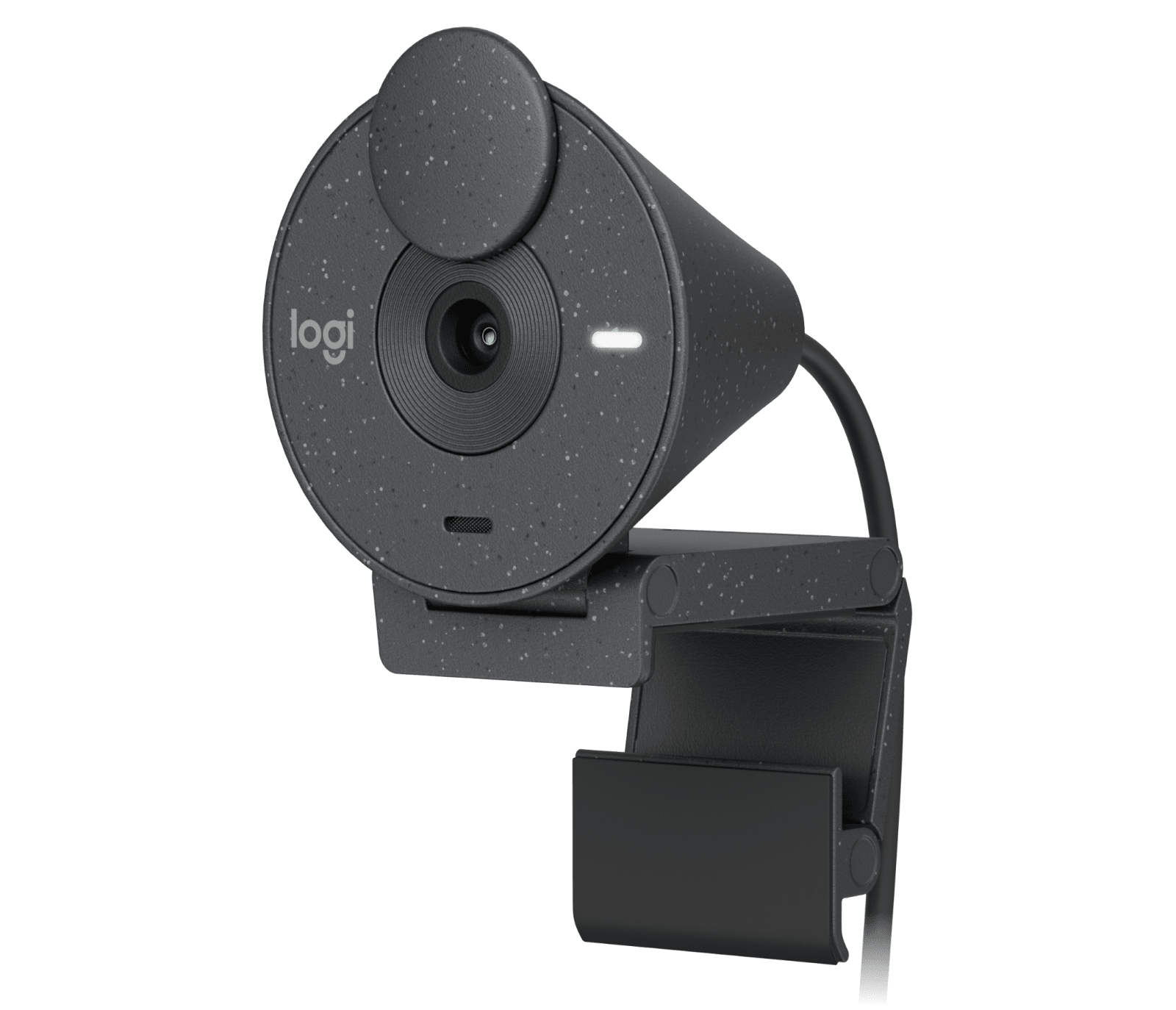
Explore this need in the finder →This assessment covers the graphite Logitech Brio 300 Webcam, U.S. SKU 960-001497. Logitech's exact product route, Support specifications and setup guide describe a USB-C Full HD camera with fixed focus, a 70° diagonal field of view, one mono microphone and a built-in lens shutter. It is a source-based comparison, not a hands-on image, audio, mount or reliability test.
A fixed desk-camera specification
The listed video modes are 1080p at 30 frames per second and 720p at 30 fps. The manufacturer material reviewed for this exact SKU does not list 60 fps, 1080p60 or 4K. If a host or video app must deliver Full HD at 60 fps, the Brio 300 is not a documented match. A Full HD label describes the resolution; it does not imply a higher frame rate.
Logitech identifies fixed focus and a fixed 70° diagonal view. That is a reasonable specification for a camera left at a stable speaking position, but it is not autofocus for a person who moves nearer or farther from the lens, and there is no alternate 65°/78°/90° view listed for this model. The 2-megapixel sensor, one-piece lens description and 1080p mode do not tell us how the image will look in every room or application. Set the angle and distance for your usual seat and check the framing on the actual screen.
USB-C cable and monitor mounting
The exact package lists a Brio 300 with an attached USB-C cable and fixed mount clip. The cable is five feet long and Logitech specifies an available USB-C port. The setup guide recommends plugging directly into the computer rather than through a USB hub when possible. Confirm that the port supports webcam data, not merely charging, and that the fixed lead reaches the intended display or laptop. The documented package does not list a USB-A adapter, so a host without USB-C needs a separately verified connection solution.
The mount's hinges adjust its fit and tilt on a monitor. Logitech's quick guide shows the arm opening, wrapping around a screen edge and angling forward or backward. It does not make the camera a pan-and-tilt tracking device. Check the monitor thickness, top-edge space and camera angle before expecting the clip to fit your setup; the exact package listing names a fixed mount clip rather than a separate adapter or tripod.
Physical privacy and built-in audio
The shutter is integrated into the body and slides over the lens. It gives a direct physical way to cover the camera, but it is not an audio switch. Logitech also lists one digital mono microphone, described as noise reducing. Its exact U.S. product page states a range up to four feet, while a separate Logitech Support specification says four meters. Because those manufacturer records disagree, treat the distance as unresolved rather than as a room-pickup guarantee. Neither figure is an independent listening test. If audio control, speaker distance or keyboard noise matters, check the input that your meeting application actually selects and consider whether a headset or separate microphone better suits the setting.
RightLight 2 is described as automatic brightness and contrast correction. This is image processing, not a built-in light source, and the documentation does not establish a measured low-light result. Adjust the camera angle and room lighting if a bright window or dark face is a concern; no promise about exposure or color is implied here.
Software and compatibility boundaries
Logitech lists Windows 10 or later, macOS 10.15 or later, and ChromeOS compatibility, as well as certification for major meeting platforms. Logi Tune is listed for settings and firmware updates, but Logitech says the app is unavailable on ChromeOS. A camera's compatibility listing does not mean that every optional setting is exposed on every platform or permitted by a workplace policy. Confirm the current operating-system version, app support and device permissions before depending on any software control.
How it compares with nearby Logitech options
The business Brio 305 is the closest reviewed comparison: it has the same broad 1080p30/720p30 mode ceiling, fixed focus, fixed 70° view, USB-C cable and integrated shutter. The Brio 300 is a consumer configuration, Graphite SKU 960-001497; Brio 305 is a distinct Business Webcam, Graphite SKU 960-001414. The exact Brio 300 package lists a fixed mount clip and one mono microphone; do not assume that business device-management terms or warranty conditions transfer between the models. Check the exact part and regional offer instead of treating the names as interchangeable.
The Brio 500, by contrast, adds autofocus, selectable 90°/78°/65° framing, 720p60, two microphones, software auto-framing and desk-facing Show Mode. Those differences matter if subject distance changes or the camera should show a work surface; the additional controls bring Logi Tune and mount checks. Neither model is documented here with 1080p60 or 4K.
Who should consider this exact configuration?
Consider Brio 300 when you want a USB-C desk webcam with a lens shutter and integrated mono microphone, will keep a relatively steady subject position, and can accept 1080p30. Look elsewhere for autofocus, wider or adjustable framing, 60 fps, 4K, a detachable cable or a confirmed TAA SKU.
Before choosing a current offer, check that it is Graphite U.S. SKU 960-001497, confirm the five-foot attached cable and fixed clip, test host-port reach, and verify current app and policy support. This assessment does not claim tested picture quality, sound quality, compatibility on a particular computer, price, stock or seller performance.
Key specifications
Key details at a glance
| Documented modes and host limits | The exact U.S. product and support specifications list 1080p30 and 720p30; no 60 fps or 4K mode is documented for this SKU. |
|---|---|
| Focus system | Fixed focus |
| Diagonal field of view | 70° |
| Built-in microphone | Yes |
| Physical privacy shutter | Yes |
Use the exact model’s instructions for operating limits, supplied equipment and version differences.
Sources for this review
Sources for this assessment
Compare the features that affect your setup
Set essential video, focus, privacy and microphone requirements together; leave nonessential choices open.