
Your needs, this model
Does it fit your priorities?
Does its 4K panoramic label satisfy the finder's 4K video requirement?
Jabra lists up to 3840 × 1080 panoramic camera pixels and 4K display support, but no conventional 3840 × 2160 BYOD/UVC camera mode or frame-rate matrix. This assessment assigns no 4K-resolution, 1080p60 or 4K60 finder tag.
Explore this need in the finder →Is microphone hardware built into this configuration?
Jabra specifies eight beamforming microphones in the bar and its manual says BYOD uses that bar's microphones and speakers. This documents hardware, not an audio-quality result.
Explore this need in the finder →Is there a built-in physical shutter?
No built-in shutter is documented. The package lists a removable lens privacy cover, which does not meet the finder’s built-in shutter requirement.
Explore this need in the finder →Is the camera fixed focus or autofocus?
The reviewed material does not classify the focus system. Intelligent framing and digital zoom are not proof of autofocus or fixed focus, so neither focus requirement is credited.
Explore this need in the finder →Is the exact model explicitly TAA compliant?
No reviewed source explicitly names these exact parts as TAA compliant; the finder therefore does not credit TAA status.
Explore this need in the finder →What is in the full VBS package?
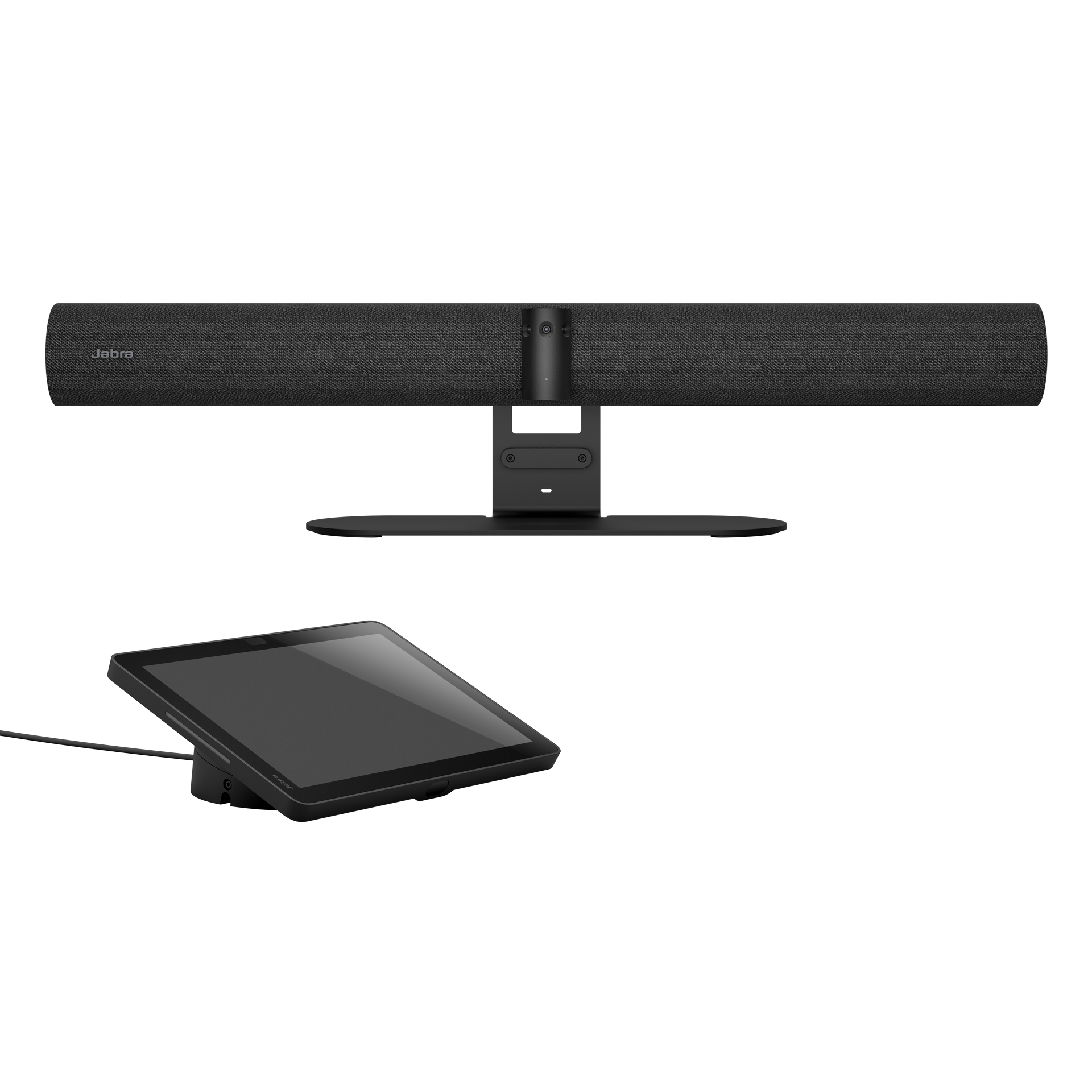
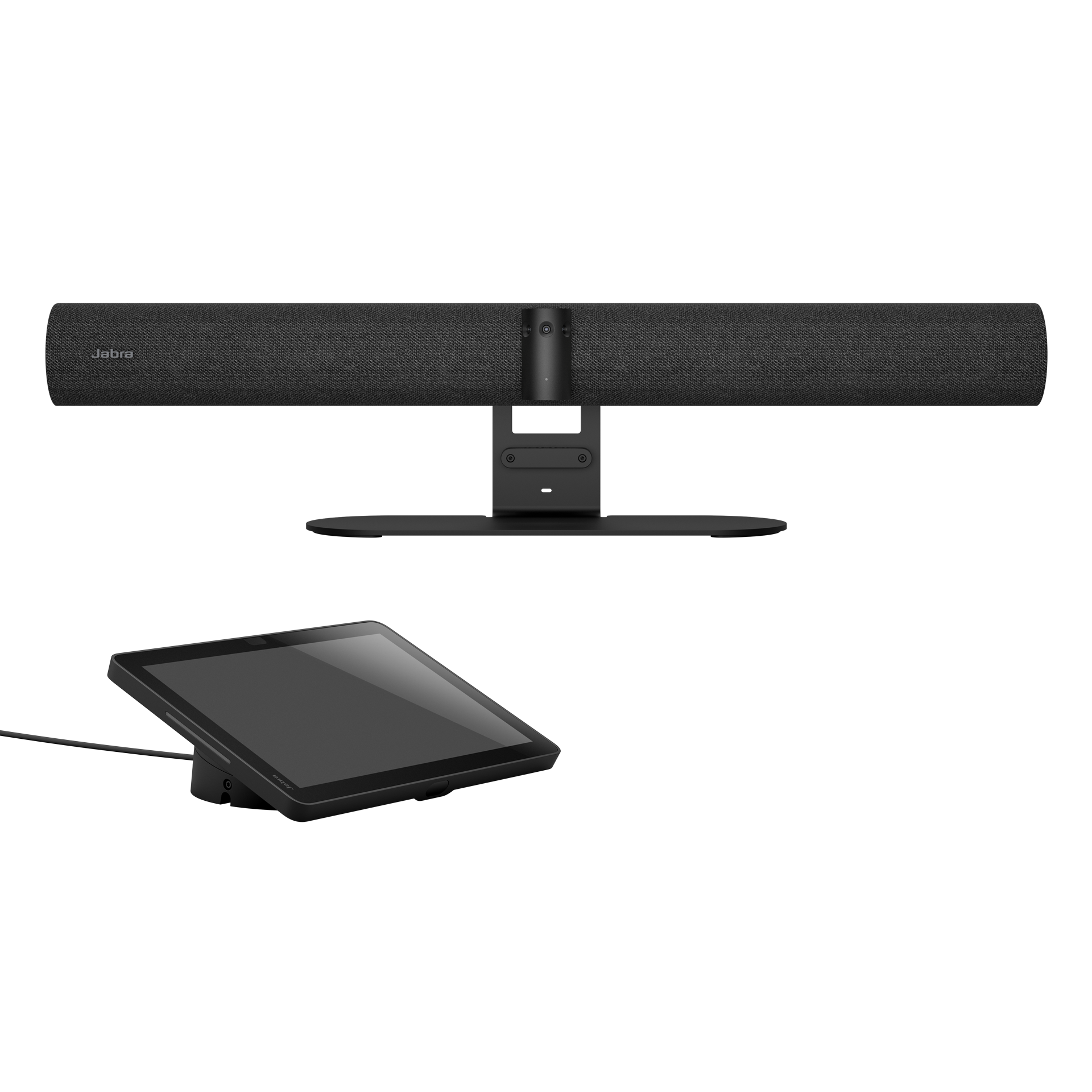
Jabra lists the video bar and separate Control IP touchscreen, power supply, wall mount, privacy cover, cable-compartment parts, one HDMI cable and regional power cable. Check the exact seller carton and U.S. order part before buying.
Explore this need in the finder →The Jabra PanaCast 55 VBS is a powered room video bar, not a monitor-clip webcam. In its named complete configuration, Jabra lists a separate Control IP touchscreen along with the bar. The current U.S.-English product page describes an appliance or BYOD system, and Jabra’s U.S.-English support route maps this model to manufacturer support item 8900-232. That support identifier does not verify a third-party seller’s ordering record or delivered carton. This is a source-based assessment, not an installation, picture-quality or listening test.
“4K” here is a panoramic room view, not a verified webcam mode
Jabra lists a three-camera panoramic array with up to 3840 × 1080 pixels, 180° horizontal and 54° vertical coverage, and up to 6× lossless digital zoom. Its page also calls the view 4K. The published pixel dimensions are a wide 3840 × 1080 canvas rather than conventional 3840 × 2160 UHD. More importantly for a computer-hosted call, the product specification does not publish a BYOD UVC resolution-and-frame-rate table. The USB-C BYOD path therefore does not establish any of this finder’s discrete 4K-resolution, 1080p60 or 4K60 camera modes. A display marked “up to 4K” and the 4K panoramic marketing phrase are not substitutes for a computer-camera mode matrix.
The framing feature list is substantial: Dynamic Composition, Virtual Director, Intelligent Zoom, Intelligent Meeting Space and support for an additional USB camera are all named. Those describe product capabilities, not a measured result in a particular room or proof that a conferencing app exposes a chosen framing mode. Nor do they identify the lens’s optical focus system. If fixed focus or autofocus is a hard requirement, this record leaves the answer unknown rather than guessing from tracking or digital zoom.
Choose the room-system path or a computer-hosted BYOD session
The full VBS package adds Jabra Control IP, a 10.1-inch touchscreen, to the camera bar. Jabra lists a power supply, wall mount, privacy cover with sensor, cable-compartment cover and tool, one 1.83 m HDMI cable and a regional power cable in the box. The bar measures 730 × 77 × 146 mm and weighs 2,259 g; the separate controller is 248 × 85 × 156 mm and 958 g. The technical sheet specifies a 100–240 V AC adapter with 12 V, 5 A output. This is room infrastructure: allow for mains power, a room display, the screen and cable route, and a stable mounting location. The listed wall mount is in the package; screen mount, table stand and tripod are described as separate accessories.
Jabra’s user manual describes two distinct operating ideas. In appliance mode, the room bar and its touch controller form the meeting endpoint. For BYOD, an administrator first enables the setting; then a personal computer connects to the bar’s USB-C port and uses the bar’s camera, microphones and speakers. The documentation also describes a separate wired HDMI content-sharing route between the computer and bar, with the bar connected to the room monitor. That HDMI path carries shared computer content, not a documented camera resolution or frame rate. The box contents do not list a USB-C host cable, and the manual’s connection diagram marks the BYOD USB-C cable as not supplied. Confirm the needed cable lengths, host ports, application device selection and the exact display wiring before installation.
Eight microphones are documented; room performance is not tested here
Jabra specifies an eight-element beamforming microphone array, four speakers, echo cancellation and non-speech noise suppression. It gives audio coverage up to 7 m for the bar and up to 11 m with an optional PanaCast SpeakerMic, and says the array is certified for rooms up to 4.5 × 6 m. Those are manufacturer specifications, not independent measurements of intelligibility, pickup at every seat or behavior under local noise. BYOD mode explicitly uses the video bar’s camera, microphone and speakers, so built-in microphone hardware is documented for that plan. A separate SpeakerMic is an expansion for a larger or more difficult layout, not an included camera feature; its cost and current availability are not asserted here.
The included privacy cover provides a physical way to cover the lenses while the bar is idle, but it is a removable cover, not a built-in shutter. The manual says to remove it while streaming because it can cause flicker; to stop a live video feed, it points users to the meeting application’s controls. The sources do not say the cover mutes microphones. A privacy policy that requires a built-in camera switch, or a verified camera-and-audio mute, needs separate explicit evidence.
Where the complete package earns a place—and what to verify
This configuration is most relevant when a medium meeting room needs a broad panoramic view, bar-mounted camera and room audio, a touch controller in the named package, and the choice between a dedicated room endpoint and laptop-hosted meetings. It is a poor fit for someone seeking a compact personal webcam, a verified standard-UHD or 60-fps USB camera mode, known optical focus, or an integrated privacy shutter. The review intentionally leaves those mode and focus claims unassigned. It also does not infer a TAA designation from the product family or a regional support number.
Before a purchase, match the offer’s exact part number and room-software edition to the buyer’s requirements. Jabra’s U.S.-English support route maps the complete model to item 8900-232, and its Mexico support record identifies a bar plus VTD050 touchscreen; neither verifies a third-party seller’s current offer or delivered carton. Confirm that the seller’s carton includes Control IP, power, the wall mount, privacy cover and the intended regional cable. Separately plan the room display, any extra mount, the USB-C BYOD cable, HDMI content wiring and the intended appliance/BYOD account setup. Verify seller, condition, warranty and return terms directly. No price, live stock, hands-on performance or customer experience is claimed.
Primary sources: Jabra’s U.S.-English product page and medium-room product listing, the PanaCast 55 VBS user manual (BYOD and privacy-cover sections), Jabra’s U.S.-English support route for item 8900-232 and Mexico support record, and the May 2026 Warranty+ part guide. Support-item identifiers do not establish a current third-party retail offer or the contents of a seller’s carton.
Key specifications
Key details at a glance
| Documented modes and host limits | Manufacturer product materials publish panoramic camera pixels and a 4K display capability, not a BYOD/UVC resolution/frame-rate matrix. Do not infer 4K UHD, 1080p60 or 4K60 webcam output. |
|---|---|
| Built-in microphone | Yes |
| Physical privacy shutter | No |
Use the exact model’s instructions for operating limits, supplied equipment and version differences.
Sources for this review
Sources for this assessment
- Jabra Medium Room Video Conferencing Cameras & Solutions
- Jabra PanaCast 55 VBS U.S.-English product page
- Jabra PanaCast 55 VBS User Manual, English Revision A
- Jabra PanaCast 55 VBS Mexico support item 8900-232
- Jabra Warranty+ Service to Product Guide Detail, May 2026
- Official Jabra PanaCast 55 VBS product image
- Jabra U.S.-English support route for model item 8900-232
Compare the features that affect your setup
Set essential video, focus, privacy and microphone requirements together; leave nonessential choices open.