
Your needs, this model
Does it fit your priorities?
Does the full PanaCast 50 VBS package include its touchscreen?
Yes. Jabra lists PanaCast Control in the complete VBS box contents, alongside the video bar, power supply, wall mount, PoE injector and installation leads. The separate Bar Only product does not include Control IP.
Explore this need in the finder →Can the bar use built-in microphones with a laptop in BYOD?
Jabra's manual says that after an administrator enables BYOD, the personal computer connects over USB-C and uses the bar's camera, microphones and speakers. USB-C BYOD cable is not listed in the full package contents; verify it separately.
Explore this need in the finder →Does its panoramic 4K label prove a standard 4K PC-camera mode?
No. The published image is 3840 × 1080, and the user documentation does not provide a BYOD/UVC output matrix. The product is not tagged as a conventional UHD, 1080p60 or 4K60 camera.
Explore this need in the finder →Is the privacy cover an integrated shutter, or is focus classified?
Jabra lists a removable lens cover, not a built-in shutter; the reviewed documentation does not identify fixed focus or autofocus. Neither requirement is credited.
Explore this need in the finder →What should a buyer check on a legacy full-kit listing?
Confirm the exact UC/MS/Zoom SKU, lifecycle and software, PanaCast Control, PoE injector, power and cable set, room-display wiring, host port and return terms. No offer, stock or delivered-carton claim is made here.
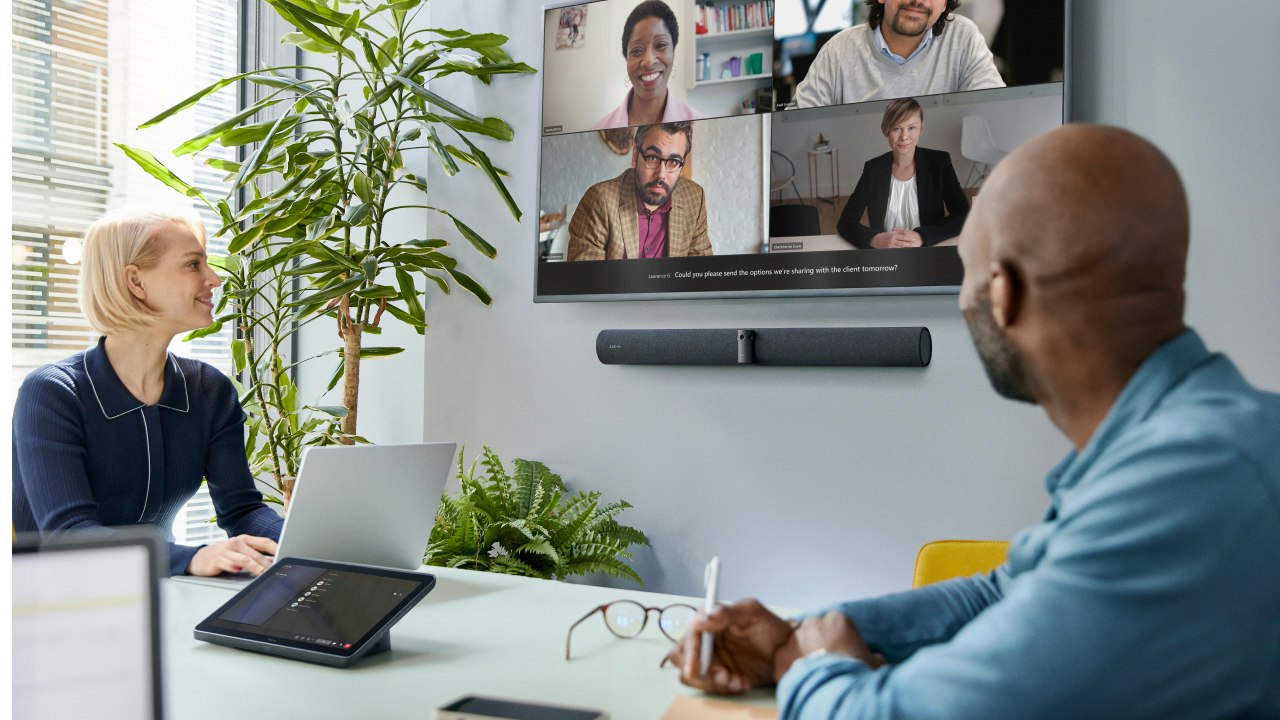
Explore this need in the finder →The Jabra PanaCast 50 VBS complete configuration is an Android-based room video bar system with a separate PanaCast Control touchscreen in the named package. It is different from the bar-only version: Control IP and the PoE power injector are included here, along with a larger installation-cable set. The North American technical sheet lists UC 8500-232, Microsoft Teams Rooms 8501-232 and Zoom Rooms 8502-232. Jabra’s support record identifies the 8501 MS unit as VSM040 video bar plus VTD040 touchscreen and labels its documents discontinued. This review treats the VBS line as an earlier room-system reference, not evidence of a present seller offer, stock or delivered carton.
What the full system is built to do
The bar uses three cameras with up to three 13-megapixel sensors, a stitched 180-degree horizontal by 54-degree vertical panoramic view, four speakers and an eight-microphone beamforming array. Jabra specifies the system as suitable for rooms up to 4.5 by 6 metres. That describes an integrated meeting appliance; it is not the same buying task as adding a single camera to a desk. The included touchscreen provides room control and the system is designed to run supported room applications without relying on a visitor’s laptop for every call.
Jabra’s “Panoramic-4K” and “up to 3 × 4K” labels should be read carefully. The published camera panorama is 3840 × 1080 pixels, and the technical sheet’s separate up-to-4K display capability refers to display input/output, not a conventional 3840 × 2160 USB webcam mode. The material reviewed here does not give a BYOD/UVC resolution-and-frame-rate matrix. The finder therefore does not count this bar as a documented 4K-resolution, 1080p60 or 4K60 camera. A room system can have high-resolution sensors while its supported output format remains a separate, unresolved question.
BYOD needs admin setup and two deliberate cable paths
Jabra’s user manual and BYOD information sheet describe a laptop-hosted meeting mode. An administrator first enables BYOD in the system’s settings. The host computer then connects to the video bar over USB-C, and the bar’s camera, microphones and speakers are used for the meeting. A separate HDMI cable carries the laptop’s content to the room display. HDMI alone starts content sharing; it does not activate the USB camera/audio path. Jabra states that only one room display is supported for BYOD, and its guide describes a USB-C-to-USB-A host lead, which is not named in the complete system’s included-items list. Plan the host cable and laptop port rather than assuming the package contains every lead needed for BYOD.
The complete North American sheet lists the video bar, power supply, wall mount, privacy cover with sensor, cable-compartment cover and tool, PanaCast Control touchscreen, PoE injector, one 1.83-metre Ethernet cable, two 4.57-metre Ethernet cables, one 1.83-metre HDMI cable and two regional power cables. That is a room-installation package, not a compact desktop kit. It is still worth checking each line against the seller’s exact carton: regional cable sets and reseller bundle descriptions can diverge, and the BYOD USB lead is a separate concern.
Room advantages come with room-scale caveats
Eight microphones and four speakers are integrated into the bar, so an organization planning a dedicated meeting space may value a single centrally managed appliance. The broad panorama, dynamic composition and intelligent framing are intended to show a group rather than one person. But an advertised room size is not a test of pickup quality at each seat. Ceiling height, reverberation, table shape, participant distance, display placement and ambient noise all affect a real installation. A separately sold PanaCast SpeakerMic is an audio expansion accessory, not a second camera and not a reason to assume the base package has longer microphone coverage.
The privacy cover is removable; it is not an integrated shutter. The sources reviewed do not classify focus as fixed or autofocus, and do not explicitly state TAA compliance for these exact U.S. parts. None of those unknowns should be turned into a positive match. Nor does a closed camera cover prove that the microphones are off. Confirm audio privacy controls in the platform and local policy separately.
Complete package versus Bar Only
Choose the complete package only when the touchscreen is part of the room plan. Jabra’s product literature lists PanaCast Control in the box, and the Control unit is a distinct 10.1-inch interface; that can simplify a room where users should join and manage meetings without their own device. It does not make the video bar a portable webcam or establish a conventional UHD webcam output.
The Bar Only configuration leaves the controller out and is meant for a custom installation using an existing compatible touch display, a mobile cart or a deliberately configured laptop BYOD route. It should not be bought as if it were the full PanaCast Control kit. Both configurations share the same broad camera and integrated-audio design, but the box contents, controls and setup responsibilities differ in ways that matter at purchase time.
This is most appropriate for an IT-managed medium room where the organization wants the named complete PanaCast Control bundle and can support Android room-system administration, cabling and mounting. It is excessive for ordinary video calls at a home desk, and a poor choice where the hard requirement is a published PC camera mode or built-in physical shutter. Before buying any remaining unit, confirm exact 8500/8501/8502 platform edition, lifecycle, seller condition, included touchscreen, power leads, cable set, display plan, firmware support and return terms. This assessment is based on manufacturer documentation, not a hands-on test.
Key specifications
Key details at a glance
| Documented modes and host limits | The exact BYOD camera frame-rate matrix is not provided. Do not inherit the display's up-to-4K capability as a webcam mode. |
|---|---|
| Built-in microphone | Yes |
| Physical privacy shutter | No |
Use the exact model’s instructions for operating limits, supplied equipment and version differences.
Sources for this review
Sources for this assessment
- Jabra Medium Room Video Conferencing Cameras & Solutions
- Jabra PanaCast 50 VBS North American Technical Specifications, 14 Aug 2025
- Jabra PanaCast 50 VBS User Manual, English Rev C
- Jabra PanaCast 40 VBS and PanaCast 50 VBS Bring-Your-Own-Device Mode Information Sheet
- Jabra PanaCast 50 VBS MS support record, 8501-232
- Official Jabra PanaCast 50 VBS lifestyle image

Compare the features that affect your setup
Set essential video, focus, privacy and microphone requirements together; leave nonessential choices open.