
Your needs, this model
Does it fit your priorities?
Does the PanaCast 40 VBS count as 4K in the finder?
Jabra markets a 4K panoramic view but lists the camera image as up to 3840 × 1080 pixels. The reviewed BYOD sources do not establish a conventional 3840 × 2160 computer-camera mode or a frame rate, so this assessment does not tag it as a 4K-resolution match or as 1080p60/4K60.
Explore this need in the finder →Can this system provide microphone hardware in BYOD?
Jabra lists six microphones and one speaker in the video bar and says BYOD uses the bar's camera, microphones and speakers. This is a documented feature path, not an independent audio-quality test; select the correct endpoints in the meeting app.
Explore this need in the finder →Does the VBS package have a built-in shutter?
No built-in shutter is documented. Jabra lists a removable privacy cover; it is a separate cover and does not satisfy the questionnaire's built-in physical-shutter requirement.
Explore this need in the finder →Is the lens fixed focus or autofocus?
The reviewed technical and setup documents do not classify the lens focus system. The intelligent framing features do not answer that question, so neither focus choice is credited.
Explore this need in the finder →What is different about U.S. VBS parts 8720, 8721 and 8722?
Jabra's North American sheet maps them to UC, Microsoft Teams Rooms and Zoom Rooms versions. It lists the same PanaCast 40 VBS and Control IP package for these three SKUs; verify the exact software edition and seller carton when purchasing.
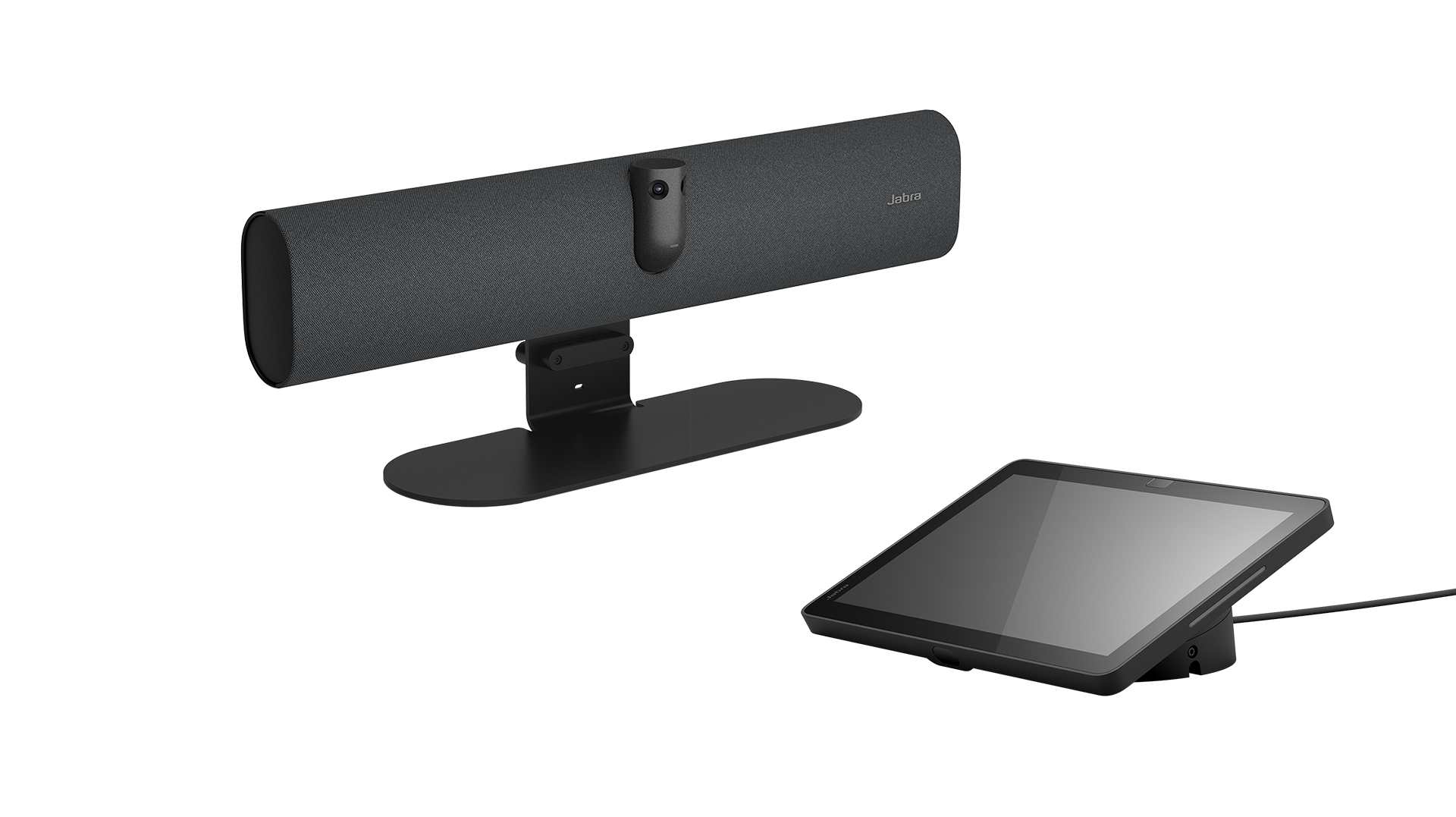
Explore this need in the finder →Jabra's PanaCast 40 VBS is a small-room video bar system rather than a desk webcam. The U.S. configuration is sold as a UC, Microsoft Teams Rooms or Zoom Rooms part (8720-232, 8721-232 or 8722-232); the North American sheet lists the PanaCast 40 bar together with a Jabra Control IP touchscreen. Jabra's support page identifies the Teams edition's bar and touch display as VSM050 and VTD050. This is a document-based model assessment, not a hands-on installation, image-quality test or room-audio test.
Read “4K panoramic” as a room-view label, not a webcam mode
The technical sheet lists two cameras, a 180° by 50° field of view, digital zoom and a maximum panoramic image of 3840 × 1080 pixels. Jabra markets that as a 4K panoramic view. That wide aspect ratio is not the same output shape as conventional 3840 × 2160 UHD, and the reviewed BYOD documents do not publish a host-camera/UVC frame-rate table. The finder therefore does not count this bar as meeting a standard 4K resolution minimum, 1080p60 or 4K60 requirement. Do not infer a supported call mode from a display-resolution field, a sensor description or the phrase “4K panoramic.”
The framing feature set is room-oriented: Jabra lists Intelligent Meeting Space, Virtual Director and Dynamic Composition, along with an external-camera input. These are manufacturer feature names, not independent evidence about how a given meeting app presents its image. The technical documents do not identify the optical focus system either. Software zoom or speaker tracking is not proof of autofocus; if lens focus is a firm requirement, treat it as unknown rather than guessing.
VBS includes the controller; three U.S. parts select the room software
Jabra's North American parts table maps 8720-232 to UC, 8721-232 to Microsoft Teams Rooms and 8722-232 to Zoom Rooms. The VBS package contents include the PanaCast 40 bar, the Control IP touchscreen, a 3 m USB-C-to-USB-C cable, power supply, wall mount, removable privacy cover, 1.83 m HDMI cable and regional power cable. The bar itself is listed at 530 × 105 × 60 mm and 1.8 kg; the Control IP is a separate 10.1-inch touch display. Jabra says a table stand is sold separately. These editions share the listed camera-bar design, but the software platform and exact delivered carton should be checked against the SKU printed on a seller's offer.
For computer-hosted meetings, the VBS can be switched into permanent BYOD mode. Jabra's administrator guide describes enabling BYOD for a personal computer connected via USB-C. Its BYOD information sheet says to connect the bar's USB-C-to-USB-A cable to the laptop; the bar's camera, six microphones and speaker are then used for the meeting. HDMI is a separate cable when the laptop screen also needs to appear on the room monitor. That HDMI content-sharing path is not camera-video evidence, and plugging in HDMI alone does not enable BYOD. Confirm the host exposes the bar's camera and audio and plan a compatible display, mains outlet and mount before purchase.
Camera privacy is a removable cover, not an integrated shutter
The included privacy cover gives a physical way to cover the lens, but Jabra lists it as a cover/accessory rather than an integrated shutter mechanism. It does not qualify for the questionnaire's built-in physical-shutter requirement. The sources also do not say that placing or removing this cover mutes the six microphones. Buyers who need a documented lens switch or a verified camera-and-microphone mute should look for a model with explicit evidence for both functions.
Audio is more fully documented than the camera's USB output: Jabra lists six microphones and one speaker in the bar, as well as echo and noise-processing features. That establishes included hardware, not how voices sound at a particular table, with HVAC noise or in a reflective room. A room plan should consider the 180° view, seat positions, wall and screen layout, acoustic conditions and the selected meeting application's device settings. Jabra also notes that the meeting service provides media encryption; this review does not make an independent security or privacy certification claim.
Who should shortlist it—and what remains to verify
The PanaCast 40 VBS is a plausible match for a small meeting room that needs a mounted panoramic video bar, built-in room audio, a touchscreen included in the named system package and the choice of an appliance or laptop BYOD workflow. It is a poor fit for a buyer expecting a compact monitor clip, a conventional 4K webcam stream, a known 1080p60/4K60 mode, a documented autofocus lens or a built-in privacy shutter. The unknowns are consequential: no camera UVC frame-rate matrix, no fixed/autofocus statement and no TAA designation for these exact parts appears in the reviewed North American sheet.
Before ordering, check the exact 8720/8721/8722-232 part and software edition, the seller's box contents, Control IP inclusion, power and mount, room display connection, computer ports and the behavior of the intended meeting application. Confirm procurement requirements separately; an exact platform SKU is not by itself proof of TAA compliance, stock or contract approval. There is no price, current seller offer, hands-on setup, measured quality or customer-experience claim in this assessment.
Primary documents: Jabra North American PanaCast 40 VBS data sheet, administrator guide, and BYOD mode information sheet.
Key specifications
Key details at a glance
| Documented modes and host limits | Jabra lists up to 3840 × 1080 panoramic pixels but does not publish a BYOD camera frame rate or UVC mode table. Do not infer 4K UHD, 1080p60 or 4K60 from the marketing term 4K panoramic or display-resolution fields. |
|---|---|
| Built-in microphone | Yes |
| Physical privacy shutter | No |
Use the exact model’s instructions for operating limits, supplied equipment and version differences.
Sources for this review
Sources for this assessment
- Jabra Video Conferencing Cameras — Small Room Video Conferencing Cameras & Solutions
- Jabra PanaCast 40 VBS Support — item 8721-232, VSM050 video bar and VTD050 touch screen
- Jabra PanaCast 40 VBS Data Sheet, English North America, Revision C
- Jabra PanaCast 40 VBS Administrator Guide — BYOD settings
- Jabra PanaCast 40 VBS and PanaCast 50 VBS BYOD Mode Info Sheet
- Jabra PanaCast 40 VBS product image

Compare the features that affect your setup
Set essential video, focus, privacy and microphone requirements together; leave nonessential choices open.