
Your needs, this model
Does it fit your priorities?
Does the Bar Only count as conventional 4K webcam output?
No such computer-camera mode is established. Jabra lists up to 3840 × 1080 panoramic pixels and calls the view 4K panoramic, but provides no BYOD UVC frame-rate/mode table. This listing is not tagged as a conventional 4K-resolution or 60-fps match.
Explore this need in the finder →Is a microphone built into the Bar Only camera?
Jabra lists six microphones and one speaker inside the PanaCast 40 video bar, and documents those endpoints in BYOD mode. The specification is not an independent room-audio test.
Explore this need in the finder →Does Bar Only include the touch controller?
No. The Bar Only box contents list the video bar, cabling, power supply, wall mount and privacy cover, but not Control IP. The controller is a separately listed accessory; plan another control surface or laptop BYOD workflow.
Explore this need in the finder →Does its privacy cover satisfy the built-in shutter choice?
No built-in physical shutter is documented. The removable privacy cover is not the integrated shutter required by the questionnaire.
Explore this need in the finder →Is the Bar Only lens fixed focus or autofocus?
The reviewed exact-model sheet does not classify its focus mechanism. Framing and digital zoom do not establish autofocus, so neither focus filter is credited.
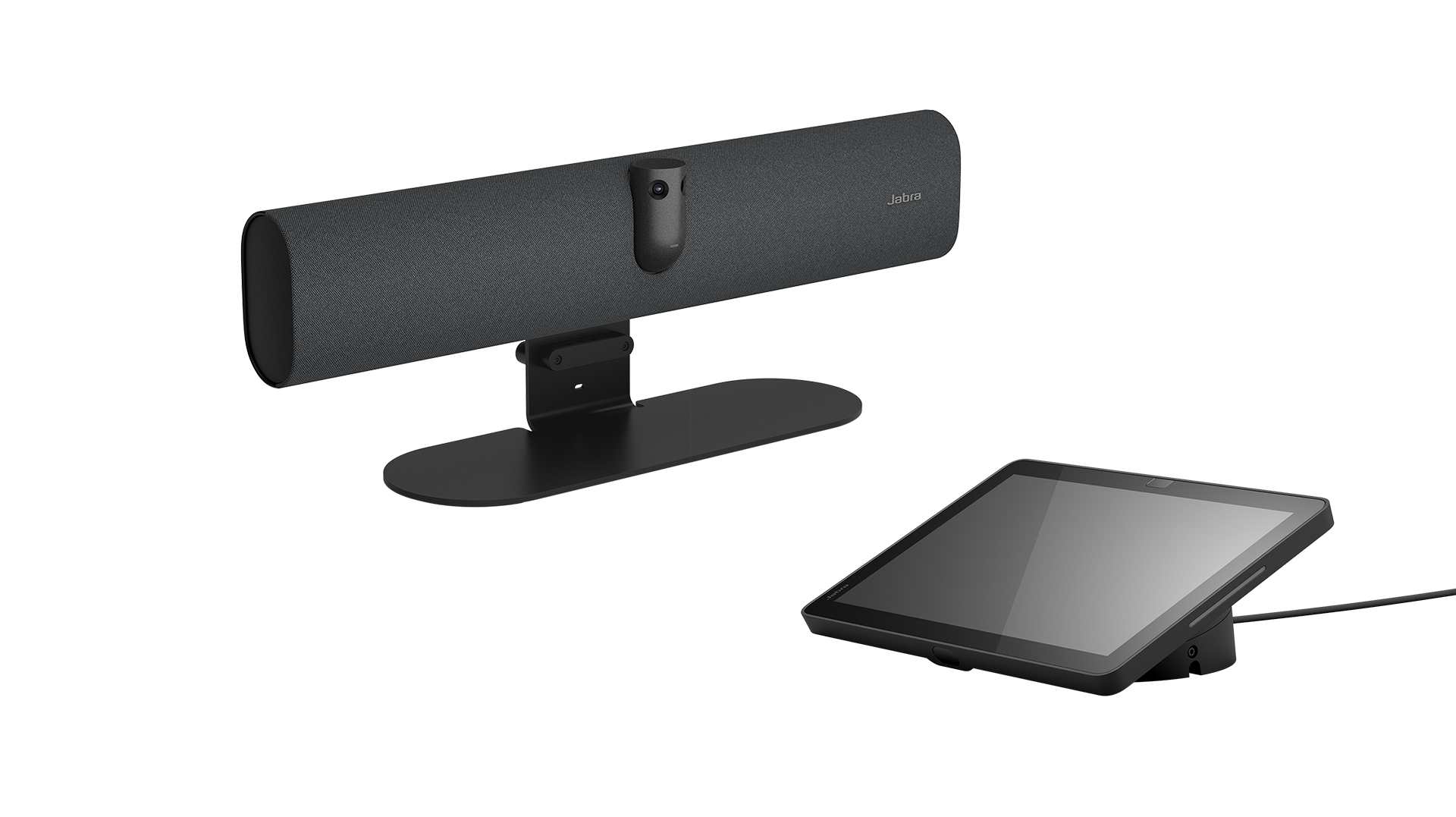
Explore this need in the finder →PanaCast 40 VBS Bar Only is the distinct Jabra small-room listing for buyers who want the room video bar without the Control IP touchscreen in the package. The U.S. North American sheet maps 8700-232 to UC, 8701-232 to Microsoft Teams Rooms and 8702-232 to Zoom Rooms. The underlying camera bar is still the dual-camera PanaCast 40 VBS; the buying difference is the omitted controller and the room-control plan, not a separately documented camera sensor or microphone change. This is a source-based review, not a hands-on setup or AV-performance test.
Start with the box difference
The Bar Only box lists the PanaCast 40 VBS video bar, 3 m USB-C-to-USB-C cable, power supply, wall mount, removable privacy cover, 1.83 m HDMI cable and regional power cable. It does not list Jabra Control IP. Jabra shows Control IP as a separately available accessory in the same North American product table. The all-in-one VBS system, by comparison, lists that 10.1-inch touchscreen in its box. A bar-only buyer should decide in advance whether a separate Jabra controller, another touch display or a permanent laptop BYOD workflow will be used; the missing screen is not a cosmetic distinction when configuring an appliance-style room.
The three listed parts select UC, Teams Rooms or Zoom Rooms. The bar itself is listed as 530 × 105 × 60 mm and 1.8 kg, uses mains power and includes a wall mount. A table stand is sold separately. Match the seller's exact full SKU to the software edition and check that cables, power and any required controller are present in the actual offer; a category card alone does not prove current stock or seller carton details.
BYOD is documented, but its camera mode is not
The Bar Only data sheet lists USB 2.0 and USB 3.0, a BYOD mode and a two-camera panoramic view with up to 3840 × 1080 pixels. Jabra calls the view “4K panoramic,” but that output shape does not document a conventional 3840 × 2160 UHD computer-camera mode. Its published sheet does not pair the USB camera route with a frame rate or provide a UVC mode table. This review therefore does not credit it for the finder's 4K-resolution, 1080p60 or 4K60 requirement. The difference matters if an organization has a specific resolution/frame-rate obligation rather than simply wanting a broad room view.
For BYOD, Jabra's support materials instruct administrators to enable the mode and connect a personal computer over USB-C. Its setup sheet describes USB-C at the bar to a laptop USB-A port; the camera, six microphones and speaker are then used by the computer-hosted meeting. A separate HDMI cable carries the laptop display to a room monitor when content sharing is required. HDMI alone does not make the bar a computer camera. Verify that the meeting application exposes the needed devices and that the installed cable path matches the host ports. The software framing modes are room features, not evidence of a focus motor or a specific USB video rate.
Same panoramic bar, same unresolved focus and shutter questions
Jabra lists six microphones and an integrated speaker for this bar, which makes the audio set part of the model rather than something a buyer must add to the camera. That is a hardware inventory, not a promise of intelligibility across a particular room. The Bar Only edition's removable privacy cover is not a built-in shutter. The source documents also do not classify the lens as fixed focus or autofocus. Intelligent zoom, speaker tracking and dynamic composition change the view but do not answer how the optics focus.
Jabra offers room overlays and covers, supports wall or VESA-style placement, and lists a separately sold table stand. The system is consequently a room integration project: plan where the bar goes, where the monitor and controller sit, how the long cables reach the laptop and display, and how people will join or change meetings. It is not a substitute for a small USB webcam clipped above an individual monitor.
Where the Bar Only configuration makes sense
Consider it when a small conference room already has an appropriate control surface, or when a team deliberately wants laptop-hosted BYOD and a standalone panoramic camera bar with six microphones. Its principal advantage against the all-in-one VBS package is the separate control choice; its disadvantage is that the buyer must supply that control plan. It shares the same strict limitations: Jabra's 3840 × 1080 panoramic pixel count is not credited as conventional 4K webcam output, no UVC frame-rate list is provided, focus is unclassified, the supplied cover is removable and exact parts are not designated TAA-compliant in the reviewed North American document.
Before purchase, verify whether 8700, 8701 or 8702-232 matches the room's platform, whether a Control IP/touchscreen is already available, and whether the actual seller includes the listed cables and power hardware. Confirm the user's laptop ports, room monitor and BYOD settings. A 3 m data cable and the separately supplied display path can constrain placement. No price, live availability, current seller offer, test result or claim of successful installation is made here.
Primary documents: Jabra North American PanaCast 40 VBS Bar Only data sheet, administrator guide, and BYOD mode information sheet.
Key specifications
Key details at a glance
| Documented modes and host limits | No BYOD frame rate or UVC mode table is published. The panoramic image dimensions do not prove 4K UHD, 1080p60 or 4K60 computer-camera modes. |
|---|---|
| Built-in microphone | Yes |
| Physical privacy shutter | No |
Use the exact model’s instructions for operating limits, supplied equipment and version differences.
Sources for this review
Sources for this assessment
- Jabra Video Conferencing Cameras — Small Room Video Conferencing Cameras & Solutions
- Jabra PanaCast 40 VBS Bar Only Support page
- Jabra PanaCast 40 VBS Bar Only Data Sheet, English North America, Revision B
- Jabra PanaCast 40 VBS Administrator Guide — BYOD settings
- Jabra PanaCast 40 VBS and PanaCast 50 VBS BYOD Mode Info Sheet
- Jabra PanaCast 40 VBS product image

Compare the features that affect your setup
Set essential video, focus, privacy and microphone requirements together; leave nonessential choices open.