
Your needs, this model
Does it fit your priorities?
Does the X4 establish a 4K USB Webcam mode?
No reviewed English Webcam source establishes a 4K mode. The X4 OBS tutorial shows one 2880x1440 capture at 30 fps for a 2:1 panorama; that setting is not 3840x2160 4K. The tutorial is not a complete mode table, so verify with Insta360 if a different mode is essential.
Explore this need in the finder →Which computer software is documented for X4 Webcam use?
Insta360 says the X4 Webcam function currently supports live streaming on OBS only; other software has not been tested and may not work. Confirm the exact meeting or streaming app before relying on X4.
Explore this need in the finder →Can the X4 satisfy a required built-in computer microphone?
The reviewed sources do not establish that Webcam mode exposes an X4 microphone to the operating system or meeting app. Treat the endpoint as unknown and plan separate audio unless the intended host/app confirms it.
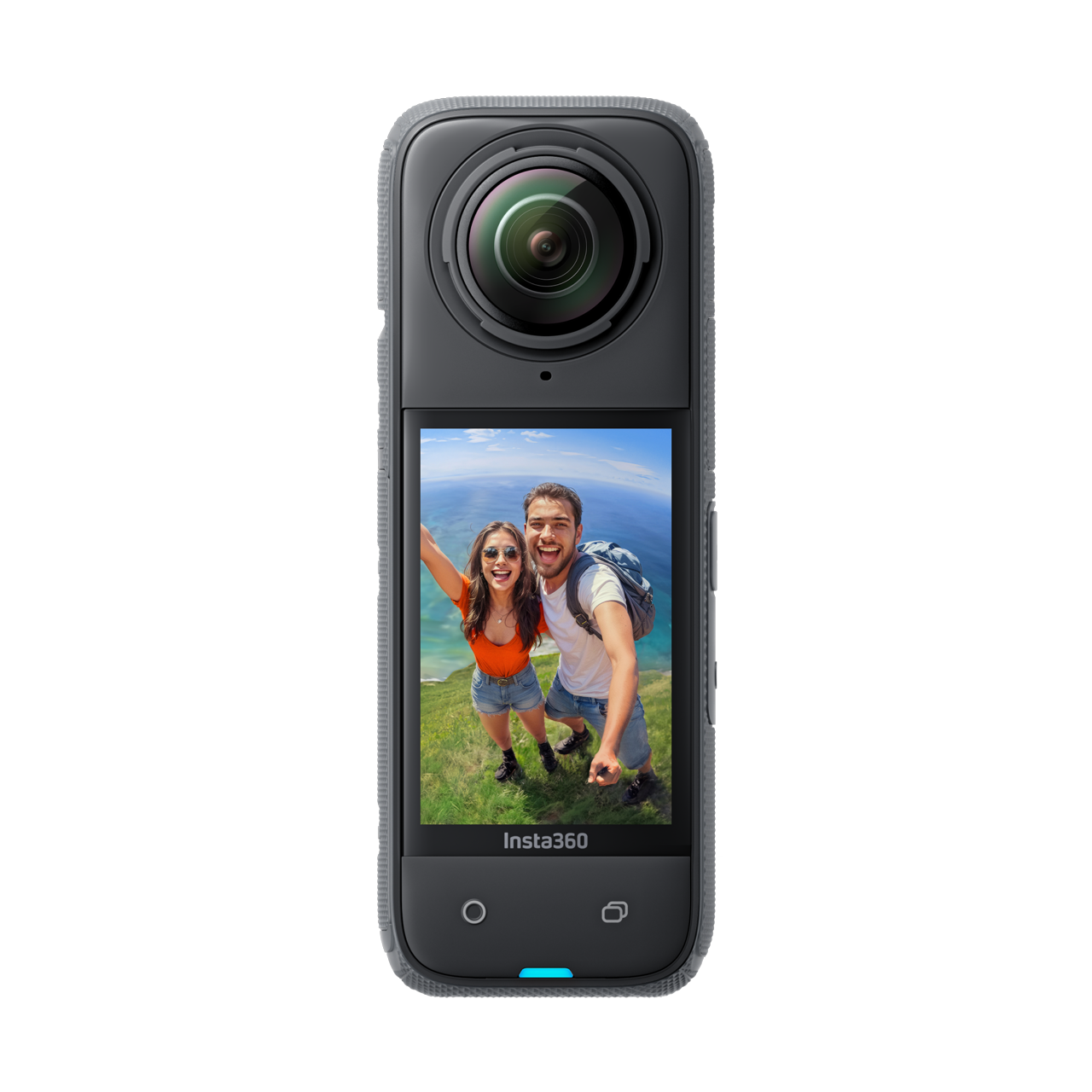
Explore this need in the finder →Insta360 X4 Standard Bundle, U.S. Store variant 2994, is a 360 action camera that also has a documented wired Webcam mode. That makes it a specialist option for a deliberately panoramic computer feed, not a conventional desk webcam with a published list of meeting-app modes. The model-specific English guide describes an OBS streaming setup at 2880×1440 and 30 frames per second, which produces a 2:1 panorama. It does not publish an application-independent mode table. This assessment is based on manufacturer documentation and the exact U.S. Store variant; no hands-on testing, ownership or image-quality measurement is claimed.
What the webcam mode is actually documented to do
Insta360's X-series computer guide names X4 among the models with USB Webcam mode. The X4-specific tutorial is more restrictive and more useful for a buyer: it says the Webcam function currently supports live streaming on OBS only, and that other software has not been tested and may not work. The illustrated procedure is to power on the camera, connect it to a computer over USB, choose Webcam Mode on the camera's USB menu, and select the X4 as an OBS video-capture device.
The tutorial sets the capture device to 2880×1440 at 30 fps. That is a 2:1 panoramic frame, not a standard 3840×2160 4K mode, not a 1080p60 mode, and not a 4K60 setting. Insta360's separate X4 recording headlines and action-camera recording modes should not be substituted for the webcam setting. The documentation available for this assessment gives one OBS configuration, not the maximum mode or a complete list of other supported configurations.
Why the broad view is both the appeal and the compromise
A panoramic frame can be useful when the intended scene includes a room or a group, or when a live-production workflow specifically needs a 360-derived view. It is less straightforward for a typical one-person call. OBS lets the user adjust perspective, but the X4 manual does not establish that Zoom, Teams, a browser meeting service or every USB-camera application will accept this camera and format. Before relying on the X4 for a recurring call, check the exact target software rather than treating the OBS example as universal compatibility.
This is also a very different buying decision from choosing a small camera that faces one person. The X4's lens and panoramic workflow do not establish autofocus behavior, an ordinary webcam field of view, or the quality of a face crop. The reviewed English Webcam material does not specify its focus system, computer microphone endpoint, built-in physical shutter or TAA status for the exact U.S. variant. An X4 may have camera-side recording functions, but those facts do not prove that a conferencing app sees its microphone or that a physical privacy shutter is integrated. If any of those are non-negotiable, use a model with exact Webcam-mode evidence for that feature instead of assuming it transfers from the camera hardware.
Check the exact bundle as well as the connection
The selected U.S. Store route identifies SKU 2994 as the Standard Bundle, with no microSD card. Its package description names one X4 and one set of Standard Lens Guards, and says the selfie stick is sold separately. Other X4 Store options are separately named bundles, including bike, dive, motorcycle and creator packages; accessories should not be presumed from the Standard Bundle or from a different country listing. The Store page does not provide a reason to treat those package names as different webcam camera models.
The tutorial says to connect by USB and switch the powered camera into Webcam Mode, but it does not give a complete cable-speed or host-port matrix. Verify the cable is a data cable, the computer recognizes the camera, and the camera's current firmware/app requirements are met before a live event. The associated live-stream FAQ lists firmware and app minimums for its streaming workflow; they are version requirements to check, not evidence of added video modes or support for other conferencing apps.
Where X4 sits beside X3 and the older ONE X2
All three are 360 cameras with manufacturer-documented computer Webcam use, but the evidence is not interchangeable. X4 has an explicit OBS-only live-streaming tutorial and the 2880×1440, 30 fps example. X3's product page describes Webcam mode as capturing everyone in 360, but the English material reviewed here does not give it an output mode table or an app list. The older ONE X2 page describes a 360 webcam and names several conferencing platforms, but it likewise does not publish a USB Webcam resolution/frame-rate matrix. Do not transfer X4's OBS setting to X3 or X2, or their general recording specifications to any webcam mode.
Bottom line
The X4 belongs on a webcam shortlist only when the buyer wants a 360-derived panorama and is prepared to validate the documented OBS path. The manufacturer's own limitation—OBS currently, other software untested—is central, not a footnote. The one supported setting is a 2:1 2880×1440 image at 30 fps, not evidence for ordinary 4K, 1080p60, autofocus, microphone, shutter or procurement requirements. Confirm the exact Standard Bundle, data cable, firmware and target application before choosing it for a job where a failed call is costly.
Primary references: the official X4 Webcam/OBS tutorial, the X-series USB-mode table, the X4 live-streaming FAQ and the U.S. Store record for X4 variant 2994. Camera-recording specifications are not presented as USB Webcam modes.
Key specifications
Key details at a glance
| Documented modes and host limits | The X4-specific Webcam tutorial demonstrates 2880x1440 at 30 fps for a 2:1 panorama. This is one OBS capture setting, not a maximum or a complete webcam mode matrix. It is below the conventional 3840x2160 4K width and is not Full HD at 60 fps. |
|---|
Use the exact model’s instructions for operating limits, supplied equipment and version differences.
Sources for this review
Sources for this assessment
- Insta360 U.S. Store X4 exact variant 2994
- Insta360 X Series: Wired PC mode table
- Insta360 X4 Webcam Live Streaming Tutorial Using OBS
- Insta360 X4 live-streaming and Webcam FAQ
- Insta360 X4 U.S. Store exact variant 2994 image
- Insta360 X3 official English product page
- Insta360 ONE X2 official English product page
Compare the features that affect your setup
Set essential video, focus, privacy and microphone requirements together; leave nonessential choices open.