
Your needs, this model
Does it fit your priorities?
What is X3 Webcam mode intended to show?
Insta360 describes X3 Webcam mode as capturing everyone in 360 for large meetings, and its wired-mode table confirms USB Webcam operation. This is a room-view use case, not a published conventional crop or image-quality result.
Explore this need in the finder →Does X3 meet a specified 1080p60 or 4K computer-camera mode?
The reviewed English sources do not publish X3 USB Webcam resolution/frame-rate modes. Its separate 5.7K/4K/60-fps camera-recording modes do not prove any of those Webcam outputs; verify the exact mode with the maker and intended app.
Explore this need in the finder →Does X3 webcam mode use autofocus and expose its camera microphone?
Neither the Webcam focus system nor the computer microphone endpoint is established in the reviewed sources. X3 recording hardware/audio descriptions do not prove the meeting app sees those functions; treat both as unknown.
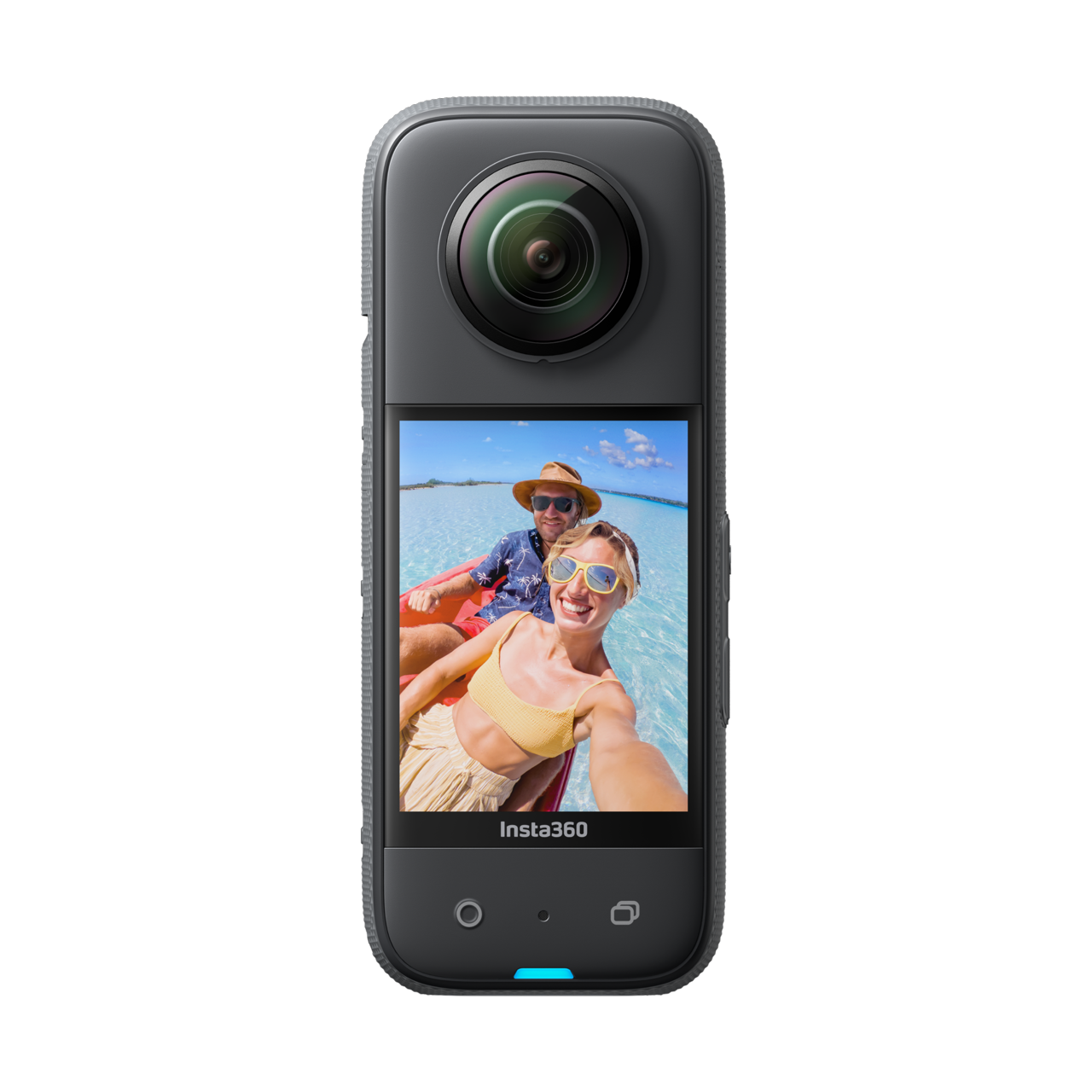
Explore this need in the finder →Insta360 X3 Standard Bundle, U.S. Store variant 2118, is a 360 action camera that its maker also identifies as a USB Webcam. The intended difference from an ordinary one-person webcam is clear: Insta360 says X3's Webcam mode captures everyone in 360 and is suited to larger meetings. The public support material confirms the computer Webcam mode, but the English sources reviewed here do not provide an X3 Webcam resolution/frame-rate table or a named list of supported computer applications. This is a document-based assessment, not a hands-on test or image-quality measurement.
A room-view webcam rather than a defined desk-camera mode
The current English X-series wired-connection table lists USB Webcam for X3, alongside X5, X4 and X2. That is distinct from the X3 file-transfer route: for file access the table describes U-Disk mode, whereas USB Webcam is the real-time video function. X3's official product page gives the use case as a conference in which everyone around the camera can be captured. That supports considering it for a room-wide or multi-person view, but it does not tell a buyer what resolution or frame rate a particular call app will receive.
That missing matrix matters. X3's general product material lists action-camera recording modes such as 5.7K 360 capture, 4K30 single-lens recording and 60-fps modes. Those are camera-recording capabilities, not a demonstrated USB Webcam output. No 1080p60 or 4K webcam minimum should be inferred from them. The official computer support material recommends using current firmware and the right USB mode, but it does not turn the recording table into a webcam specification. If an exact webcam resolution, rate, aspect ratio, codec or application is a must-have, ask Insta360 or verify that exact computer/app path before relying on the X3.
Stabilization and audio need their own evidence
The X3 product page discusses FlowState stabilization for recorded action footage. A separate current Insta360 FAQ explicitly says X3 and X2 do not support FlowState Stabilization when using the Webcam feature. So the general action-camera stabilization claim should not be read as a promise for webcam calls. Likewise, X3's internal camera microphones and recording audio are not evidence that a computer will expose a microphone endpoint in Webcam mode. The reviewed English sources do not settle whether the host or meeting app can select X3 audio for this setup.
Focus behavior, an integrated physical privacy shutter and exact-SKU TAA status are also not established for this assessment. The 360 use case does not identify a conventional fixed-focus or autofocus webcam lens, and the product material reviewed does not confirm a physical shutter. These are unknowns rather than claims that an accessory or unsupported configuration could never supply something similar. For a buyer who requires autofocus, a physical shutter, integrated host audio or an exact compliance declaration, an unknown should not count as a match.
The U.S. bundle is a separate decision from the camera mode
The official U.S. Store route identifies product 19 and variant 2118 as an X3 Standard Bundle with no microSD card. Its package description says it includes the X3 but not a memory card, and lists a selfie stick separately. Other named Store variants add different accessories, such as an extra battery, dive case, snow or motorcycle kit, or bike kit. They are separate package identities, not evidence that the camera's Webcam mode changes. Check the exact variant and accessory list in any offer; a dive case or action mount is not a substitute for a computer cable or a compatible meeting application.
The support page's wired-mode table confirms Webcam capability, but the materials reviewed here do not supply a full USB-generation requirement or a cable-to-mode compatibility matrix for X3. Confirm the camera menu offers the correct Webcam mode, use a data-capable connection, and validate the host and intended program before a meeting. The manufacturer's connection troubleshooting recommends checking the latest firmware and correct USB mode; it does not state a version number in the source reviewed here.
How X3 differs from X4 and ONE X2
The three models should not be merged into one generic 360 camera profile. X4 has a model-specific OBS tutorial that says its Webcam live-streaming function currently supports OBS only and demonstrates 2880×1440 at 30 fps. X3's product page supplies the 360-meeting use case, but not that output setting or app restriction. The earlier ONE X2 product page describes a 360 webcam and lists conference apps; it also lacks the USB Webcam format table. Shared family membership does not establish shared webcam modes.
X3 makes the most sense when broad all-around meeting coverage is the reason for considering an action camera and the buyer accepts that the exact computer mode remains unspecified in the reviewed sources. It is a less defensible choice when the need is a known Full HD 60 or 4K computer stream. In those cases choose a conventional webcam with an explicit supported mode and app path, or verify X3 with the manufacturer and host software first.
Bottom line
X3 is a real, documented USB Webcam candidate, with a manufacturer-described 360 room-coverage use case. Its important limitation is the gap between that general support and a concrete USB webcam mode table. Do not borrow its 5.7K, 4K30 or 60-fps action-camera recording claims as conference-video specs, or treat FlowState stabilization as available in Webcam mode. Confirm the computer mode, app, audio input, exact U.S. Store bundle and package condition before buying for a specific room workflow.
Primary references: Insta360's English X3 product page, the X-series wired-computer mode table, the X-series live/Webcam FAQ and the U.S. Store record for X3 variant 2118. General recording modes are kept separate from USB Webcam evidence.
Key specifications
Key details at a glance
| Documented modes and host limits | No X3 USB Webcam resolution or frame-rate matrix was found in the reviewed English manufacturer material. General 5.7K/4K/60-fps camera recording modes are not Webcam-mode claims. |
|---|
Use the exact model’s instructions for operating limits, supplied equipment and version differences.
Sources for this review
Sources for this assessment
- Insta360 U.S. Store X3 exact variant 2118
- Insta360 X Series: Wired PC mode table
- Insta360 X3 official English product page
- Insta360 App: 360 Camera Live Streaming and Webcam FAQ
- Insta360 X Series PC connection troubleshooting
- Insta360 X3 U.S. Store exact variant 2118 image
- Insta360 X4 Webcam Live Streaming Tutorial Using OBS
- Insta360 ONE X2 official English product page
- Insta360 X Series general photo and video recording specifications

Compare the features that affect your setup
Set essential video, focus, privacy and microphone requirements together; leave nonessential choices open.