
Your needs, this model
Does it fit your priorities?
Is ONE X2 documented as a computer 360 webcam?
Yes. Insta360 lists X2 in USB Webcam mode and describes ONE X2 as a 360 Webcam for remote meetings, with the room shown in split screen. The maker lists Zoom, OBS, Microsoft Teams, BlueJeans and Lifesize; check current software compatibility.
Explore this need in the finder →Does ONE X2 have a documented 4K USB Webcam setting?
The reviewed English material has no ONE X2 USB Webcam resolution/frame-rate matrix. The camera’s general recording specs are separate, so do not count them as a 4K or 1080p60 computer-camera mode.
Explore this need in the finder →Can ONE X2 satisfy physical-shutter or built-in-mic requirements?
The reviewed Webcam sources do not establish an integrated physical privacy shutter or a USB microphone endpoint. The camera’s general 360 audio feature does not prove computer audio routing; treat both requirements as unverified.
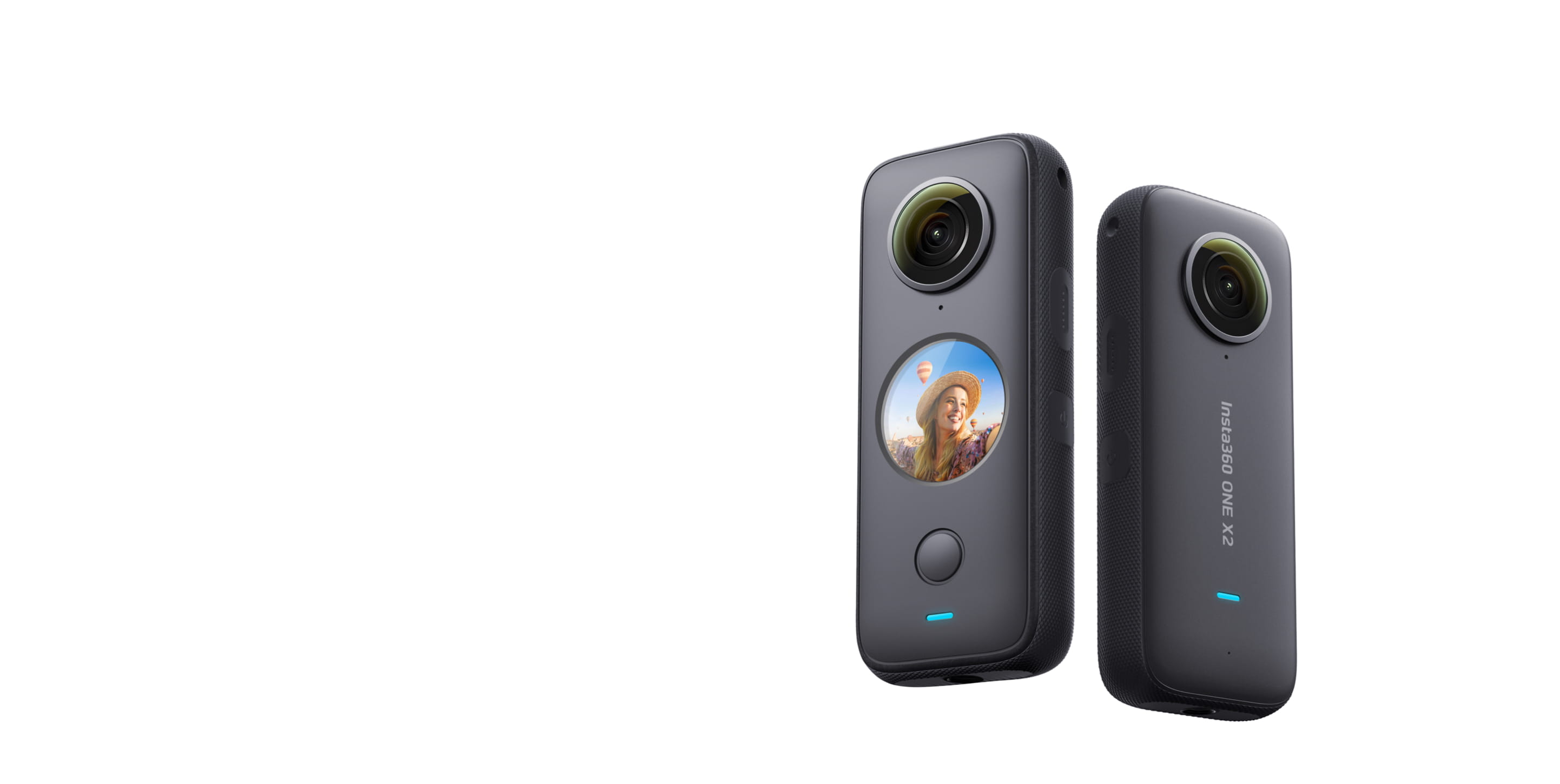
Explore this need in the finder →Insta360 ONE X2 is an earlier 360 camera with a manufacturer-documented computer Webcam function. Its U.S. identity can be cross-checked against the seller model code CINOSXX/A and seller SKU 6440817; that seller page does not establish a current offer or a seller-specific package. Insta360's English product page calls it a 360 webcam for remote meetings and describes a split-screen room view. This is a research-based assessment of published material, not a hands-on test, ownership report or claim about today's availability.
Its appeal is the 360 meeting view
The current English X-series computer-mode table lists X2 in USB Webcam mode. The official product page separately markets a “360 Webcam” and says it can connect to conferencing platforms so viewers can see the entire room in a split-screen layout. Insta360's supported-platform note names Zoom, OBS, Microsoft Teams, BlueJeans and Lifesize, while cautioning that compatibility with non-official apps or accessories is not guaranteed. These are maker claims, not a guarantee that every current app version exposes every feature or layout.
This is not the same decision as choosing a desk webcam for a predictable head-and-shoulders image. The attraction is showing a larger area, with the camera and meeting software doing the work of presenting different parts of the 360 scene. The official descriptions do not provide a computer Webcam mode table with supported resolution, frame rate, codec or format. X2's general camera recording table lists several capture modes, including 4K and Full HD recording, but they do not establish the USB Webcam output. Treat any specific webcam resolution or frame-rate requirement as unverified unless the exact computer and app path is confirmed.
Older hardware has practical setup and age checks
ONE X2 is an earlier product rather than a current-reference webcam configuration in this guide. That age filter is only a comparison setting: it says nothing about whether a seller has a unit, whether it is new or used, the battery's condition, included accessories, warranty coverage or return terms. The Best Buy identity page helps distinguish the black ONE X2 and model code from other Insta360 cameras, but it is not a current-stock guarantee. Match the exact model name and code on any listing and check the seller's actual condition and package.
The official English product page shows a model-level “In the Box” list—ONE X2, battery, charge cable, protective pouch, QuickStart Guide and warranty card. That is not a confirmed contents list for the historical U.S. seller SKU or a used listing. The computer support page explains model-specific wired modes in the X family, including USB Webcam for X2, but the material reviewed here does not state a Webcam-mode USB generation or a full cable/host compatibility table. Verify the USB data route and current firmware on the exact camera before depending on it for a meeting.
Do not transfer action-camera features to Webcam mode
The product page promotes action capture, stabilization, reframing and 360 audio, but those features are not all computer-camera features. Insta360's English FAQ explicitly says X2 does not support FlowState Stabilization while using the Webcam feature. It also does not establish an X2 USB webcam frame-rate/resolution matrix. General camera recording modes, action stabilization and audio recording are separate from what a connected computer and meeting app can select.
For the same reason, do not count its camera microphones as a confirmed host microphone endpoint. The sources reviewed do not say whether an X2 in USB Webcam mode appears as an audio input in the operating system or a particular meeting application. The focus system for the computer feed, built-in physical privacy shutter and exact-model TAA status are also not established by the checked English sources. A camera's dual-lens 360 design does not satisfy a fixed-focus or autofocus requirement by itself, and a case or software setting is not proof of a built-in physical shutter.
Compare it with the current X3 and X4 carefully
X3 and X4 are separate current-reference Store models with their own bundle identities, while ONE X2 is the earlier U.S. seller-identified camera. The X3 page explicitly describes its Webcam mode as capturing everyone in 360, and the X2 page goes further in naming several conferencing platforms; neither publishes a computer Webcam output mode table in the material reviewed. X4 has a more specific OBS tutorial, but its 2880×1440 at 30 fps setting is not evidence for X2 or X3. Do not use X4's capture settings as if they were family-wide specifications.
X2 is most plausible when a buyer deliberately wants a 360-derived meeting view, can verify the exact used or remaining offer, and accepts the absence of a published USB resolution/FPS matrix. It is a poor default when the buyer needs current exact stock, a documented 4K/1080p60 path, a confirmed microphone input, a physical shutter or a procurement declaration. A conventional webcam with an explicit current mode sheet is easier to evaluate for those requirements.
Bottom line
ONE X2 is eligible for an earlier-inclusive comparison because the manufacturer documents a real USB Webcam mode and a room-wide conferencing use case. Its seller identity and computer-camera function do not resolve output format, audio endpoint, focus, shutter or condition. Check the exact CINOSXX/A unit, seller SKU or listing, current USB behavior, firmware, app compatibility, package and return terms before planning around it. No current availability, performance result or user experience is claimed.
Primary references: Insta360's English ONE X2 product page, the X-series wired-computer mode table, the X-series live/Webcam FAQ, and Best Buy's U.S. ONE X2 model-identification record. Recording specifications are not presented as USB Webcam modes.
Key specifications
Key details at a glance
| Documented modes and host limits | No USB Webcam mode resolution or frame-rate matrix was found. The official general recording table is not used as a computer-Webcam spec. |
|---|
Use the exact model’s instructions for operating limits, supplied equipment and version differences.
Sources for this review
Sources for this assessment
- Insta360 X Series: Wired PC mode table
- Insta360 ONE X2 official English product page
- Best Buy U.S. ONE X2 model identification
- Insta360 App: 360 Camera Live Streaming and Webcam FAQ
- Insta360 X Series general photo and video recording specifications
- Insta360 ONE X2 hardware specifications
- Insta360 ONE X2 PC connection support
- Insta360 ONE X2 official English product hero image
- Insta360 X3 official English product page
- Insta360 X4 Webcam Live Streaming Tutorial Using OBS

Compare the features that affect your setup
Set essential video, focus, privacy and microphone requirements together; leave nonessential choices open.