
Your needs, this model
Does it fit your priorities?
Does Link 2C Pro have a physical privacy shutter?
Yes. The manual labels a built-in Privacy Switch on Link 2C Pro, and Insta360 describes its privacy feature as a physical shutter that blocks the lens. This is distinct from Link 2 Pro, which has an automatic/downward-tilt Privacy Mode but no documented physical shutter.
Explore this need in the finder →Will Link 2C Pro physically turn to follow me?
No. Insta360 says Link 2C Pro has no gimbal; it uses Auto Framing to adjust its image digitally. Link 2 Pro is the model in the pair with a motorized two-axis mechanism that pans and tilts.
Explore this need in the finder →Can I run 4K30 and 1080p60 through every Link camera mode?
No. The physical camera stream lists 4K30 and 1080p60, but 4K is MJPEG rather than H.264, portrait 1080p60 is also MJPEG-only, and the virtual-camera stream does not support 50 or 60 fps. Confirm whether your app uses the direct physical camera or Insta360 Virtual Camera before relying on a particular mode.
Explore this need in the finder →A physical shutter and fixed body, not a smaller gimbal
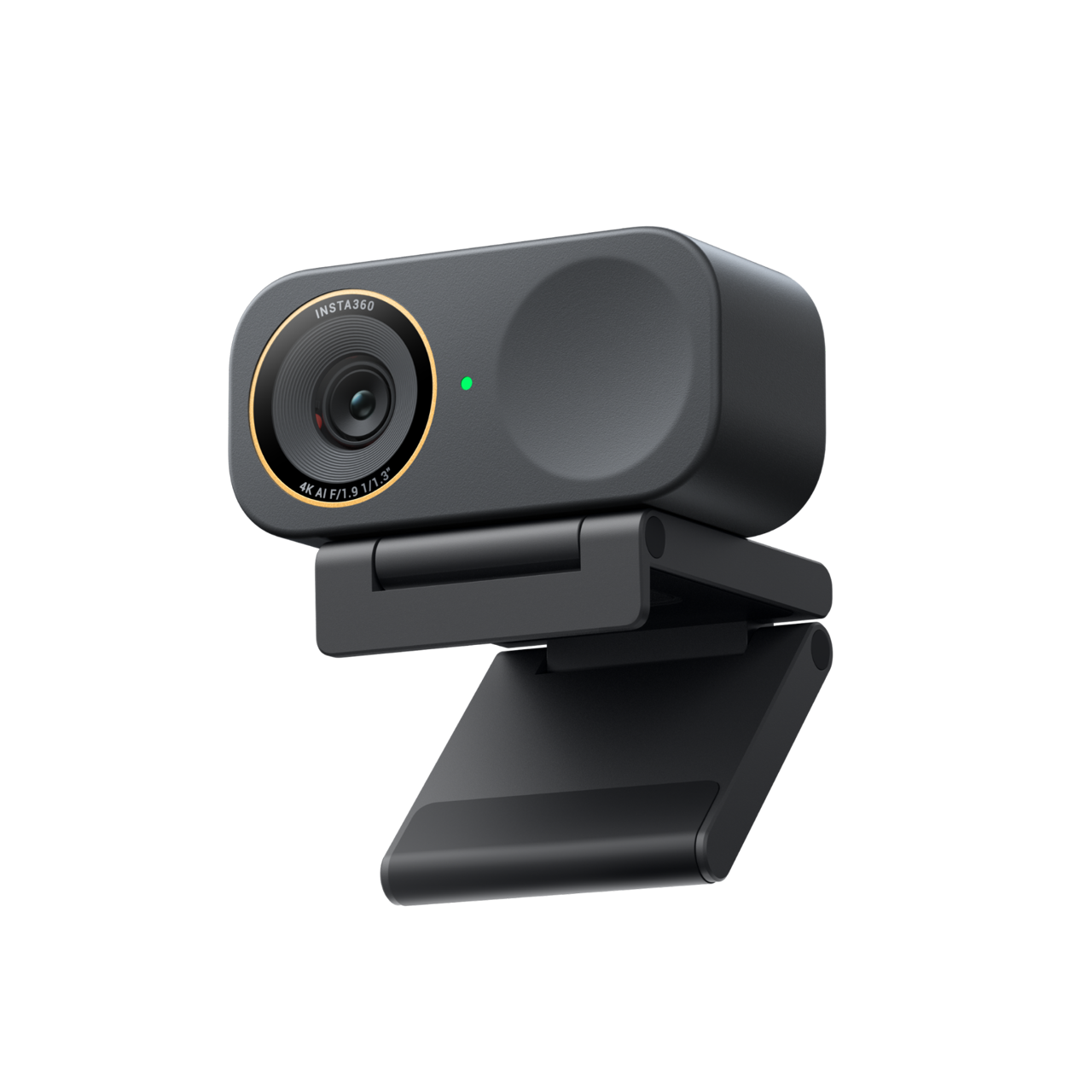
The Link 2C Pro is the fixed-body member of Insta360's Pro webcam pair. This assessment is for the Graphite Black Standard Bundle, U.S. Insta360 Store variant SKU 6525. Its most consequential difference from Link 2 Pro is mechanical: the 2C Pro has no gimbal and cannot physically pan or tilt, but it does have a built-in Privacy Switch that covers the lens. Insta360 describes Auto Framing on this model as automatic framing, while its companion Link 2 Pro physically moves the camera with a two-axis mechanism. A buyer should choose between those workflows before comparing their shared resolution headline.
The camera can attach to the supplied Magnetic Mount, which has a 1/4-inch tripod point. The manual says to adjust the mount by hand for DeskView and to use a tripod for vertical shooting. That is a simpler fixed-position arrangement than the 2 Pro's motorized base, but the framing feature is not a substitute for a camera that physically follows a presenter walking across the room. Link 2C Pro's maximum digital zoom is listed as four times; the specifications do not establish that digital zoom creates more detail.
4K30 and 1080p60 are different jobs
Insta360's detailed table lists 4K at 30, 25 or 24 fps and 1080p at up to 60 fps. The 4K mode is not 4K60. It also lists 720p and 360p, with their own frame-rate entries. The manufacturer specifies H.264 and MJPEG, but says 4K and portrait-mode 1080p60 do not support H.264. An app's source selector may therefore show fewer combinations than the camera's complete list, especially if the app chooses a portrait orientation or a particular codec. Treat the 4K resolution and 60-fps Full HD mode as separate capabilities, not as one performance claim.
Insta360 documents two outputs: the physical camera stream for basic audio/video and the Link Controller Virtual Camera for effects such as backgrounds or Smart Whiteboard. The dedicated compatibility FAQ says the virtual-camera stream does not support 50 or 60 fps. If the meeting or streaming software must receive 1080p60, confirm that it is using the physical Link 2C Pro source rather than the virtual source. Link Controller's processing may be useful, but its software route has different limits from the camera's direct stream.
Lens privacy, built-in audio and ordinary limits
The manual identifies the camera's Privacy Switch as a Link 2C Pro-only control, and Insta360's U.S. product page describes it as a physical shutter. That makes the lens-cover requirement unambiguous in a way Link 2 Pro's sleep/downward-tilt Privacy Mode is not. The switch physically blocks the lens; it should not be described as a guarantee about software permissions, another connected camera or an application's retained recordings.
Two built-in microphones are listed, with directional and omnidirectional pickup, Standard/Wide/Focus/Original modes and AI noise cancellation. These are useful controls for a buyer who wants camera-side audio rather than an extra desk microphone, but there is no independent listening test here. Confirm that the intended meeting app selects the Link 2C Pro as both its video and microphone input, and that your speaking distance and room sound work for you before relying on it. Its fixed 83.9-degree diagonal field of view and autofocus from 12 cm are documented specifications, not guarantees about framing or focus behavior in your room.
Connection, software and bundle checks
The standard bundle includes the camera, Magnetic Mount, four Whiteboard Recognition Markers, a USB-C cable and a USB-C-to-USB-A adapter. The link uses USB 2.0 and needs 5 V/1 A. Insta360 recommends the original cable and a direct connection, or a dock with independent power, to avoid power problems. The included cable length was not established in the reviewed package source; check the exact offer and measure the path to your host instead of assuming it will reach a tower under a desk. The separate Arctic White Standard Bundle is store SKU 7051; the Get-Set bundles use distinct SKUs and add a carry case and Mini 2-in-1 Tripod. Those finish and package differences are not interchangeable identities, even though the camera hardware assessment can be shared.
Insta360 says the camera can be used directly with common third-party apps and that UVC/UAC-compatible Linux computers work without Link Controller. For Linux, the advanced controller is unavailable. The company says Link Controller supports Windows 10 or later but not ARM-based Windows. Its detailed specification page and its FAQ/manual disagree about the minimum macOS release for the controller; the virtual camera also has a later requirement. Check the current software release if you need any advanced feature instead of assuming that a basic USB webcam connection provides it.
Who should compare the two Pro models
Link 2C Pro is the more direct fit when a stationary desktop camera needs autofocus, a physical lens cover and built-in audio. Link 2 Pro is the alternative when a moving presenter benefits from physical tracking; it lacks the 2C Pro's physical shutter. Both list the same 1/1.3-inch sensor, autofocus, 4K30/1080p60 ceilings, dual microphones and USB 2.0 route. A generic store ProductGroup description calls the shared product a 1/2-inch, three-axis camera, but the detailed product comparison, model specifications and hardware support page identify a 1/1.3-inch sensor and no Link 2C Pro gimbal. This assessment follows those model-specific sources and records the conflict rather than inheriting an inaccurate listing description.
For the U.S. SKU reviewed here, verify Link 2C Pro Graphite Black Standard Bundle 6525, not Link 2 Pro 6524 or one of the Get-Set offers. Check that your app uses a suitable physical-camera mode, that the USB-A adapter or USB-C host fits your connection, and that the operating-system and Link Controller versions meet the current requirements. The conclusions are research-based; no hands-on use, image-quality comparison, privacy-switch test or microphone recording was performed.
Key specifications
Key details at a glance
| Documented modes and host limits | The physical camera stream lists up to 4K at 30 fps and separately 1080p at 60 fps; this is not 4K60. The detailed table lists H.264 and MJPEG, but 4K and portrait 1080p60 do not support H.264. The virtual-camera stream does not support 50 or 60 fps. |
|---|---|
| Focus system | Autofocus |
| Diagonal field of view | 83.9° |
| Built-in microphone | Yes |
| Physical privacy shutter | Yes |
Use the exact model’s instructions for operating limits, supplied equipment and version differences.
Sources for this review
Sources for this assessment
- Insta360 Link 2 Pro and Link 2C Pro U.S. product family page
- Insta360 U.S. official store Link 2 Pro and Link 2C Pro variants
- Insta360 Link 2 Pro and Link 2C Pro specifications
- Insta360 Link Series photo and video specifications
- Insta360 Link Series compatibility FAQ for Link 2 Pro and Link 2C Pro
- Insta360 Link 2 Pro and Link 2C Pro connecting to a computer
- Insta360 Link 2 Pro and Link 2C Pro common use FAQ
- Insta360 Link 2 Pro and Link 2C Pro hardware specifications
- Insta360 Link 2 Pro and Link 2C Pro box contents support article
- Insta360 Link 2C Pro and Link 2 Pro user manual, English v1.1
- Insta360 Link 2C Pro Graphite Black Standard Bundle official image, store SKU 6525
Compare the features that affect your setup
Set essential video, focus, privacy and microphone requirements together; leave nonessential choices open.